

















Deciding between Copilot vs ChatGPT for your team? Compare M365 Graph integration, US vs EU data hosting, and real total costs for European businesses.
Should your organisation pay for Microsoft 365 Copilot embedded inside your Office apps, or invest in OpenAI ChatGPT for cross-platform flexibility and advanced AI reasoning? This decision impacts your monthly IT budget, enterprise data governance, and daily workflow efficiency. In this Copilot vs ChatGPT guide, we evaluate total cost of ownership, Microsoft Graph integration, GDPR compliance frameworks, and deployment strategies for European businesses.
TLDR Copilot vs ChatGPT at a glance
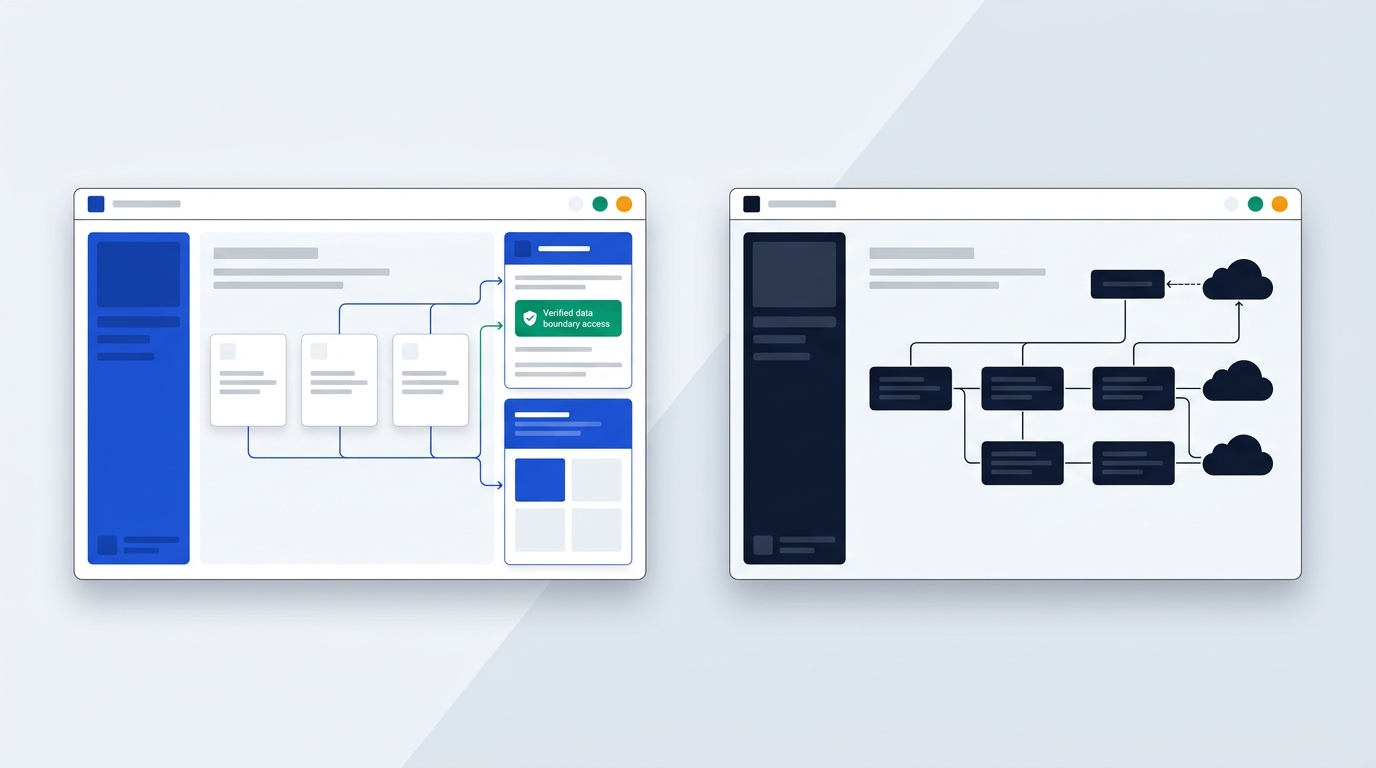
Choose Microsoft 365 Copilot if your business operates primarily within Outlook, Teams, Word, and Excel. It automates access control using your existing Microsoft Graph permissions and keeps data within your enterprise tenant. Choose ChatGPT if your team works across Linux, macOS, Google Workspace, or requires advanced open-ended reasoning and deep research tools across disparate systems.
Copilot acts as an embedded assistant residing inside Microsoft Office software. In contrast, ChatGPT operates as an autonomous, cross-platform intelligence platform. Your choice depends on whether you prefer in-app document editing or flexible multi-system problem solving.
| Feature / Attribute | Microsoft 365 Copilot | OpenAI ChatGPT |
|---|---|---|
| Primary Deployment | Embedded in Microsoft 365 apps | Standalone web, desktop, and mobile app |
| Base Pricing | £24.70 or $30/user/mo + M365 base license | Free, $20 (Plus), $30 (Team), $200 (Pro) |
| Data Access Model | Automatic via Microsoft Graph indexing | Manual file uploads or custom GPTs |
| EU Data Residency | Azure EU Data Boundary | US infrastructure with EU SCCs |
| Core Model Family | GPT-4 variants tuned for Office data | GPT-6 model family (Sol, Astra, Luna) |
Source: vendor pricing pages, checked October 2026.
When to choose Copilot or ChatGPT
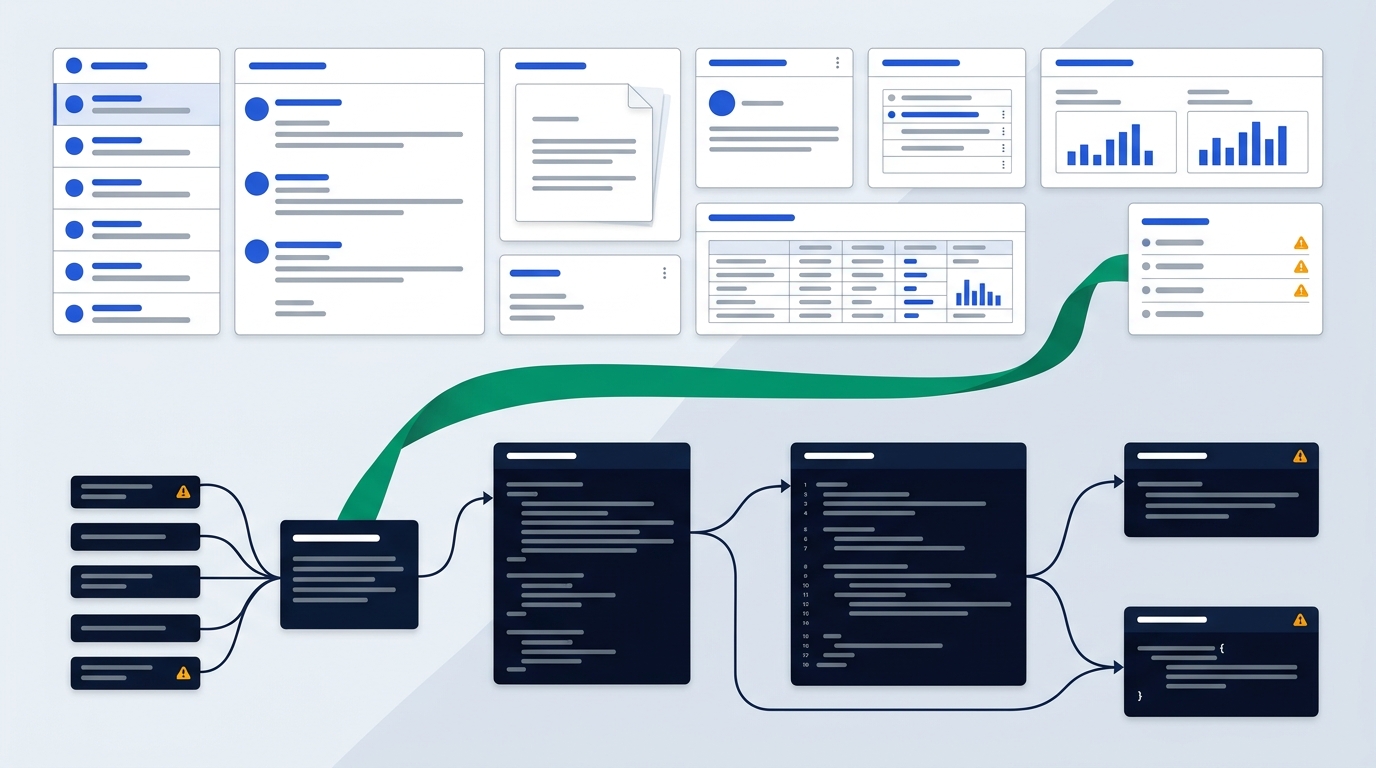
Selecting the right AI platform requires evaluating where your employees spend their workday. Selecting the wrong tool leads to low employee adoption or unnecessary software spending.
Core operational scenarios
You should select Microsoft 365 Copilot when your staff spends most of their working day inside the Microsoft ecosystem. For example, if your managers spend hours attending Teams meetings, writing Word reports, or drafting emails in Outlook, Copilot saves significant time. It constructs PowerPoint decks directly from corporate templates and crunches raw financial data inside Excel without exporting files. Because it respects your existing active directory permissions, staff only see information they are authorized to view.
Conversely, you should select ChatGPT when employees perform cross-platform work across AWS, Jira, Google Workspace, or custom internal databases. Marketing strategists, product managers, and researchers often prefer ChatGPT because it excels at multi-document synthesis and open-ended technical drafting. If your team needs to analyze complex datasets across third-party tools, ChatGPT handles those tasks without tying you to Microsoft software.
Picture two questions from a new starter. First: how do I enable MFA in Microsoft 365? Second: where do I submit holiday requests, and how do I get a replacement laptop? The first is public knowledge, so ChatGPT answers it well. The second depends on your intranet and HR files, which Copilot can reach through Microsoft Graph using the asker's own permissions. Count which kind of question your staff ask most often.
The enterprise hybrid deployment strategy
Many European IT departments discover that a single tool does not satisfy all organizational roles. As a result, companies frequently adopt a hybrid deployment model. They license Microsoft 365 Copilot for general corporate staff who require daily administrative help in Outlook and Teams. At the same time, IT leads purchase ChatGPT seat licenses for strategy teams, software architects, and data analysts who need advanced reasoning capabilities.
This division optimizes your software budget while giving each department the exact tool it requires. General office workers get in-place document editing, while technical teams gain deep multi-step reasoning capabilities. You can also benchmark these tools against specialized workspace solutions like Notion AI vs Taskade if your company relies on collaborative wikis rather than standard Office documents.
To decide who gets which seat, ask each team lead for their three most frequent tasks. Tasks that live inside a Teams call, an Outlook thread or an Excel file point to Copilot. Tasks that start from a blank page, a log file or research across several sources point to ChatGPT.
Workflow integration vs standalone reasoning
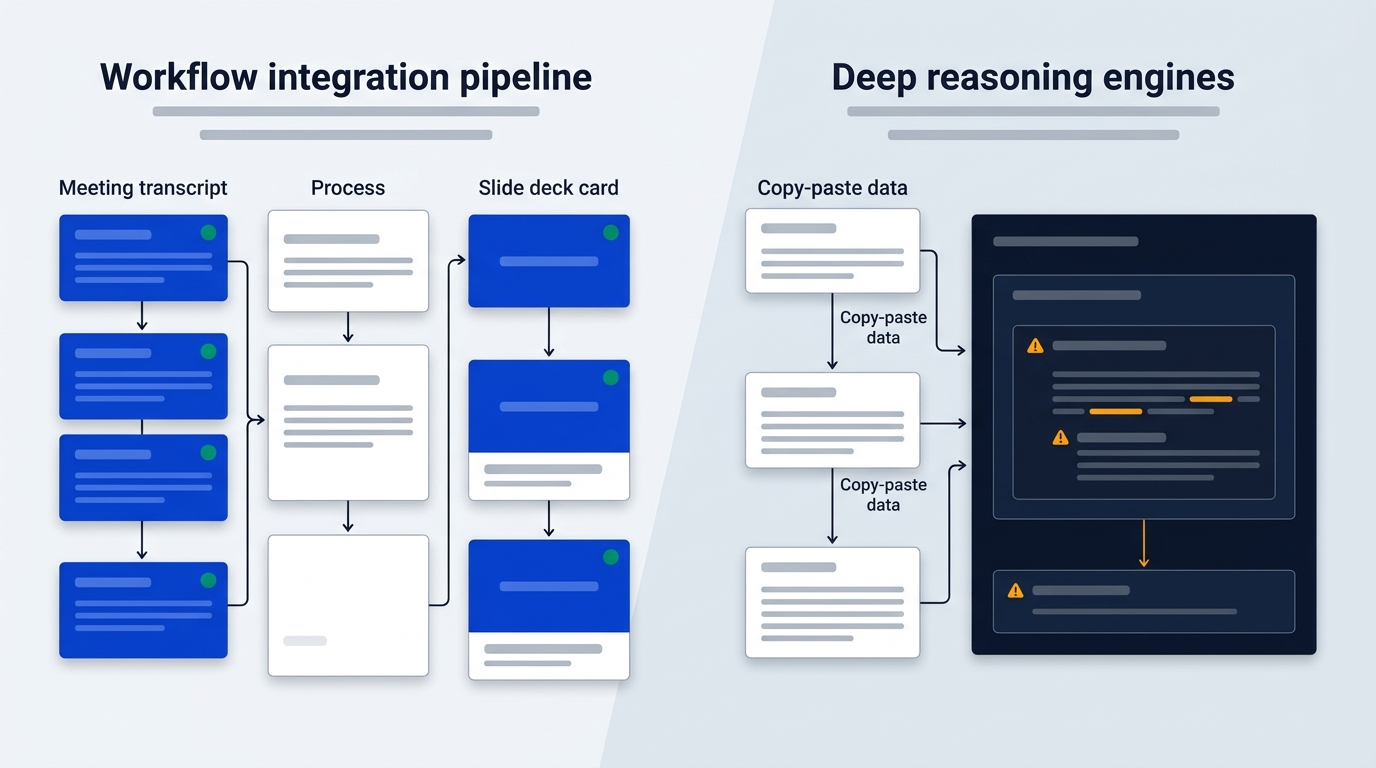
The operational difference between these platforms centers on how context is gathered and where work gets executed.
Context switching and direct document editing
Microsoft 365 Copilot delivers direct in-place document editing. When you request a summary of a lengthy Teams meeting, Copilot pulls the live transcript and writes key action items into a Word document. It alters text inside live files, adjusts Excel formulas directly in spreadsheets, and builds presentation slides without leaving PowerPoint. Because the AI sits inside your active workspace, you avoid switching tabs or copying text back and forth.
Working with ChatGPT introduces a context-copying overhead for standard Office files. You must copy text from your desktop applications, paste it into the ChatGPT web interface, wait for the response, and then paste the output back into your working file. While this administrative friction takes only a few extra seconds per prompt, it adds up over a workweek for routine office tasks.
ChatGPT narrows that gap a little. OpenAI's pricing page lists Excel, Word, PowerPoint, and Google Sheets extensions: limited on Free and Go, included on Plus, and expanded on Pro. Check how far the extensions on your plan go before you assume copy and paste is unavoidable.
One caution when you judge Copilot. The IT services firm ramsac found that the free Copilot chat in Edge gave thinner answers than the version built into Outlook. Evaluate the in-app edition you would actually pay for, not the free browser chat.
Data context indexing and reasoning depth
Copilot uses Microsoft Graph to index permissioned emails, SharePoint documents, and chat threads automatically. If you ask Copilot to prepare a briefing for an upcoming client call, it checks your calendar, reads recent Outlook threads with that customer, and scans stored SharePoint proposals. You do not need to upload files manually because the permissioned context is already accessible.
ChatGPT relies on user-uploaded files, web search, or custom GPT knowledge bases to construct context. However, it compensates for this manual effort with raw model intelligence. Powered by the GPT-6 model family, ChatGPT excels at complex multi-step reasoning, mathematical problem solving, and long-form coding refactoring. When you need deep analytical depth rather than fast document summaries, ChatGPT outpaces standard Office assistants.
Context size matters when you upload long documents. OpenAI lists the instant-model window at 27K on Free, 54K on Go and Plus, and 128K on Pro. The reasoning window is 256K on Go and Plus and 400K on Pro. As a maximum input, that is about 12 pages of text on Free, about 40 on Plus for instant models, and about 320 on Plus for reasoning models.
Building automated workflow assistants is also straightforward in both platforms. You can configure sales or HR assistants in Copilot within minutes using existing M365 security permissions. In contrast, setting up equivalent automated workflows in ChatGPT requires configuring custom GPTs, setting up dedicated workspace permissions, or connecting external APIs. For broader workflow automation comparisons across external systems, see our Make vs Zapier guide.
Copilot pricing vs ChatGPT plus and team
Understanding the true cost of these tools requires looking beyond the advertised monthly seat price. Prerequisite subscriptions significantly alter the final bill for enterprise buyers.
Prerequisites and subscription breakdown
OpenAI offers straightforward seat pricing across clear usage tiers natively listed on their official pricing page:
- Free: Includes GPT-6 Luna access with basic memory, limited file uploads, and standard search capabilities.
- Go: Expands message limits, image creation, file uploads, and voice interactions.
- Plus ($20/month): Provides advanced reasoning models with GPT-6, GPT-6.1 Sol, and GPT-6 Astra, 54K instant context windows, and expanded Codex usage.
- Team ($30/user/month or $25 billed annually): Requires a minimum of 2 users. Includes shared workspaces, admin controls, and zero model training on workspace data.
- Pro ($200/month): Designed for heavy technical research, offering 128K instant context, 400K reasoning windows, and priority access to GPT-6 Astra.
Two details on the lower tiers. Free gives unlimited text chats, subject to abuse guardrails, but limits uploads, image creation, voice, and deep research. Go lifts those limits, yet OpenAI states the plan may include ads, which is worth weighing before you put a work account on it. Pro also adds a choice of three usage tiers, Dot (an always-on agent), and the ability to share plugins with your workspace.
Microsoft 365 Copilot costs £24.70 per user/month for UK buyers or $30 per user/month globally. However, you cannot purchase Copilot as a standalone tool. Microsoft mandates an active base enterprise license for every user. Organisations can buy between one and 299 seats of the add-on.
Sole traders have a lighter route. Core, another IT services firm, puts Copilot Pro for individuals at roughly £16/month and notes a free, lighter version built into Windows and Bing.
True total cost of ownership and billing structures
The compulsory base license significantly increases the True Total Cost of Ownership (TCO) for Copilot. If your business does not already pay for Microsoft 365, you must add the base subscription cost to the Copilot fee.
If you are already paying for Microsoft enterprise licenses, Copilot is a predictable add-on. If you operate on Google Workspace, switching to Copilot requires a full cloud migration.
Both vendors provide predictable, fixed per-user seat billing for their standard business plans. This fixed structure protects your operational budget from unpredictable per-token API charges. You can manage internal seat assignments easily without monitoring individual employee usage metrics every week.
GDPR compliance and EU data residency
European companies must evaluate data residency, legal compliance frameworks, and tax rules before rolling out enterprise AI seats.
Infrastructure boundaries and model training
Microsoft 365 Copilot processes user inputs within Azure's dedicated EU Data Boundary. If your organization operates in France, Germany, Spain, Italy, or Ireland, your prompt data remains inside European cloud data centers. Furthermore, Copilot automatically inherits your company's existing Microsoft 365 sensitivity labels, Data Loss Prevention (DLP) rules, and retention policies. If a document is marked confidential in SharePoint, Copilot will not expose its text to unauthorized employees.
ChatGPT Team and Enterprise accounts host business data on US-based infrastructure managed via AWS and Microsoft Azure US. To comply with European privacy legislation, OpenAI provides a formal Data Processing Addendum (DPA) incorporating EU Standard Contractual Clauses (SCCs). For details on standard contractual terms, review our guide on GDPR Data Processing Agreements.
Both vendors guarantee strict model privacy on their corporate plans. Neither Microsoft 365 Copilot nor ChatGPT Team and Enterprise use your company data or prompt history to train public AI models. Your business communications, customer information, and internal notes remain strictly confidential.
Tax treatment across European jurisdictions
Cross-border software billing requires accurate tax accounting for European accounting departments. UK VAT-registered businesses purchasing software from US or European entities apply the UK reverse charge mechanism under HMRC VAT Notice 741A. This ensures you account for output and input tax correctly without paying unnecessary upfront margins.
EU VAT-registered buyers located in Ireland, France, Spain, or Italy use the EU cross-border reverse charge mechanism under the EU VAT Directive. When you supply a valid EU VAT identification number during checkout, the vendor issues an invoice with zero VAT applied. Your internal finance team then accounts for the reverse charge locally. You can read our detailed VAT reverse charge mechanism guide to streamline your international SaaS invoicing.
GitHub Copilot vs ChatGPT codex for developers
Software engineering departments evaluate AI assistants based on real-time auto-completion performance and architectural problem-solving capabilities.
GitHub Copilot operates directly inside development environments including VS Code, Visual Studio, and JetBrains IDEs. Priced at $10/month for individuals and $19/month for business seats, it acts as an inline pair programmer. As you write code, GitHub Copilot suggests complete code lines, fills out repetitive boilerplate functions, and auto-completes syntax. It speeds up daily software development by reducing manual typing inside active code repositories.
ChatGPT Codex features work across web, desktop, and mobile workspaces. Rather than providing tiny line-by-line inline completions, ChatGPT excels at macro-level engineering. It analyzes whole system architectures, refactors multi-file source blocks, and debugs complex stack traces across expanded context windows. You can paste complex error logs into ChatGPT to uncover root infrastructure failures faster than inline code autocomplete tools allow.
Check the plan before you budget for Codex. OpenAI lists Codex access as limited on Free and Go, included on Plus, and expanded on Pro. Code edits on macOS appear on every plan.
For private repositories, the business tier matters. Core notes that GitHub Copilot business plans keep your private code from being used to retrain public models and add stronger compliance controls. Individual seats do not carry that promise in the same way, so put commercial code on a business seat.
For development teams, GitHub Copilot wins for rapid daily syntax auto-completion inside your primary code editor. However, ChatGPT serves as a superior architectural partner for structural refactoring, cross-language translation, and high-level documentation generation.
Frequently asked questions
Can I buy Microsoft 365 Copilot on its own?
No. Microsoft requires an active base license for every user. Copilot itself costs £24.70 per user/month for UK buyers or $30 per user/month globally.
How much does a 10-person team pay for each tool?
Where is my data hosted?
Microsoft 365 Copilot processes inputs within Azure's EU Data Boundary. ChatGPT Team and Enterprise host business data on US-based infrastructure, and OpenAI provides a Data Processing Addendum that incorporates EU Standard Contractual Clauses.
Is my company data used to train public AI models?
No, on the corporate plans. Neither Microsoft 365 Copilot nor ChatGPT Team and Enterprise use your company data or prompt history to train public AI models.
Do I have to choose just one?
No. Many European IT departments run a hybrid model, with Copilot for general staff who work in Outlook and Teams, and ChatGPT seats for strategy teams, software architects and data analysts. Tasks inside a Teams call, an Outlook thread or an Excel file point to Copilot, while tasks that start from a blank page, a log file or multi-source research point to ChatGPT.
Sources and how this was compiled
Compiled by the SaaSEuro team from the vendors' official documentation; we have not hands-on tested these products. Facts last checked in October 2026.
Source: official vendor pages, checked October 2026.
Which one should you pick?
Choose Microsoft 365 Copilot if your organization is already anchored in Microsoft 365, values automated Azure permission governance, and requires direct in-app document editing across Teams, Word, and Excel.
Choose ChatGPT if your workforce operates across multiple operating systems, values top-tier GPT-6 reasoning flexibility, or requires low upfront entry costs without compulsory prerequisite subscriptions. You can also evaluate alternative standalone AI assistants like ChatGPT vs Claude to compare multi-document context performance.
Run a 30-day trial with 5 seats on both platforms to benchmark actual employee productivity across your internal teams before committing to annual enterprise contracts.
Make the trial comparable. Give every participant the same three jobs: summarise a real meeting, build a report from a spreadsheet, and answer one question that needs company-only knowledge. Ask each person to log the minutes spent and how often they copied text between apps. Those two numbers show whether in-app editing is worth the Microsoft base licence for your team.