
















European teams, compare ChatGPT alternatives: verified EU prices, GDPR compliance, context windows, and hosting for top AI tools.
Claude suits teams that need natural human-like prose, structured documents, and long-context codebase analysis. Perplexity AI fits researchers who require cited web sources, while DeepSeek delivers low-cost API reasoning for technical teams.
For European businesses, choosing the right assistant depends on your document lengths, privacy standards, and workflow needs. Here is how the market leaders compare across features, context windows, and real pricing.
ChatGPT Alternatives: Quick Answers
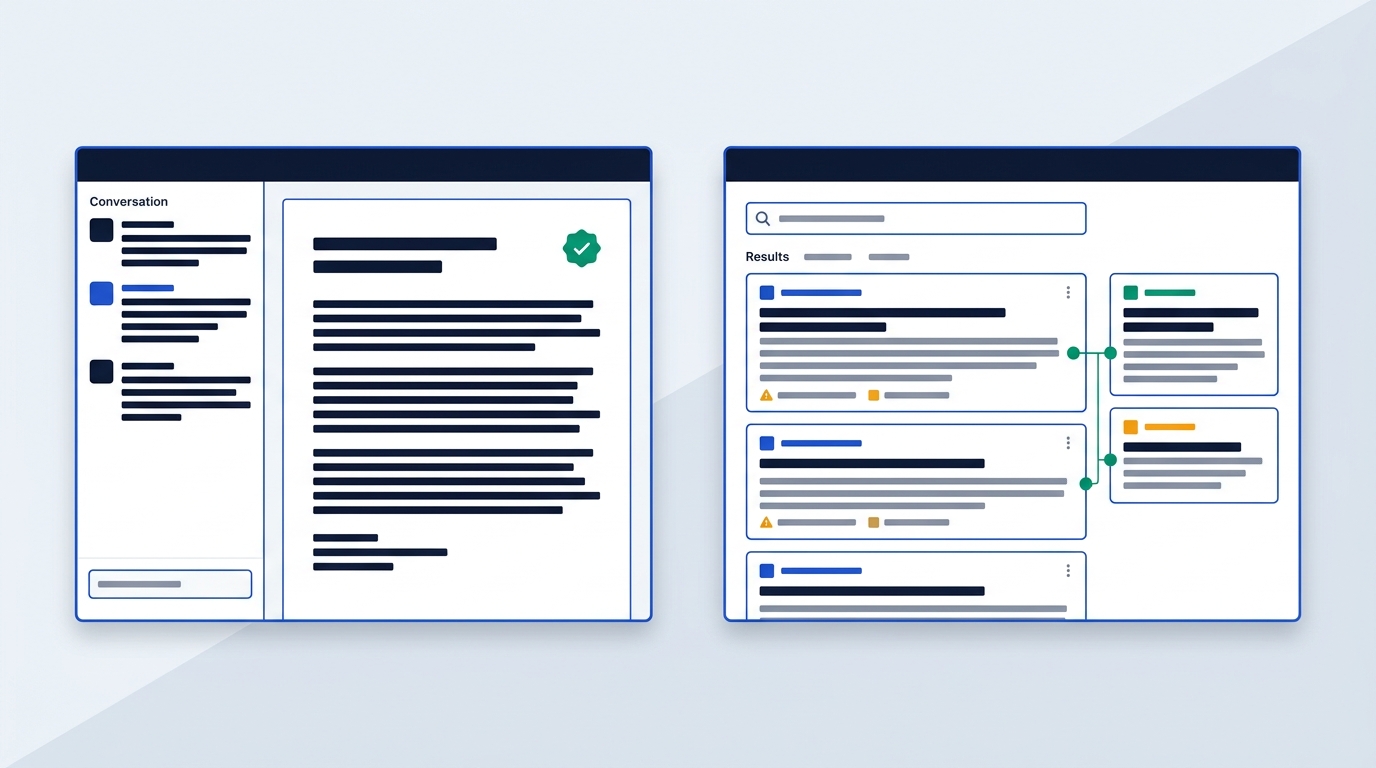
Selecting top ChatGPT Alternatives requires balancing writing style, context capacity, and subscription costs. ChatGPT remains a generalist platform with built-in image creation and custom GPTs. However, specialized tools often outperform it in technical and writing tasks.
Anthropic Claude is a strong pick for writing long-form reports and refactoring software codebases. Perplexity AI replaces traditional search engines for live market research. DeepSeek offers pay-as-you-go reasoning models for cost-conscious developers. Google Gemini and Microsoft Copilot provide native workspace integrations for existing office productivity suites.
Prices in this article are the vendors' list prices, shown in US$ as the vendors list them, and they are before VAT. Nothing has been converted into euros or pounds.
| Provider | Starting Price | Free Tier | Max Context Window | Standout Feature |
|---|---|---|---|---|
| ChatGPT | US$8/mo (Go) | Yes (GPT-6 Luna) | 400K tokens (Pro) | Custom GPTs, DALL-E, Voice Mode |
| Claude | US$17/mo (Pro annual) | Yes (Claude 3.5 Sonnet) | 500K tokens (Enterprise) | Artifacts window, Claude Code terminal |
| Perplexity AI | US$17/mo (Pro annual) | Yes (Standard search) | Varies by selected model | Live web citations, Deep Research |
| DeepSeek | Pay-as-you-go API | Yes (Web interface) | 128K tokens | Ultra-low token cost reasoning |
| Mistral Le Chat | US$14.99/mo (Pro) | Yes (Vibe models) | 128K tokens | EU-hosted privacy focus |
Source: vendor pricing pages, checked November 2026.
The context column is not like for like. ChatGPT's 400K figure belongs to the reasoning models on the Pro tier, while Claude's 500K is an Enterprise figure. On a Free ChatGPT account the instant models get a 27K window, so treat the column as a ceiling, not what a typical plan gives you.
The free tier column hides a trade-off too. ChatGPT Free offers unlimited text chats, subject to abuse guardrails, but uploads, image creation, voice chats, deep research and Codex are all limited. Claude's free tier has very strict message limits. Free plans are for trying a tool, not for running a team on it.
Top options for European teams
- Anthropic Claude: Best for natural tone, multi-file analysis, and interactive document editing.
- Perplexity AI: Best for real-time web research, competitive analysis, and transparent citations.
- DeepSeek: Best for budget-friendly developer API tokens and structured logical reasoning.
- Google Gemini: Best for teams heavily reliant on Google Docs, Sheets, and Drive.
- Microsoft Copilot: Best for organizations operating inside Microsoft 365 and Office apps.
- Mistral Le Chat: Best for European buyers wanting an EU-headquartered platform focused on data privacy.
These labels are editorial picks. They rest on price, plan limits, integrations and where each vendor is based, as listed in the vendors' own materials. They are not test results.
It helps to start from your own situation. A solo consultant who writes proposals and reports all week gets the most from Claude, because drafting and long-document work is where it is strongest. Add the free Perplexity tier for fact checks before anything goes to a client.
A small agency already paying for Google Workspace should look at Gemini first. Its link to Gmail, Docs and Drive depends on the Google plan you hold, so check that before you assume a feature is included. Gemini AI Plus is listed at US$4.99 per month billed monthly, a low price for a first paid step.
A team that lives in Microsoft 365 will find Copilot the natural fit, since it works inside Word, Excel, PowerPoint and Teams. A developer team trying to cut spend should price DeepSeek's API against its current seat licences.
Now the other side. Claude does not suit you if you need built-in image generation. DeepSeek's pay-as-you-go API assumes someone on your team can call an API, so it will not give a marketing team a ready-made seat-based workspace. Perplexity is built for searching and citing, not for long drafting sessions.
Selecting models based on key workflows
If your team creates long-form marketing assets or technical documentation, generic model output can sound synthetic. Claude produces fluid sentences that sound human without repetitive transition phrases. You can upload entire manuals or code repositories into its side-by-side Artifacts window to edit deliverables interactively.
For academic research, legal review, and real-time market tracking, Perplexity AI eliminates hallucinated facts by linking every sentence directly to live web sources. If you need dedicated coding environments, tools like Cursor AI and GitHub Copilot integrate directly into standard code editors.
Picture a four-person content team that publishes a weekly market report. The bottleneck is rarely the first draft. It is checking figures, then editing the tone until it sounds like your brand.
A workable setup splits the job. Use Perplexity to gather sourced facts, then pass the verified notes to Claude to write the report in a consistent voice. If you want one tool only, pick the stage that costs you the most editing hours and choose for that.
To compare tools fairly, take three real tasks from last month's work. Run each task on the free tier of every tool you are considering. Note how many edits each result needs, whether sources are shown, and whether the file size you actually work with fits.
Choosing the right AI for your workflow
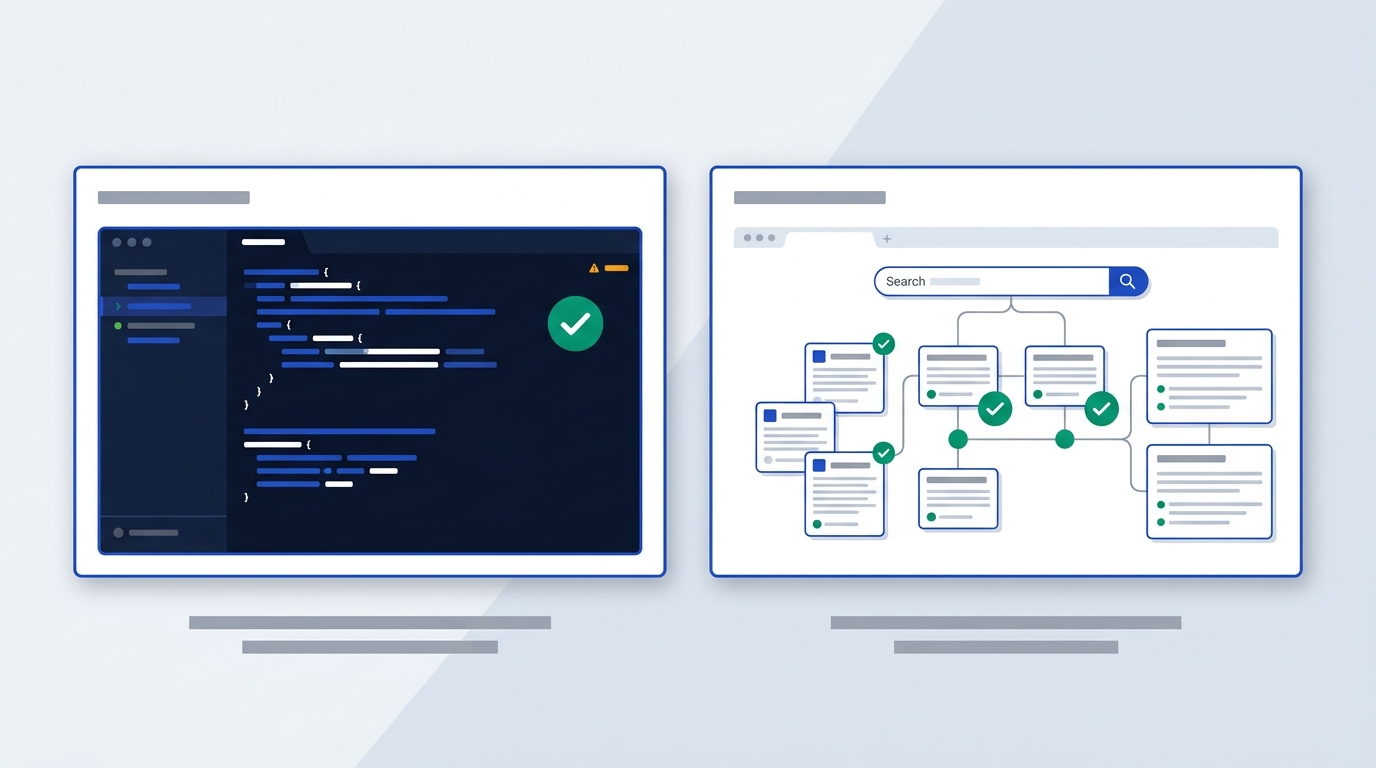
Every AI model brings distinct strengths to operational tasks. Evaluating these platforms requires matching specific model capabilities to your daily operational bottlenecks.
Four criteria do most of the work: what the plan costs, what its limits are, where your data goes, and which apps it plugs into. Price and limits decide whether a tool is affordable at your volume. Data location and integrations decide whether you can use it at all.
Evaluating content creation and prose quality
Standard GPT outputs often rely on repetitive structure and predictable vocabulary. Models derived from OpenAI often use formulaic transition phrases that reveal their synthetic origin. If you publish content regularly, editing out these robotic markers requires substantial manual work.
Anthropic Claude uses constitutional AI training principles. This approach produces varied sentence rhythms and tone variations that match human editorial writing. Claude drafts clear, structured prose without relying on buzzwords. You spend less time refining tone and more time polishing ideas.
Why does this matter? The subscription is a small line in your budget. The real cost is the time an editor spends rewriting stock phrasing, so a tool that needs fewer edits can be cheaper in practice than a tool with a lower price.
No model is safe from errors. ChatGPT can fabricate information, a problem known as hallucination, especially on topics where it has little training data. Whatever you pick, a person should check names, figures and quotes before anything is published.
Comparing research accuracy and development tools
Web research requires accurate citations and verifiable data points. ChatGPT offers web search capabilities, but its interface presents summarized text without persistent, clear source mapping for every clause.
Perplexity AI operates as a search-first platform. When you submit a prompt, it gathers live web data, cross-references sources, and displays inline citations for every factual statement. Its Deep Research mode analyzes complex topics across multiple web queries, generating structured summaries with links to original documents.
Citations make checking easier, but they do not make the answer correct. Perplexity's answers can still contain inaccuracies, so open the source behind any number you plan to quote. Claude's web search is also described as less solid than others, so do not rely on it alone for live market tracking.
For software development, general chat interfaces can feel restrictive. OpenAI provides Codex features, but Anthropic offers the Claude Code terminal tool alongside Sonnet 5. Developers can execute shell commands, run tests, and refactor code directly inside their local workspace environments.
On the OpenAI side, Codex access is limited on Free and Go, expanded on Plus, and extended with longer sessions on Pro. Developer mode (beta) is available on Plus and Pro only. If coding is your main use, compare these limits with the Claude Code access that comes with Claude Pro before paying for either.
Ecosystem integration across office platforms
Selecting an AI tool often comes down to where your team already works. Standalone chatbots require copying and pasting text across browser windows. Integrated assistants place model tools directly inside your daily apps.
Google Gemini connects directly with Google Workspace. You can draft emails in Gmail, pull data from files in Google Drive, and summarize meeting records from Google Meet without leaving your browser tabs.
Microsoft Copilot operates inside Word, Excel, PowerPoint, and Teams. If your enterprise uses Microsoft 365, Copilot reads internal document structures and builds presentations based on existing corporate files.
Not every team sits inside one of those two suites. ChatGPT's Business and Enterprise plans connect with Google Drive, Microsoft 365, GitHub and Notion, which makes them a neutral choice for mixed tool stacks. On the consumer side, ChatGPT Plus and Pro also include Excel, Word, PowerPoint and Google Sheets extensions, while Free and Go have a limited version.
If your notes and wikis live in Notion, Notion AI is another route. Its free plan offers unlimited pages and blocks for individuals with basic trial AI responses, and paid plans are US$12 (Plus) and US$24 (Business) per month, or US$10 and US$20 per month billed yearly, according to Notion's pricing page. Enterprise is sold through sales.
Meta AI sits inside Facebook, Instagram and WhatsApp, which suits people who want quick answers in apps they already open. It is a consumer product, so it is a weaker fit for a team that needs admin controls over company files.
Subscription tiers across primary providers
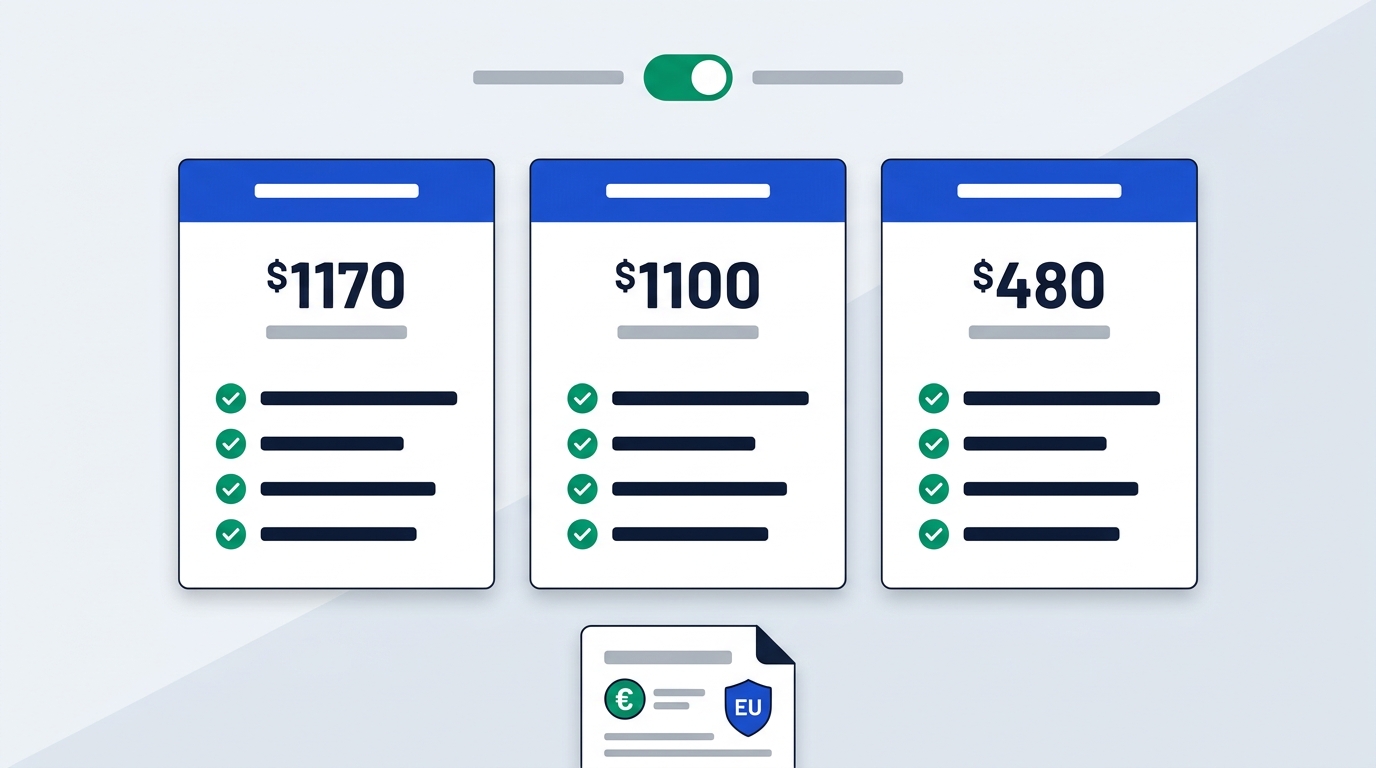
Understanding pricing tiers, context windows, and feature sets helps you evaluate recurring software expenses accurately.
OpenAI structures ChatGPT pricing across four core tiers, according to its pricing page checked November 2026. The Free tier provides everyday intelligence with GPT-6 Luna, alongside limited uploads and voice chats. The Go plan costs US$8 per month and adds expanded uploads, image creation, and longer memory.
The Plus plan costs US$20 per month and includes advanced reasoning models like GPT-6, expanded Codex usage, custom GPTs, and web access. The Pro plan starts at US$200 per month, offering unlimited high-compute reasoning with GPT-6 Astra, maximum deep research tools, and monthly API credits.
The plan table shows where each feature starts. Scheduled tasks and voice with video begin at Go. Projects, Sites, interactive tables and charts, and legacy models need Plus. Dot, the always-on agent, and ChatGPT Space are Pro only, as is sharing plugins with your workspace.
Speed is tiered as well. Response times are limited by bandwidth and availability on Free and Go, fast on Plus, and ultrafast on eligible Pro tiers. Pro also lets you choose from three usage tiers. The Go plan may include ads, which matters if you plan to put it in front of staff or clients.
Anthropic offers several tiers for Claude subscription plans, according to its pricing page checked November 2026. The Free tier includes access on web and mobile with dynamic message limits. The Pro tier costs US$17 per month when billed annually or US$20 per month on a monthly cycle. Pro provides 5x higher usage, access to the Claude Code terminal, and Workspace connectors.
The Max plan costs approximately US$100 per user per month for higher usage limits. The Team plan costs US$25 per user per month billed annually (or US$30 monthly) with a 5-seat minimum, providing shared team projects and administrative billing controls.
Perplexity AI offers a Free search tier alongside its Pro subscription, which costs US$17 per month on an annual billing schedule, according to its pricing page checked November 2026. Enterprise Pro costs US$34 per seat per month, adding single sign-on, administrative controls, and strict data privacy protections.
Heavier Perplexity plans exist too. Max is listed at US$167 per month and Enterprise Max at US$271 per seat per month, and all paid Perplexity plans are billed annually. Most teams will never need those two tiers, but they show how far the price ladder runs.
DeepSeek provides a free web conversation interface. For developer workloads, it charges strictly on a pay-as-you-go basis per million input and output tokens, eliminating monthly recurring subscription overhead, according to its documentation checked November 2026.
Google and Microsoft price their assistants differently again. Gemini lists a Free tier, AI Plus at US$4.99 per month (monthly billing), AI Pro at US$16.67 per month (annual billing), and Ultra at US$99.99 or US$199.99 per month (monthly billing). Enterprise is priced separately.
Microsoft Copilot lists a Free tier and consumer plans of Personal at US$8.33, Family at US$10.83 and Premium at US$16.67 per month, all billed annually. Pro is US$99.99 per month billed monthly. Business plans with Copilot run from US$23.50 to US$32 per user per month, a business add-on starts at US$18 per user, and the Enterprise add-on is US$30 per user, billed annually.
Mind the billing cycle when you compare. Claude Pro's US$17 is an annual-billing price, Gemini AI Pro's US$16.67 is also annual, and Gemini AI Plus's US$4.99 is monthly. Put every plan on the same cycle before you decide which one is cheaper.
Claude for natural writing and complex coding
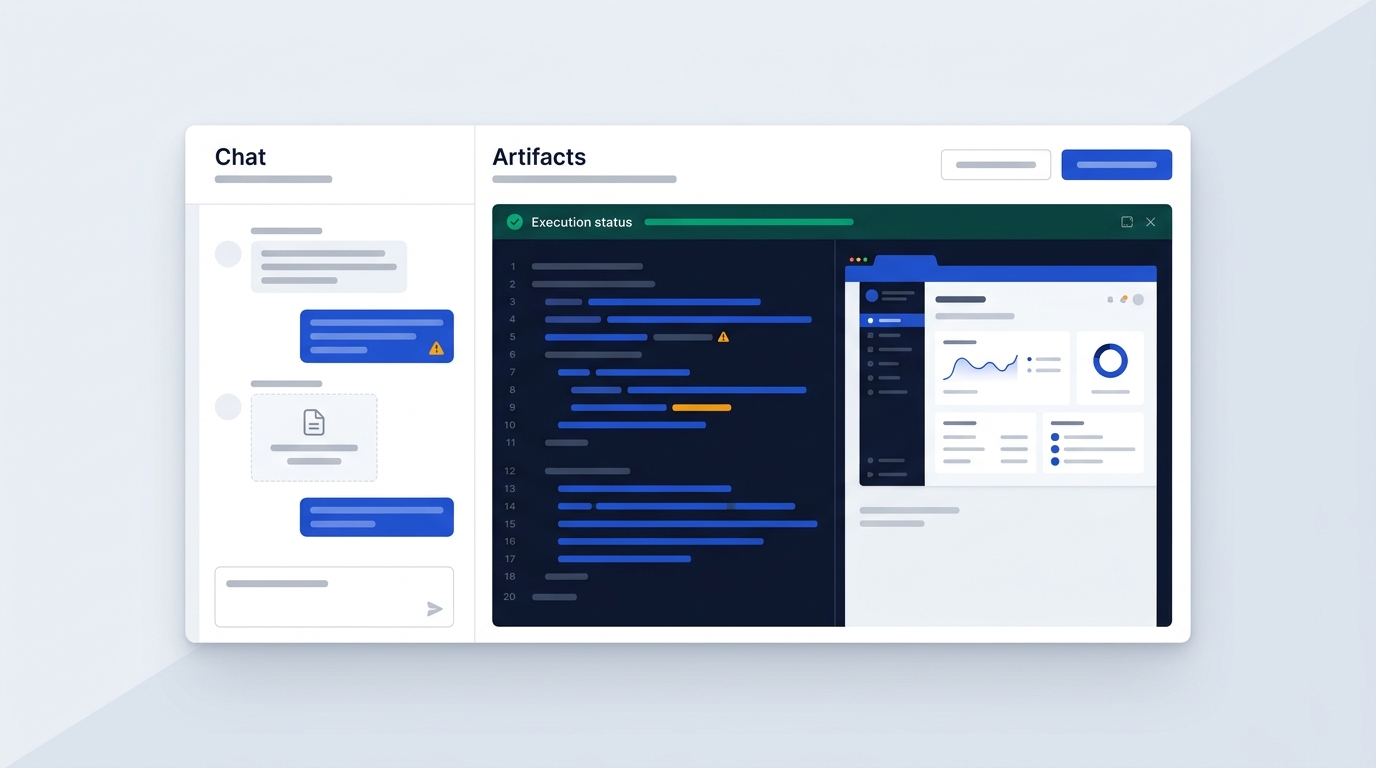
Anthropic's Claude has emerged as a chief competitor to OpenAI's ecosystem. Its underlying architecture prioritizes structural reasoning, safe responses, and conversational fluency.
Constitutional AI and document creation
Anthropic designs Claude using a system called constitutional AI. Instead of relying solely on human feedback to eliminate harmful answers, the model evaluates its own responses against explicit principles. This architectural choice shapes how the AI writes.
Claude avoids repetitive filler phrases, overly broad summaries, and artificial excitement. When you ask it to draft a commercial proposal or edit a legal agreement, it retains technical nuances without watering down your instructions.
Claude processes technical documentation smoothly. You can paste a 100-page operational manual into the conversation, and the assistant will reference exact sections without confusing facts from earlier paragraphs.
Projects are the feature that makes this repeatable. A Project keeps reference files, custom instructions and conversations in one workspace, so a style guide or a product manual stays attached to every new chat. For a team that writes in a fixed tone, this saves you from pasting the same brief each morning.
Developer tooling and interactive artifacts
Claude features a user interface component called Artifacts. When you ask the assistant to write a code snippet, create an SVG graphic, or draft a web dashboard, the output appears in a dedicated workspace window alongside your chat window.
You can edit code in real time, preview live HTML, or copy formatted markdown without scrolling back through conversation logs. This workspace approach separates chat dialog from your main workspace assets.
+------------------------------------+------------------------------------+
|  Chat Interface                    |  Artifacts Preview Window          |
|  - Prompt input                    |  - Live rendered HTML/JS           |
|  - Iterative revision notes        |  - Editable document content       |
|  - Context references              |  - One-click copy & export         |
+------------------------------------+------------------------------------+
For software engineers, Anthropic offers Claude Code. This command-line terminal tool interfaces directly with local directory structures. Claude Code can scan file trees, run unit tests, detect runtime errors, and submit pull requests across software repositories automatically.
Beyond Artifacts and Claude Code, the main features in the current lineup are:
- Extended thinking: for multi-step problems that need complex reasoning.
- Web search: retrieves current information with links to supporting sources.
- Research mode: investigates a topic and produces a detailed report with citations.
- File uploads and analysis: examines documents, spreadsheets and structured data.
Research mode and unlimited projects come with the Pro plan and above. Pro also adds connectors such as Google Workspace, which matters if your files sit in Drive.
Plan pricing and daily usage limits
While Claude excels at structured tasks, its daily message limits on the Free plan are strict. During high-traffic periods, free accounts reach usage limits after only a few prompts.
Upgrading to the Claude Pro plan costs US$20 per month on a monthly billing cycle, or US$17 per month when paid annually. This matches the US$20 per month cost of ChatGPT Plus while supplying five times the message capacity of the free plan.
If your workflow requires continuous processing of large files, daily message caps can force upgrades to the Max tier (US$100 per month) or Team tier (US$25 per user per month). You can review detailed tier options in our full ChatGPT vs Claude guide.
Claude does not include a native image generation engine like DALL-E. If your workflow requires generating marketing graphics from text prompts, you will need a separate visual tool.
Max is the heavy-use step. It includes everything in Pro plus 5 to 20 times more usage, higher output limits, early access to new features and priority service. Team adds central billing, collaboration tools and single sign-on. Enterprise is custom priced and adds audit logs and compliance tools.
The strengths and weaknesses look different by type of user:
- Writers and analysts: natural prose and long documents are the draw. The cost is no image generation and a search tool that is weaker than a dedicated research engine.
- Developers: Claude Code and Artifacts are the draw. The cost is that heavy sessions can push you from Pro towards Max.
- Small teams: shared projects and central billing on Team are the draw. The cost is the five-seat minimum, which is awkward for a three-person firm.
- Casual users: the Free plan works for occasional questions, but the strict limits will frustrate anyone who uses it daily.
If you are moving over from ChatGPT, start small. Copy your custom instructions into a Claude Project, upload the two or three reference files you use most, and run one real task end to end. Keep your ChatGPT plan until that task has gone through your normal review, then decide.
Specialized AI tools for research and developers
Beyond Anthropic and OpenAI, several specialized platforms address dedicated workflows such as web research, enterprise cloud editing, and software execution.
Search-first intelligence with Perplexity
Perplexity AI operates as a research engine rather than a general conversation bot. When you enter a complex market question, the engine queries multiple web indexes simultaneously, synthesizes the results, and displays concise text with inline numbered citations.
Its Deep Research feature automates comprehensive background checks. The system runs multi-stage queries, reads dozens of articles, and organizes findings into structured research briefs complete with original source links.
The platform allows users to switch between underlying AI engines. With a single Perplexity Pro plan, you can process prompts using Claude Sonnet, GPT-6, or internal search-optimized models.
Think of an analyst who has to brief a manager on a competitor by Friday. Perplexity gets you a sourced first pass in minutes, and you can open each cited page to confirm the figure. That habit is what keeps the speed from turning into errors.
Perplexity suits researchers, students and professionals who need to verify facts and see original sources. It suits you less if your main work is long-form writing, because its strength is search and citation rather than drafting. Its free tier is enough to judge whether the citation style works for you.
API reasoning efficiency with DeepSeek
DeepSeek offers open-weight reasoning models designed for high efficiency. Models like DeepSeek V4 Flash and V4 Pro match top-tier commercial systems on mathematical reasoning and coding tasks.
DeepSeek uses pay-as-you-go API pricing instead of flat monthly fees. Input tokens cost a fraction of a cent per million, making it significantly cheaper than calling GPT-5 or Claude API endpoints for automated script execution.
Developer teams use DeepSeek for data extraction, log analysis, and code generation pipelines where paying US$20 per seat for conversational web apps is unnecessary.
Because the models are open-weight, teams that want self-hosted or open-model deployment have an option that closed vendors do not offer. DeepSeek is attractive for low-cost, long-context reasoning. It is a poor match for a team that wants a polished app with admin controls and shared workspaces out of the box.
Workspace integration and specialized code editors
Google Gemini and Microsoft Copilot target organizations tied to major cloud platforms. Google Gemini provides free access to standard models, while paid workspace plans bring multimodal capabilities straight into Google Docs, Gmail, and Google Sheets.
Microsoft Copilot embeds directly within Office 365 desktop apps. Business plans cost between US$18 and US$32 per user per month, enabling corporate users to build PowerPoint decks from internal word documents or draft email replies based on Outlook thread histories.
For software engineering teams, dedicated IDE editors provide deeper context than standard chat interfaces:
- Cursor AI: A code editor built on Visual Studio Code. It costs US$8 to US$30 per month and reads local codebase context to suggest multi-file code edits automatically.
- GitHub Copilot: Integrates into existing code environments for US$10 to US$39 per month, supplying real-time autocompletion, inline chat, and pull request reviews.
Both ladders run higher. Cursor lists Free, Plus at US$8, Premium at US$30, Super at US$100 and Ultra at US$200 per month, with Teams from US$30 per user per month and Enterprise on custom pricing. GitHub Copilot lists Free, Pro at US$10, Pro+ at US$39 and Max at US$100 per month, plus Business at US$19 and Enterprise at US$39 per user per month, all as monthly prices.
Which should a small engineering team pick? If people already work in their usual editor and want completion plus pull request reviews, GitHub Copilot is the lighter change. If you want an editor built around codebase context and agents, Cursor is the closer match. Either way, the free tier of each is a no-cost way to see how it handles your repository.
For European teams seeking high data privacy, Mistral Le Chat (built on Mistral Vibe models) provides multilingual processing and document analysis. It operates under European corporate governance from Paris, offering a Free plan, a Pro plan at US$14.99 per month, and a Team tier at US$24.99 per user per month.
Mistral's Enterprise tier is custom priced, and the Pro and Team prices above are monthly prices. A few other names come up often. Pi has a free plan and is known for a warm, conversational tone and voice chat. Grok from xAI combines real-time web and X search with voice, files, connectors and multimodal generation.
Those two are worth a look if you want a personal assistant rather than a business workspace. For company data, stay with tools whose terms and admin controls you can review.
EU data protection and GDPR compliance breakdown
European businesses handling personal data must ensure their AI software meets strict legal standards under General Data Protection Regulation rules.
Infrastructure locations and standard contractual clauses
Most major AI service providers host their primary physical infrastructure inside the United States. OpenAI runs its infrastructure across Microsoft Azure and OpenAI data centers in the US, according to its enterprise privacy policy checked October 2026. Anthropic relies on Amazon Web Services and Google Cloud clusters located primarily in US server regions, according to its trust page checked October 2026.
Because data moves across Atlantic network routes, European companies must establish a valid legal transfer framework. OpenAI provides Data Processing Addendums (DPAs) with standard business terms, while Anthropic supplies a Commercial DPA. Both documents incorporate EU Standard Contractual Clauses (SCCs) to satisfy GDPR cross-border transfer requirements, according to their respective business terms checked October 2026.
Reviewing vendor terms under a valid GDPR Data Processing Agreement ensures your organization remains compliant when uploading operational files containing employee or customer details.
Security certifications are only part of the picture. ChatGPT's Business and Enterprise plans list single sign-on and SOC 2 compliance, yet some companies need tighter controls or data stored in specific regions. Claude's Team plan lists single sign-on, and Enterprise adds audit logs and compliance tools.
Location can also depend on the plan you buy. Notion AI, for example, stores data in the United States, with EU residency available only on Enterprise, in Frankfurt or Ireland, according to Notion's help pages. Ask each vendor whether a regional option exists on the tier you can afford, not only on the top one.
We do not have a verified data location for Perplexity, DeepSeek, Gemini or Microsoft Copilot in the sources behind this page. If hosting decides your purchase, confirm it in each vendor's own legal pages before you sign.
A practical sequence for a compliance-minded buyer:
- List the kinds of data staff will paste in, such as customer details, contracts or source code.
- Choose a business tier rather than a personal plan for that data.
- Ask the vendor for its DPA and check which transfer mechanism it uses.
- Confirm the admin features you need, such as single sign-on and audit logs, exist on the plan you are buying.
- Write a short internal rule on what may and may not be pasted into any AI tool.
Zero training policies for business tiers
A primary compliance concern for enterprise software buyers is whether vendor AI models retain corporate inputs to train future public models. Standard consumer accounts often reserve the right to process user prompts for model training unless users manually opt out.
Commercial plans enforce strict zero data retention policies for training:
- OpenAI: ChatGPT Team, Enterprise, and API subscriptions exclude all customer inputs, uploaded files, and output generations from AI model training datasets, according to its business terms checked October 2026.
- Anthropic: Claude Commercial plans and API endpoints enforce zero data training on customer inputs by default, according to its commercial terms checked October 2026.
- Mistral AI: Enterprise and commercial web subscriptions exclude prompt data from model training datasets, according to its documentation checked November 2026.
If employees use free consumer tiers to analyze company files, sensitive data could enter training queues. Enforcing business-tier accounts eliminates this compliance risk across your organization.
This is the main reason the price of a business seat is rarely the whole story. Staff will keep using whatever is easiest, so if the sanctioned tool is awkward to access, personal accounts creep in. Giving people a paid, approved tool is often cheaper than cleaning up after a data leak.
European alternatives and cross-border VAT mechanics
Organizations requiring an AI vendor headquartered within the European Union often select French developer Mistral AI. Mistral operates under European legal jurisdiction, avoiding data processing complexities associated with US CLOUD Act data access requests.
When purchasing US-based AI software subscriptions in Europe, business accounting handling differs between the European Union and the United Kingdom:
+----------------------------------+----------------------------------+
|  EU Business Buyers (EU VAT)     |  UK Business Buyers (HMRC VAT)   |
|  - Reverse charge mechanism      |  - HMRC VAT Notice 741A          |
|  - Provide valid VIES VAT ID     |  - Standard B2B place of supply  |
|  - Vendor issues 0% VAT invoice  |  - Self-account on UK VAT return |
+----------------------------------+----------------------------------+
Under the EU reverse charge system, EU VAT-registered business buyers supply their VIES VAT number at checkout. The vendor issues an invoice without charging local VAT, and the buyer accounts for input and output VAT on their local tax return. You can read our detailed guide to the VAT reverse charge mechanism to ensure accurate cross-border accounting.
UK business buyers follow HMRC VAT Notice 741A for cross-border services. Supply location rules place the service where the customer receives it, requiring the UK business to account for VAT under national self-assessment rules.
Context window limits and token pricing explained
An AI model's context window defines how much text it can process in a single prompt session. Context size determines whether an assistant can read a brief summary or analyze an entire technical manual.
Context capacity across standard and reasoning models
OpenAI divides context allocations based on model complexity, according to its pricing page checked November 2026. Standard GPT Instant models offer a 27K token window on Free accounts (~12 pages of text), 54K tokens on Go and Plus tiers (~40 pages), and 128K tokens on Pro plans (~250 pages).
GPT Reasoning models provide larger capacities: 256K tokens on Go and Plus plans (~320 pages) and 400K tokens on Pro plans (~680 pages of text).
Two numbers appear on OpenAI's page for each model family: a total context window and an input maximum. The input maximum is the amount of text you can send in one go, such as the ~320 pages on Go and Plus reasoning models. Check both, because a long document and a long chat history draw on the same window. For the Free plan, the reasoning window and input maximum are listed only as varying.
Anthropic provides a standard 200,000 token context window across Claude Pro and Team accounts, according to its pricing page checked November 2026. Enterprise customers can access up to 500,000 tokens, while select Sonnet models offer a 1-million-token beta for heavy data processing.
The 1-million-token beta is aimed at high-usage customers on Sonnet 4 and 4.5, and prompts over 200K tokens cost more. So the headline window is a capability, not a free allowance. If your documents are long, budget for the larger prompts before you plan around them.
Model Context Limits Compared (in Tokens)

ChatGPT Instant Free   [27K]
ChatGPT Instant Plus   [54K]
ChatGPT Reasoning Plus [256K]
Claude Standard        [200K]
ChatGPT Reasoning Pro  [400K]
Claude Enterprise      [500K]
In practice, a single contract of a few dozen pages fits comfortably in most paid plans listed here. A full archive of contracts or a large codebase is where the differences start to matter. Match the window to the largest single job you run, not the average one.
Managing latency and token costs at scale
While large context windows allow you to analyze large documents, submitting massive prompts incurs practical trade-offs. Processing hundreds of thousands of tokens introduces latency, slowing down response times during conversation threads.
In API pricing models, large prompts create a recurring cost structure known as the context tax. Every time you send a new message within a long conversation, the system re-reads all previous context tokens. A conversation that has grown to 100,000 tokens costs significantly more per follow-up question than a fresh chat session.
To control API costs and response times, clear old chat threads once a task is complete. Summarize long conversations before starting new project phases to keep prompt loads light.
The API price lists show how much the model choice matters. GPT-5 is listed at US$1.25 per million input tokens and US$10 per million output tokens, which is high compared with some other models. Claude Sonnet 5 is listed at US$2 per million input tokens and US$10 per million output tokens, and Anthropic also offers higher-end Opus models and the lower-cost Haiku 4.5, with prices that differ by model and usage mode.
DeepSeek has no subscription at all and charges per token. Before committing to any API, run a sample of your real workload through the vendor's pricing calculator and note how many tokens a typical job uses. Then multiply by your monthly volume. Model versions and prices change often, so recheck the vendor's page before you build around a figure.
Frequently asked questions about AI chatbots
Is there a completely free alternative to ChatGPT without strict limits?
DeepSeek provides a free web interface with generous access to its reasoning models. Google Gemini and Mistral Le Chat also offer functional free tiers without cost. However, every free AI web tool enforces basic rate limits to manage system load during peak usage.
Pi and Meta AI are free as well, and ChatGPT's own Free plan offers unlimited text chats subject to abuse guardrails. Claude's free tier is the strictest on messages. Pick the free tool that matches the task, and expect to pay once your usage becomes daily.
Which tool handles long legal PDFs better, Claude or ChatGPT?
Claude handles long documents better due to its standard 200,000 token context window and natural drafting style. It processes lengthy contract structures, preserves legal formatting, and extracts specific clauses without hallucinating terms from early sections.
ChatGPT's reasoning models on Plus can take roughly 320 pages of input, so a single long contract can fit there too. Whichever you use, check every extracted clause against the original text, since both can make mistakes. For client contracts, use a business-tier account.
How does the VAT reverse charge apply when paying US AI vendors in Euros or US Dollars?
If your European business holds a valid VAT registration number, enter it into the billing dashboard of vendors like OpenAI or Anthropic. The platform will issue an invoice at 0% VAT under the reverse charge mechanism. You then declare both input and output VAT on your local European tax filing regardless of whether you pay in USD or EUR.
Can I import custom GPTs or prompts directly into Claude or Perplexity?
No direct import feature exists to convert custom GPT configurations into Claude or Perplexity format automatically. However, you can copy custom instruction sets manually into Claude Projects or Perplexity Collections to recreate personalized instructions across platforms.
Start with your three most-used custom GPTs. Copy the instructions and any reference files across, then run the same prompt on both sides and compare. If the result needs fewer edits, move the next one.
Sources and how this was compiled
Compiled by the SaaSEuro team from the vendors' official documentation; we have not hands-on tested these products. Facts last checked in October 2026.
Source: official vendor pages, checked October 2026.
Which AI assistant should you pick
Choosing between top ChatGPT Alternatives depends on your main operational workflows. Anthropic Claude excels at long document editing, human-like writing, and terminal-based coding. ChatGPT remains the best choice for users who need custom GPT integrations, DALL-E image generation, and multi-modal voice execution. Perplexity AI is the top pick for market research requiring cited web sources, while DeepSeek offers low-cost API execution for developer teams.
These picks rest on price, plan limits, EU data location, DPA availability and integrations as listed in the vendors' materials. They are editorial judgements, not test results.
A few plain verdicts follow from the figures. For a writing-led team, Claude Pro costs the same as ChatGPT Plus on monthly billing (US$20) and less on annual billing (US$17). For a team that only needs occasional quick answers, ChatGPT's Free plan and its unlimited text chats make a paid plan hard to justify. For a developer team watching spend, DeepSeek's per-token pricing avoids seat fees entirely.
Many teams will end up with two tools rather than one. A common pairing is a research tool for sourced facts and a writing tool for the final draft. Add a coding tool only for the people who write code.
To select the best software option for your team:
- Identify whether your main tasks center on writing, coding, or live web research.
- Calculate your team size to evaluate per-seat workspace pricing against individual plans.
- Review verified plan limits and discount options on our detailed Claude pricing deal page and ChatGPT pricing plan guide to select the right platform for your tech stack.
Before you roll anything out, run a two-week pilot with a small group on a business tier. Give each person the same three tasks, compare the edits needed, and check the vendor's DPA and data location at the same time. Keep the tool that saves the most review time, and cancel the rest.