

















Deciding between Claude vs Copilot? Compare seat prices, autonomous agent limits, Microsoft 365 integrations, and EU GDPR privacy rules for your business.
If you need autonomous multi-file code refactoring and long-form analysis without corporate jargon, pay for Claude. If your organization operates entirely within Word, Excel, Teams, and Outlook, pay for Microsoft Copilot instead. Microsoft's native office integration beats Claude on daily administrative workflows, but Claude delivers superior autonomous reasoning and terminal-first development.
Claude vs Copilot at a glance
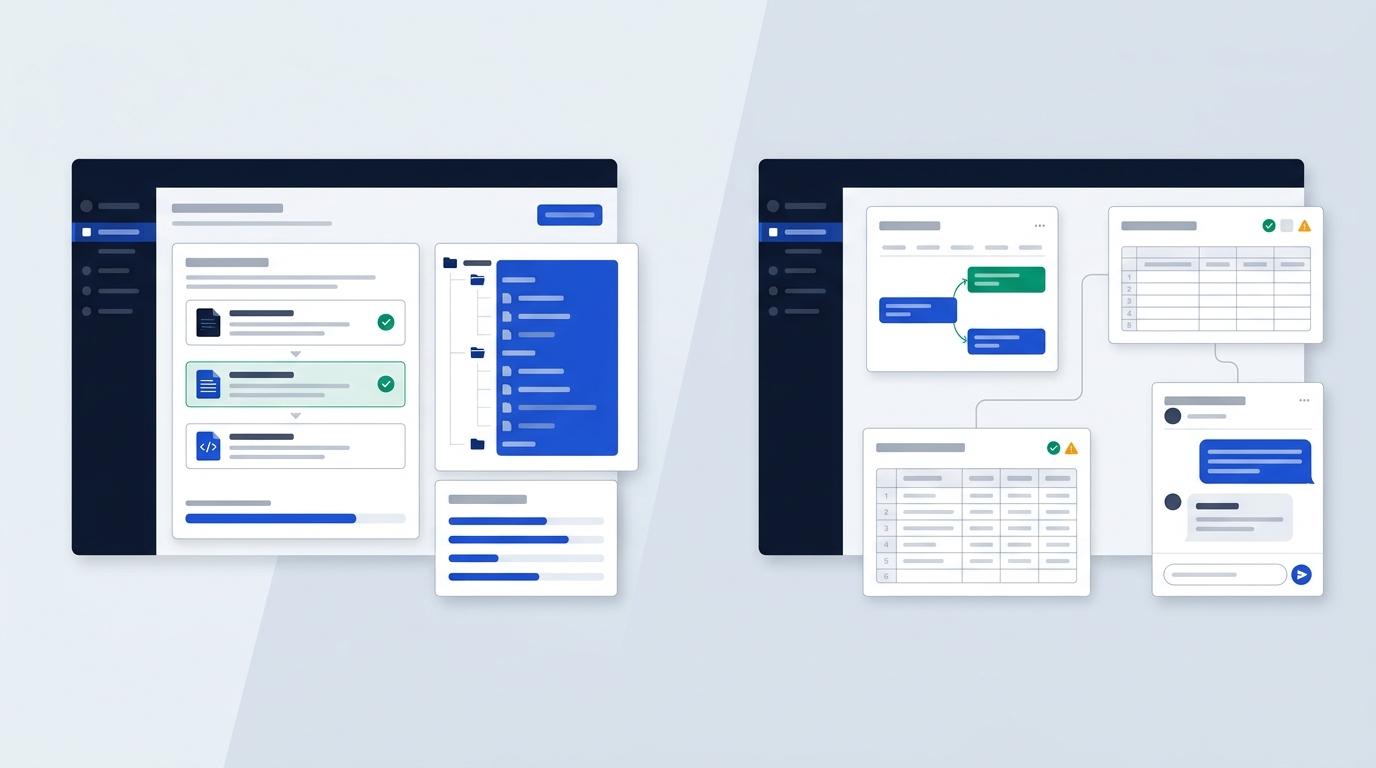
Comparing Claude vs Copilot reveals two fundamentally different product philosophies. Claude, built by Anthropic, acts as an autonomous reasoning engine that you delegate entire tasks to. In contrast, Microsoft Copilot operates as an embedded ecosystem assistant that rides alongside your daily work across enterprise software. You can review detailed plan breakdowns on our Claude pricing page to see how individual tiers scale.
Here is the short verdict: Claude suits engineering and research teams needing multi-file repository refactoring, terminal-native agents, and deep document synthesis. Microsoft Copilot suits knowledge workers and enterprises anchored in the Microsoft 365 stack who prioritize native Office apps and multi-model IDE autocompletions.
The table below summarizes how the two platforms compare across essential commercial and technical metrics. Every figure comes directly from official vendor documentation.
| Dimension | Anthropic Claude | Microsoft Copilot |
|---|---|---|
| Starting Paid Price | $17/month billed annually ($20/month monthly) for Pro | $10/month for GitHub Copilot Pro; $30/user/month for M365 Copilot |
| Team & Enterprise Tiers | $20 to $100/seat/month for Team; $20/seat/month + API rates for Enterprise | $19/user/month for Copilot Business; $39/month for Copilot Pro+ |
| Autonomous Coding Agent | Claude Code (terminal-native, multi-repository, subagents, lifecycle hooks) | GitHub Copilot agent mode (59-minute session cap, single-repo limit) |
| Office App Integration | External connectors for M365, Outlook, and Chrome | Native embedded integration across Word, Excel, PowerPoint, Teams, Outlook |
| Underlying AI Models | Proprietary Claude family (Opus 5.5, Sonnet 5.5, Haiku 5.5, Fable 5.2) | Multi-model shell (OpenAI GPT, Google Gemini, Anthropic Claude, Microsoft models) |
| SWE-bench Verified Score | 96.0% for top Claude Opus model | Varies by selected underlying model engine |
| Cowork Environment | Desktop-based, runs on local files with local execution | Cloud-native within Microsoft 365 tenant and Purview compliance boundaries |
| EU Data Residency | Primary infrastructure in the United States (AWS and Google Cloud) | EU Data Boundary for European M365 tenant data processing |
Source: official Anthropic and Microsoft pricing pages and product documentation, checked November 2026.
Two distinct operational philosophies
To evaluate these platforms accurately, you must separate workplace office productivity from software development. In the productivity arena, Claude Enterprise competes directly against Microsoft 365 Copilot. Claude provides dedicated project spaces, interactive Artifacts, and extensive document analysis. Microsoft 365 Copilot embeds directly into Word, Excel, PowerPoint, Outlook, and Teams, drawing live context from your company tenant.
In the developer arena, Claude Code competes against GitHub Copilot. Claude Code operates inside your terminal, planning and executing cross-repository modifications independently. GitHub Copilot lives inside editors like VS Code and JetBrains, serving as an inline pair programmer with an integrated multi-model chat interface.
These divergent paths mean you rarely buy both tools for the exact same purpose. Claude acts like a specialist contractor who takes a brief and returns with completed work. Microsoft Copilot functions like an ever-present administrative assistant looking over your shoulder.
Frontier reasoning versus multi-model shell
Anthropic powers Claude using its proprietary frontier model family. Opus 5.5 handles complex reasoning and architectural refactoring, Sonnet 5.5 balances speed and coding depth, and Haiku 5.5 processes lightweight tasks. Every Claude interaction runs through Anthropic's unified design framework. For a wider market view, you can check our software comparisons hub.
Microsoft Copilot takes an ecosystem approach. Instead of relying solely on in-house models, Copilot serves as an orchestration shell. Depending on your configuration, GitHub Copilot lets you toggle between OpenAI models, Google Gemini, and Anthropic's own Claude models. This structural difference means you must decide between a tightly tuned native reasoning engine and a flexible multi-model aggregator.
This architectural choice affects daily outputs. Native Claude models benefit from Anthropic's specific system prompts and agentic tool-use tuning. In contrast, Copilot provides broad flexibility, letting your team test distinct model backends under a single enterprise commercial agreement.
Summary comparison of core features
Claude anchors its workflow around deep contextual reasoning. Its web interface provides Artifacts, which display generated code, interactive graphics, and formatted documents in a parallel window. Claude Projects let teams assemble internal knowledge repositories, custom instructions, and reference documentation for focused research. In addition, Claude features an expanded context window scaling up to 1,000,000 tokens across its core models.
Microsoft Copilot prioritizes organizational grounding through Work IQ. Rather than requiring users to manually assemble reference files, Copilot automatically searches emails, calendar invites, SharePoint libraries, and Teams channels. Because it queries your company graph directly, Copilot generates answers grounded in your daily operational context.
However, that organizational grounding requires existing tenant hygiene. If your SharePoint permissions are messy, Copilot can surface internal documents to employees who should not view them. Claude avoids this risk by requiring explicit document uploads, giving your team strict control over what information enters each project session.
Which tool fits your business needs
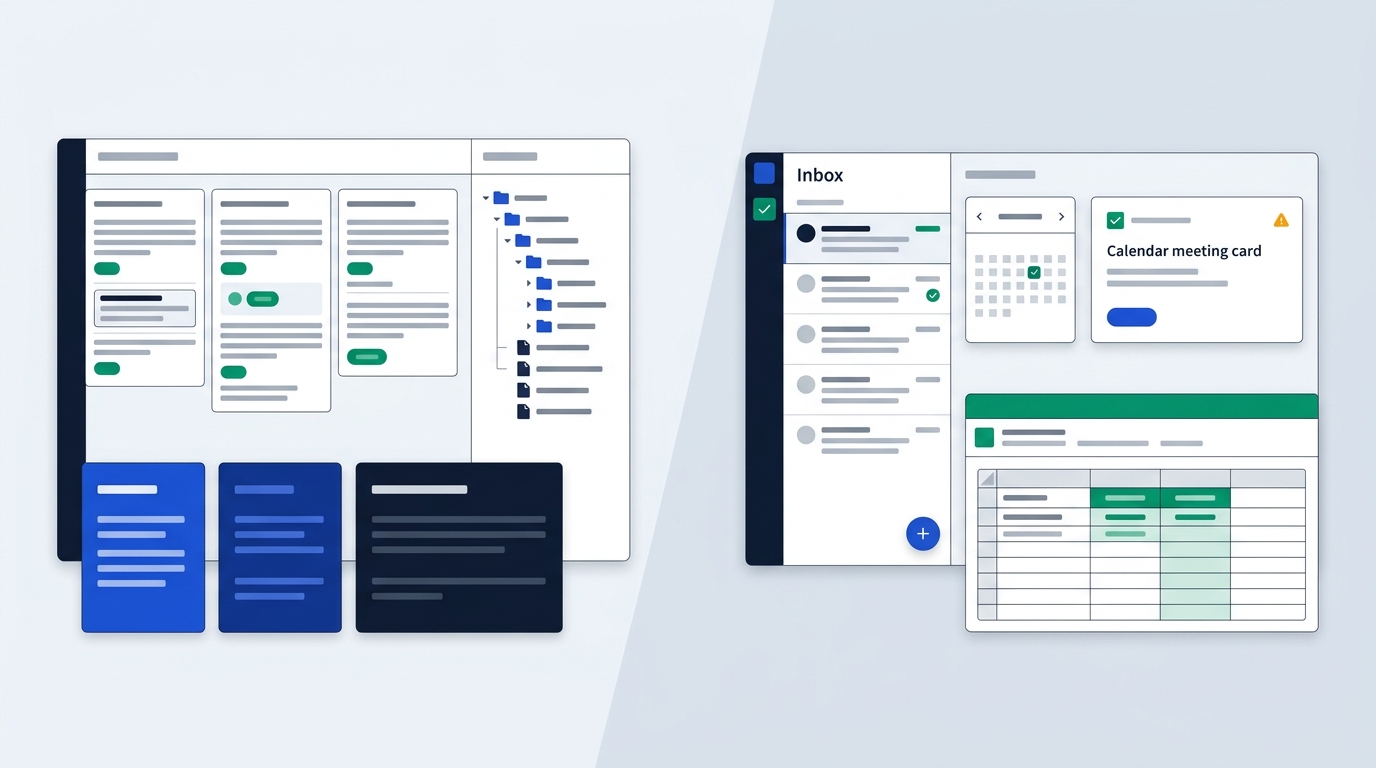
Choosing between these platforms depends on where your employees spend their working hours. Knowledge work differs dramatically between legal analysis, deep engineering, and cross-departmental project coordination.
When to choose Claude
You should pick Claude if your primary output involves deep analytical synthesis, complex writing, or full-repository software refactoring. Claude excels at processing dense technical documentation and generating natural, persuasive prose without filler phrases. Teams writing research papers, analyzing financial filings, or redesigning legacy codebases benefit from Claude's autonomous focus. If you are comparing top language models, see our guide on ChatGPT vs Claude.
Anthropic's platform offers standalone collaborative environments through Projects and Artifacts. If your staff values focused workspaces over background enterprise chat notifications, Claude delivers deeper focus. Furthermore, developers working on architecture migrations often prefer Claude Code because it does not require constant manual prompt steering.
Consider a software team refactoring a monolithic service into microservices. Claude can ingest API schemas, configuration files, and database definitions across thousands of lines, identifying dependency conflicts before writing a single line of code. For research analysts, feeding hundreds of pages of technical documentation into Claude's expanded context window produces structured comparative summaries without losing subtle balance sheet notes.
When to choose Microsoft Copilot
You should pick Microsoft Copilot if your organization runs daily operations on Microsoft 365 apps. Copilot connects directly to Teams meetings, Outlook calendars, Word documents, and SharePoint directories through Work IQ. It extracts real-time context from your email threads and internal files without requiring manual uploads.
Copilot is ideal for teams that need instant meeting summaries, automated calendar coordination, and branded slide deck generation. If your staff lives in Outlook and Teams all day, Copilot removes tedious administrative friction across your existing toolchain.
Consider an operations manager returning from leave to dozens of unread emails and missed project meetings. Copilot scans Teams call transcripts, highlights unresolved deliverables, drafts contextual responses in Outlook, and updates progress slides in PowerPoint. This automated continuity across the Microsoft ecosystem saves hours of manual administrative catch-up each week.
Technical criteria for engineering departments
Engineering departments face a clear operational split. Choose Claude Code if your developers need an autonomous agent that inspects whole codebases, executes bash commands, runs tests, and fixes syntax errors in the terminal. Choose GitHub Copilot if your developers want rapid inline autocomplete suggestions while typing in visual IDEs.
Claude Code operates with an agentic loop. You give it an objective, and it searches the repo, writes code, tests its work, and fixes compilation errors. GitHub Copilot, on the other hand, excels at fast, low-friction assistance. It reduces typing fatigue by suggesting the next few lines of code as you type, fitting neatly into existing continuous integration routines.
If your team works on large monorepos with complex build pipelines, Claude Code's terminal presence is a major advantage. It interacts directly with local command-line tools, linters, and package managers. GitHub Copilot remains largely confined to the editor window, which works well for localized feature additions but struggles with repository-wide refactors.
Hybrid deployment across enterprise teams
Because their strengths diverge, many European enterprises pursue a hybrid licensing model. Organizations often provision Microsoft 365 Copilot licenses for operations, sales, and HR teams, while equipping software engineers and research scientists with Claude Pro, Max, or Team plans. This hybrid path optimizes productivity without forcing technical staff into visual office tools or forcing administrative staff into terminal interfaces.
A hybrid deployment allows your company to extract the maximum return on software investment. Non-technical staff gain immediate productivity in everyday office applications. Meanwhile, technical staff avoid the rigid session limits of Microsoft's coding agents, using Anthropic's superior reasoning models for complex development.
This approach also prevents shadow AI adoption. When developers find corporate tools too restrictive, they often purchase personal AI subscriptions on company credit cards. Officially providing Claude Team seats alongside Microsoft 365 Copilot ensures all AI usage remains governed under enterprise contracts.
Managing workflow transitions between tools
To implement a hybrid transition successfully, begin with an audit of current Microsoft licenses. Assign GitHub Copilot seats to general engineers who need daily autocomplete, and allocate Claude Team seats to core infrastructure developers managing deep migrations. This phased setup prevents overspending on specialized agent tiers while ensuring each department gets the exact capability it needs.
Educate your employees on which tool to use for specific tasks. Encourage project managers to use Copilot for Teams recaps and PowerPoint presentations. Direct technical analysts and software developers to Claude Projects when synthesizing large datasets or drafting architecture proposals.
Establish clear data handling rules for each platform. Remind employees that Claude Projects require intentional file uploads, making them suitable for isolated client work. Emphasize that Microsoft Copilot inherits tenant-wide permissions, requiring correct folder-level access controls in SharePoint before deployment.
Claude Code vs GitHub Copilot for coding
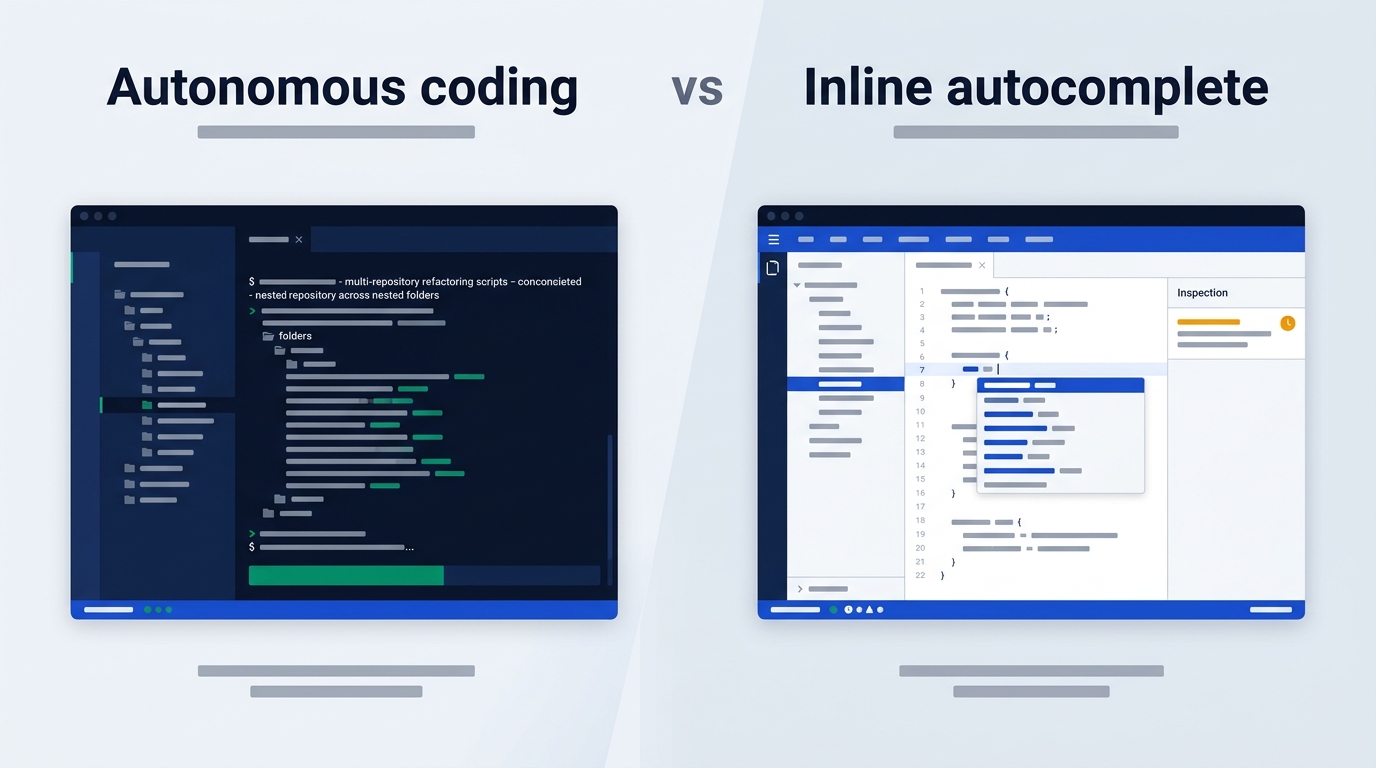
The coding workflow split comes down to delegation versus collaboration. Claude Code operates as an autonomous agent that takes the wheel. GitHub Copilot rides alongside you as an interactive pair programmer.
Terminal autonomy versus inline pair programming
Claude Code lives inside the developer's terminal. You describe an intended outcome, such as migrating a database client or resolving an edge case in your authentication middleware. Claude Code inspects the entire directory structure, plans necessary edits across multiple files, executes terminal commands, and checks test suites to verify fixes.
GitHub Copilot focuses on keeping you in the flow inside editors like VS Code, Visual Studio, and JetBrains. As you write functions, Copilot suggests low-latency inline completions. It excels at generating boilerplate patterns, writing unit tests for highlighted blocks, and answering quick syntax questions in the editor sidebar.
User roles dictate which coding tool works best. Junior developers often prefer Copilot because its real-time autocomplete acts like an interactive tutor, suggesting correct syntax and boilerplate functions as they type. Senior engineers, by contrast, lean toward Claude Code to delegate entire chores like updating deprecated library calls across fifty files, letting the agent run tests and fix errors independently.
Session boundaries and repository limits
When you evaluate agent modes, architectural boundaries separate the two products. Official documentation confirms that GitHub Copilot's agent mode enforces rigid guardrails: a 59-minute hard session limit, a restriction to one branch per task, and single-repository boundaries. Copilot cannot span multiple repositories during an autonomous execution session, and the 59-minute limit cannot be extended or bypassed.
Claude Code avoids these automated time cutoffs. It allows developers to delegate open-ended, complex refactoring tasks across multi-repository workspaces. You can run long builds, compile test suites, and orchestrate changes across microservices without hitting a hard session shutdown.
This architectural difference is vital when migrating legacy systems. If your refactoring requires updating shared schemas across three interconnected repositories, Copilot stops at the single-repo barrier. Claude Code reads across directories, coordinates modifications across services, and verifies that dependent packages still compile cleanly.
Lifecycle hooks and subagent orchestration
Claude Code includes an advanced hooks system with over 28 lifecycle events. Teams can bind custom scripts or Model Context Protocol (MCP) tool calls to events like PreToolUse, PostToolUse, SessionStart, and Stop. This provides deterministic control over what the agent executes, acting like Git hooks for autonomous development.
Additionally, Claude Code uses dynamic subagent orchestration. A primary coordinator agent can spin up tens or hundreds of specialized subagents simultaneously, each handling isolated tasks like linting, dependency analysis, or test verification. This capability, introduced in Dynamic Workflows (v2.1.154), makes multi-step execution reliable on enterprise codebases.
GitHub Copilot relies on custom instructions, Copilot Spaces, and agent skills. While useful for styling guidelines, Copilot's architecture provides less granular programmatic control over autonomous tool execution. For engineering leaders wanting strict governance over automated terminal commands, Claude Code's lifecycle hooks offer superior technical control.
Multi-model flexibility inside visual IDEs
GitHub Copilot functions as a versatile multi-model shell. Inside supported IDEs, developers can switch their underlying completion engine between Claude Opus 4.8 or 5, Sonnet 4.6 or 5, GPT-5 models, and Gemini 3.1 Pro. This model flexibility lets developers experiment with different reasoning engines without leaving their visual editor.
On GitHub Copilot Pro+ ($39 per month), you can even assign GitHub issues to Claude or Codex as third-party agents directly alongside Copilot's cloud agent. This provides a convenient middle ground for teams wanting Claude's reasoning inside a familiar GitHub pull request workflow.
Claude Code runs exclusively on Anthropic's native frontier models. While this limits model variety, it ensures deep optimization. Anthropic's agent loop is calibrated specifically for its own models, eliminating the performance degradation that sometimes occurs when running Claude through third-party aggregation shells.
Code quality benchmarks and SWE-bench Verified
Independent benchmarks highlight Claude's engineering depth. On the industry-standard SWE-bench Verified benchmark, Anthropic's top-tier Claude Opus model achieved a 96.0% score for autonomous software problem-solving. This benchmark evaluates an AI's ability to resolve real GitHub issues from open-source repositories without human intervention.
Anthropic's internal engineering data further demonstrates this productivity. Anthropic engineers average five merged pull requests per day using Claude Code, with PR throughput increasing by 67% after adopting the tool internally. Six months after general availability, Claude Code crossed $2.5 billion in annualized revenue and accumulated over 130,000 GitHub stars.
GitHub Copilot relies heavily on user scale and volume metrics. With over 60 million Copilot code reviews completed, enterprise customers report productivity gains between 55% and 94%. While Copilot is exceptionally reliable for routine completions, Claude holds a clear lead when solving intricate architectural logic and complex edge cases.
Practical developer workflows and tooling friction
Adopting Claude Code requires a shift in engineering habits. Because it is terminal-first, developers must become comfortable describing intent through natural language commands and reviewing diffs in the console. For developers accustomed to visual graphical interfaces, this introduces an initial learning curve.
GitHub Copilot provides zero-friction adoption. Developers install an extension in VS Code or JetBrains, sign in, and immediately see ghost text completions as they code. There is no workflow disruption or new mental model to master.
However, once developers adapt to Claude Code's autonomous execution, returning to manual inline autocomplete can feel inefficient. Delegating a tedious two-hour test-writing task to a background terminal agent frees engineers to focus on higher-level architecture and system design.
Office productivity and workspace integration
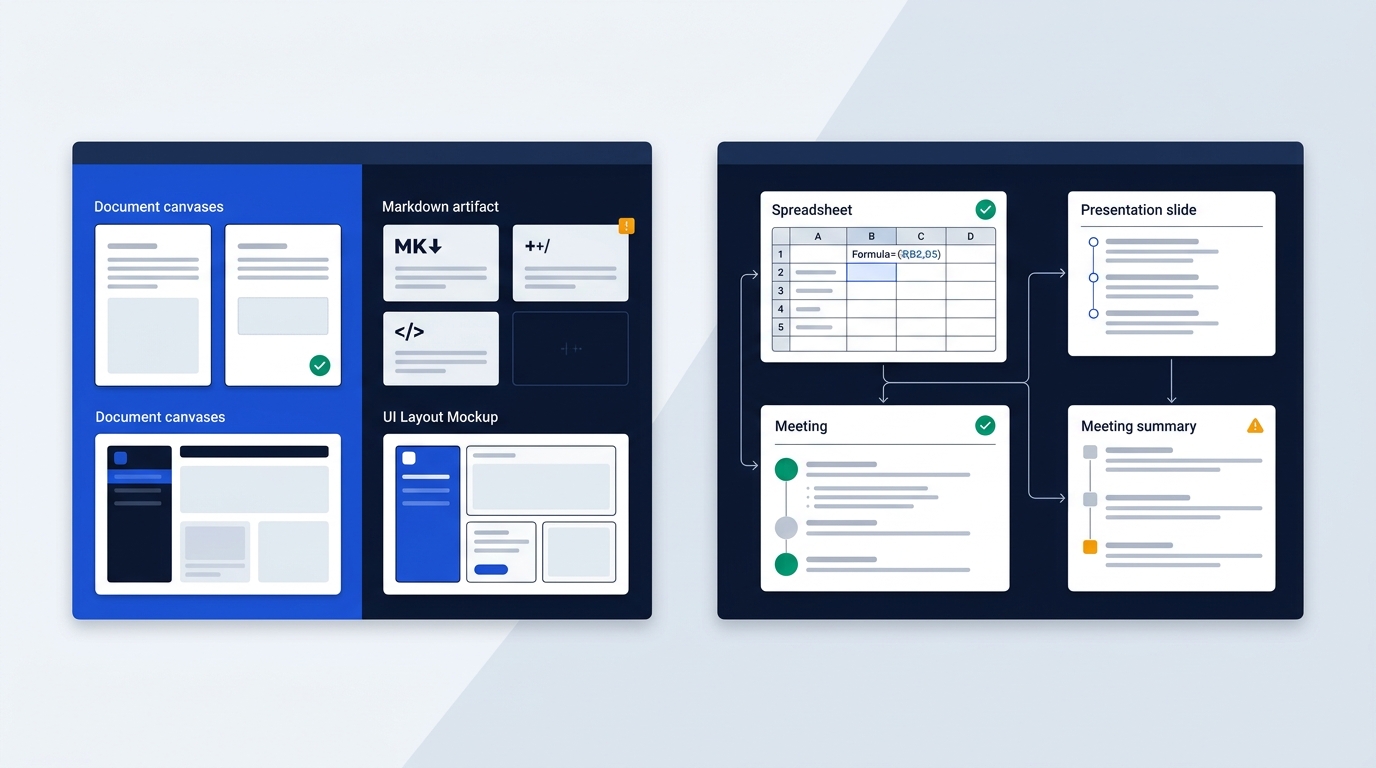
Enterprise productivity tools must integrate cleanly into daily workplace routines. Here, Microsoft 365 Copilot relies on deep application integration, while Claude focuses on dedicated analytical canvases.
Deep application grounding in Microsoft 365
Microsoft Copilot is embedded directly within the core Microsoft 365 suite. During Microsoft Teams calls, Copilot listens to discussions and produces structured meeting summaries with owners and deadlines in real time. It works without requiring manual uploads or external note transfers.
In Outlook, Copilot coordinates meeting requests, identifies schedule conflicts, and drafts contextual replies based on past email exchanges. In Excel, Copilot uses Work IQ to generate pivot tables, write formulas, and analyze datasets while enforcing document protections. In Word and PowerPoint, it formats text according to corporate brand guidelines and transforms source documents into slide presentations automatically.
According to case studies published by Microsoft, corporate users caught up on missed meetings nearly four times faster and reduced email handling time by 64% using Copilot. For businesses whose operational communications flow through Microsoft software, this deep grounding provides unmatched administrative velocity.
Claude standalone applications and Artifacts
Anthropic takes an alternative approach to workplace productivity through dedicated web and desktop interfaces. The platform includes Artifacts, which isolate code snippets, SVG graphics, and markdown documents into an interactive side-by-side editing canvas. Projects allow teams to compile internal research libraries and shared prompt guidelines.
Anthropic also provides specialized document applications: Claude Docs for structured collaborative writing, Claude Design for user interface layouts, and Claude Slides for visual presentations. In beta releases, Anthropic offers Claude Sheets for tabular calculations, Claude Motion for animations, and Claude Whiteboards for visual brainstorming. While powerful, these tools operate inside Claude's environment rather than within legacy Office software.
These dedicated applications offer a distraction-free writing environment. Unlike Word, which carries decades of formatting legacy, Claude Docs and Artifacts focus purely on content generation and rapid iterative refinement. For strategy teams drafting whitepapers or corporate manifestos, this focused interface often yields superior prose.
Cloud-native Cowork versus local desktop execution
The cowork features of both platforms highlight key architectural differences. Microsoft Copilot Cowork runs cloud-native across the Microsoft 365 tenant. It uses Work IQ signals to coordinate multi-step workflows across Teams, Outlook, and OneDrive while maintaining Microsoft Purview governance boundaries.
Claude Cowork runs via a desktop application. It interacts with local files stored on the user's hard drive and executes tasks locally. While this grants developers and data analysts deep control over their local file trees, it does not provide native cloud automation across Microsoft tenant mailboxes or Teams channels.
This distinction matters greatly for file governance. Operating locally in Claude Cowork guarantees that intermediate build artifacts and scratchpad notes remain on your local disk. However, it lacks the tenant-wide synchronization that Microsoft Copilot provides, where documents reside in a shared enterprise knowledge base accessible to team members.
Enterprise search and connector capabilities
Anthropic bridges the productivity gap using dedicated connectors for Microsoft 365, Outlook, and Chrome. These connectors allow Claude to retrieve information from external corporate repositories via explicit queries. However, connector-based grounding differs fundamentally from Microsoft Purview's native semantic index.
Microsoft Copilot continuously indexes organization-wide signals while inheriting role-based file access permissions. Claude, however, excels at brute-force document corpus synthesis. Because Claude models support context windows scaling up to 1,000,000 tokens, you can feed entire regulatory manuals, financial audits, or technical specifications directly into a single prompt for comprehensive analysis.
Connector queries can occasionally miss contextual nuances across nested folders. In contrast, dumping an entire archive directly into Claude's 1M-token context ensures that every clause, table, and footnote is examined simultaneously. For thorough due diligence, brute-force long-context reading often outperforms semantic search retrieval.
Cross-application meeting and scheduling management
Calendar and meeting workflows clearly illustrate Microsoft's home-turf advantage. Copilot in Outlook does not just write email drafts; it proactively checks attendee availability across internal calendars, proposes optimal meeting windows, and resolves scheduling conflicts as dates shift.
In Teams, Copilot generates real-time recaps during ongoing calls. If you join a meeting fifteen minutes late, you can ask Copilot what points were covered and whether your name was mentioned. Claude cannot access live Teams audio streams, meaning staff must manually export transcripts to Claude for post-meeting analysis.
For executive assistants, department heads, and project coordinators, this native meeting intelligence saves hours each week. Claude can draft thoughtful follow-up emails, but only Copilot can manage calendar invites across your enterprise tenant without leaving the email client.
Plans and pricing compared
Understanding the total cost of ownership requires examining individual seats, team tiers, enterprise licensing, and API token billing.
Anthropic personal plans and usage limits
Anthropic structures its personal and small-scale tiers around dynamic usage pools, detailed on its official pricing page:
- Free: $0 per month. Provides limited usage refreshed every 5 hours and weekly, with access to Artifacts, Claude Design, Slides, and Docs.
- Pro: $17 per month billed annually ($200 up front), or $20 if billed monthly. Includes Claude Code, beta tools like Sheets and Whiteboards, Projects, and higher usage limits.
- Max: $100 per month. Delivers 5x Pro usage limits, priority access during peak hours, and includes $100 per month in Claude Platform API credits.
- Ultra: $200 per month. Removes the 5-hour limit for verified accounts, delivers 10x Pro weekly usage, and includes $200 per month in API credits.
Individual subscribers must note the rolling 5-hour usage caps on Free and Pro plans. During intensive coding or research sessions, power users can exhaust a 5-hour quota in less than two hours. Upgrading to Max ($100) or Ultra ($200) becomes necessary for continuous daily autonomous execution.
Anthropic Team and Enterprise tiers
For organizations, Anthropic provides team plans with centralized billing and administrative controls:
- Team Standard Seat: $20 per seat per month billed annually, or $25 monthly, for teams of 2 to 150 members. Includes Claude Code, Cowork, SSO, centralized billing, and up to $500 monthly in pooled API credits.
- Team Premium Seat: $100 per seat per month billed annually, or $125 monthly. Grants 5x more usage capacity than standard seats, allowing teams to mix and match seat types.
- Enterprise: US$20 per seat per month billed annually with a 20-seat minimum requirement, plus consumption billing at API token rates. Adds SCIM, audit logs, Compliance APIs, and custom retention controls.
The ability to mix standard ($20) and premium ($100) seats on Team plans gives budget managers substantial flexibility. You can assign standard seats to general knowledge workers while giving premium seats to core software engineers who run extensive Claude Code sessions.
Claude Platform API and token rates
Enterprise plans and platform developers scale using raw API token consumption before VAT, according to Anthropic's published rates:
- Fable 5.2: $8.00 per million input tokens, $40.00 per million output tokens. Prompt caching reads cost $0.20 per million tokens; writes cost $10.00 per million tokens.
- Opus 5.5: $4.00 per million input tokens, $20.00 per million output tokens. Prompt caching reads cost $0.20 per million tokens; writes cost $5.00 per million tokens.
- Sonnet 5.5: $2.00 per million input tokens, $10.00 per million output tokens. Prompt caching reads cost $0.10 per million tokens; writes cost $2.50 per million tokens.
- Haiku 5.5: For prompts under 100K tokens, input costs $0.10 and output costs $0.50 per million tokens. For prompts over 100K tokens, input costs $0.50 and output costs $2.50 per million tokens.
Anthropic also offers US-only inference at 1.1x pricing for input and output tokens. Teams needing faster execution can use fast mode for Opus 5.5 and Fable 5.2, delivering up to 2.5x speed increases at 2x standard token pricing. Additional developer features include Managed Agents at $0.08 per session-hour of active runtime, web searches at $10 per 1,000 searches, and code execution containers with 50 free hours daily, followed by $0.05 per hour.
GitHub Copilot and Microsoft 365 subscription costs
Microsoft separates its coding assistant from its office productivity licensing:
- GitHub Copilot Pro: $10 per month. Provides unlimited inline completions and standard chat capabilities.
- GitHub Copilot Pro+: $39 per month. Unlocks top-tier reasoning models like Claude Opus, issue assignment to agents, and expanded credit pools.
- GitHub Copilot Business: $19 per user per month. Adds organization-wide policy management, IP indemnity, and centralized seat administration.
- Microsoft 365 Copilot: $30 per user per month billed annually. Requires an underlying prerequisite license such as Microsoft 365 Business Standard, Business Premium, E3, or E5.
Because Microsoft 365 Copilot requires an underlying Microsoft 365 subscription, the true cost per employee is higher than $30.
Long-term cost predictability and quota throttling
For general software development, GitHub Copilot Pro represents a lower financial barrier at $10 monthly compared to Claude Pro at $17 or $20. Furthermore, GitHub Copilot's unlimited inline completions never burn rate limits, providing complete budget predictability for everyday development.
In contrast, Claude Pro users who run intensive Claude Code refactoring sessions often hit rolling 5-hour throttles. Moving heavy developers to Claude Max ($100/month) or Team Premium ($100/seat/month) significantly increases engineering tooling costs.
On the enterprise side, Microsoft 365 Copilot carries a flat $30 add-on cost, making departmental budgeting predictable. Claude Enterprise pairs a base $20 seat fee with variable token billing. While low-usage months remain inexpensive, intense project sprints with large-context document analysis can cause token expenses to fluctuate unpredictably.
Reasoning models and autonomous agent capabilities
The choice between Claude and Copilot also reflects different approaches to model architecture and agent execution.
Anthropic model lineup and specialized tiers
Anthropic designs its model family for distinct computational demands. Opus 5.5 acts as the flagship reasoning engine, built for autonomous multi-file refactoring, complex mathematical logic, and enterprise policy synthesis. When difficult software bugs require tracing dependencies across dozens of files, Opus delivers top reasoning performance.
Sonnet 5.5 serves as the primary daily workhorse. It balances fast token generation with sophisticated reasoning, making it ideal for routine coding, document drafting, and conversational queries. Haiku 5.5 offers ultra-low latency and minimal cost, excelling at high-volume classification, data extraction, and quick search routing.
Anthropic also offers Fable 5.2, engineered specifically for long-running autonomous agents. This diverse internal lineup allows Anthropic to calibrate each model for specific task horizons without compromising reasoning quality.
Copilot multi-model orchestration and routing
Microsoft Copilot uses a multi-model routing structure. Within GitHub Copilot, you can switch between OpenAI's GPT models, Anthropic's Claude family, Google Gemini, and Microsoft's specialized internal models like MAI-Code-1-Flash. This structure lets developers pick specific models for distinct programming languages or tasks.
This multi-model picker provides valuable insurance against model stagnation. If OpenAI releases an update that excels at Python while Anthropic leads in TypeScript refactoring, Copilot developers can switch engines within the same IDE window.
However, multi-model shells can introduce subtle prompt mismatches. System prompts and context assembly are standardized across different models, which can occasionally prevent third-party engines from performing at their absolute native peak.
Prompt caching efficiency and latency mechanics
Anthropic features built-in prompt caching with a 5-minute time-to-live (TTL).
Caching write operations are billed at standard initial setup rates, but subsequent reads drop to as low as $0.10 to $0.20 per million tokens on Sonnet and Opus. This architectural feature makes continuous terminal-based refactoring financially practical for large software teams.
In addition to cost savings, prompt caching significantly reduces response latency. Instead of reprocessing millions of tokens on every command, Claude retrieves cached memory states almost instantaneously, keeping autonomous terminal interactions snappy.
Autonomous error correction versus guided steps
Autonomous capability is defined by how tools handle execution failures. When Claude Code encounters a broken build or failed test, its dynamic workflow engine coordinates subagents to isolate the stack trace, review related files, apply patches, and re-run tests until the issue resolves.
GitHub Copilot agent mode operates under a more tightly bounded framework. While it can implement changes based on issue descriptions, it pauses frequently for human confirmation. For developers who want to supervise every line, Copilot feels safer. For senior developers delegating lengthy chores, Claude's hands-off execution saves more time.
This autonomy split defines your working rhythm. With Copilot, you remain continuously engaged, approving suggestions every few seconds. With Claude Code, you kick off a refactoring task, switch to other work, and return once the terminal agent has executed tests and verified its diffs.
Sandboxed cloud containers and runtime pricing
Anthropic supports dynamic code execution within sandboxed cloud containers. Organizations receive 50 free hours of container usage daily, with additional runtime billed at $0.05 per container hour. This allows Claude to safely execute Python scripts, parse spreadsheet data, and generate analytical charts without risking local environment contamination.
Furthermore, Anthropic offers Managed Agents billed at $0.08 per session-hour of active runtime. This provides dedicated infrastructure for businesses building custom autonomous worker agents. Standard token rates apply on top of runtime sessions.
Microsoft Copilot handles sandboxing within Azure cloud boundaries, applying enterprise security rules directly to internal corporate data streams. Because it runs natively inside Azure, enterprise compliance officers often face fewer hurdles approving Copilot's container security architecture.
European data privacy and governance compared
European organizations must comply with strict privacy regulations under GDPR. When you manage personal information and corporate IP, you need strict legal protections and resilient infrastructural safeguards. If you are reviewing contractual compliance, read our guide to the GDPR Data Processing Addendum.
Anthropic GDPR compliance and US data hosting
Anthropic offers a commercial Data Processing Addendum (DPA) incorporating standard EU Standard Contractual Clauses (SCCs). Under Anthropic's terms, customer data submitted through Team and Enterprise plans, as well as the API, is excluded from AI model training by default. Individual users on Free and Pro tiers must manually opt out of training in their account settings.
Anthropic's infrastructure is hosted primarily on Amazon Web Services (AWS) and Google Cloud data centers located within the United States. For EU organizations with strict internal data residency mandates, this US infrastructure presence requires careful review under international data transfer guidelines.
If your legal department mandates that personal data never leave European borders, Anthropic's native cloud plans may require supplemental risk assessments. While SCCs provide legal transfer validity, the physical processing location remains predominantly American.
Microsoft EU Data Boundary and Purview protections
Microsoft provides you with thorough, dependable regional compliance through its Enterprise Data Protection (EDP) framework. Under the Microsoft EU Data Boundary commitment, all customer data generated by European Microsoft 365 Copilot tenants is stored and processed exclusively within data centers inside the European Union.
Furthermore, Microsoft Copilot automatically inherits your organization's Microsoft Purview security classifications. If an internal document is marked confidential, Copilot prevents unauthorized staff from querying its contents. It also blocks data leakage across shared Teams chats and unmanaged client devices.
This automated policy inheritance eliminates manual compliance overhead. When an employee runs a query, Copilot respects existing file-level access rights, ensuring that payroll records, executive emails, and client contracts remain invisible to unauthorized users.
Anthropic models under Microsoft subprocessor terms
When software developers select Anthropic models within GitHub Copilot, Microsoft EDP protections remain intact. Microsoft designates Anthropic as an approved subprocessor under the Microsoft DPA.
Your source code and prompts are processed under Microsoft's enterprise terms, ensuring your data is never used to train Anthropic's public models. This subprocessor arrangement gives compliance officers peace of mind while granting engineering teams access to Claude's reasoning inside their existing IDEs.
This mechanism offers European teams an elegant compliance workaround. If your corporate policies prohibit direct contracts with US-hosted AI startups, you can legally access Claude models through your existing Microsoft enterprise agreement without violating data transfer rules.
Enterprise administration and audit logging
Claude Enterprise includes critical administrative controls, such as Single Sign-On (SSO), System for Cross-domain Identity Management (SCIM), domain verification, and domain capture. Compliance teams can monitor usage through dedicated audit logs and observability APIs. The system also supports custom data retention policies.
Microsoft Copilot provides unified administration natively through the Microsoft 365 Admin Center and Microsoft Entra ID. Permissions, multi-factor authentication policies, Conditional Access rules, and device compliance checks apply immediately without secondary configuration.
For IT departments already managing thousands of Microsoft seats, Copilot requires zero new identity plumbing. Claude Enterprise offers comprehensive controls, but your systems administrators must configure SCIM provisioning and SAML single sign-on as a separate identity integration.
European commercial billing and VAT rules
Both vendors bill their services in US Dollars, and listed prices exclude value-added tax (VAT). For business customers established across European Union member states like France, Germany, Ireland, Spain, and Italy, corporate purchases fall under the B2B VAT reverse charge mechanism. If your business provides a verified VAT identification number during checkout, invoices are issued with zero VAT applied. You can learn more in our explainer on the VAT reverse charge mechanism.
The United Kingdom operates outside the European Union VAT framework. UK VAT-registered companies do not use the EU reverse charge. Instead, UK businesses must apply the domestic reverse charge rules outlined in HMRC VAT Notice 741A for cross-border services.
Keep in mind that currency conversion fees apply when paying US Dollar invoices from Euro or British Pound bank accounts. Accounting teams should calculate currency spread margins when forecasting annual software expenditures across both platforms.
Frequently asked questions
Can you use Claude models directly inside Microsoft Copilot and GitHub Copilot?
Yes. GitHub Copilot features a multi-model picker that lets developers select Anthropic models, including Claude Opus and Sonnet versions, directly inside supported visual IDEs. When accessed this way, data handling is governed by Microsoft's Enterprise Data Protection terms.
How do the 5-hour usage limits on Claude Pro compare to GitHub Copilot?
Claude Pro limits usage dynamically across rolling 5-hour and weekly windows, which heavy users can deplete during intensive code refactoring sessions. GitHub Copilot Pro provides unlimited inline completions without token rate throttling, using monthly credit allocations primarily for specialized agent modes.
Does the Microsoft 365 Copilot Claude connector provide the same security as native Copilot apps?
No. Claude connectors rely on explicit API queries to retrieve data from external services, requiring separate permission management. Microsoft 365 Copilot natively inherits Microsoft Purview classifications and tenant-level access permissions across all documents automatically.
Can a European company sign a GDPR Article 28 DPA with Anthropic for Claude Enterprise?
Yes. Anthropic provides a commercial Data Processing Addendum that incorporates the European Commission's Standard Contractual Clauses to support GDPR Article 28 requirements for business customers.
Which tool delivers better value for a 20-person technical startup in Europe?
For a software-centric startup, Claude Team seats ($20 per seat per month billed annually) combined with GitHub Copilot Pro ($10 per user per month) provide the strongest balance of autonomous reasoning and fast autocomplete suggestions.
What is the primary difference between Copilot Cowork and Claude Cowork?
Microsoft Copilot Cowork runs cloud-native across the Microsoft 365 tenant, using Work IQ to orchestrate workflows across Teams, Outlook, and OneDrive under Purview policies. Claude Cowork operates via a desktop application on local files stored on the user's hard drive.
Does Claude use customer data to train its commercial models?
Under Anthropic's commercial terms, customer data from Team, Enterprise, and API tiers is never used for model training by default. Individual users on Free and Pro tiers must manually opt out of training within their account preferences.
Sources and how this was compiled
Compiled by the SaaSEuro team from the vendors' official documentation; we have not hands-on tested these products. Facts last checked in November 2026.
Final verdict for European teams
If your team's primary bottleneck is complex code refactoring, full-repository architecture migrations, and long-context technical analysis, choose Claude. Anthropic's autonomous reasoning and terminal-native capabilities handle heavy computational workloads with minimal human steering.
If your organization lives inside Microsoft Teams, Word, Excel, and Outlook, choose Microsoft Copilot. Copilot's native tenant integration, Purview governance, and EU Data Boundary protections streamline administrative operations without creating security gaps.
Audit your current Microsoft 365 licensing, test Claude Pro with a senior engineering pilot group, and verify your internal data residency requirements before purchasing organization-wide seats.
Begin your rollout with a targeted two-week pilot rather than an immediate company-wide purchase. Have your lead engineers run complex multi-file refactoring on Claude Pro, while your administrative leads test Copilot in Outlook and Teams. Review actual usage patterns, compare token expenditures against productivity gains, and align your final seat allocation with verified daily workflows.
