


















Compare Cursor vs Claude Code for your dev workflow in Europe. We break down pricing, features, DPA, and VAT for these agentic coding tools.
TL;DR: Cursor vs Claude Code
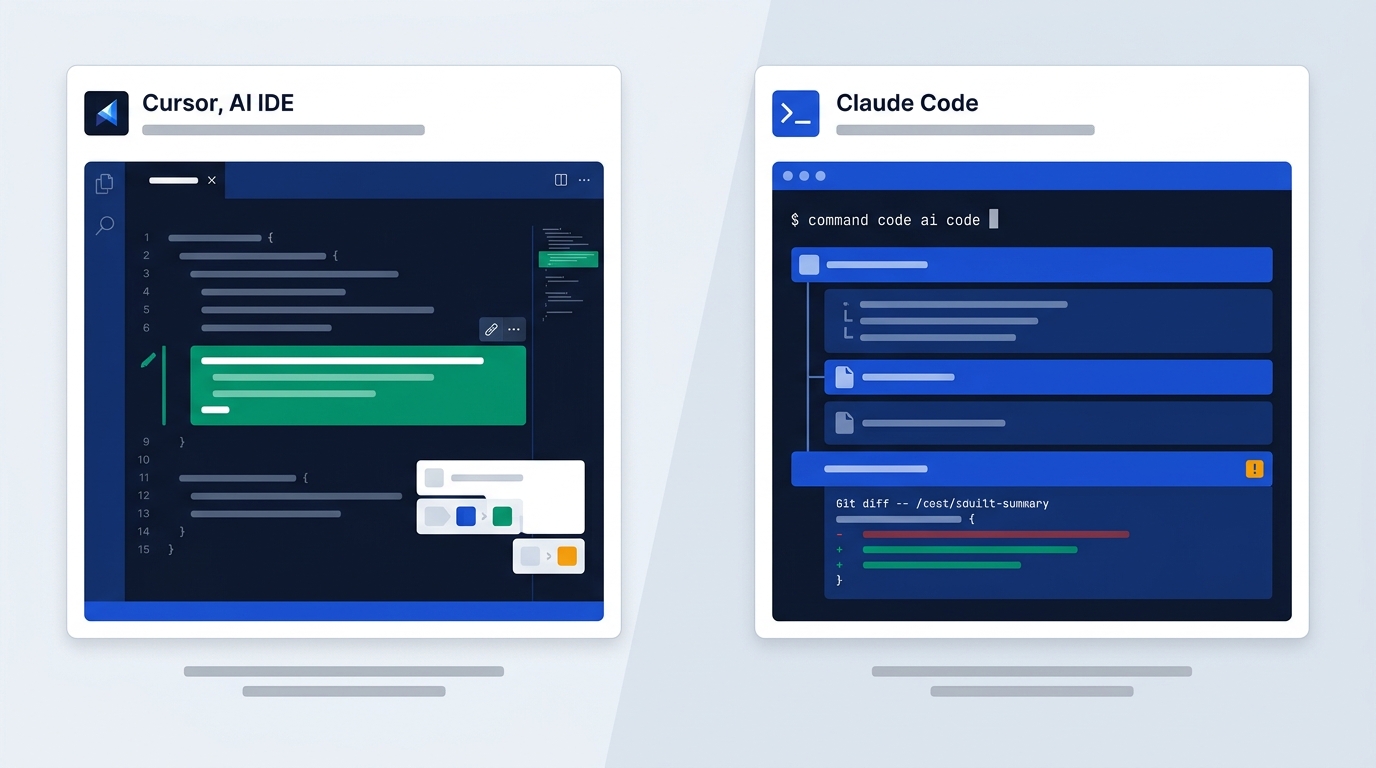
Cursor suits developers who spend their day inside code files and want immediate help on every keystroke. It provides a visual IDE built on VS Code, fast tab completion, inline edits, and parallel cloud agents that open pull requests. You stay in the driver's seat while the editor anticipates your next move. For solo engineers building user interfaces or full-stack web applications, it keeps the feedback loop tight.
Claude Code suits developers who want to delegate large tasks to an autonomous agent and walk away while it works. It runs in your terminal, inside VS Code, or across JetBrains without demanding an editor switch. The tool excels at multi-file refactors, test repairs, and cross-repo migrations where you review outcomes rather than guide line-by-line syntax. You get deep agent autonomy, prompt caching, and native Model Context Protocol tools.
Engineering teams often run both in parallel. You can use Cursor as your daily interactive code editor and fire up Claude Code in your terminal for complex, multi-step maintenance jobs. That hybrid workflow gives you low-latency editing alongside autonomous agent delegation without forcing your team to commit to an all-or-nothing toolchain.
| Feature | Cursor | Claude Code |
|---|---|---|
| Primary Mode | Editor-first, drive and assist | Agent-first, delegate and review |
| Form Factor | AI IDE (VS Code fork), CLI, cloud agents | Terminal, desktop, web, VS Code, JetBrains |
| Replaces editor? | Usually yes | No |
| Models | Multi-provider plus Composer models | Claude only (Opus 4.8, Sonnet 4.6, Haiku 4.5) |
| Tab Autocomplete | Core strength (Tab v2) | Not a core strength |
| Parallel Agents | Up to 8 at once, each in a worktree | Git worktrees, scriptable workflows |
| Cloud Agents | Sandboxed background agents that open PRs | Available on the web |
| Code Review | BugBot autonomous PR review | CLI and GitHub Actions |
| MCP Support | Strong support | First-party; Anthropic created MCP |
| Starting Price | $8/month (Plus plan) | $20/month (Claude Pro, includes Claude Code) |
| Team Pricing | $30+ per user/month | $30 per user/month (min 5 seats, $25 annually) |
| Open Source | Closed source (proprietary fork) | CLI open source; desktop apps closed |
| Best For | Staying in-editor while moving faster | Substantial delegated tasks |
Cursor vs Claude Code: Core Differences
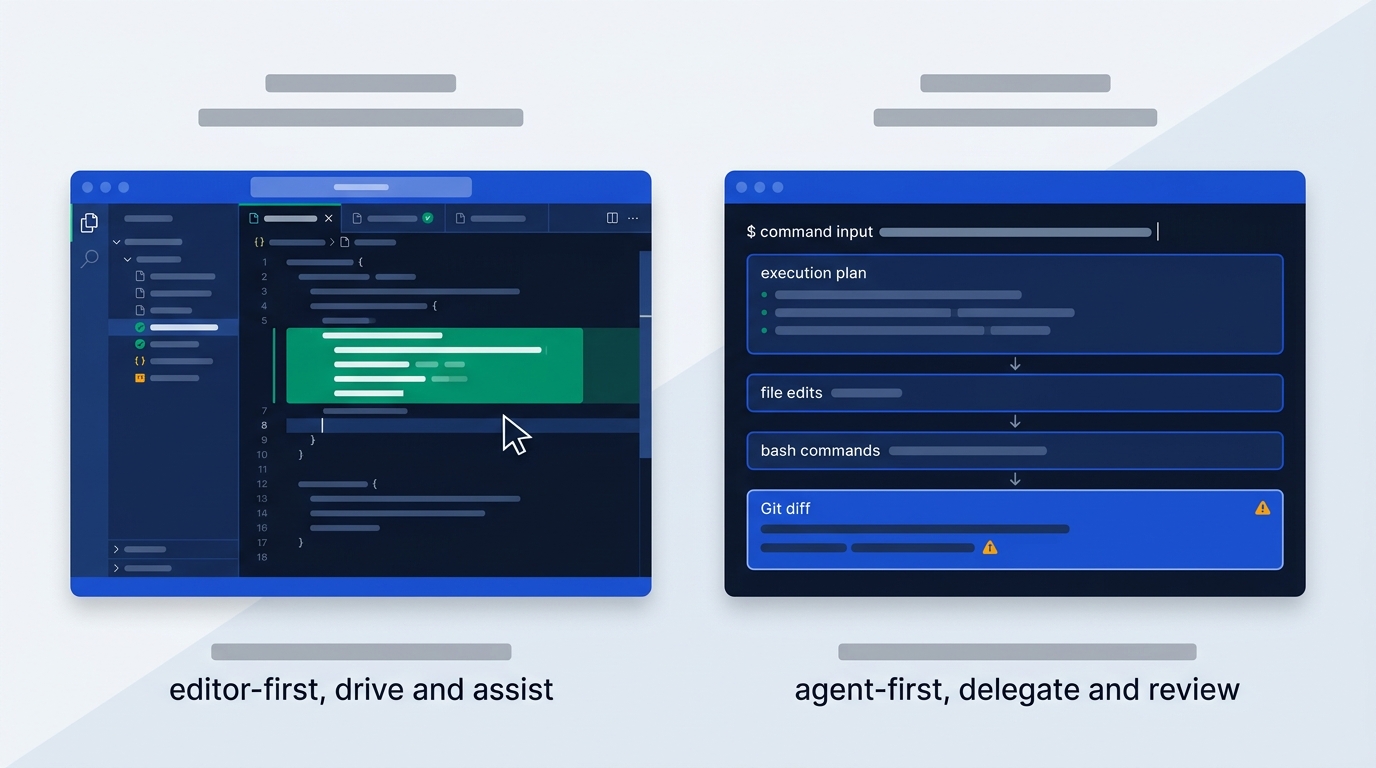
Your choice of AI coding tool depends on your preferred daily workflow. The market has split into two distinct product philosophies: one embeds machine intelligence directly into a graphical editor, and the other treats coding as an autonomous, conversational delegation process managed through a shell interface.
Editor-First vs Agent-First Approach
Cursor is an AI-first IDE built as a fork of Visual Studio Code. Its primary mode is editor-first, meaning you drive the development process with AI assistance. You work directly in the editor with files open, and the AI assists through Tab completions, inline diffs, and side-panel conversations.
Because Cursor is an editor fork, it usually replaces your existing code editor. It imports your VS Code keybindings, themes, and extensions to make the transition easier.
Claude Code takes a different design path. Built by Anthropic, it operates as an agentic coding assistant that lives primarily in your command-line interface. It also provides official extensions for VS Code and JetBrains, alongside desktop and web surfaces.
With Claude Code, you do not write code line by line with the tool hovering over your shoulder. Instead, you describe a high-level outcome in plain English, such as resolving a failing test suite or migrating an API client. The agent reads your project files, forms an execution plan, edits files on disk, runs bash commands, and presents a completed Git diff for your review, according to DevTools Academy.
How each tool changes your workflow
This structural difference changes how you approach your daily work. If you enjoy shaping code manually and want AI to speed up your keystrokes, Cursor feels natural and immediate. If you view coding as a set of technical objectives to assign to an intelligent junior engineer, Claude Code removes the friction of manual editing.
Switching costs also vary significantly between the two tools. Adopting Cursor requires your engineering team to approve and install a new desktop application, which can trigger security reviews in enterprise settings. Claude Code fits directly into whatever setup your developers already use, including Neovim, Emacs, JetBrains IDEs, or standard terminal emulators.
Performance and Editor Weight
Editor performance directly impacts developer focus and cognitive fatigue. Cursor inherits the full architecture of Visual Studio Code, which runs on Electron and web technologies.
Developers who switch from lightweight editors like Zed often notice memory consumption and startup latency in Cursor. Navigating massive repositories with thousands of files can produce micro-stutters when multiple extensions run concurrently. If you run resource-heavy local development containers alongside your editor, an Electron-based application adds measurable overhead to your machine.
Claude Code bypasses editor rendering entirely when executed from the terminal. It runs as a lightweight process that interacts directly with your operating system, filesystem, and Git configuration. It does not spend system resources painting a complex graphical user interface or rendering syntax trees in memory, DevTools Academy notes.
However, running in the terminal does not make an agent immune to performance bottlenecks. Developer reports note that Claude Code can experience response latency during heavy generation cycles.
Cursor introduced its own dedicated command-line interface to address developers who want fast terminal access without launching the full IDE. Paired with Grok models, Cursor CLI demonstrates rapid startup and immediate responsiveness.
For example, in benchmark tasks involving cross-package comprehension in Go, Cursor running Grok models completed data flow explanations in roughly 20 seconds. Claude Code took around two minutes to parse similar multi-file dependencies. If you iterate rapidly and value instantaneous responsiveness over exhaustive background reasoning, low-latency execution prevents your train of thought from breaking.
Model Ecosystems and Context
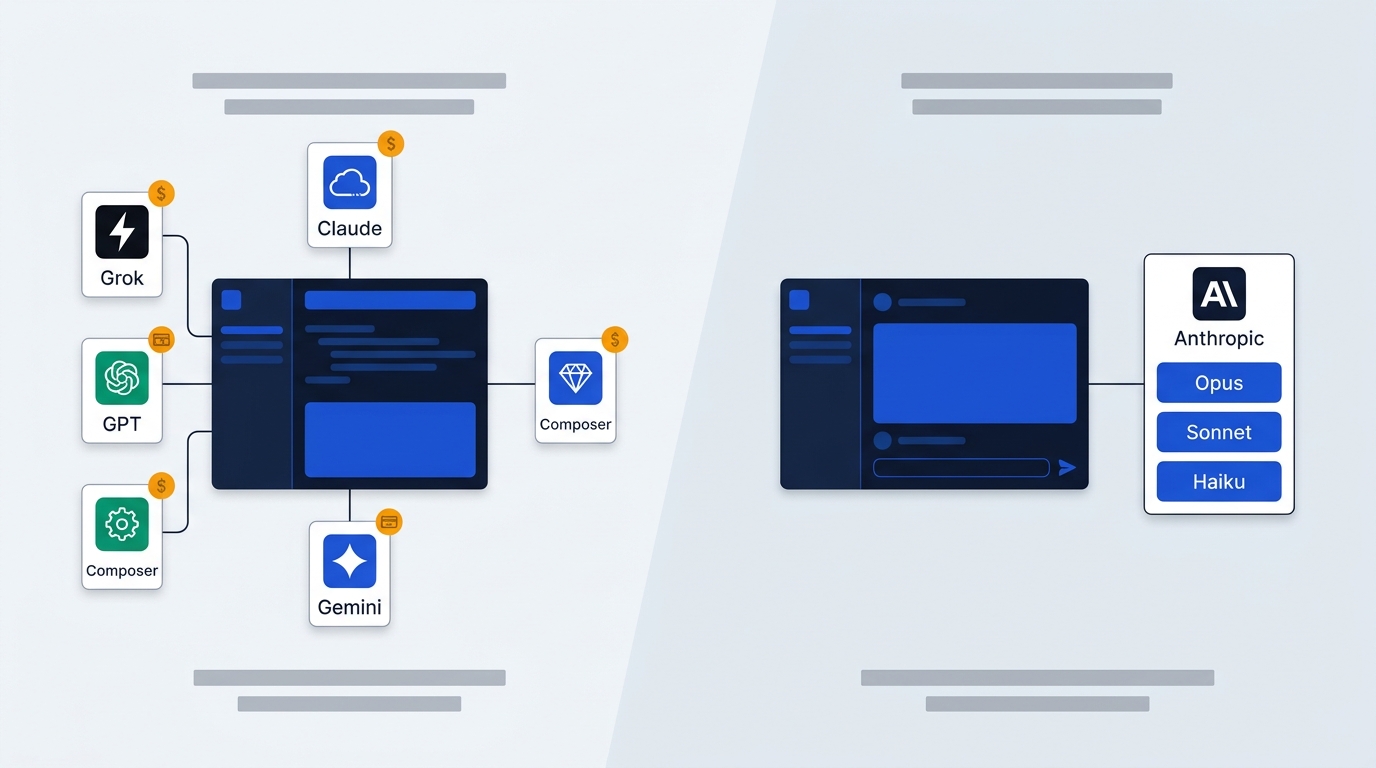
How an AI coding assistant handles language models and context windows determines what kinds of problems it can solve. A tool with access to varied models lets you balance cost against capability, while a specialized single-model system can offer deeper reasoning on complex codebases.
Multi-Model Flexibility vs Anthropic-Exclusive
Cursor provides a multi-provider ecosystem. Inside the editor, you can access Grok, Claude, GPT models, Gemini, and Cursor's custom Composer models, as.
You can use fast models like Grok for routine boilerplate, code explanation, and syntax fixes. You can reserve advanced models for subtle algorithmic challenges. However, the commercial structure requires careful attention. Paid Cursor plans include a shared pool for Grok models and Cursor agent features. Third-party models like Claude 3.5 Sonnet or GPT-4o are billed separately at API list prices, according to Cursor's pricing page.
This means your base monthly subscription to Cursor does not give you unlimited access to frontier models from other providers. You pay for exactly what you consume on third-party calls, though you can set hard spending limits in your dashboard to avoid surprise invoices at the end of the billing cycle, Cursor's pricing page explains.
Claude Code relies exclusively on the Anthropic model family. The tool is powered by Claude Opus 4.8, Sonnet 4.6, and Haiku 4.5. You cannot point Claude Code toward models from OpenAI or Google.
For many teams, this exclusive focus is a major benefit rather than a limitation. Anthropic models have established a strong reputation for coding precision, nuanced instruction following, and clean architectural refactoring.
If you prefer an ecosystem where you can swap between ChatGPT provider models and Claude under a single editor roof, Cursor gives you that freedom.
Context Windows and Management
Understanding a sprawling codebase requires an AI tool to hold significant amounts of information in memory simultaneously. Claude Code benefits directly from the large context windows engineered into Anthropic frontier models. Claude models support over 200,000 tokens of context, with extended windows reaching up to one million tokens on Sonnet 4, as per DevTools Academy.
This massive capacity allows Claude Code to ingest entire project structures, dependency trees, configuration files, and documentation in a single prompt. It reads across multiple directories to understand how data flows from your database models through backend controllers out to frontend components. It maintains this awareness without aggressively discarding older conversation turns, DevTools Academy explains.
Claude Code also uses prompt caching to optimize both execution speed and token expenditure. By caching prompt prefixes across sequential requests, the agent can reference hundreds of thousands of tokens of repository context repeatedly without incurring the full financial cost or processing delay of re-ingesting the files on every prompt, according to DevTools Academy.
Cursor approaches context through a combination of large token limits and local retrieval techniques. Cursor's standard mode supports 128,000 tokens, while its Max mode expands to roughly 200,000 tokens. However, Cursor actively prunes and optimizes context during active sessions to preserve low latency and keep its editor interface responsive, DevTools Academy reports.
To supplement pruned context, Cursor uses semantic code search powered by vector embeddings. It scans your local repository, creates an index of code symbols and relationships, and retrieves relevant code snippets on the fly when you ask a question. This approach allows Cursor to find relevant definitions across large projects without loading every file into the active model window, DevTools Academy explains.
Deep integration with Model Context Protocol
Both tools provide deep integration with the Model Context Protocol (MCP). Anthropic created MCP as an open standard to allow AI agents to connect securely to external systems, databases, issue trackers, and internal tools. Claude Code has native, first-party support for MCP servers, making it simple to pull tickets from Jira or query local SQLite databases during a refactor.
Limitations in Model Switching
Working with multi-model assistants reveals real-world workflow frictions that marketing pages rarely highlight.
Suppose you begin refactoring a complex module using Grok because of its speed and low cost. Grok navigates the first three steps cleanly, but then encounters an intricate concurrency bug involving subtle channel deadlocks. If you decide that you need the advanced reasoning of Claude Sonnet to resolve the roadblock, Cursor cannot simply swap the backend engine while keeping your session intact.
Instead, you must open a completely new chat thread. When you start over, you lose the conversation history, the intermediate debugging outputs, and the mental context the assistant built up over the prior ten minutes.
This limitation forces developers to adopt specific habits. You learn to make an upfront bet on whether a task is simple enough for a budget model or complex enough to warrant a top-tier model from the start.
With Claude Code, you do not face model-switching friction because the entire agent experience is anchored to the Claude model family. The system handles internal routing across Haiku, Sonnet, and Opus subagents automatically depending on task requirements.
Workflows: Interactive Editing vs Delegated Tasks
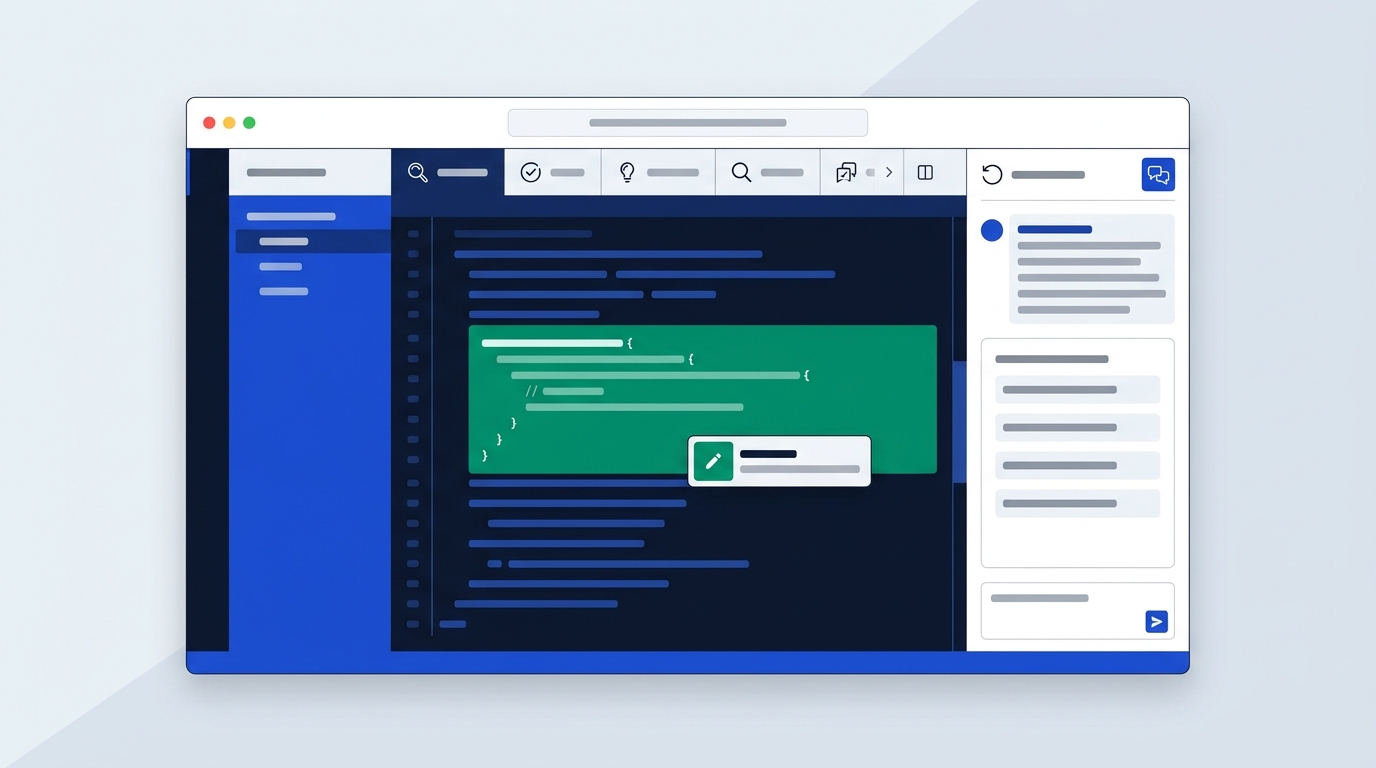
The true value of any developer tool emerges during daily engineering sprints. How an AI coding assistant handles autocomplete, multi-file refactors, and project memory directly dictates whether you move faster or spend your afternoon fixing incorrect code suggestions.
Interactive, Editor-Centric Workflows with Cursor
Cursor is designed for developers who view coding as a hands-on craftsmanship process. Its centerpiece is Tab v2 autocomplete, an AI model fine-tuned specifically for low-latency code prediction.
You accept suggestions by tapping the Tab key, creating a fluid rhythm where the editor anticipates imports, parameter mappings, and boilerplate setup.
Beyond inline assistance, Cursor equips developers with structured agent management features inside the IDE:
- Agent Tabs: You can open multiple independent agent workspaces inside Cursor. Each tab retains its own isolated conversation context, active file targets, and model selection. You can run a debugging chat in one tab while drafting unit tests in another, according to DevTools Academy.
- Checkpoints: Every time the Cursor agent applies changes to your files, it creates an automatic snapshot. If an agent goes down an unproductive rabbit hole, you click the checkpoint restore icon to roll back your repository to the exact state before the generation began, DevTools Academy explains.
- Duplicate Chat: When you want to test two different architectural approaches, you can fork an existing conversation. This clones the accumulated context, allowing you to prompt one branch in one direction and the other in a competing direction without starting from scratch, DevTools Academy reports.
- Custom Commands and Rules: You can define reusable Markdown templates as custom commands. By setting up Cursor Rules, you instruct the AI on repository conventions, styling preferences, and architectural constraints, ensuring all generated code adheres to team standards, DevTools Academy notes.
- Export to Markdown: You can export entire debugging discussions and architectural plans to local Markdown files. This makes documenting technical decisions or sharing context with colleagues straightforward, according to DevTools Academy.
Cursor's parallel and autonomous agents
When you need more autonomy, Cursor runs parallel agents. The editor can launch up to eight parallel agents simultaneously, placing each agent into its own isolated Git worktree.
When using Cursor CLI with Grok, your prompting strategy benefits from being direct. While Claude Code excels at discovering context from ambiguous prompts, Grok in Cursor CLI performs best when you specify the exact entry files upfront.
Agent-First, Delegated Tasks with Claude Code
Claude Code changes your relationship with the editor by shifting your role from writer to supervisor.
A typical Claude Code workflow begins with a terminal prompt like "Migrate our database queries in the billing module from raw SQL to our new ORM and ensure all integration tests pass." Instead of waiting for you to open files, Claude Code takes systematic control of the task:
- The agent inspects your repository directory structure and locates the relevant schema definitions, query files, and test suites, according to DevTools Academy.
- It uses extended thinking to map out a multi-step execution plan before altering any code on disk, DevTools Academy reports.
- It runs your local test commands in the shell, reads the standard output, and captures stack traces from failing tests, DevTools Academy explains.
- It prepares a Git commit message summarizing the changes and presents the final Git diff for your approval, according to DevTools Academy.
Claude Code's subagents and multimodal vision
Claude Code achieves this level of autonomy through an advanced subagent model. The main orchestrator can spawn specialized subagents with restricted tools and scopes, such as assigning a dedicated subagent to review security implications or search external documentation while the primary agent continues refactoring code, DevTools Academy notes.
The platform also incorporates multimodal capabilities. Claude models possess native vision and PDF processing support. You can pass UI mockup screenshots, architectural diagrams, or API specification documents directly to Claude Code. The agent extracts requirements from the visual assets and writes code that matches the provided design, according to DevTools Academy.
Crucially, this workflow operates independently of your editor. You can keep your primary code editor open in one window to inspect changes while Claude Code runs in your terminal pane.
Code Review and Automation
Catching regressions, logic flaws, and security vulnerabilities before code merges into production is a critical priority for engineering organizations. Both Cursor and Claude Code extend their assistance into the code review and continuous integration lifecycle, but they do so through very different product architectures.
Cursor's Integrated Code Review and Team Features
Cursor provides automated code review through BugBot, a dedicated review agent integrated into the Cursor ecosystem. BugBot operates directly on pull requests, scanning diffs for subtle logic errors, race conditions, edge-case crashes, and security vulnerabilities, as.
Unlike standard static analysis tools that flag generic linting errors, BugBot evaluates code changes in the context of your broader repository architecture. When it finds a flaw, it does not just leave an ambiguous comment.
For engineering teams, Cursor wraps these capabilities into collaborative infrastructure. The platform provides Code hosting via Origin and team workspaces that allow organizations to share internal rules, custom skills, and editor plugins across their entire developer base, Cursor's pricing page states.
Cursor also includes centralized administrative dashboards for engineering leadership. Team managers can track usage analytics, enforce team-wide privacy settings, and configure custom chat data retention policies. Enterprise plans add single sign-on via SAML and OIDC, automated SCIM provisioning, granular spend limits, and comprehensive audit logs to ensure enterprise compliance, Cursor's pricing page and DevTools Academy confirm.
Claude Code's CLI and GitHub Actions for Automation
Claude Code handles code review and pipeline automation through the command-line interface and continuous integration runners.
When a developer opens a pull request on GitHub, the Claude Code action can trigger automatically. The agent checks out the branch, analyzes the diff against target branch conventions, and runs automated evaluations.
If the CI run fails, Claude Code can diagnose the failure, explain why the error occurred, and post a structured review comment on GitHub.
This pipeline approach means your code review automation shares the exact same agent architecture that your developers run on their local workstations. You do not maintain two separate rule sets or configure disparate review services. The exact same Claude instructions, prompt caching benefits, and MCP integrations function consistently whether triggered by a develo.
Verified Pricing and Usage Pools
Evaluating AI developer tools requires a clear understanding of monthly subscription costs, usage pools, and how third-party model consumption is billed. Both vendors use distinct pricing tiers designed for different levels of engineering intensity.
Source for Cursor figures: Cursor.com pricing page, checked October 2026. Source for Claude figures: Claude pricing documentation, checked October 2026. You can also compare these tools side by side with other options on our SaaS price comparison page.
Cursor Pricing
Cursor provides a multi-tiered pricing structure for individual developers and organizations. All listed prices are in US dollars and are exclusive of applicable taxes like VAT. Subscriptions are sold exclusively through X Subscription Corp directly, with no authorized third-party resellers.
| Plan | Price (US$/month) | Usage Allowance & Features |
|---|---|---|
| Free | $0 | Limited AI usage, limited agent requests, limited Chat requests. Post, reply, and follow. |
| Plus | $8 | Introductory tier. Basic shared AI usage pool. Grok models only (Chat, Voice, Imagine, Build). Grok API access. |
| Premium | $30 | Most popular tier. 4x usage compared to Plus. Latest Grok models, Cloud agents & automations, Origin code hosting, BugBot AI reviews, video generation. Third-party models billed separately at API list price. |
| Super | $100 | 15x usage compared to Plus. Everything in Premium, plus priority model access at peak times. Third-party models billed separately. |
| Ultra | $200 | 50x usage compared to Plus. Everything in Super, plus earliest access to all products and models. Third-party models billed separately. |
| Teams | $30+ per user | 4x to 50x usage by seat tier. Centralized billing, team privacy settings, usage analytics, custom chat retention, SAML/OIDC SSO, mix and match seat types. |
| Enterprise | Custom | Pooled usage, invoice/PO billing, SCIM seat management, granular spend controls, audit logs, auto-run controls, priority support. |
Understanding Cursor usage mechanics is critical for budgeting. Every paid plan includes a pool of AI usage shared across Cursor and Grok. This pool covers Cursor agent actions as well as Grok Chat, Imagine, Voice, and Bot features.
Crucially, your usage allowance refreshes on a weekly schedule rather than monthly. This prevents an intense day of debugging from wiping out your entire monthly allowance. If you exhaust your weekly allocation, you can purchase top-offs to maintain momentum or wait for the weekly reset.
Third-party model usage within Cursor, such as querying Claude 3.5 Sonnet or GPT-4o, is not covered by your monthly plan fee on Premium, Super, or Ultra. Third-party models are billed separately at API list prices based on your exact token consumption. You can configure spending caps in your account settings to prevent unexpected charges. Grok API access is included in paid plans, but API calls are also billed separately at standard model rates.
Claude Code Pricing (Bundled with Claude Subscriptions)
Anthropic does not sell Claude Code as a separate standalone product.
| Plan | Price (US$/month) | Usage Allowance & Key Capabilities |
|---|---|---|
| Free | $0 | Access to Claude 3.5 Sonnet on web and mobile with dynamic daily message limits. Includes interactive Artifacts. |
| Pro | $20 | 5x usage capacity versus Free tier. Priority access during peak traffic. Access to Claude 3.5 Haiku, Sonnet, and Opus models. Bundles Claude Code terminal and extension access. |
| Team | $30 per user | Minimum 5 seats ($25 per user when billed annually). Significantly higher usage limits, Claude Projects for team knowledge sharing, centralized billing. |
| Enterprise | Contact sales | Expanded context window (500k+ tokens), SAML single sign-on (SSO), audit logs, role-based access controls, dedicated account team. |
This bundled approach creates a different financial dynamic. If you already subscribe to Claude Pro at US$20 per month for drafting specifications, researching architecture, or summarizing documentation, Claude Code comes at no additional cost.
For individual developers who use Claude models heavily, this flat-rate bundle eliminates token anxiety. You do not pay separate API surcharges for standard Claude Code usage within your plan limits.
EU Data Privacy, GDPR DPA, and VAT for European Teams
European software companies, agencies, and regulated enterprises must evaluate legal compliance alongside technical capabilities. Using AI tools involves transferring source code, proprietary algorithms, and potentially customer data across international networks, making GDPR compliance, data processing agreements, and VAT handling primary purchase criteria.
Cursor's Data Privacy and DPA
Cursor addresses intellectual property protection through a built-in Privacy Mode. Developers can enable Privacy Mode individually within application settings, or team administrators can enforce it organization-wide from the central admin dashboard, Cursor's pricing page states.
When Privacy Mode is enabled, Cursor guarantees that your code data is not retained or used for model training purposes by Cursor or by its underlying third-party model providers. This contractual guarantee is essential for professional software shops that handle confidential client intellectual property, Cursor's pricing page confirms.
Cursor maintains SOC 2 certification, demonstrating technical and operational controls around data security. However, Cursor does not publish dedicated European data residency options on its standard pricing pages, meaning code snippets and agent prompts are processed across US-based infrastructure. European companies requiring explicit EU data residency guarantees should evaluate their regulatory requirements before deployment, Cursor's pricing page and DevTools Academy note.
Claude's Data Privacy, DPA, and Location
Anthropic processes and stores customer data in the United States, utilizing Amazon Web Services and Google Cloud infrastructure for its computational workloads, as per Anthropic's trust documentation.
To support GDPR compliance for European organizations, Anthropic provides a formal Commercial Data Processing Addendum. This agreement incorporates standard contractual clauses (SCCs) established by the European Commission. These clauses establish a verified legal framework for lawful international data transfers from the European Union to US infrastructure, Anthropic's commercial terms state.
Anthropic maintains a strict zero-training policy for all commercial and API customer inputs. Your proprietary code files, database schemas, terminal prompts, and architectural context passed to Claude Code are never used to train or refine Anthropic foundational models, according to Anthropic's commercial terms.
VAT for EU and UK Businesses
All subscription prices published by both Cursor and Anthropic are displayed in US dollars and are exclusive of applicable taxes. When purchasing these software services from Europe or the United Kingdom, your tax treatment depends on your corporate registration status, Cursor's pricing page and Claude pricing documentation confirm.
For VAT-registered businesses operating within the European Union, cross-border digital services are subject to the reverse charge mechanism under EU VAT rules. When you enter a valid corporate EU VAT identification number during checkout, the vendor invoices your account without charging local sales tax. Your corporate accounting department then accounts for both output and input VAT on your domestic tax return, eliminating cash flow drag. For more details, see our guide to the VAT reverse charge mechanism.
The United Kingdom is not a member of the European Union, so UK transactions do not use the EU VAT Directive. Instead, UK VAT-registered companies operate under the UK reverse charge mechanism in accordance with HMRC VAT Notice 741A. When purchasing software subscriptions from US entities, UK businesses provide their valid UK VAT number, receive zero-rated cross-border invoices, and report the reverse charge on their standard HMRC VAT returns.
Frequently asked questions
Who is Cursor for, and who is Claude Code for?
Cursor suits developers who spend their day inside code files and want immediate help with Tab completion, inline edits and parallel cloud agents. Claude Code suits developers who want to delegate large tasks, such as multi-file refactors, test repairs and cross-repo migrations, and review the outcome.
Do I have to switch editors to use either tool?
Cursor is a fork of VS Code, so it usually replaces your existing editor, though it imports your VS Code keybindings, themes and extensions. Claude Code does not replace your editor. It runs in the terminal, with official extensions for VS Code and JetBrains.
How do the starting prices compare?
Cursor starts at $8/month on the Plus plan, while Claude Code is included in Claude Pro at $20/month. For teams, Cursor lists $30+ per user/month. Claude Code costs $30 per user/month with a minimum of 5 seats, or $25 annually.
Which AI models can each tool use?
Cursor is multi-provider, offering Grok, Claude, GPT models, Gemini and its own Composer models. Paid plans include a shared pool for Grok models and Cursor agent features, while third-party models are billed separately at API list prices. Claude Code uses only Anthropic models: Opus 4.8, Sonnet 4.6 and Haiku 4.5.
Can I use Cursor and Claude Code together?
Yes, engineering teams often run both in parallel. You can use Cursor as your daily interactive editor and start Claude Code in the terminal for complex, multi-step maintenance jobs.
Sources and how this was compiled
Compiled by the SaaSEuro team from the vendors' official documentation; we have not hands-on tested these products. Facts last checked in November 2026.
Bottom Line: Picking Your AI Coding Partner
Your choice between Cursor and Claude Code comes down to where you want machine intelligence to sit within your daily workflow. Both tools have evolved rapidly, but their fundamental strengths reflect their design origins.
Pick Cursor if you want an AI-augmented cockpit. It is the superior tool for developers who spend their days writing code directly, value instant tab completion, and want multiple AI models accessible from a visual editor.
Pick Claude Code if you want to delegate substantial coding objectives to an autonomous agent. It is the better option for developers who love the terminal, maintain complex backend systems, or want to keep their existing editor setup in JetBrains, Neovim, or standard VS Code.
Many senior developers adopt both tools simultaneously. You can rely on Cursor as your daily visual editing environment while using Claude Code in a terminal pane to handle background migrations, package updates, and test suite repairs. Dividing tasks by interaction shape lets you leverage low-latency inline editing alongside deep autonomous execution without compromising your workflow.
How to migrate between the tools
If you decide to migrate between tools, transition incrementally. Moving from Claude Code to Cursor involves adopting a complete editor fork, configuring your project rules, and adjusting to visual inline diffs. Moving from Cursor to Claude Code requires shifting from direct keystroke assistance to descriptive, goal-oriented prompting in your terminal. Test both approaches on real sprint tasks to determine which tool moves your team from planning to production fastest.