















Deciding between HubSpot vs Salesforce? Compare 3-year TCO, Sales Hub vs Sales Cloud features, Agentforce, Breeze AI, and EU data hosting rules.
TL;DR: HubSpot suits small businesses and scaling mid-market teams under 200 seats that want fast deployment in 4 to 8 weeks, unified data context, lower administrative overhead, and native EU data hosting in Frankfurt. It is less suited for enterprises requiring custom developer code or deep vertical industry clouds. Salesforce suits enterprise organisations over 200 seats that require bespoke Apex scripting, 15 or more specialized industry vertical clouds, complex matrix BI reporting via Tableau, and multi-layered administrative governance, though it demands dedicated admin staff and carries higher long-term implementation costs.
Evaluating HubSpot vs Salesforce comes down to team size, administration bandwidth, custom code requirements, and total operational cost over three years. This guide breaks down seat prices, hidden operational fees, AI capabilities, and EU GDPR residency rules so you can pick the right software for your sales team.
HubSpot provides an intuitive CRM platform with unified customer context, out-of-the-box AI tools, and rapid setup for growing mid-market companies. Salesforce offers extensive customisation, deep enterprise reporting, advanced developer scripting, and specialised industry vertical clouds for complex organisations.
Quick comparison of HubSpot vs Salesforce
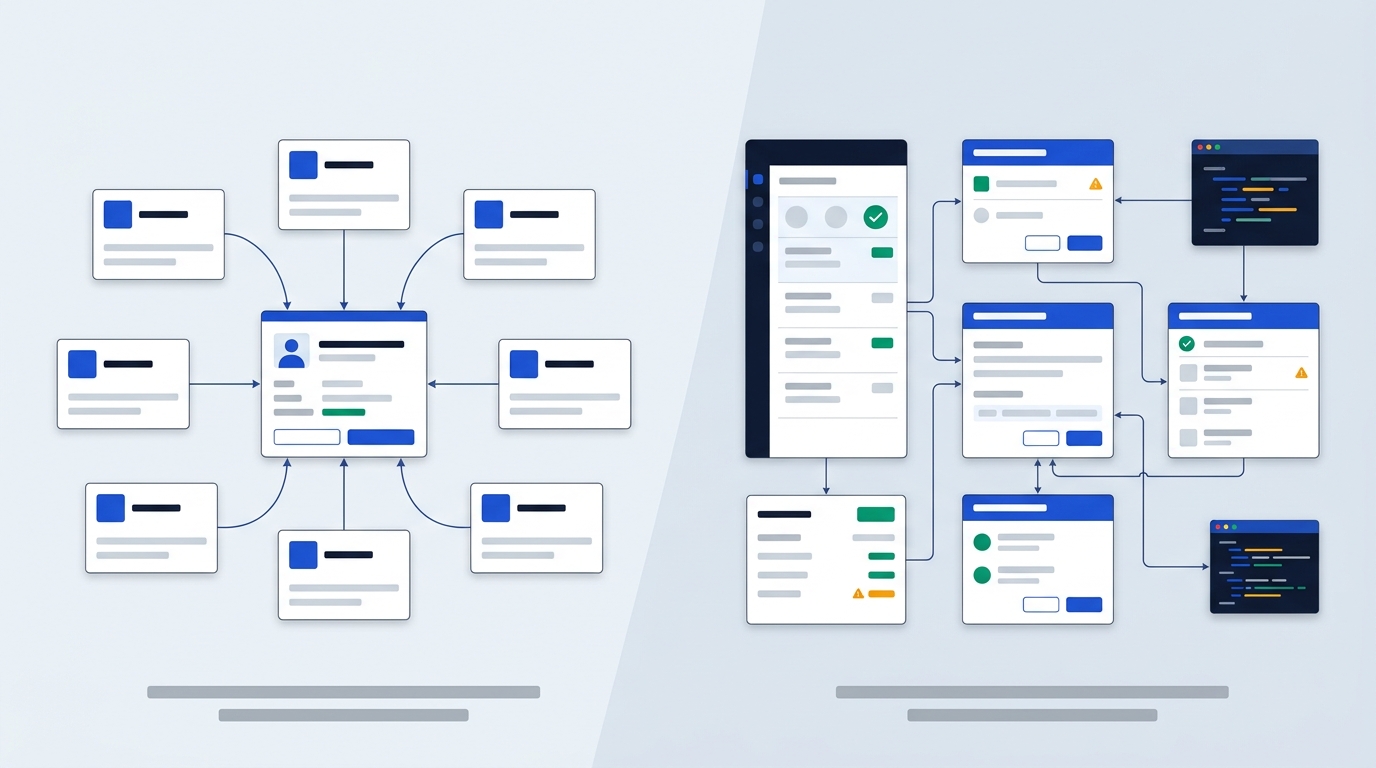
Comparing the core platform metrics of HubSpot and Salesforce highlights differences in setup speed, user satisfaction, pricing structures, and total operational costs.
When you look at platform architecture, HubSpot unifies tools around a single customer record by default. Salesforce functions as a customizable framework that developers tailor to enterprise workflows using proprietary code and modular packages. If you want your team selling immediately without building complex data infrastructure, HubSpot gets reps moving fast. If you need complete control over data relationships across thousands of employees, Salesforce handles that enterprise complexity.
Understanding these foundational choices helps sales leaders avoid costly platform migrations later. Adopting software with high technical complexity slows daily rep activity and drives up consulting fees for mid-market companies. Conversely, rapidly scaling enterprise teams can outgrow basic CRM tools if their data model demands bespoke custom objects and validation rules.
| Evaluation Metric | HubSpot | Salesforce |
|---|---|---|
| Target Organisation Size | SMBs to scaling mid-market (under 200 seats) | Large mid-market to global enterprise (200+ seats) |
| Global Customer Count | 288,000+ global customers | 150,000+ global customers |
| Annual Revenue (FY2025) | $3.13B revenue | $37.9B revenue |
| G2 Rating: Ease of Use | 8.7 / 10 | 8.0 / 10 |
| G2 Rating: Ease of Setup | 8.4 / 10 | 7.2 / 10 |
| Typical Deployment Time | 4 to 8 weeks | 17 days (SMB) to 3–6 months (Enterprise) |
| Dedicated Admin Needed | No (86% self-manage with existing staff) | Yes (certified admin overhead required) |
| Native EU Data Hosting | Yes (Frankfurt, Germany on AWS) | Global infrastructure (Salesforce Shield add-on) |
When to choose HubSpot or Salesforce
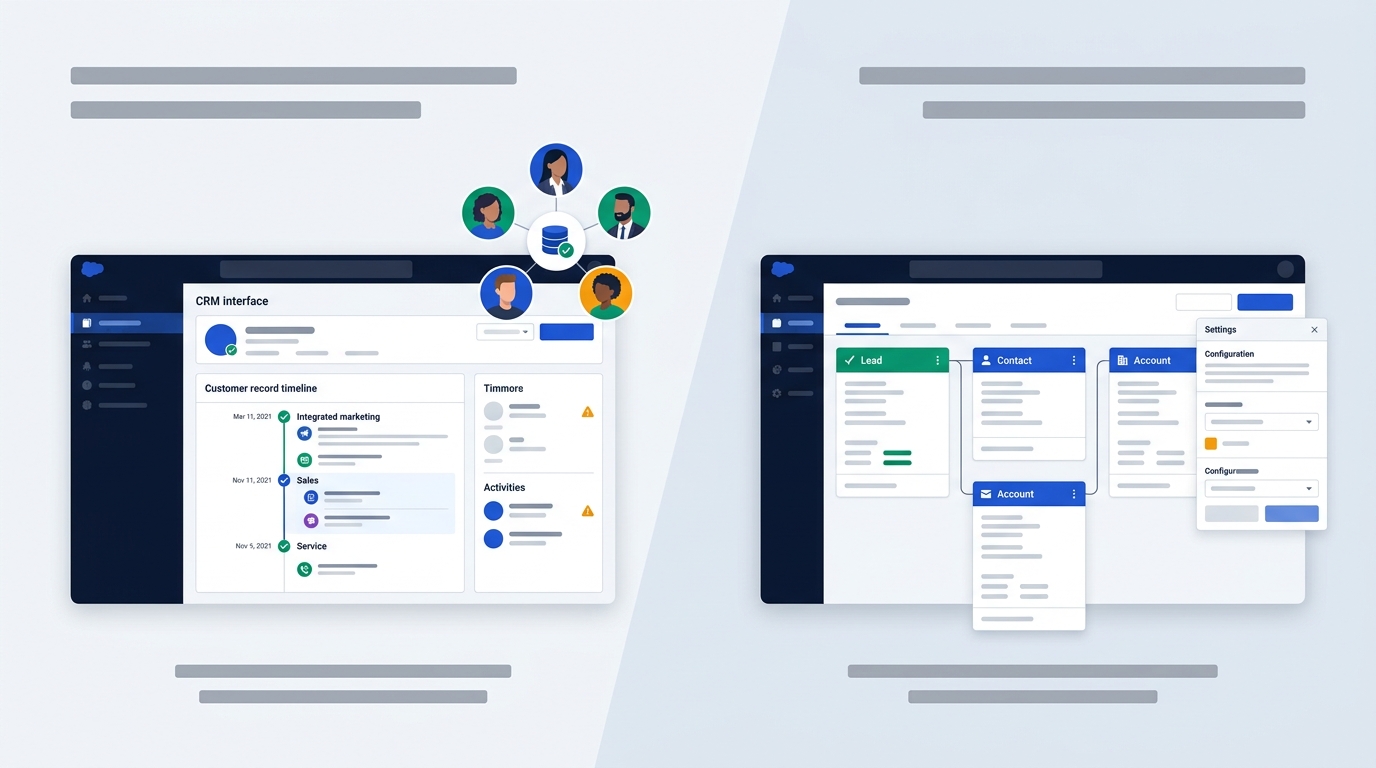
You should choose between these CRM systems based on your team size, internal developer resources, and need for custom industry configurations.
Selecting the right CRM platform depends heavily on your team's operational structure, existing internal technical skills, and go-to-market strategy. Choosing the wrong system leads either to system underutilisation or massive ongoing consultancy expenses. You must evaluate whether your sales operations require a plug-and-play platform designed for rapid execution or an engine built for bespoke corporate architectures.
When you choose a CRM, you decide how your sales operations team spends its time every week. A team using HubSpot spends time refining messaging, running sequences, and engaging buyers. A team using Salesforce spends time configuring validation rules, managing custom object dependencies, and maintaining user permissions across business units.
When to select HubSpot for your revenue team
You should select HubSpot if your team has under 200 users and runs a marketing-led revenue strategy. Because HubSpot unifies marketing, sales, and service data on a single underlying customer record, reps gain complete contextual history from day one without setting up complex data sync connectors.
HubSpot is ideal when you want to deploy your CRM within 4 to 8 weeks without hiring a dedicated full-time system administrator. Small and medium businesses choose HubSpot to avoid heavy maintenance burdens while giving sales representatives intuitive tools that drive fast user adoption.
Consider a scaling European B2B SaaS business with 35 sales representatives, 10 marketing specialists, and a 5-person customer success team. This team needs to run automated email sequences, record calls, track website page views, and manage pipelines without hiring an external CRM consultant. By choosing HubSpot, the company launches Sales Hub Professional alongside Marketing Hub within 6 weeks. The marketing team scores incoming leads based on page views and form submits, while sales reps instantly view the complete interaction history inside their central sales workspace.
HubSpot suits specific user personas within growing organisations:
- Sales Representatives: They get an uncluttered interface with automated email logging, built-in calling, and clear daily task lists so they spend time talking to buyers rather than entering data.
- Marketing Leaders: They get native alignment with sales pipelines, allowing them to track revenue attribution across campaigns without setting up API bridges.
- Founders and Operations Directors: They avoid paying £55,000 to £80,000 annually for a dedicated platform administrator, relying instead on existing team members to manage workflows.
What are the pros and cons of HubSpot
However, HubSpot presents clear trade-offs for specific setups:
- The Bad: Steep price jumps when moving from Starter (~£16/seat) to Professional (£85/seat), custom object limits (maximum 10 custom objects on Enterprise tiers), and less granular permission controls for global matrix structures.
When to select Salesforce for enterprise operations
You should select Salesforce if your organisation exceeds 200 seats or operates within strictly regulated industry verticals. If your revenue model requires specialized vertical solutions like Financial Services Cloud, Health Cloud, or Manufacturing Cloud, Salesforce delivers purpose-built data architectures out of the box.
Salesforce is necessary when your business workflow relies on deep ERP integrations, complex object relationships, multi-layered matrix reporting, and custom Apex software development. Organizations with specialized IT teams use Salesforce to construct custom business processes that align precisely with complex corporate structures.
Consider a multinational financial services provider with 500 account managers spread across five countries, operating alongside regional risk compliance officers and external broking partners. The business requires strict row-level security permissions, multi-currency territory management, bespoke financial compliance auditing, and integration with an enterprise SAP backend system. Salesforce Sales Cloud Enterprise or Unlimited, augmented with Financial Services Cloud and Salesforce Shield, provides the architectural structure required to govern these operations safely.
Salesforce caters directly to enterprise personas with deep technical resources:
- Enterprise Sales Operations Directors: They gain precise control over deal stages, territory rules, quota allocation models, and custom object validation scripts.
- Chief Information Officers (CIOs): They leverage a global software infrastructure backed by over 5,200 AppExchange apps, custom Apex programming capabilities, and enterprise governance frameworks.
- Certified Salesforce Administrators: They benefit from an extensive ecosystem of 21M+ Trailblazers and developer tools to build bespoke business applications directly inside the CRM.
What are the pros and cons of Salesforce
Evaluating the trade-offs of Salesforce highlights why small teams often hesitate to adopt it:
- The Good: Gartner Sales Force Automation Leader for 19 consecutive years, infinite customisation via Apex and Lightning Web Components, 15+ industry vertical clouds, deep BI via Tableau, and security governance through Salesforce Shield.
- The Bad: High total operational cost, mandatory dedicated admin overhead, complex setup taking 3 to 6 months for enterprise deployments, learning curve for non-technical users, and extra costs for sandbox environments and support tiers.
Evaluating the TCO crossover point and administration resources
Understanding the total cost of ownership crossover point prevents unexpected budget spikes as your business grows. The financial crossover point between the two platforms occurs around 75 to 100 users, assuming your business already employs an in-house Salesforce administrator. Below 75 seats, HubSpot yields a 30% to 60% overall savings over three years compared to Salesforce.
Internal administration requirements represent the primary cost differentiator over time. Research shows 86% of HubSpot teams manage the platform using existing sales operations or marketing staff. In contrast, Salesforce almost universally requires dedicated administrative oversight to manage custom objects, user permissions, and deployment releases.
When you assess administrative bandwidth, calculate the true cost of system maintenance. A dedicated UK-based certified Salesforce administrator earns between £45,000 and £80,000 annually in standard salary overhead. When you add mandatory Salesforce Premier Support packages, costing 20% to 30% on top of net licence fees, maintaining a small 25-user Salesforce setup incurs substantial administrative costs before reps place a single sales call.
To determine where your business sits relative to the crossover point, run a three-step internal evaluation:
- Count active core editing users: If your core revenue team is under 75 users, HubSpot's seat structure eliminates heavy administrative overhead. If your team exceeds 200 users, Salesforce's per-user licence model scales predictably alongside enterprise IT frameworks.
- Audit custom data requirements: Calculate the number of custom objects and unique relational triggers your workflows require. If you need fewer than 10 custom objects, HubSpot Enterprise handles your data model. If you need dozens of interconnected custom tables with complex Apex validation triggers, Salesforce handles that volume.
- Assess technical staff availability: Determine whether your current IT team can build Apex code and maintain sandbox deployments. If you lack dedicated CRM administrators, choosing Salesforce requires hiring external agencies charging £600 to £1,500 per day.
Total cost of ownership and pricing breakdown
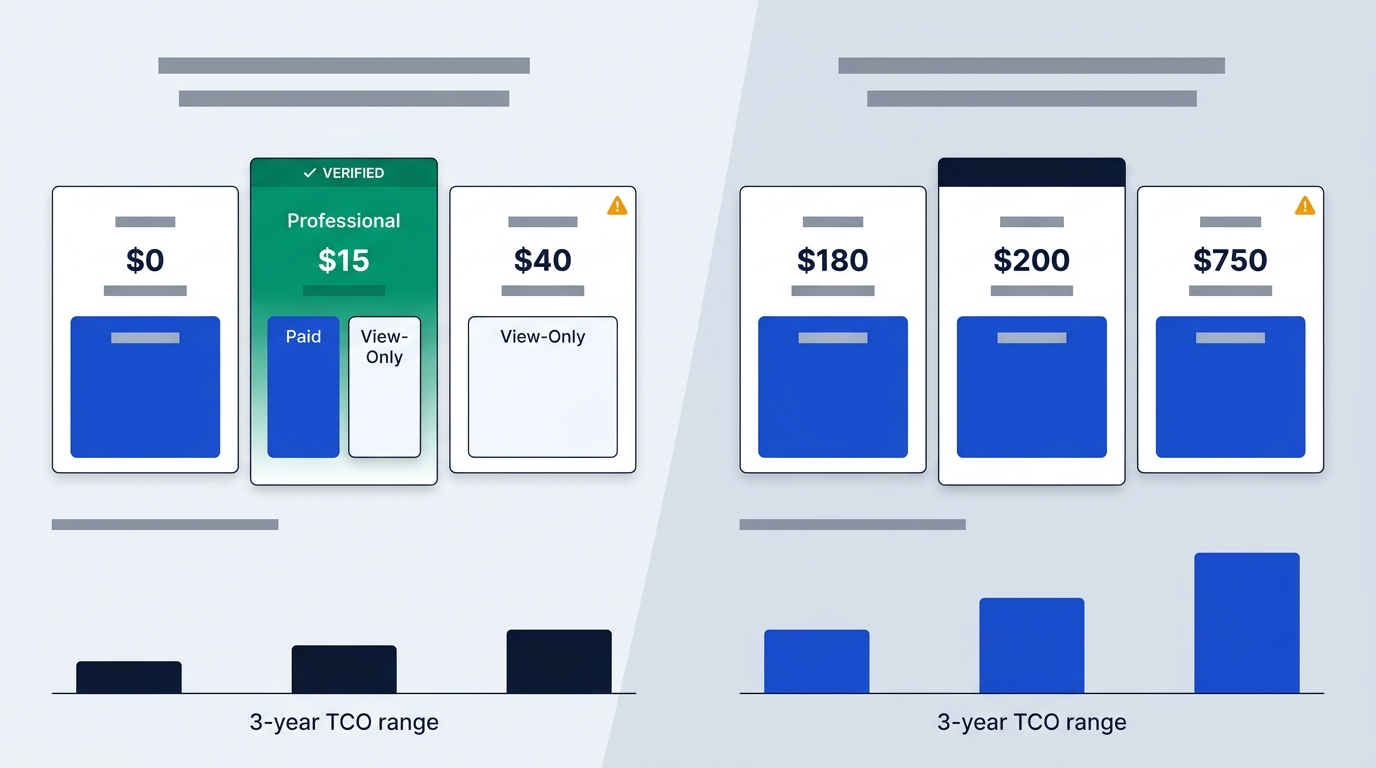
Calculating the total cost of ownership requires looking beyond listed seat prices to include onboarding, admin salaries, add-on modules, and support packages.
Looking only at the initial sticker price on a vendor website is a mistake. Enterprise CRM contracts involve multiple financial variables, including user seat classifications, storage thresholds, API usage allowances, and professional service requirements. A business that selects a system based purely on entry-level tier costs often faces budget overruns during Year 2 and Year 3 renewals.
Direct licence fees for Sales Hub and Sales Cloud
HubSpot structures Sales Hub pricing around core user seats with free view-only access for broader team visibility. Sales Hub Starter begins at approximately £16 or €15 per seat per month. Sales Hub Professional costs £85 or €90 per seat per month, while Sales Hub Enterprise sits at approximately £120 or US$150 per seat per month.
Salesforce Sales Cloud charges per user across specialized feature tiers, according to Salesforce's pricing page. Starter Suite begins at £20 or US$25 per user per month, Pro Suite costs £80 per user per month, and Enterprise costs £140 or US$165 per user per month. Higher tiers include Unlimited at £280 or US$330 per user per month, and Agentforce 1 Sales at £440 or US$550 per user per month.
The structural difference between HubSpot Core Seats and Salesforce user licences directly impacts operational flexibility. HubSpot allows companies to assign free View-Only Seats to executives, finance managers, and service reps who only need to read customer data. Everyone on Salesforce who requires access to standard CRM objects generally requires a paid user licence, driving up total software expenses for broad cross-departmental teams.
Three-year total cost of ownership comparison for 25 users
For a typical 25-user sales team, the total financial outlay over three years differs significantly between the two solutions. A 25-user deployment on HubSpot totals £80,400 to £168,600 across three years, including initial onboarding and standard seat growth. This structure helps mid-market businesses budget accurately without sudden price spikes.
A 25-user deployment on Salesforce totals £265,000 to £581,000 over three years. This cost increase is driven by higher tier seat prices, mandatory support packages, and implementation services. As user accounts scale, additional feature modules expand the total licence commitment.
| TCO Cost Component (25 Users) | HubSpot Sales Hub (3-Year Total) | Salesforce Sales Cloud (3-Year Total) |
|---|---|---|
| Annual Licence Commitment | £18,000 – £35,000 / year | £42,000 – £84,000 / year |
| Initial Implementation & Onboarding | £8,000 – £16,000 (one-time) | £25,000 – £80,000 (one-time) |
| Ongoing Administration Overhead | £3,000 – £8,000 / year | £25,000 – £50,000 / year |
| Year 1 Overall Outlay | £34,400 – £72,600 | £105,000 – £247,000 |
| Cumulative 3-Year TCO | £80,400 – £168,600 | £265,000 – £581,000 |
Examining a larger mid-market deployment reveals an even wider cost divergence. For a 50-user revenue organization, HubSpot's Year 1 total cost ranges between £62,000 and £130,000, bringing its 3-year TCO to £152,000–£330,000. For the same 50-user team, Salesforce demands a Year 1 financial commitment of £199,000 to £413,000, resulting in a 3-year total cost of ownership ranging from £497,000 to £1,019,000.
Uncovering hidden operational and implementation costs
Hidden operational costs represent a substantial portion of any enterprise software budget. Running Salesforce long-term almost always requires a certified in-house administrator, adding £55,000 to £80,000 per year in UK salary overhead. Mandatory Salesforce Premier Support adds an extra 20% to 30% on top of net licence fees.
Salesforce data storage overages run approximately £100 per month per 500MB once standard limits are exceeded. External developer and consultant fees range from £600 to £1,500 per day for bespoke Apex coding. Sandbox environments add 25% to 30% to production licence costs, while renewal fees typically rise 5% to 7% after initial discounts expire.
To avoid unbudgeted expenses when contracting with Salesforce, buyers must carefully audit their anticipated storage usage and sandbox requirements. If your sales operations team regularly uploads large attachments, customer contracts, and legacy records, standard Salesforce data limits fill up quickly. Purchasing additional storage blocks at ~£100/month per 500MB inflates annual contract renewals.
Identifying HubSpot onboarding and add-on costs
HubSpot requires mandatory onboarding fees when purchasing Professional or Enterprise tiers, ranging from £1,200 to £5,600 depending on the hub configuration. However, these fees can often be managed through partner agencies. Marketing contact overages cost approximately £200 per month for every 5,000 additional contacts.
Teams leveraging automated data enrichment can purchase Breeze Intelligence credit packs for approximately £36 per month per 5,000 credits. Advanced developer options, such as high-volume API call add-ons, cost around £400 per month for 160,000 daily API calls. Annual plan renewals include standard nominal uplifts around 5%.
Understanding HubSpot's pricing jumps is critical when planning for long-term growth. While Starter seats begin at roughly £16 per month, upgrading to Professional costs £85 per seat per month. Organisations must evaluate their feature needs carefully to ensure they upgrade tiers only when their pipeline volume justifies expanded functionality.
Sales Hub vs Sales Cloud core features
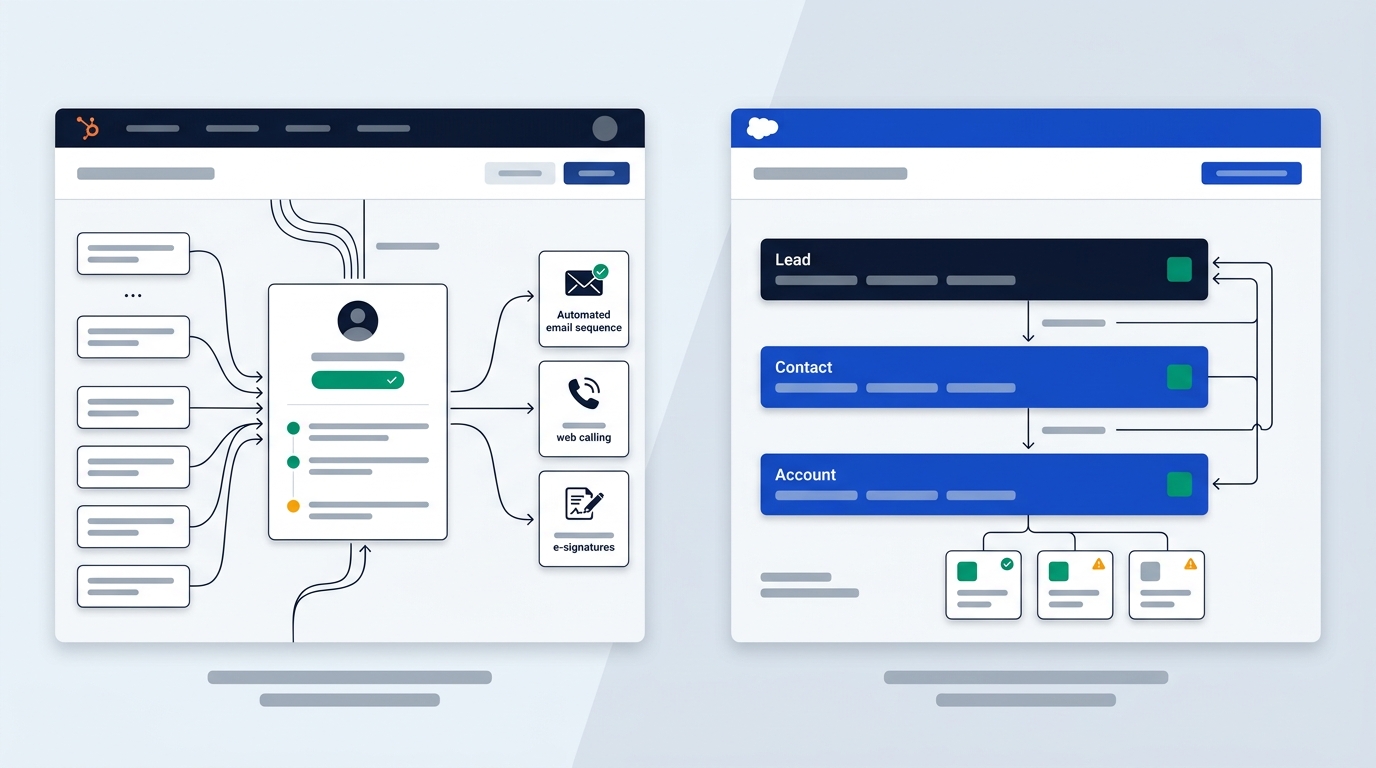
Sales Hub prioritises intuitive daily workflows with unified record timelines, while Sales Cloud provides deep enterprise customisation across multi-tiered corporate pipelines.
A CRM system must make daily data entry straightforward for front-line sales representatives. If reps find the interface confusing, deal information drops off, activity logging drops, and management loses pipeline visibility. Comparing the core functional tools of Sales Hub and Sales Cloud demonstrates how each vendor solves everyday sales challenges.
Pipeline and contact data architecture
HubSpot unifies operational data around a single contact and company record natively across all hubs. Because interactions, page visits, and email exchanges sync automatically to the central timeline, reps work without configuring manual data connectors. This design removes architectural friction for growing teams.
Salesforce uses separate Lead, Contact, and Account objects to support complex enterprise sales pipelines. Convert flows allow organizations to isolate unqualified leads from verified operational accounts. This multi-layered structure gives enterprise revenue operations precise control over complex corporate hierarchies.
For example, a business operating across multiple subsidiaries can use Salesforce to associate a single Contact with multiple Accounts while maintaining unique role descriptions and opportunity pipeline flows for each parent-child relationship. HubSpot manages this through standard parent-child company associations and flexible deal pipelines, providing sufficient flexibility for most mid-market businesses without adding database complexity.
Sales engagement, automation, and CPQ tools
HubSpot Sales Hub Professional and Enterprise include automated email sequences, native web calling, digital e-signatures, and CPQ quote-to-cash capabilities. Sales representatives configure product line items, generate AI-assisted quotes, and collect digital payments directly from deal records without leaving their daily workspace.
Salesforce offers sales engagement and CPQ capabilities through specialised add-on packages and higher-tier editions. Advanced rule engines allow enterprise teams to automate multi-step approval workflows across large international sales forces. This approach ensures strict compliance across complex product catalogues.
Consider the daily routine of a B2B account executive sending custom sales proposals:
- On HubSpot Sales Hub: The rep opens a deal record, selects a pre-configured quote template, leverages AI guided selling to adjust discount rules, inserts digital payment links, and emails the quote for e-signature. The transaction occurs inside a single screen, updating pipeline value and payment status automatically.
- On Salesforce Sales Cloud: The rep configures multi-tiered discount structures using Salesforce CPQ, routes the proposal through automated multi-level managerial approval paths, and triggers contract generation via AppExchange document extensions. This process enforces corporate compliance for global sales forces.
Forecasting analytics and measured rep productivity
Salesforce provides cross-object reporting, matrix summaries, automated territory management, and direct integration with Tableau BI. Sales operations leaders can build complex analytical joins across historical database objects to model detailed multi-quarter revenue forecasts.
HubSpot focuses on accessible pipeline visibility through drag-and-drop dashboards. In an official survey of 232 switchers who moved from Salesforce to HubSpot, 85% reported increased sales team productivity. Furthermore, 72% reported higher user adoption, and 75% spent less time managing third-party data connectors.
Documented customer case studies demonstrate the tangible outcomes achieved after migrating to HubSpot's platform:
- Checkwriters: Achieved a 20% increase in total revenue after switching from Salesforce to HubSpot.
- Liquidity Services: Cut overall software operating costs by 50% by consolidating disparate tools onto HubSpot.
- Avison Young: Increased overall CRM adoption across its sales team from 23% to 90% within four months of deployment.
- Triage Staffing: Saved up to 80 hours per week in manual administrative tasks while growing its workforce.
- Ving: Increased company revenue by 96% after moving from Salesforce to HubSpot's all-in-one platform.
- ARC: Accelerated lead response times by 94%, ensuring reps engage qualified prospects quickly.
Agentforce vs Breeze AI platform capabilities
Salesforce Agentforce builds autonomous multi-channel agents backed by enterprise security, while HubSpot Breeze delivers out-of-the-box assistant tools built for immediate sales rep productivity.
Modern sales artificial intelligence must perform meaningful work, such as qualifying incoming leads, drafting follow-up communications, summarizing sales calls, and keeping pipeline data updated. Evaluating Agentforce against Breeze AI highlights two different approaches to artificial intelligence automation.
HubSpot Breeze AI platform capabilities
HubSpot Breeze includes Breeze Copilot, Prospecting Agent, Data Agent, and Customer Agent. These tools operate directly inside the user workspace without requiring custom code configuration. Prospecting Agent monitors intent signals to automate initial outreach, while Data Agent enriches contact profiles using web data.
Breeze operates on a consumption model using HubSpot Credits, ensuring software costs scale directly with team usage. Reps use AI-assisted meeting summaries to log key action items, while deal progression analysis suggests follow-up actions based on recent email exchanges and calls.
For example, when a prospective buyer visits your pricing page and downloads a whitepaper, HubSpot Prospecting Agent detects the intent signal automatically. It researches the prospective company using Data Agent, updates missing contact fields, drafts a personalized outreach sequence, and queues the task inside the rep's central workspace. The rep reviews the draft with one click and launches the sequence immediately.
Salesforce Agentforce and Trust Layer security
Salesforce Agentforce enables organisations to build autonomous AI agents using Agent Builder with natural language prompts. Operating across sales, marketing, and customer service, these agents execute multi-step tasks across external digital channels 24 hours a day.
Agentforce is protected by the Salesforce Trust Layer, which enforces corporate data security and privacy policies automatically. Organizations deploy autonomous agents without re-configuring internal permission structures, masking sensitive customer data before processing prompts through external large language models.
Salesforce's AI investment is recognized across industry analyst evaluations. In the 2024 Gartner Magic Quadrant for Sales Force Automation, Salesforce was named a Leader for the 19th consecutive year, with analysts praising the flexibility Agentforce gives sales ops admins. In the same evaluation, analysts cautioned buyers regarding HubSpot's AI/ML strategy, pointing out that Salesforce offers a mature enterprise-grade AI architecture.
Practical utility and enterprise data privacy policies
HubSpot AI excels at immediate rep enablement, generating draft email follow-ups, summarizing sales calls, and automating contact enrichment out of the box. Salesforce Agentforce excels at autonomous customer actions, handling end-to-end service requests and multi-channel lead qualification using customized business rules.
Data privacy policies require careful review when deploying AI across revenue operations. Salesforce documentation notes that as of April 2025, HubSpot's help center cautions users against sharing sensitive information in prompts. Conversely, Salesforce enforces automated data masking through its native Trust Layer framework.
When selecting an AI engine for your CRM, match the tool to your internal technical governance capabilities:
- Choose HubSpot Breeze if: You want instant, out-of-the-box productivity tools for reps without hiring AI prompt engineers. Breeze Copilot assists reps directly inside daily workflows without complex setup.
- Choose Salesforce Agentforce if: You require autonomous AI agents capable of executing multi-step business actions while strict corporate data masking rules protect confidential customer information.
Integration marketplaces and app ecosystems compared
Salesforce AppExchange provides an unmatched catalogue of enterprise applications, whereas the HubSpot App Marketplace focuses on curated tools that connect without developer assistance.
No CRM operates in complete isolation. Your sales software must connect to your email servers, web conferencing tools, document signature tools, and financial backend systems. Comparing the integration ecosystems of both platforms reveals key differences in software extensibility.
Marketplace scale and software extensibility
Salesforce leads the CRM industry in software extensibility through its AppExchange marketplace, offering between 5,246 and 7,000 integrations with over 10 million total downloads. Enterprise IT teams connect software for specialized industries using verified pre-built marketplace packages.
The HubSpot App Marketplace contains between 1,840 and 2,000 native integrations. While smaller than AppExchange, HubSpot marketplace applications are curated for fast configuration, allowing non-technical managers to authenticate third-party tools without software engineers.
Salesforce AppExchange provides a repository of niche industry applications, specialized enterprise connectors, and custom developer components. However, installing third-party AppExchange tools often adds extra monthly costs ranging from £5 to £50 per user per month for each connected application.
Native tool integrations on SaaSEuro
Both platforms maintain native integrations with verified tools featured across SaaSEuro software directories. For example, revenue teams connect Jamie AI meeting notes to sync generated summaries directly into CRM deal timelines without manual note-taking.
For document workflow management, both systems connect with Signeasy document workflows to trigger contract execution requests automatically inside deal records. Event marketing teams connect WebinarGeek event integrations to stream attendee data and engagement metrics directly into core contact records for sales follow-up.
These specialized tools integrate directly with both CRM platforms to optimize specific sales workflows:
- Automated AI Meeting Notes: Integrating Jamie allows reps to automatically capture action items during sales calls and log structured meeting summaries directly into deal records.
- Digital Contract Signing: Connecting Signeasy enables sales reps to send legally binding contracts for e-signature directly from deal records, tracking signature status in real time.
- Webinar Marketing Automation: Linking WebinarGeek streams attendee registration details, session duration, and poll responses straight into contact timelines for rapid lead scoring.
Hybrid architecture and developer customisation options
Mid-market companies often adopt a hybrid stack architecture to maximize functional efficiency. HubSpot Professional and Enterprise editions provide native bi-directional syncing with Salesforce. This allows organisations to run marketing campaigns inside HubSpot while preserving Salesforce as their enterprise system of record.
Developer environments differ fundamentally between platforms. Salesforce supports custom Apex programming code, custom database triggers, and Lightning Web Components. HubSpot provides webhooks, GraphQL APIs, and custom workflow code blocks using JavaScript or Python, offering developer flexibility within structured operational guardrails.
If your enterprise runs a hybrid software architecture, follow these integration steps to keep your data synchronized:
- Configure field mapping: Map lead scores, marketing touchpoints, and lifecycle stages between HubSpot Marketing Hub and Salesforce Sales Cloud using native bi-directional sync tools.
- Establish inclusion lists: Define selective record sync rules to ensure only sales-ready, qualified leads pass from HubSpot into Salesforce, preventing database bloat.
- Automate activity logging: Ensure email opens, link clicks, and content downloads recorded in HubSpot appear automatically on Salesforce activity timelines for rep visibility.
Setup timelines and admin salary overhead
HubSpot deployments average 4 to 8 weeks without mandatory administrator hiring, while enterprise Salesforce implementations take 3 to 6 months and typically require dedicated administrative management.
A CRM project fails if deployment stalls or employees refuse to use the software. Comparing implementation metrics and administrative costs reveals the true operational investment required by each vendor.
Implementation speed and deployment timelines
Salesforce metrics indicate that small business customers activate basic setups in an average of 17 days, while customers switching from other platforms deploy within 21 days. However, full enterprise implementations involving custom objects, legacy data transfers, and Apex triggers take 3 to 6 months.
HubSpot implementations typically wrap up within 4 to 8 weeks. Built-in workflow templates, standardized data structures, and intuitive administrative settings allow mid-market teams to launch core hubs without extensive technical customisation.
Fast setup directly impacts your time to revenue. When you deploy HubSpot in 4 to 8 weeks, your reps begin logging deals and automating sequences within the first month. An enterprise Salesforce project taking 3 to 6 months requires project management, user acceptance testing, and change management programs before your revenue team sees full productivity gains.
User adoption barriers and CRM migration workflows
Complex Salesforce layouts and customizable interface screens require formal employee training. Teams train staff through Salesforce Trailhead modules to ensure reps input accurate pipeline data. In contrast, HubSpot's unified interface design drives faster rep self-onboarding, resulting in higher daily active usage.
Executing a migration between platforms requires mapping custom fields, exporting historical activity timelines, and transferring active pipelines. Organizations considering HubSpot alternatives for European sales teams complete data migrations using automated migration tools or partner-guided services to maintain data integrity.
Long-term administrative overhead represents a key budgeting variable. Running Salesforce requires a certified in-house administrator commanding £55,000 to £80,000 in annual UK salary. Conversely, 86% of HubSpot customers maintain their CRM operations using existing marketing and sales operations staff.
To execute a smooth data migration between platforms without disrupting ongoing revenue generation, follow this four-phase checklist:
- Audit and clean data: Deduplicate contact records, remove inactive email addresses, and standardize custom field values before initiating data transfers.
- Map custom objects and properties: Align source fields with target CRM objects, ensuring historical activity logs and deal notes transfer accurately.
- Run test migration batches: Import sample data blocks to verify pipeline stage mapping, assignment rules, and custom reporting formulas before performing full system cutover.
- Train front-line users: Conduct hands-on onboarding sessions covering daily deal updating, task management, and sequence enrolment to secure rapid adoption.
EU data residency and GDPR compliance rules
European businesses must evaluate data hosting locations, data processing agreements, and VAT handling before choosing cloud software.
Data protection compliance is a non-negotiable requirement for European companies purchasing cloud software. Storing personal data on international servers without appropriate legal safeguards exposes organizations to regulatory scrutiny and compliance fines under European Union law.
HubSpot European Data Centre and legal structure
HubSpot provides European data hosting hosted on Amazon Web Services (AWS) in Frankfurt, Germany. Corporate oversight for European buyers is managed through HubSpot Ireland Limited, based in Dublin, providing compliance under European data protection laws.
HubSpot includes a standard Article 28 Data Processing Agreement (DPA), Standard Contractual Clauses (SCCs) for legal data transfers, SOC 2 Type II security certifications, and TRUSTe Privacy Certification. This infrastructure allows EU businesses to store customer records within European borders.
Salesforce EU framework and enterprise security
Salesforce provides global infrastructure designed for enterprise compliance across multiple jurisdictions. To match specialized European security requirements, organizations can purchase Salesforce Shield as a dedicated add-on, which increases base licence costs by approximately 30%.
Salesforce Shield adds field-level data encryption, real-time event monitoring, and extended audit trails. Enterprise contracts are executed through localized EU entities or global corporate structures depending on buyer requirements and custom enterprise agreements.
VAT invoicing mechanisms for EU and UK buyers
B2B software purchases must comply with regional value-added tax rules based on corporate entity location. European Union buyers registered for VAT apply the standard EU VAT reverse charge mechanism, removing localized VAT charges from cross-border B2B software invoices.
United Kingdom buyers follow separate post-Brexit tax regulations. UK VAT-registered businesses process cross-border software services using the UK reverse charge rules outlined under HMRC VAT Notice 741A.
When reviewing software invoices from international vendors, European finance departments should ensure their corporate VAT number is correctly registered on file. Applying the reverse charge mechanism ensures zero-rated cross-border invoicing, preventing cash-flow friction during monthly tax filings.
Frequently asked questions about both platforms
Here are clear answers to common questions about pricing, setup, AI features, and compliance for both systems.
Is HubSpot genuinely cheaper than Salesforce for small teams?
Yes. Lower per-seat licence fees and the elimination of mandatory administrator salaries save small and mid-market teams 30% to 60% in total operational costs over three years.
Can a business run HubSpot and Salesforce simultaneously?
Yes. HubSpot Professional and Enterprise tiers include native bi-directional synchronization with Salesforce, allowing teams to use HubSpot for marketing automation while maintaining Salesforce as their primary system of record.
How do UK HMRC VAT and EU reverse charge rules apply?
EU B2B software purchases apply the EU VAT reverse charge mechanism. UK VAT-registered businesses apply the UK reverse charge framework under HMRC VAT Notice 741A on cross-border software invoices.
Does Salesforce offer a free plan like HubSpot?
No. Salesforce offers a 30-day free trial across select editions but does not provide a free plan. HubSpot offers a free-forever CRM tier with core contact, deal, and ticketing features.
What is the key difference between Breeze AI and Agentforce?
HubSpot Breeze focuses on out-of-the-box representative productivity, meeting summaries, and contact enrichment. Salesforce Agentforce focuses on building autonomous, custom-configured AI agents using Agent Builder protected by the Salesforce Trust Layer.
Which CRM should your business pick
Your choice depends on whether your sales operations require a plug-and-play platform for fast execution or a custom system engineered for complex enterprise governance.
Choose HubSpot pricing and plan limits if your team has under 200 users, requires deployment within 4 to 8 weeks, wants predictable seat pricing, and values native EU data hosting in Frankfurt without dedicated administrative overhead.
Choose Salesforce if your enterprise organisation requires custom Apex code development, deep Tableau BI reporting, access to 15 or more specialized industry vertical clouds, and maintains the operational budget for certified full-time CRM administrators.
Audit your total user seat requirements, verify your internal administrative resources, confirm required EU data residency rules, and test available free trials before committing to an annual enterprise contract.

