















Compare Attio vs HubSpot for EU sales teams. Discover verified seat costs, custom object limits, Frankfurt AWS hosting, and reverse charge VAT rules.
Choosing between Attio and HubSpot comes down to your operational philosophy, data model, and team size. If you run a fast B2B SaaS startup that needs custom data structures and rapid navigation, Attio offers unmatched speed. If your revenue operations require cross-functional alignment across marketing, sales, and customer support, HubSpot provides a complete ecosystem. Evaluating Attio vs HubSpot helps European revenue leaders select the right platform without overpaying for unused tools.
Both tools approach customer relationships from different angles. Attio operates like a relational database designed around your custom business entities. HubSpot operates as an all-in-one revenue suite built around standard sales funnels.
Selecting the wrong platform leads to friction across your entire team. Representatives resent software that forces them to complete endless required fields before saving a record. Conversely, revenue leaders struggle when modular systems lack cross-departmental reporting. Understanding the operational realities of each system ensures you make a durable choice.
Quick verdict for European revenue teams
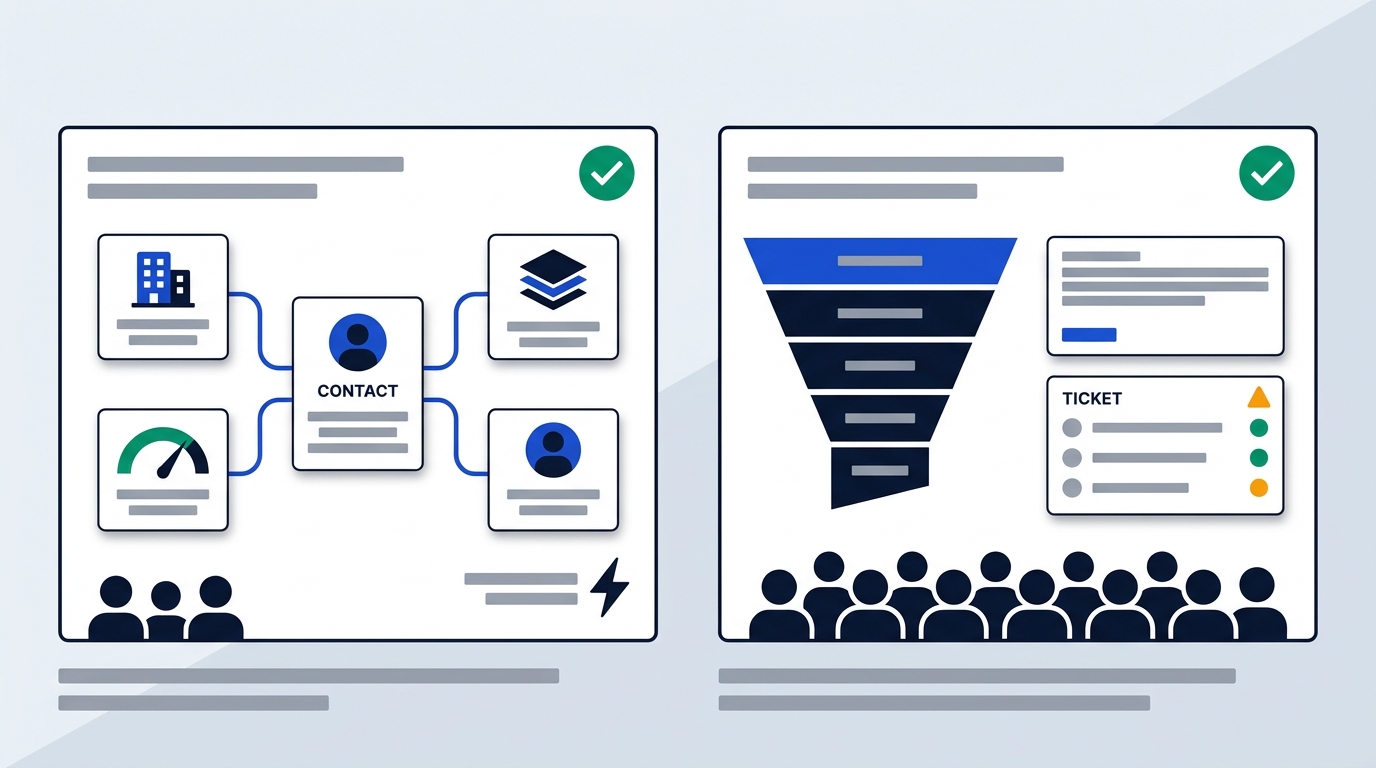
Attio suits lean B2B startups under 50 people, while HubSpot fits scaling mid-market teams needing an all-in-one suite.
Attio fits agile B2B SaaS and outbound sales teams under 50 employees that need custom data models and lightweight speed. It delivers transparent European pricing and flexible workspace objects without forcing high-tier upgrades. You can model unique records like digital workspaces or usage metrics directly inside the system.
HubSpot fits mid-market, multi-channel teams that require unified sales pipelines, inbound content marketing, support ticketing, and strict SLA management on a single platform. It offers an opinionated ecosystem that connects your entire go-to-market engine under one roof.
Companies with unverified contact databases should skip both platforms initially. Neither tool cleans legacy data automatically, so uploading outdated lists causes high bounce rates that destroy email deliverability. You should clean your data before migrating into any new system.
The core structural difference lies in their underlying philosophy. Attio uses a database-first architecture with flexible relationship mapping. HubSpot relies on an opinionated, all-in-one ecosystem with fixed standard objects.
| Feature & Core Attributes | Attio | HubSpot Sales Hub |
|---|---|---|
| Target Team Size | 5 to 50 employees | 50 to 5,000 employees |
| Data Model Architecture | Database-first with custom objects across plans | Standard schema (Custom objects require Enterprise or Operations Hub Pro) |
| Implementation Timeline | 12 days to 4 weeks | 6 to 12 weeks |
| EU Data Residency | GDPR compliant tooling, SOC 2 Type II | Dedicated EU Data Centre in Frankfurt (AWS) |
| AI Architecture | Ask Attio & native Claude MCP integration | Breeze AI & autonomous Agent Platform |
| App Integration Count | ~86 focused integrations (API-first) | 2,000+ certified marketplace apps |
Source: official vendor pricing pages checked in 2026.
For founders and revenue leaders, this comparison represents two distinct strategies. Attio treats CRM as an unbundled, high-velocity data layer that connects to specialized tools. HubSpot treats CRM as an integrated operating system that replaces third-party point solutions.
European organizations must also weigh legal requirements and geographic data protection standards. HubSpot allows European customers to host data locally in Germany, backed by an Irish legal entity. Attio provides enterprise-grade data governance and GDPR compliance tools while maintaining a modern, API-driven core.
How to choose between both platforms
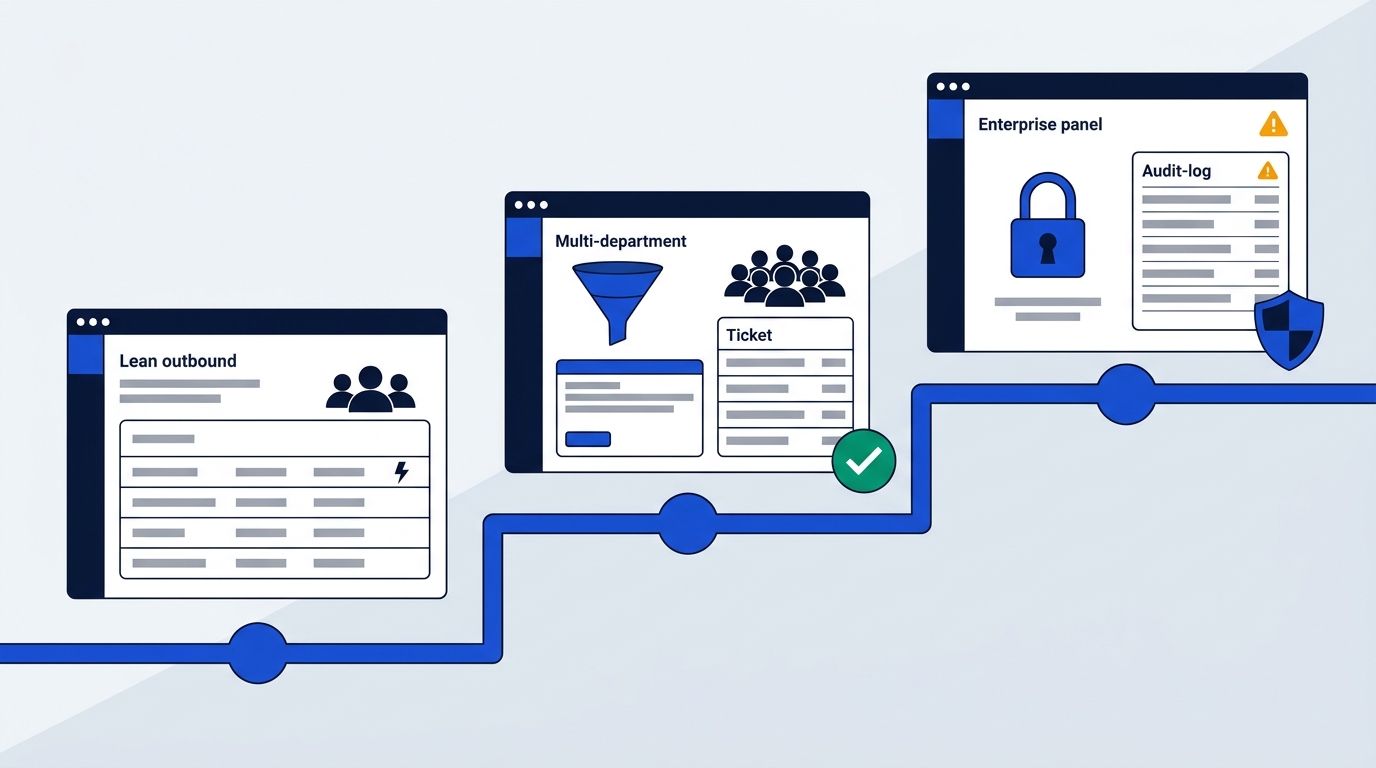
Selecting the right platform requires evaluating your team size, revenue milestones, go-to-market motions, and administrative resources.
The decision impacts your daily operational cadence. An early-stage outbound sales team needs rapid list building, immediate note-taking, and automated enrichment. A mature scaling business needs multi-department attribution, formal quote approval workflows, and support ticket routing.
Team size and ARR migration thresholds
The platform eliminates rigid administrative overhead, allowing sales representatives to manage relationships without fighting complex form fields. Reps can update pipeline data quickly, which increases daily software adoption across early-stage startups.
At this early stage, speed matters more than complex governance. Sales reps spend their days prospecting, emailing, and taking demo calls. Forcing them to navigate enterprise menus and nested record properties slows down daily execution. Attio allows small teams to move fast without technical debt.
At this scale, executive teams need unified cross-functional alignment. You need to track how marketing campaigns convert into sales opportunities and customer support tickets. HubSpot unifies these data flows across departments under a single database architecture.
This ARR window marks the transition from individual sales effort to structured revenue operations. When you have ten account executives, four SDRs, a marketing team, and customer success managers, siloed tools create reporting blind spots. HubSpot eliminates those blind spots by housing every customer interaction on one timeline.
Beyond €15 million ARR, enterprise requirements take over. Companies require custom access permissions, field-level security, audit logs, and complex forecasting algorithms. HubSpot Enterprise tiers handle these demands smoothly, whereas Attio users must rely on the Ultra tier and external integrations to achieve similar governance.
Go-to-market motion alignment
Product-led growth and cold outbound motions thrive on Attio. The software features fast keyboard navigation, quick inline editing, and automated relationship mapping. You can view email interactions, calendar events, and product usage data within a single workspace without switching screens.
Product-led growth motions require tracking non-traditional sales metrics. You need to see when a user activates a workspace, invites a teammate, or hits a product usage paywall. Attio lets you map these events directly to custom workspace objects. Your reps can reach out the moment a product user signals buying intent.
Inbound content funnels require HubSpot. If your revenue relies on organic search traffic, content offers, and gated lead generation, HubSpot provides native forms, landing page builders, and automated lead scoring out of the box. Marketing teams can nurture incoming leads through structured email workflows before transferring qualified prospects to account executives.
Your inbound motions depend on uninterrupted multi-touch tracking. A prospect might read three blog posts, download an ebook, attend a webinar, and book a meeting through an embedded calendar. HubSpot logs every touchpoint automatically. When the sales rep opens the deal record, the full buyer journey is clearly visible.
Hybrid go-to-market motions combine both approaches. If your company runs outbound sales alongside an inbound content engine, you must evaluate where the center of gravity lies. Choosing Attio means buying separate inbound marketing tools, while choosing HubSpot means paying for comprehensive marketing infrastructure from day one.
Administrative overhead and maintenance
Attio requires minimal ongoing administrative maintenance. However, because it focuses specifically on the CRM data layer, your team must assemble and maintain separate point solutions for email marketing, support tickets, and scheduling. Technical teams appreciate this modular approach because it prevents software lock-in.
A modular stack gives you total freedom to pick best-in-breed tools. You can use your favorite email sequencer, specialized meeting scheduler, and modern support desk. The trade-off is technical maintenance. Someone on your team must manage the API connections, Zapier webhooks, or integration scripts that keep those tools talking to Attio.
HubSpot demands dedicated RevOps administration as your account scales. Managing complex portal settings, user permissions, workflow triggers, and lead assignment rules requires specialized operational expertise. Without active administrative oversight, large portals can develop data clutter and redundant automation triggers over time.
As HubSpot grows within a business, it often requires a full-time certified administrator. Configuring custom properties, managing lifecycle stages, maintaining lead scoring models, and cleaning duplicate records becomes a permanent job. For companies with over 100 employees, this investment pays off through centralized reporting, but smaller teams can find the operational overhead overwhelming.
When evaluating administrative overhead, consider the following team perspectives:
- Sales Representatives: Reps favor Attio for its spreadsheet-like speed and minimal click requirements. They find HubSpot slower when updating custom properties across multiple deal stages.
- Sales Managers: Managers appreciate HubSpot for its pre-built pipeline forecasting, coaching playlists, and call recording metrics. Attio provides clean pipeline views but requires manual report construction for advanced sales analytics.
- Marketing Leaders: Marketers strongly prefer HubSpot because it includes native email marketing, landing pages, forms, and ad tracking. Attio offers no native marketing suite, requiring third-party tools for lead generation.
- RevOps and IT: RevOps specialists appreciate Attio for its custom object flexibility and developer-friendly API. They value HubSpot for its out-of-the-box standardization, extensive app ecosystem, and unified permissions.
Implementation timeline realities
Deploying Attio takes between 12 days and 4 weeks. Technical teams can configure custom objects, import historical CSV files, and map email activity rapidly. Most sales representatives learn the interface in a few hours due to its intuitive design.
The onboarding process in Attio is largely self-guided. You connect your Google Workspace or Microsoft 365 accounts, and the software immediately begins enriching contacts and constructing relationship timelines. Because the interface behaves like a modern spreadsheet, reps do not require formal certification courses to begin closing deals.
Implementing HubSpot requires 6 to 12 weeks of guided setup. Configuring lead scoring rules, multi-touch attribution models, sales pipelines, and cross-hub integrations takes careful planning. Organizations must allocate time for formal onboarding to ensure proper data alignment across marketing and sales departments.
HubSpot implementation involves multiple stakeholders. Marketing must configure email templates and tracking domains, sales must map pipeline stages and lead status properties, and service must establish ticketing queues and SLA policies. Rushing a rollout often results in messy data and poor user adoption across departments.
To ensure a smooth transition on either platform, teams should follow a structured evaluation process:
- Data Audit: Export your current contact and deal records to verify accuracy. Identify duplicates, outdated email addresses, and orphaned company records before touching either platform.
- Entity Mapping: Determine whether your business model requires custom database entities like workspaces, subscriptions, or physical assets. If you need non-standard entities on a budget, Attio holds a distinct advantage.
- Workflow Assessment: Map your core revenue processes on paper. Document how a lead enters your system, how it gets qualified, who assigns it, and what happens when the deal closes.
- Pilot Testing: Run a small pilot with two active sales reps. Have them manage live deals for two weeks to evaluate speed, interface ergonomics, and pipeline visualization.
- Integration Verification: Check that your existing telephony, billing, and scheduling tools integrate smoothly with your chosen platform.
Custom data models and record architecture
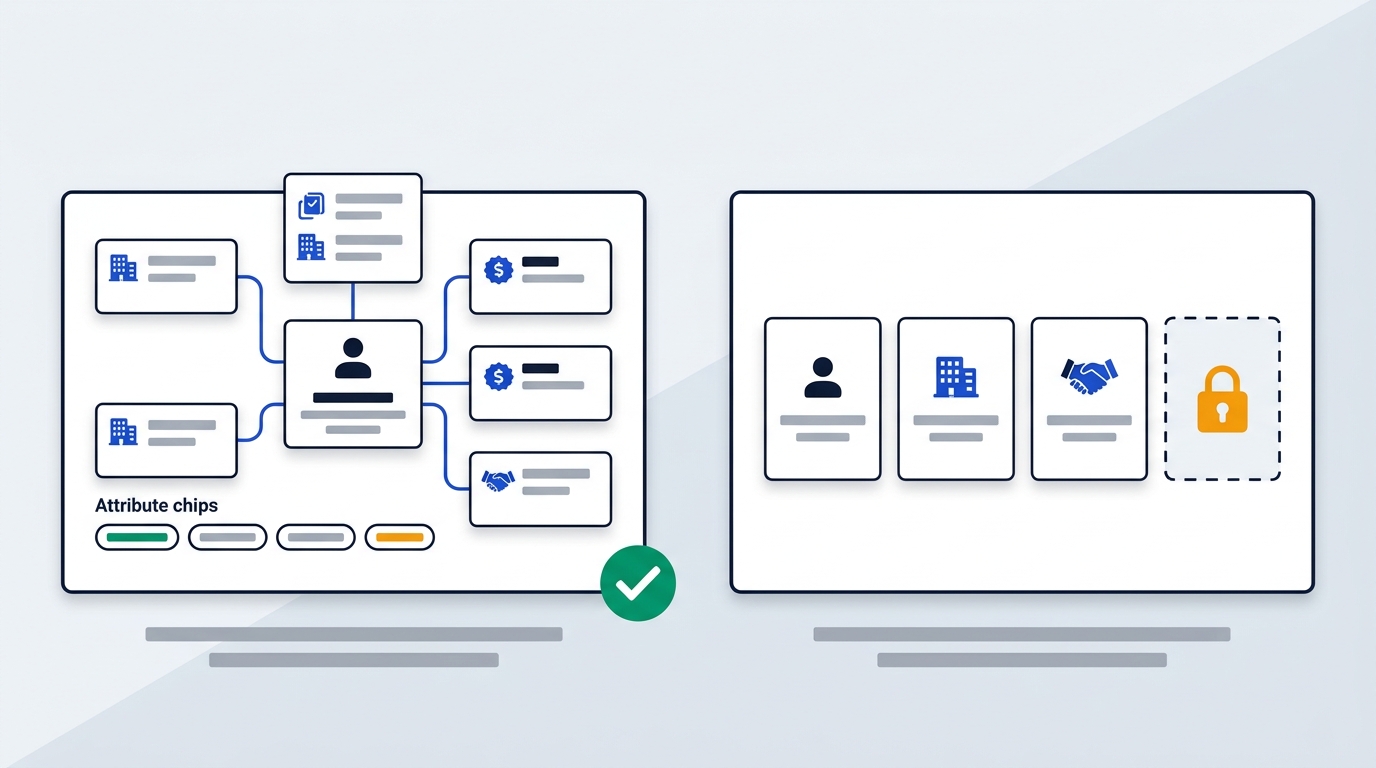
Data architecture dictates how effectively your team can track business activities across different lifecycle stages.
In traditional CRMs, you are forced to work within predefined boxes. Every interaction must attach to a Contact, a Company, or a Deal. In modern business, customer relationships are far more complex. Understanding how each platform handles custom entities determines whether your software adapts to you or forces you to adapt to it.
Attio flexible data model
Attio provides flexible custom objects, attributes, and relationship intelligence across all pricing tiers. The Free plan includes up to 3 custom workspace objects and 50,000 records. The Plus plan offers 5 objects and 250,000 records, while the Pro plan unlocks 12 objects and 1 million records. The Ultra plan provides unlimited objects for complex enterprise structures.
This design treats contacts, companies, deals, investors, and custom assets as equal database entities. You can build custom attributes that track specific metrics without writing complex database code. Relationships between objects update automatically as your team communicates with prospects.
In Attio, an Attribute is a specific data point tied to a record, such as contract value, product tier, or renewal date. A List is a dynamic view of records filtered by specific attributes. You can create private lists for personal prospecting or team lists for pipeline tracking, giving you complete control over how information is visualized.
Because the data model is fully relational, you can link records across any object type. A single contact can be linked to three different companies, two active deals, and a partner account simultaneously. This flexibility mirrors the real-world complexity of modern business networks.
HubSpot tier gating and schema limits
HubSpot enforces strict tier gating around custom data structures. Custom objects and custom associations are locked behind Enterprise tiers or require Operations Hub Professional at roughly $800 per month.
Starter and Professional users must use standard Contact, Company, and Deal schemas. If your business model involves entities outside standard sales transactions, you must fit that data into custom contact properties. This limitation forces growing companies to pay for high-tier upgrades simply to model their operational data correctly.
Fitting non-standard data into standard properties creates significant operational headaches. If you sell a SaaS product with multiple workspaces per company, you have to create text fields or custom properties on the Company record. When reps need to update workspace usage, they risk overwriting company-wide data.
Furthermore, reporting becomes convoluted. Building custom dashboards in HubSpot Professional that attempt to reflect relational data without native custom objects often leads to misleading charts. For teams with intricate data models, upgrading to Enterprise or Operations Hub Professional becomes an unavoidable cost.
B2B SaaS data modeling impact
Modern B2B SaaS companies rarely fit standard sales templates. If your company tracks digital workspaces, API consumption, product usage metrics, two-sided marketplaces, or investor relations, Attio models these entities natively. You can link a single contact to multiple workspaces, companies, and product usage records simultaneously.
Consider a B2B marketplace platform that connects service vendors with enterprise clients. On Attio, you can create a Vendors object, a Clients object, and a Transactions object. Each entity maintains its own attributes, stages, and communication history, providing clear operational visibility across both sides of the marketplace.
Flat data models force teams to squeeze complex relationships into simple company properties. When reps store product usage numbers inside company notes, executive reporting becomes difficult. Attio preserves record hierarchies, allowing sales teams to filter accounts based on actual product adoption metrics.
For usage-based billing models, this capability is essential. Your reps can filter for accounts where monthly API consumption grew by 20% over the last thirty days. They can reach out with context-driven expansion offers, directly bridging the gap between product telemetry and sales outreach.
User experience and interface mechanics
Attio feels like a modern relational database combined with intuitive workspace tools. It offers inline table editing, multiplayer collaboration, and flexible list views. Sales reps can update deal stages, edit text fields, and filter lists using fast keyboard shortcuts.
The interface emphasizes speed and responsiveness. You can navigate through hundreds of records without page reloads. Reps can customize their personal views instantly, hiding unnecessary columns and highlighting priority attributes, which significantly reduces the friction of daily data entry.
HubSpot uses structured, standard record layouts. Each contact or company page displays activity timelines in the center column, property fields on the left, and associated records on the right. This fixed design ensures consistent data entry across large sales teams, though it lacks the fast visual customization of database-driven software.
The consistency of HubSpot's layout is an asset for large sales organizations. When a manager reviews an account, they know exactly where to find call logs, email exchanges, and deal values. However, updating multiple records requires clicking into individual pages, which can feel slow compared to Attio inline table editing.
Over time, as an organization activates more hubs and custom properties, the interface can become cluttered. Reps must scroll through long lists of fields to find the few properties relevant to their daily tasks. Maintaining a clean user interface requires disciplined administrative curation.
Attio vs HubSpot pricing and ownership costs
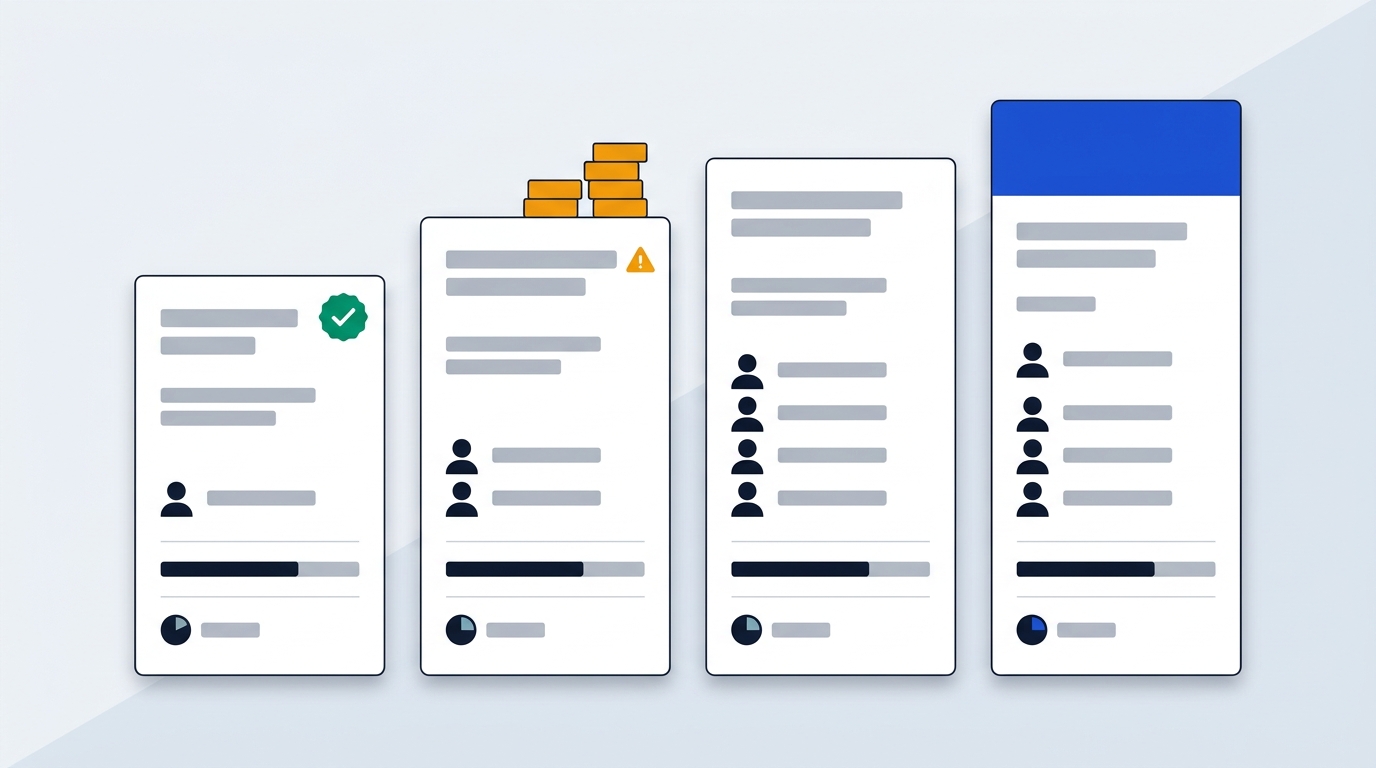
Evaluating total software costs requires looking beyond headline seat prices to calculate true contract commitments.
A CRM that appears affordable on a per-user basis can quickly become expensive once you add required platform fees, data credits, and complementary third-party software. Calculating the true total cost of ownership across your full contract lifecycle is vital for budget accuracy.
Attio transparent EUR pricing breakdown
Attio publishes transparent pricing in Euros for European customers. Workspace fees cover core platform capabilities, while individual user seats scale with your team size.
According to official pricing documentation from Attio, the plan structure includes:
- Free Plan: €0 per month for up to 3 users, including 50,000 records and 3 custom objects.
- Includes 1 user seat, private lists, and 1,000 sent emails per month across 250,000 records and 5 custom objects.
- Pro Plan: €85 per month workspace fee plus €74 per user per month billed annually (€110 workspace + €93 per user billed monthly). Includes 1 user seat, custom objects, call intelligence, advanced reporting, usage tracking, and 1 million records across 12 objects.
- Ultra Plan: €850 per month workspace fee billed annually (includes 5 user seats). Additional seats cost €167 per user per month. Includes unlimited objects, SQL querying via API or MCP, SCIM provisioning, audit logs, and forward-deployed engineering onboarding.
Attio structures its automation and artificial intelligence usage around a two-level credit system. Each user receives a monthly personal allowance of Ask Attio credits for research and summarization. In addition, each workspace receives a shared pool of workspace credits for automated workflows and data enrichment.
When an individual runs out of personal Ask Attio credits, the system draws from the shared workspace pool unless an administrator sets explicit limits. Paid plans can add workspace credits at any time in monthly packs:
- 5,000 credits: €70 per month billed annually (€85 monthly).
- 10,000 credits: €120 per month billed annually (€150 monthly).
- 25,000 credits: €225 per month billed annually (€285 monthly).
- 50,000 credits: €410 per month billed annually (€515 monthly).
For enterprise governance on the Pro plan, teams can add single sign-on (SSO), SCIM user provisioning, audit logs, and advanced data controls via the Governance add-on for €25 per user per month, billed annually. These enterprise controls are included standard on Ultra.
HubSpot Sales Hub EUR pricing and seat floors
HubSpot structures pricing around hubs and seat minimums. Costs scale based on subscriber tiers and required feature sets.
According to HubSpot's published pricing schedule, tier costs run as follows:
- Free Tools: €0 for 2 core users with basic deal tracking, ticketing, forms, and branded email marketing.
- Customer Platform Starter: €15 per seat per month billed annually (€20 per seat billed monthly).
- Sales Hub Professional: €90 per seat per month billed annually (€100 per seat billed monthly).
- Enterprise tiers require a $3,500 onboarding fee.
HubSpot also uses a tiered credit model to govern artificial intelligence and automated workflow actions. Starter plans include 500 monthly credits, Professional plans include 3,000 credits, and Enterprise plans provide 5,000 credits. Teams that build heavy automated sales sequences or run intensive AI operations must monitor usage to avoid overage fees.
A critical rule that trips up many buyers is the core seat repricing policy. If you purchase Sales Hub Professional and later add a single user on Marketing Hub Professional, all core seats across your entire portal get repriced at the higher Professional subscription level. This policy can unexpectedly inflate your annual software bill.
Real total cost scenarios
Consider a 5-person sales team evaluating both platforms on annual commitments.
For a 25-person revenue organization running both inbound and outbound motions, the financial landscape shifts.
While the HubSpot invoice is higher, it eliminates the need for separate marketing tools, form builders, and customer support software, consolidating vendor contracts under a single master agreement.
Hidden costs breakdown
You may need external dialers, visitor identification tools, and email data enrichment services to complete your sales stack.
A typical high-volume outbound stack built around Attio includes several specialized software subscriptions:
HubSpot hidden costs stem from hub-mixing rules and feature gating. If you combine Starter and Professional hubs, your core user seats reprice at the higher subscription tier across your account. Upgrading a single department can trigger price increases across your organization.
Additionally, Marketing Hub costs scale directly with contact volume. Marketing Hub Professional includes only 2,000 marketing contacts. As your database expands toward 50,000 contacts, monthly subscription fees can escalate to roughly $3,600 per month. Organizations must actively prune unengaged contacts to avoid sudden pricing bracket jumps.
Sales automation and workflow engine execution
Automating administrative tasks saves hours of manual data entry every week for active reps.
Effective automation ensures that leads never fall through the cracks. It standardizes how opportunities move through your pipeline, enforces data hygiene, and triggers real-time alerts when key prospects take action. However, the scope of what you can automate differs substantially between these platforms.
Attio workflow engine
Attio features a modern workflow engine designed to orchestrate revenue processes and AI agents natively across plan tiers. The system supports multi-step branching logic, automated record updates, and trigger-based data modifications. You can build visual workflows that trigger actions whenever attributes update or deal stages change.
The workflow builder uses an intuitive drag-and-drop canvas. You can set conditional branches based on record attributes, time delays, or user actions. For example, when a deal stage changes to Proposal Sent, the workflow can automatically update deal probability, assign a task to the account executive, and notify the sales manager via Slack.
The platform includes basic one-to-one email sequencing across paid tiers. The Plus plan includes 1,000 emails per month, while the Pro plan provides unlimited email sequencing. Outbound reps can automate personal sales emails directly from their primary inbox without managing separate outreach tools.
Sequencing tools in Attio focus on simplicity and personalization. Reps can schedule automated follow-ups that halt immediately when a prospect replies. While it lacks complex multi-channel branches like automated LinkedIn touches or direct mail steps, it handles direct email outreach efficiently.
HubSpot workflow maturity
HubSpot offers mature, enterprise-grade lifecycle automation. Its workflow engine handles cross-hub triggers, multi-touch lead nurturing, quote approvals, and predictive deal scoring. Marketing interactions trigger immediate sales assignments, update lead scores, and launch targeted follow-up cadences automatically.
HubSpot's automation engine is deeply established. You can build complex branching logic that evaluates hundreds of behavioral triggers.
Sales Hub Professional provides multi-channel cadences, native e-signatures, call recording, and pipeline automation. Sales managers can build playbooks that guide reps through complex deal steps, ensuring consistent execution across large revenue teams.
HubSpot sequences also incorporate native calling and SMS tasks. If a prospect does not respond to an automated email after three days, the sequence can schedule a phone call task for the rep, complete with an embedded calling script and automated call recording. This multi-channel approach increases connection rates for enterprise sales teams.
Operational boundaries across departments
Attio focuses primarily on sales processes and record management. Triggering actions in external marketing or customer support platforms requires webhooks or automation connectors like Zapier. This separation keeps the CRM lightweight but requires external integrations for cross-department handoffs.
For example, if a closed deal in Attio needs to trigger a customer onboarding ticket in an external support desk, your team must configure an API webhook. While modern APIs make this feasible, each external connection introduces a potential point of failure that requires monitoring.
HubSpot executes closed-loop automation across the entire customer lifecycle. When a lead submits a website form, HubSpot creates the contact, assigns an account owner, updates pipeline analytics, and notifies customer support if an account submits a ticket later. All operational steps execute inside a single software system.
This closed-loop design eliminates integration friction. When a deal closes, a workflow can automatically create a customer onboarding ticket in Service Hub, assign a customer success manager, and enroll the primary contact in a product onboarding email sequence. Every team operates with full visibility into past interactions without leaving the platform.
Native AI agents and Claude MCP integration
Artificial intelligence capabilities have transformed CRM software from passive databases into active productivity assistants.
Modern AI tools do more than draft email templates. They analyze customer interactions, update pipeline forecasting models, extract actionable insights from call recordings, and execute multi-step research tasks autonomously. The architectural approach each vendor takes reflects their broader software philosophy.
Attio AI capabilities and Model Context Protocol
Attio incorporates native artificial intelligence features directly into its user interface. Ask Attio serves as a conversational assistant for meeting preparation, account research, and email summarization. Paid plans include call intelligence to analyze recorded sales calls and automatic data enrichment to update account records.
Ask Attio allows reps to interact with their pipeline using natural language. A rep can ask which accounts in Germany have not been contacted in the last 14 days. The assistant parses the CRM schema, analyzes relationship timelines, and returns a filtered list of actionable records instantly. This reduces the time reps spend building manual filters.
The platform provides native Model Context Protocol (MCP) server support across all plans. This feature connects external AI models like Claude and ChatGPT directly to live CRM data. The Ultra plan adds full SQL querying capabilities, allowing advanced AI models to execute direct database queries against your CRM schema.
The MCP integration represents a breakthrough for technical revenue teams. Instead of relying solely on closed vendor algorithms, developers can connect advanced external LLMs directly to Attio records. AI agents running in Claude can read live pipeline data, analyze win-loss patterns, and update custom attributes through secure protocol endpoints.
HubSpot provides an autonomous AI framework called Breeze. The platform includes specialized agents for prospecting, content creation, and customer support. Managers control these capabilities through Agent Hub, providing central governance over automated tasks.
HubSpot's AI architecture is designed for autonomous execution across business units. The Prospecting Agent researches target accounts, identifies relevant decision-makers, and drafts personalized outbound messages. The Support Agent handles incoming customer inquiries, resolves common issues using knowledge base articles, and routes complex problems to human agents.
Using Agent Builder, teams can create custom AI agents using plain language instructions without writing code. Pre-built agents research prospect accounts, handle incoming support inquiries, and generate targeted sales content based on existing CRM account history.
Agent Marketplace allows companies to deploy pre-configured agents built by HubSpot and certified partners. Because these agents operate on top of HubSpot's unified data model, they have full access to website visit histories, past support tickets, and email exchanges, ensuring that every AI action is grounded in complete customer context.
Autonomous execution versus conversational query
HubSpot focuses on autonomous execution across sales, marketing, and support channels. Its AI agents perform operational tasks independently, such as resolving basic support tickets or delivering prospecting emails, without requiring manual prompts from sales reps.
This autonomy provides substantial leverage for scaling businesses. A single SDR can oversee multiple prospecting agents operating across different market segments. The agent monitors lead signals, drafts outreach, and alerts the rep only when a prospect responds or requests a meeting.
Attio emphasizes rapid data querying, dynamic schema flexibilities, and real-time rep enablement. Its MCP integration allows technical teams to build custom AI workflows using external language models, keeping your underlying CRM data responsive and accessible.
This approach gives engineering-led teams complete control over their AI strategy. Rather than waiting for a CRM vendor to ship new agent capabilities, you can build custom scripts in Python or Node.js that leverage the Attio MCP server to execute bespoke data operations. It caters to organizations that prefer building custom competitive advantages over adopting standardized tools.
Platform ecosystem and third party tool integration
Connecting your CRM to existing operational software is critical for maintaining accurate business records across departments.
No CRM operates in complete isolation. Your revenue team relies on billing engines, digital signature tools, webinar software, communication platforms, and meeting recorders. The breadth and quality of third-party integrations determine how much manual data entry your team must perform each day.
App marketplace breadth
HubSpot features a massive integration ecosystem with over 2,000 certified apps in its marketplace. It connects natively with legacy ERP systems, billing engines, niche marketing software, and enterprise databases. Most software vendors build native HubSpot connectors standard with their products.
This extensive marketplace reduces technical implementation risk. When your company adopts a new telephony tool or payment gateway, chances are a two-way HubSpot integration already exists. Setting up these connections usually requires clicking an install button and authenticating your credentials, without writing a single line of code.
Attio maintains an API-first marketplace of roughly 86 focused integrations targeting modern tech stacks. It provides REST APIs, webhooks, and direct MCP integrations designed for engineering-led SaaS teams that prefer building custom workflows over using pre-packaged connectors.
While Attio's marketplace is smaller, its native integrations are tightly focused on high-demand modern tools like Slack, Segment, Mixpanel, and standard email providers. For unsupported platforms, Attio provides comprehensive API documentation and developer SDKs that allow technical teams to build reliable custom integrations quickly.
E-signature and webinar synergy
HubSpot integrates natively with leading e-signature platforms, and you can check our Signeasy signature pricing guide to compare contract execution costs inside deal pipelines. It also connects with European event platforms like WebinarGeek, syncing webinar attendee engagement directly into contact timeline records.
Connecting webinar software to HubSpot creates powerful inbound nurturing workflows. When a prospect attends a live product demonstration, their attendance duration, poll responses, and chat questions sync automatically to their contact record. Workflows can instantly branch based on whether the prospect attended the full session or dropped off early.
Attio handles e-signatures and webinar tracking through API endpoints or webhook connectors. While it lacks pre-built marketplace connectors for niche European marketing tools, technical teams can pipe event data into custom workspace objects using modern webhooks.
For example, you can set up a webhook that creates a new record in a custom Webinars object whenever someone registers for an event. You can then link that registration record to their contact and company profiles. This gives you structured event tracking, though it requires initial setup via automation tools or custom API scripts.
Meeting intelligence integration
Attio includes native call intelligence on Pro plans, automatically summarizing call notes and tracking action items inside account timelines. Teams using third-party transcription software can also link dedicated European AI meeting assistants like Jamie via API to log meeting summaries into customer records.
Native call intelligence helps reps focus on conversations rather than frantic note-taking. The software analyzes sales calls, identifies key topics, and highlights commitments made by either party. Because these summaries link directly to the contact timeline, any teammate can quickly review the state of an account before stepping into a meeting.
HubSpot provides native call recording, transcription, and conversation intelligence inside Sales Hub Professional. It also integrates with external transcription platforms, saving call notes directly to company timelines.
HubSpot's conversation intelligence includes searchable transcripts and keyword tracking. Sales managers can search across recorded calls for mentions of competitor names, pricing objections, or specific feature requests. This data flows directly into sales coaching dashboards, helping managers improve team closing rates.
European data residency and cross border VAT
Data protection rules and cross-border invoicing require careful attention from European businesses purchasing cloud software.
Operating in Europe requires strict compliance with GDPR rules. Revenue leaders must verify where personal data is physically hosted, review Data Processing Agreements, and ensure that cross-border software invoices comply with regional VAT legislation.
HubSpot EU data residency and privacy
According to HubSpot's trust and security documentation, the vendor operates a dedicated European Data Centre hosted on AWS infrastructure in Frankfurt, Germany. European customers can choose to store their primary customer data in Frankfurt at sign-up.
This Frankfurt data residency is a significant advantage for European enterprises, public sector organizations, and regulated industries like financial services and healthcare. Storing customer records within the EU simplifies GDPR compliance and reassures security auditors during annual reviews.
Corporate oversight for European contracts is managed by HubSpot Ireland Limited, located in Dublin. HubSpot provides a GDPR Article 28 Data Processing Agreement, Standard Contractual Clauses, SOC 2 Type II certifications, and TRUSTe Privacy certifications.
HubSpot also includes built-in GDPR compliance tools across all tiers. Administrators can enable one-click cookie consent banners, automated contact deletion workflows for right-to-be-forgotten requests, and audit logs that track who accessed or exported customer data.
Attio security and enterprise controls
Attio maintains strong security standards, including SOC 2 Type II certification and built-in GDPR compliance tools. Workspace administrators can manage data privacy settings and user permissions across all tiers, though primary hosting relies on standard global cloud infrastructure.
The platform provides granular permission controls that allow administrators to restrict access to sensitive attributes or confidential deal pipelines. Sales reps see only the information necessary for their roles, protecting proprietary customer and financial data.
Single sign-on (SSO), SCIM user provisioning, and detailed audit logs are available on the Pro plan via the Governance add-on for €25 per user per month billed annually. These enterprise security controls are included standard on the Ultra plan.
For organizations operating under strict corporate governance standards, SCIM provisioning ensures that departing employees instantly lose access when deprovisioned from the company identity provider. Audit logs provide visibility into workspace modifications, helping IT teams maintain security compliance.
B2B cross-border VAT mechanics
For EU B2B buyers, software invoices from vendors operating out of Ireland are processed under cross-border B2B rules. When you provide a valid VIES VAT number during registration, the vendor issues invoices at 0% VAT using the reverse charge mechanism. Your company must account for the local VAT rate on your regional tax filing.
Failing to provide a valid VIES VAT number at checkout results in the vendor charging local Irish VAT at 23%, which creates unnecessary administrative overhead for your accounting team to reclaim. Ensuring your VAT number is properly validated in your billing profile prevents cash flow friction.
UK buyers operate outside the EU VAT framework. UK businesses handle tax accounting under national rules following HMRC VAT Notice 741A reverse charge regulations for overseas services. Reviewing our European VAT reverse charge guide ensures your finance team processes software invoices correctly.
When purchasing US-headquartered software subscriptions, UK finance teams must account for the reverse charge on their standard VAT returns. Keeping detailed vendor invoices and proof of business registration on file ensures compliance during HMRC tax audits.
Frequently asked questions about both platforms
Does Attio have a free plan and how does it compare to HubSpot?
Attio offers a free plan for up to 3 users that includes 50,000 records, 3 custom objects, Ask Attio, automatic data enrichment, and email/calendar sync. HubSpot provides free CRM tools for 2 users covering basic contact management, deal pipelines, forms, branded email marketing, and ticketing. Attio's free tier provides more flexible database customization, whereas HubSpot's free plan includes broader operational tools like support ticketing and web forms.
Attio's free tier functions as a fully operational CRM for early-stage founders and small consultancies. You get access to core relationship intelligence and flexible custom objects without artificial paywalls. HubSpot's free tools serve as an introduction to their broader customer platform, giving you a taste of marketing, sales, and service capabilities before you scale.
Can we test both platforms before committing?
Yes. Attio provides a 14-day free trial of its Pro plan for all new workspaces, granting full access to custom objects, call intelligence, and advanced reporting features. HubSpot offers 14-day free trials for its Professional hub tiers, allowing revenue teams to test automation workflows, sequences, and reporting tools before purchasing.
To maximize your trial evaluation, do not let reps test the software in isolation. Prepare a realistic test scenario with ten active deals, five custom account attributes, and two automated email sequences. Evaluate how quickly reps can complete daily tasks and assess whether the reporting dashboards provide the visibility your executive team requires.
What startup discounts are available?
Venture-backed startups with up to 10 users can apply for Attio's startup program to receive 80% off the annual Pro plan plus credits during their first year, followed by 30% off in their second year. Qualified seed-stage companies can apply for HubSpot for Startups to receive tiered subscription discounts up to 75% off eligible software tiers.
These startup programs significantly lower initial software expenses for early-stage companies. However, founders must evaluate long-term costs when the discounts expire. An 80% discount on Attio or a 75% discount on HubSpot makes year one affordable, but your software budget must be prepared for standard renewal pricing in year two and beyond.
Can our team migrate from HubSpot to Attio or vice versa?
Both vendors support platform data migrations. Attio provides migration assistance on paid plans and offers dedicated forward-deployed engineers for Ultra plan customers. HubSpot provides guided onboarding services, automated CSV import tools, and partner migration services to assist teams transitioning from alternative CRMs.
Migrating between these platforms requires careful data preparation. When moving from HubSpot to Attio, you must map your standard contact properties into Attio's flexible object structure. When moving from Attio to HubSpot, you must flatten any custom database entities into standard Contact, Company, and Deal records unless you invest in HubSpot Enterprise or Operations Hub Professional.
Does Attio support single sign-on (SSO) on mid-tier plans?
Yes. Attio offers SSO, SCIM provisioning, audit logs, and advanced data governance tools on the Pro plan through the Governance add-on for €25 per user per month billed annually. These security capabilities come included natively on the Ultra plan.
This add-on structure allows growing mid-market companies on the Pro plan to satisfy corporate IT security requirements without forcing an immediate upgrade to the €850 per month Ultra plan. It provides a balanced path for security-conscious European scaleups.
Which CRM should your team pick
Choosing between these platforms requires aligning software capabilities with your primary revenue engine.
Deploy Attio if you run an agile B2B SaaS startup or outbound sales team under 50 employees that requires custom objects, fast keyboard-first execution, and native Claude MCP integrations without paying enterprise software lock-in fees. Deploy HubSpot if your revenue engine requires multi-channel inbound marketing, native ticketing, strict SLAs, and Frankfurt-hosted data residency on an all-in-one platform.
To make an informed choice, consider your operational reality over the next 18 months. If your primary growth driver is an agile sales team testing outbound messaging and custom product data models, Attio provides the speed and flexibility you need. If your revenue relies on a unified marketing engine, content nurture streams, and multi-department service delivery, HubSpot provides the necessary infrastructure.
To make your decision, load 30 active sales deals into the Attio 14-day Pro trial and HubSpot Free Tools to test real rep workflow speed before committing to annual software contracts. You can visit our verified HubSpot deal overview for current plan details, or read our guide to HubSpot alternatives to evaluate all your European CRM choices.

