











Best AI writing tools for European teams and authors: compare Reword, Surfer, Rytr, Sudowrite and Novelcrafter on US$ prices, usage caps and VAT rules.
The Best AI Writing Tools are the ones built for the writing you actually do. Surfer fits search-led articles, Reword fits editing teams, Rytr fits cheap short copy, Sudowrite fits fiction and Novelcrafter fits whole manuscripts. Below you will find each tool's US$ price, its usage cap, how it bills, and the EU data and VAT checks to run before you pay. Every plan hides a cap somewhere, so read the limits before the logo.
Quick guide to the Best AI Writing Tools
Pick by job first and by cap second, because every plan here limits something.
TL;DR: who each tool suits
- Reword suits editorial teams that want an assistant to improve human-written drafts. It is a poor fit if you want finished text with nobody editing.
- Surfer suits SEO agencies and in-house marketers building articles to compete in search results. It is a poor fit for tight budgets or occasional bloggers.
- Rytr suits solo owners and freelancers who need short marketing copy quickly and cheaply. It is a poor fit for long-form drafting, where its character allowance drains fast.
- Sudowrite suits fiction writers who want a model tuned for prose. It is a poor fit if you want to plug in your own API keys.
- Novelcrafter suits technically confident novelists and long-form authors who want control over continuity and model choice. It is a poor fit if you want one flat bill and an easy first week.
If your copy lives inside a CRM, HubSpot's built-in AI is a sixth route, covered in the workflow section below.
Two kinds of buyer will not find a match here. A solo creator who wants uncapped generation on a small budget is the first. Every plan is limited by something: characters at Rytr, drafts and projects at Reword, keyword analyses at Surfer, credits at Sudowrite, and token bills at Novelcrafter. Cheap does not mean unlimited.
Strict local-only data storage is the second dead end. All five are subscription products. Novelcrafter can send prompts to models running on your own computer, which removes the outside model provider from the chain. What the platform itself stores is a separate question, and the DPA has to answer it.
How do the five compare on price?
All five list their prices in US dollars (US$), and the figures below are before VAT.
| Tool | Best for | Price (US$ per month) | Allowance or tier | Free access or billing note |
|---|---|---|---|---|
| Reword | Team editing and assistance | US$39 | 3 users, 3 projects, 40 drafts, collaborative editing | 14-day free trial |
| Surfer | SEO writing support | US$69 | 2 seats, 180 keyword analyses | Annual billing; no free plan |
| Rytr | Short-form text generation | US$9 | 100,000 characters a month | Free plan with 10,000 characters a month |
| Sudowrite | Fiction prose | US$22 | Professional tier, the mid-level plan | Credit-based tiers; no bring-your-own-key option |
| Novelcrafter | Long-form book planning | US$14 | Artisan tier | Third-party API usage billed separately |
Source: vendor pricing pages, checked October 2026.
Two of these figures are not entry prices in the strict sense. Sudowrite's US$22 buys its mid-level tier, and Novelcrafter's US$14 leaves out the model costs. Surfer's US$69 is the monthly equivalent on annual billing. Surfer has no free plan, but it does offer a free outline generator and a keyword extension for Google.
Our picks rest on four criteria: transparent pricing, verified usage allowances, European tax clarity and data processing terms. They are editorial picks drawn from published figures, not test results. Only the first two separate these five on hard numbers. The last two are handled once, in the shared European section further down.
How to match workflows to writing software
Match the tool to the shape of your work: what you write, how often you rewrite, and who edits before publishing.
Is a writing tool the same as an AI model?
No. A model is the language engine, such as OpenAI's GPT or Anthropic's Claude. A writing tool is the product built around one: the editor, the templates, the usage meter and the billing. Our comparison of ChatGPT and Claude as direct subscriptions covers the raw-model side of the decision.
Many writing tools run on the same few models underneath. What separates them is the interface, the workflow and how easy they are to use. Two cars can share an engine and still drive very differently, and the same holds here.
The wrapper is what you actually pay for. A general chatbot can draft a paragraph. However, it will not compare your headings with the pages that already rank, remember a character's backstory across a whole novel, or give your editor a comment thread. The test for any paid tool is simple. Does the wrapper save you more time than a good prompt would?
Which job does each tool do?
Five jobs cover most of the market, and each tool here maps onto one of them.
- Search optimisation: Surfer scores your draft against top-ranking pages.
- Team assistance: Reword improves drafts and supports human comments.
- Short-form generation: Rytr produces ad copy, product descriptions and similar text from templates.
- Long-form manuscripts: Sudowrite drafts prose, while Novelcrafter organises a whole book around a Codex.
- CRM copy: HubSpot writes emails, blog posts and reports inside its own marketing and sales software.
Buying across categories is where money gets wasted. A novelist paying for an SEO scorer gets little back. A marketer using a novel planner for landing pages gets even less.
HubSpot deserves a note because it is not a writing tool first. Its AI sits inside the Marketing, Sales, Service and CMS Hubs. You type a slash in any HubSpot content editor, choose a paragraph or a headline, and write your prompt. Click Generate again and you get variations.
The appeal is that the AI assistants come with every plan, the free plan included. The full CRM platform starts at US$20 a month for 1,000 marketing contacts and the Starter plans of all Hubs. Its known weak points are output quality, which trails the specialist writing tools, and pricing that gets complicated and expensive on higher plans. If you already run your marketing there, check HubSpot's plans and free tier for European buyers before paying for a separate writer.
Which features matter most?
Four features decide day-to-day value: templates, ease of use, tone control and language range. Integrations and plagiarism checks come close behind. Here is how the five line up on each.
- Templates: Rytr is built around ready-made use cases and lets you create your own. Reword and Surfer work on drafts you write rather than on templates. Novelcrafter lets you clone or create prompts, which works like a template you design.
- Ease of use: Sudowrite has a simple, elegant design with little setup. Surfer's points score lets non-specialists optimise text quickly. Novelcrafter has the steepest learning curve of the five.
- Tone control: Rytr offers a list of preset tones. Reword learns your topics and audience from your own projects and articles, which shapes its suggestions over time.
- Languages: Rytr has the widest stated language range. Treat any non-English output as a draft for a native speaker to check.
- Integrations: Surfer connects with Google Docs, WordPress, Semrush and Jasper. Reword connects with popular CMS platforms.
- Originality: Rytr runs plagiarism checks on what it generates. Surfer's checklist pushes towards what already ranks, so originality there is your job.
The common downside is that none of these features replaces judgement. Templates speed up repeatable jobs but produce similar copy for everyone who uses them. Tone presets set a mood, not a voice. You still need someone who knows the brand to read the result.
What do caps really cost you?
Vendors count different things, which makes prices hard to compare. Rytr counts characters. Reword counts drafts and projects. Surfer counts keyword analyses, and Sudowrite uses credits. Novelcrafter's platform fee excludes tokens, which the model provider bills.
Translate each into finished articles. A character count includes spaces and punctuation, so it buys fewer words than it sounds. A draft cap is generous if each draft is a short post, but tight if you rewrite every piece three times. A credit pool is the vaguest of all, because the burn rate depends on what you ask for.
Picture a three-person agency publishing for four clients. Reword's three projects would run out before the client list does, because each project carries its own topics and audience. At Surfer, the same team would hit the two-seat limit first. Always count the unit you run out of first.
Bundled plan or bring your own key?
Four of the five charge a plan price against an allowance. Sudowrite is explicit about the trade-off: you work only with the models it selects, and you cannot connect your own API keys. In return you never open an API account or read a token bill.
Novelcrafter works the other way round. You pay a platform subscription and then pay a model provider, or run a model locally. The upside is choice, since you can use a cheaper model for brainstorming and a stronger one for prose.
The downside is a bill with no fixed ceiling. Heavy use of a premium model costs more, while local models swap token charges for hardware you already own. If you try bring-your-own-key, run one normal month and note what the provider charged. Only then set your budget.
Reword for collaborative team article editing
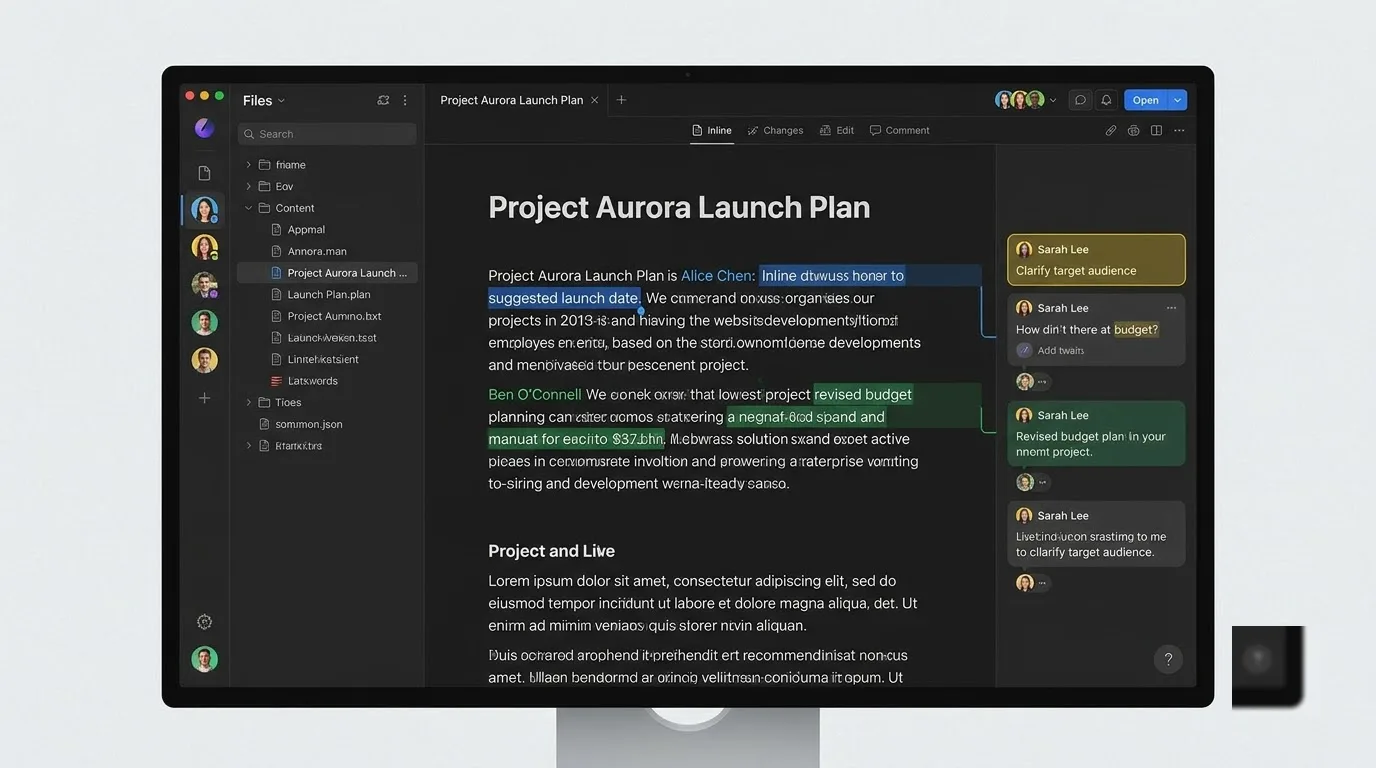
Reword is an editing assistant for teams who want AI to sharpen drafts that people write. It works as an assistant first and a writer second.
What does Reword do well?
- It offers AI help at each stage: ideas, research, corrections, improvement and SEO optimisation.
- It connects to Google Search Console, so it can learn which topics your site covers. It also learns from the articles you write and edit.
- For each new project, it asks what you write about and who reads it. Suggestions start from that context.
- It makes inline corrections, adds suggested links and leaves targeted comments on how to improve a passage.
- It supports human-to-human collaborative editing and connects with a range of popular CMS platforms.
The learning is the interesting part. Because Reword builds up knowledge of your topics over time, it should feel more useful in month three than in week one. That suits a publication with a steady beat far better than a one-off campaign.
A typical flow looks like this. A writer drafts, Reword flags weak sentences and proposes links, and an editor adds a comment on structure. The AI and the humans work in the same document. You keep the editorial judgement, while the assistant takes over the small corrections.
Reword's limits, cost and rivals
The cheapest tier allows only three writing projects a month, a common criticism given the price. Each project asks for its own topics and audience, so a project behaves like a content stream. A newsroom with one brand voice fits comfortably. An agency serving five clients does not.
The draft allowance goes further than the project cap. A small team revising each piece a couple of times can stay inside forty drafts. The project cap is the real brake, so count your audiences before you count your articles.
The entry tier in the table comes with a 14-day free trial. Fourteen days is short for a tool that learns over time. Connect Search Console on day one and work from a real editorial calendar rather than sample text, or the trial will show you little.
Against the rest of the field, Reword takes a different starting point. A generator such as Rytr fills a blank page quickly, whereas Reword assumes the page already holds your words and improves them. That makes it slower for bulk output but safer for brand voice, because an editor stays in the loop.
Surfer sits at a different angle again. It scores a draft against competitors in search results, while Reword draws on your own Search Console data and your own articles. For a team of writer, editor and search lead, Reword's three seats map neatly onto who actually touches the draft.
Surfer for ranking content on search engines
Surfer optimises text for search engines, using NLP to measure a draft against what already ranks rather than to generate it. If ranking pays your bills, this is the specialist. If it does not, the price is hard to justify.
How does Surfer's Content Editor work?
Whatever your topic, the Content Editor analyses the top-ranking articles in the results pages. It breaks down what those pages have in common and turns that into a checklist. Your text then gets a points score and a target to match.
- Keyword usage compared with ranking pages
- Images, headings and paragraph structure
- Word count against the pages already ranking
An AI-powered keyword research tool sits alongside the editor. Surfer also offers a simple article generator, but that is an add-on, not part of the base plan. The points score means a junior writer can optimise a draft without years of SEO knowledge, which is where the tool earns its keep.
On integrations, Surfer connects with Google Docs, WordPress, Semrush and Jasper, and an API links it to other software. Drafting in Google Docs and publishing to WordPress covers most small-team workflows. The Google Docs link is the one most writers will use daily.
Surfer's limits, cost and fit
Price is the first complaint. The entry plan is not the whole bill, because the AI content generator and the audit tool are add-ons. Budget for the add-ons you actually need, not just the headline figure.
There is also a quieter risk. A score built from pages that already rank rewards imitation. If every writer chases the same checklist, articles start to look alike. Your own data, expert quotes and a clear point of view are what the score cannot measure, so add them yourself.
With no free plan, the free outline generator and the Google keyword extension are your only ways to try before committing. Use them to see whether the style of guidance suits you. Annual billing means a wrong choice costs a full year, not a month.
Think of a keyword analysis as the unit you spend. You plan around target keywords, not drafts. A team that publishes several articles per keyword cluster will use its 180 analyses differently from one that targets a single term per post. Current plans and offers are tracked on our Surfer SEO pricing page for Europe.
Surfer's entry price is several times Rytr's, so buy it when search traffic earns money. An agency billing clients for organic growth can pass the cost on, but a hobby blogger cannot. The two-seat limit also shapes the fit. One SEO lead and one writer is a natural pair, while a bigger team will pay for more than the entry tier.
Rytr for quick budget friendly draft copy
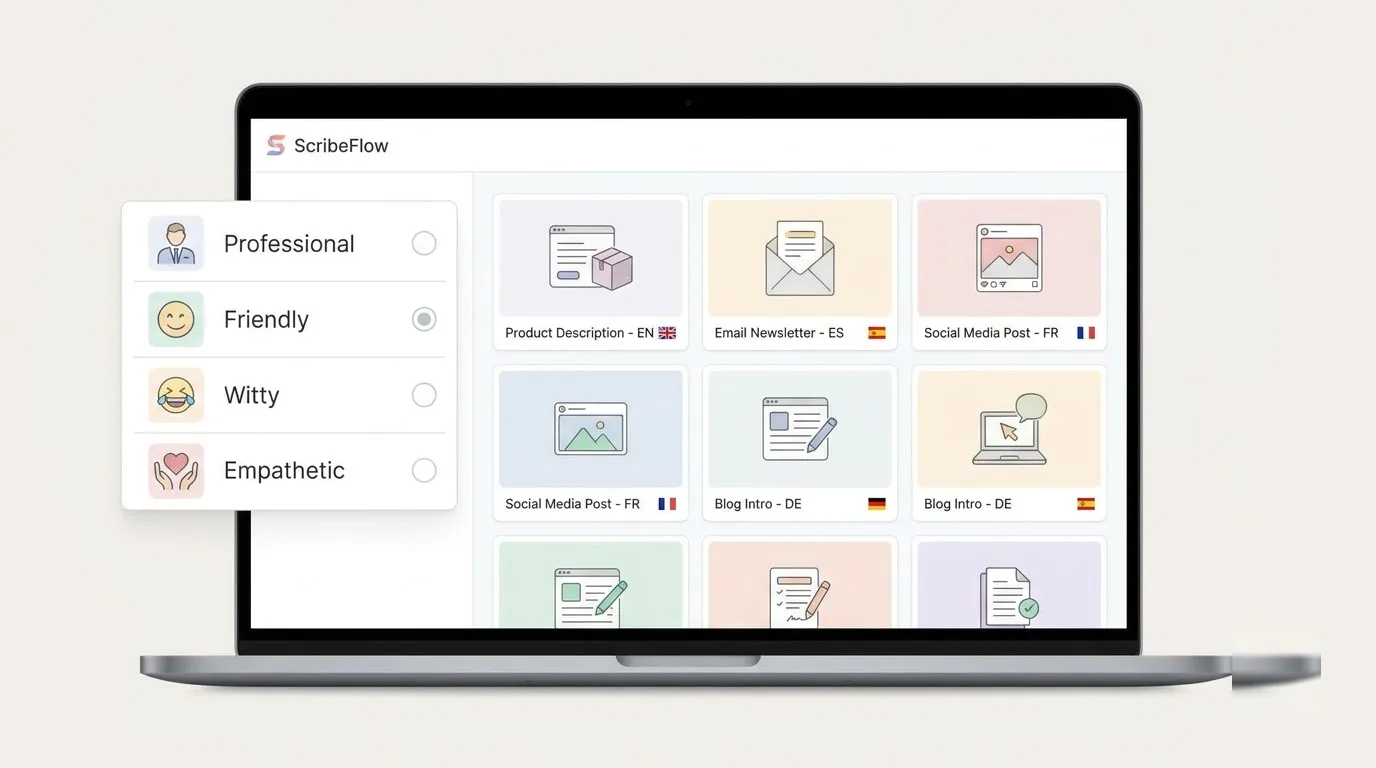
Rytr generates short marketing text quickly and cheaply, which makes it a tool for solo owners and freelancers rather than for book-length work. With over 6.5 million users, it is one of the most widely used platforms in this space.
What can Rytr generate?
- More than 40 templates, called use cases, including blogs, emails, product descriptions, ads and web copy.
- Over 20 tones, so you can set the feel of the copy.
- Generation in more than 30 languages.
- Plagiarism checks on generated content, plus image generation to go with your text.
- Tools to edit, expand, improve and reword existing copy, and a keyword extractor and generator for SEO work.
Some use cases go beyond standard marketing text. Rytr generates brand names, business ideas, video ideas for a YouTube channel, story plots and song lyrics. If a template you need is missing, you can build your own use case. That suits repeatable jobs, such as a fixed product-description format.
The language range matters in Europe. A shop selling in several markets can draft in more than 30 languages from one account. A native speaker should still review the result before it goes live, because tone settings do not replace a local eye.
Rytr's character cap and cost
Rytr measures its allowance in characters, not words, and it is not obvious how much text that buys. A long-form draft eats characters quickly. That is why Rytr works better as a short-copy tool.
Here is the arithmetic. Assume five to seven characters per word, spaces included. Then 100,000 characters is roughly 14,000 to 20,000 words. That sounds like plenty until you regenerate, because every rewrite, variation and discarded draft counts against the same pool.
Use it where outputs are short and numerous. Ad variants, product descriptions and video outlines suit the format. A 3,000-word guide with several regenerations does not.
The permanent free plan in the table is enough to judge the tone settings and templates, but not to run a business on. Test it on real tasks, such as one batch of product descriptions, and see how much editing the output needs. If you spend more time fixing than writing, the low price is not saving you anything.
Rytr is the cheapest entry point in this guide. It lacks Surfer's search analysis and Reword's editorial comments, and it has none of the story tools of Sudowrite and Novelcrafter. What it offers instead is a broad set of short templates at a low price.
That makes it a sensible first tool for a freelancer who writes many small things. It makes a poor main tool for a publication, since a human still has to supply the strategy and the point of view.
Sudowrite for fiction authors drafting prose
Sudowrite is built for novelists who want help continuing prose and a model that understands scene structure. If your daily work is ad copy, skip it.
What makes Sudowrite different?
- It runs its own model, called Muse, designed specifically for writing fiction.
- It has an intuitive grasp of scene structure and blocking, which most general AI tools lack.
- It includes writing, revision and brainstorming tools for different stages of a story.
- In December 2025 it added project-wide find and replace, which helps when a character name changes midway through a draft.
- It is uncensored, which matters if your genre includes violence or explicit romance.
Muse is widely praised for natural-sounding prose. Some authors keep other tools for brainstorming, worldbuilding, character building and outlining, and use Sudowrite only for the prose itself. That split is telling: Sudowrite is strongest at the moment you sit down to draft a scene.
The design helps if you have never touched AI tools before. You open a project, write, and ask for continuations or revisions where you need them. There is little setup and no model menu to understand.
Sudowrite's limits, cost and rival
Two complaints come up. The first is flexibility. Unlike Novelcrafter, Sudowrite does not let you connect OpenRouter and reach a wide range of models, so you work only with the models it selects and provides.
The second is pricing, which critics find a little expensive. Credit pricing makes cost harder to predict than a character or draft count, because heavy revision burns more than gentle drafting. If you write fast and rewrite often, expect to climb tiers.
The table's figure is the mid-level Professional tier, not the cheapest plan. Treat it as the working price for a serious author rather than an entry price.
Choose Sudowrite over Novelcrafter if you want out-of-the-box convenience. You do not manage API accounts, compare models or tune parameters. You sit down and write, and the Muse model handles the rest.
Choose Novelcrafter if you want to control every detail of your story world and workflow. A reasonable test is how you feel about configuration. If you enjoy it, Sudowrite will feel limiting. If you dread it, Novelcrafter will feel like homework.
Novelcrafter for modular longform book planning

Novelcrafter gives authors granular control over plot continuity and model choice, at the price of a learning curve. It is often compared to Adobe Photoshop: perhaps the most versatile tool of its kind, and just as demanding at first.
What does the Codex do?
The Codex is a database for everything about your book, from characters to locations and lore. Entries are stored so you can pull them into prompts. The AI then knows more about those elements when it writes.
- A structured store for characters, locations and lore.
- Context fed into prompts, so the AI works with your facts.
- The ability to clone or create new prompts for writing, brainstorming or editing.
- Adaptable for creative nonfiction and memoir, where the Codex holds research instead of characters.
The prompt flexibility goes a long way. One author used a custom prompt to create a modern-prose edition of a public domain book, and it worked well. That kind of experiment is impractical in a tool with fixed features.
For nonfiction, expect some adaptation. Novelcrafter is best for long-form fiction and creative nonfiction such as a memoir. For online articles and copywriting, the other tools in this guide fit better.
How do models and costs work?
Novelcrafter does not generate text on its own. It connects to AI APIs such as OpenRouter, which gives access to virtually all of the major models. You can also connect Ollama or LM Studio and run models on your own computer.
The cost therefore has two parts. You pay the platform subscription, and you pay the provider for tokens. With a local model, the second part becomes your hardware and electricity. The result is control, paid for with a bill that moves with your habits.
That dual-cost model is the first catch, since setting a budget means estimating both parts. The second catch is overwhelm. The same flexibility that makes the tool so adaptable makes the first week hard. Allow a few evenings to set up your Codex before you judge it.
The Artisan tier in the table excludes third-party API usage. It is the lowest platform fee among the story tools here, but the full cost depends on which model you connect. Compared with Sudowrite, the subscription is lower while the total is harder to predict. Sudowrite sells convenience in a credit system, whereas Novelcrafter sells control and leaves the bill in your hands.
Handling European data compliance and billing taxes
European buyers have three checks to run: a DPA, the vendor's training terms and how VAT lands on the invoice.
Do you need a DPA?
Yes, if your drafts contain personal data. Under Article 28 of the GDPR, Regulation (EU) 2016/679, a business that has a vendor process personal data on its behalf needs a written Data Processing Agreement. Newsletters naming customers, interview notes and client case studies all count. Standard Contractual Clauses are added when data leaves the EEA without an adequacy decision.
A DPA has real content. The vendor acts only on your documented instructions. It must disclose its sub-processors and give notice of changes so you can object. It must also report a personal-data breach without undue delay under Article 33(2), after which you have 72 hours to notify your supervisory authority under Article 33(1).
The stakes are high. Fines under Article 83 reach €20 million or 4% of global annual turnover, whichever is higher. Generic Terms of Service do not replace a DPA, and the EU-US Privacy Shield, which the CJEU invalidated in 2020, is no basis for transfers.
We hold no verified data location or DPA terms for any of the five tools here, so none gets a compliance badge. Before you upload business drafts, ask each vendor for four things:
- A signed DPA
- The current sub-processor list
- Where data and backups are stored, for example Frankfurt versus US East
- A retention and deletion schedule for your content
Can vendors train on your prompts?
GDPR does not itself ban model training, so the vendor's terms decide. The difference matters. Some vendors contractually protect customer prompts, while others reserve the right to train on user inputs.
Ask for an explicit statement that your content is excluded from training, covering prompts, uploads and outputs. With a bundled tool, you read one set of terms. With a bring-your-own-key setup such as Novelcrafter, you also inherit the terms of whichever provider you connect, so you read two.
How does the reverse charge work?
Under Article 196 of the EU VAT Directive, a VAT-registered business buying services from a supplier in another country accounts for the VAT itself. You do not pay it to the supplier. Instead, you enter your VAT identification number at checkout, and it is validated through the European Commission's VIES system.
If the number validates, your B2B invoice should be issued without VAT. If a vendor ignores your number and adds VAT anyway, ask for a corrected invoice. Avoid vendors that cannot issue an EU-compliant invoice with a full company address and VAT ID. Our guide to how the reverse charge works for European businesses covers the mechanics in more detail.
The UK is not in the EU, so the EU directive does not apply to UK buyers. A UK VAT-registered business buying services from an overseas supplier also accounts for the VAT itself, under the UK reverse charge set out in HMRC VAT Notice 741A on the place of supply of services. Record it that way in your books, as a UK mechanism rather than the EU rule.
Currency is the last check. All five tools list in US$, and a US$39 plan is not €39 or £39. Your bank adds a foreign-exchange fee, and the rate moves between renewals. Compare on the amount that actually leaves your account, because on a monthly plan that gap repeats twelve times a year.
Frequently asked questions about writing tools
Which tools have a free plan?
Rytr is the only one of the five with a permanent free plan. Reword offers a time-limited trial instead. Surfer has no free plan, though its outline generator and Google keyword extension are free. HubSpot includes its AI assistants in its free CRM plan.
A trial and a free plan serve different purposes. With a free plan, you can keep using a small allowance indefinitely. A trial gives you the full product for a short window, so plan real work for those days.
Can AI write publish-ready articles?
Not reliably. These tools cannot replicate your voice, your perspective or the lived experience that makes writing feel human. What they give you is a starting point, so you are not facing a blank page every day.
A human still has to check facts and tone, so keep a person in the loop for the final draft. That is why Reword is built around editor comments, and why Surfer's score is a guide rather than a verdict.
How do characters convert to words?
Divide the characters by five to seven for a rough word count, as in the Rytr example above. The ratio depends on your style, because long words and heavy punctuation use more characters.
For a better estimate, paste your last article into a character counter and divide. You will then know how many of your own pieces a character allowance covers. Regenerations count too, so leave headroom.
Are subscriptions tax-deductible for freelancers?
Often, when the subscription serves your business, but the rules differ by country. Ask your accountant how your national system treats software expenses. Keep every invoice, and make sure each one shows the vendor's company address and your business details.
If you are VAT-registered, enter your VAT number at checkout so the invoice can be issued without VAT. You then account for the VAT yourself under the reverse charge described above.
Which tool is safest for confidential data?
There is no single answer, because none of the five has verified DPA terms in this guide. For a cloud tool, work through the compliance checklist: a signed DPA, a sub-processor list, a training exclusion and a retention schedule.
If the data is too sensitive to leave your machine, a local model is the cleanest route. Novelcrafter is the option here that can connect to models running on your own computer through Ollama or LM Studio. What the platform stores is still a question for its DPA.
Which writing tool should you pick today
If ranking in search drives your revenue, pick Surfer. When a team edits drafts together, pick Reword. If you need cheap marketing snippets, pick Rytr. If you write fiction and want intuitive prose, pick Sudowrite. If you are building a complex book and enjoy control, pick Novelcrafter.
Your next step is a short audit. Count how many pieces you publish each month, how many audiences you serve, and how often you rewrite. Then try Reword's trial or Rytr's free plan against that real workload before you commit to any annual plan.