


















Decide between Asana vs Jira for your team. Compare real seat costs, agile features, automation caps, and EU data hosting in Frankfurt and Dublin.
Selecting between Asana vs Jira depends on whether your team builds software or manages general business projects. If you need immediate visual collaboration for marketing, design, or operations without administrative friction, Asana is the better choice. If you manage software engineering, IT service desks, or agile sprints requiring deep issue tracking and native sprint reports, Jira delivers stronger functionality at a lower per-seat cost.
TL DR Quick Verdict on Asana vs Jira
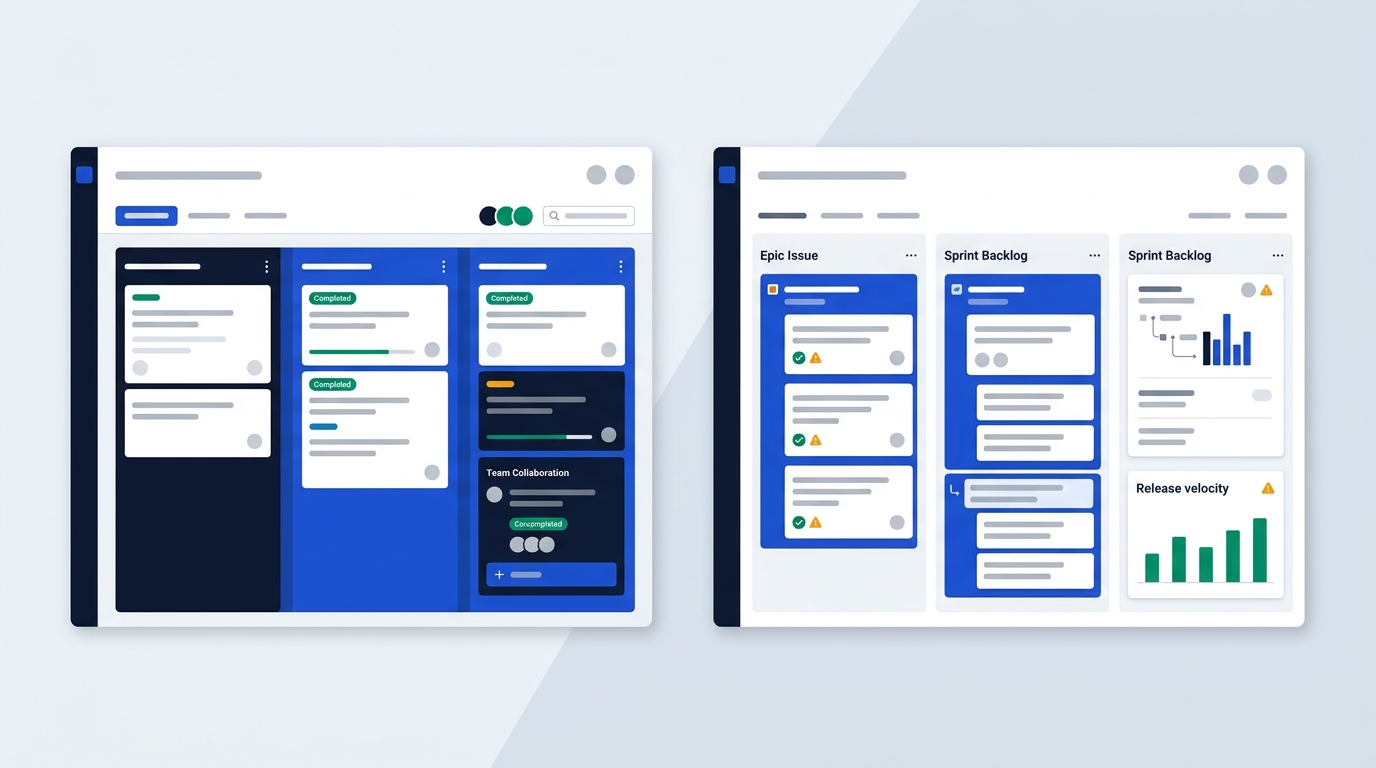
You should select Asana if you lead non-technical or cross-functional teams that require instant onboarding and intuitive visual tracking across projects. Its user-friendly interface simplifies project management for departments like marketing, operations, and creative services, allowing them to adapt workflows visually without technical complexity. You should select Jira if you manage engineering, IT, or agile software teams requiring native sprint planning, deep customization, and lower per-seat pricing tiers at scale. Jira's comprehensive features are purpose-built for technical workflows, providing precision and control for complex development cycles.
Who Should Choose Asana
Asana suits marketing departments, operations leads, creative design agencies, and product managers who want zero administrative complexity. The platform excels at tracking multi-project campaigns, managing creative request queues, and providing executive portfolios without setup overhead. Because every project view uses clear drag-and-drop mechanics, your team members can build structured workflows independently from day one. This ease of use makes it simple to set up boards and manage projects without needing IT support.
Asana is particularly valuable for teams prioritizing clarity, speed, and collaboration in their daily work. Its intuitive interface and flexible customization options allow business and technical users alike to automate, integrate, and adapt workflows visually. Teams can get started quickly, create projects independently, and manage work efficiently, fostering broad adoption across an organization. This makes it a reliable choice for managing ongoing workstreams, repetitive campaigns, and collaborative deliverables where immediate visibility and shared progress are paramount.
However, Asana does not suit deep software development teams that require native Scrum backlogs, automated release tracking, or sprint burndown charts. If your engineers need to link pull requests directly to tickets or manage continuous integration pipelines, Asana requires manual workarounds and third-party tools that increase daily friction. While it simplifies task coordination with clear assignments and deadlines, it lacks the specialized agile reporting and integrated development toolchain support that technical teams often require for rigorous software delivery. Asana's focus on broader task management means it may need extra effort from teams that require advanced workflow configuration or support for agile methodologies at a deep technical level.
Who Should Choose Jira
Jira suits engineering managers, DevOps leads, and IT service managers who need structured agile frameworks, epic hierarchies, and granular permission rules. It provides out-of-the-box support for iterative release cycles, velocity tracking, and detailed issue management. Furthermore, growing organizations benefit from Atlassian's lower entry pricing and volume discounts across paid subscription tiers. Jira's comprehensive agile reporting, including burndown, velocity, and sprint reports, gives technical teams the insights they need to make data-driven decisions.
This tool is purpose-built for agile project management and software development, supporting Kanban boards, Scrum frameworks, and sprint planning natively. Its integrated project structures and custom reporting tools make it powerful for technical teams with strict process requirements and heavy customization needs. Jira helps teams break down silos by connecting projects cross-functionally, centralizing documentation, and plugging into thousands of integrations and automations. It enables company-wide alignment, from cross-functional roadmaps to linked tasks and dependencies, ensuring that the big picture is never lost.
That said, Jira does not suit non-technical business teams who struggle with heavy administrative configuration. Setting up custom issue schemes, workflow transitions, and permission trees requires dedicated admin effort. If your team only needs simple task assignment and visual project boards, Jira's complex setup will slow down daily adoption. Its stee. While Atlassian has made strides in usability, Jira's core design remains optimized for technical users who benefit from its depth and precision, rather than those seeking a simple, intuitive entry point for general project management.
Asana vs Jira Pricing for Scaling European Teams

When evaluating Asana vs Jira pricing, the financial math strongly favors Atlassian as team size scales. Both platforms offer free entry tiers for small groups, but their paid subscription models diverge significantly in baseline costs and per-user scaling discounts. For European businesses, these cost differences can impact long-term budget planning and overall return on investment for project management tools.
Asana Subscription Tiers
Asana structures its subscriptions around functional capabilities and team portfolio features. The baseline Free plan supports up to 10 seats with basic task management. This tier allows teams to organize projects, assign tasks, and collaborate on shared work. For larger teams, Asana offers three core paid tiers:
- This plan includes essential features like custom fields, task dependencies, timeline views, and basic workflow rules. These additions help teams manage more complex projects with clearer timelines and defined relationships between tasks. It also includes basic reporting for progress and overdue tasks.
- This tier unlocks advanced capabilities such as portfolios, workload management, custom rule builders, and advanced integrations. Portfolios provide a high-level overview of multiple projects, while workload management helps balance team capacity. The custom rule builders allow for more sophisticated automation, and advanced integrations connect Asana with a broader range of business tools for smooth workflows.
- Enterprise: Custom pricing quoted per seat. This top-tier plan adds centralized admin controls, audit logs, and enhanced security provisions designed for large organizations. It caters to companies requiring the highest levels of governance, compliance, and support, ensuring the platform scales securely across the entire enterprise.
The per-user pricing model means that costs increase directly with team size, which can become substantial for growing organizations. While the Starter plan offers a good entry point for basic project management, the Business and Enterprise tiers are significantly more expensive, reflecting the added features and support for complex organizational needs.
Jira Subscription Tiers
Jira software provides lower baseline per-seat rates alongside expanded automation execution pools across its cloud plans. The Free plan covers up to 10 users with 2GB of cloud file storage and basic Scrum or Kanban functionality. This tier is ideal for small development teams or startups just beginning their agile journey. Paid plans include:
- Standard: $8.15 per user per month on monthly billing, or $7.75 per user per month when billed annually. This plan includes granular user permissions, 250GB storage, and audit logs. These features are crucial for teams that need more control over who can access and modify project data, and for maintaining compliance with internal policies. It also offers business hours support.
- Premium: $16.00 per user per month on monthly billing, or $15.25 per user per month when billed annually. This tier unlocks cross-team advanced roadmaps, capacity planning, project archiving, unlimited storage, 24/7 support, and 99.9% uptime SLAs. Advanced roadmaps help align work across multiple teams and projects, while capacity planning ensures resources are allocated efficiently. This plan is designed for scaling agile across the enterprise, offering extensive features for complex project environments.
- Enterprise: Custom enterprise pricing billed annually for multi-site deployments and centralized billing. This top-tier plan provides unlimited sites, 99.95% uptime SLA, centralized user management via Atlassian Access, and enterprise data residency options. It is tailored for large, complex organizations that require the highest level of scalability, security, and administrative control.
Why Jira's pricing benefits technical teams
Jira's pricing structure, especially at its Standard and Premium tiers, is often more cost-effective for technical teams, particularly as they scale. The value proposition is strengthened by features like advanced agile reporting and deep developer integrations that are native to the platform. This makes Jira a compelling option for organizations where a significant portion of their workforce is involved in software development or IT operations, allowing them to scale gradually and cost-effectively.
10-Seat and 50-Seat Cost Calculations
Comparing baseline tiers illustrates a clear cost gap for European mid-sized businesses. This initial saving can be significant for startups or smaller teams managing tight budgets, allowing them to allocate resources to other critical areas.
The pricing gap expands dramatically as your team grows into enterprise feature tiers. These figures highlight Jira's cost efficiency for larger, technical organizations. The ability to scale without incurring disproportionately higher costs makes Jira a more sustainable long-term investment for businesses with expanding engineering or IT departments.
| Subscription Tier | Asana Pricing (Annual Billing) | Jira Pricing (Monthly / Annual) | Core Pricing Advantage |
|---|---|---|---|
| Free Tier | Free up to 10 seats | Free up to 10 users (2GB storage) | Equal user caps; Jira includes backlogs |
| Enterprise Tier | Custom quote per seat | Custom quote (Multi-site) | Atlassian volume pricing scales lower |
Source: vendor pricing pages, checked November 2026.
Jira vs Asana for Software Development Teams
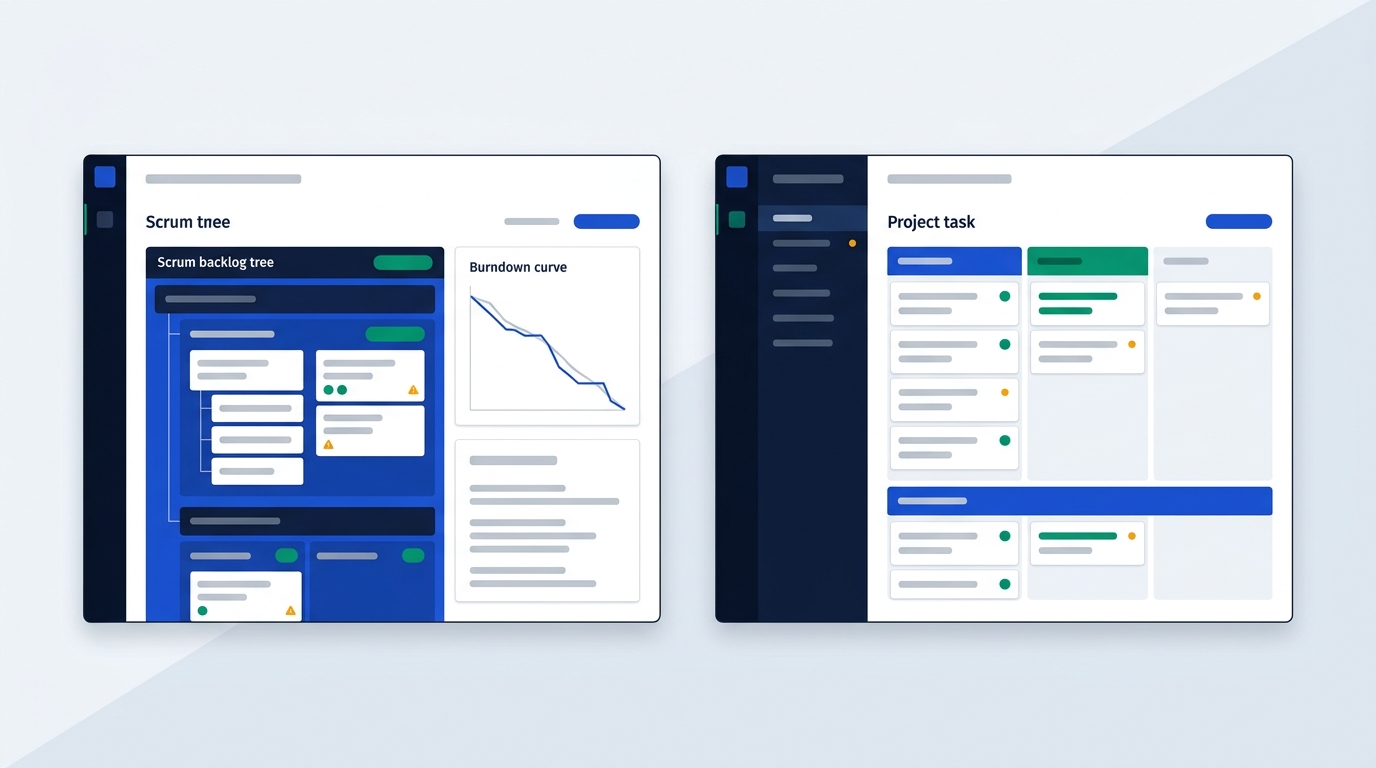
If you manage technical workflows, evaluating jira vs asana for software development reveals fundamental differences in underlying product architecture. Jira was engineered specifically for software delivery, whereas Asana requires custom configurations to mimic technical workflows. This distinction is crucial for teams whose core output is software, as it directly impacts efficiency, compliance, and overall project success.
Agile Frameworks and Sprint Planning
Jira natively includes complete agile project management frameworks. Out of the box, your engineering team can construct Scrum backlogs, run two-week sprint cycles, groom epics, and visualize capacity using burndown charts, velocity reports, and cumulative flow diagrams. Because issue hierarchies are structured natively into epics, stories, tasks, and sub-tasks, developer status updates flow automatically into launch roadmaps. This integrated approach supports the short, iterative development cycles central to agile methodologies, promoting transparency and continuous improvement.
Jira's support for the Scrum framework, sprint planning, and layered task dependencies makes it ideal for technical teams with strict process requirements. It enables teams to plan work in short cycles, track bugs or issues, and manage workflows effectively. This level of detail and native functionality ensures that every aspect of an agile project, from planning to execution and reporting, is supported within a single system, reducing the need for external tools or manual tracking. The ability to track epics, stories, and issues with precision directly aligns with the demands of modern, tech-driven workplaces where precision and speed are critical.
Asana handles agile tracking through standard task lists, board views, and custom fields. While you can create project sections for "Sprint Backlog" or "Current Sprint," Asana lacks automated velocity calculation tools and burndown metrics. Managing iterative software releases in Asana requires manual task migration between project boards at the end of every sprint cycle. This means that while Asana can be adapted for agile-like workflows, it does not provide the native, comprehensive toolset for deep agile methodology that Jira offers. Teams using Asana for agile might find themselves spending more time on manual updates and less on actual development work, impacting their efficiency and ability to accurately track sprint progress.
Code Repository and CI/CD Integrations
Jira integrates natively with developer toolchains across the entire software delivery lifecycle. It connects directly to GitHub, Bitbucket, GitLab, and continuous deployment pipelines. As a result, your developers can reference a Jira issue key in a commit message or pull request to automatically update ticket statuses, trigger build status checks, and log deployment releases. This deep integration reduces context switching for developers, centralizing communication and status updates directly within their workflow. It brings context to projects by linking code changes directly to issues, making it easier to track progress and understand the impact of development work.
The strength of Jira's developer integrations lies in its ability to automate handoffs and keep work in sync across technical tools. This is particularly valuable for teams practicing DevOps, where smooth integration between development, testing, and deployment phases is crucial. By integrating with Git/Confluence and supporting status-driven handoffs, Jira ensures that all relevant information—from code changes to documentation—is connected to the project. This ecosystem allows for a unified view of the software development process, from planning to release, making it easier for teams to collaborate and manage complex software projects efficiently.
Asana provides broad application connectivity through over 400 integrations, including integrations for Slack, Google Drive, and Salesforce. However, it lacks deep native repository linking and deployment release tracking. While you can attach code links to Asana tasks, you cannot enforce automated status transitions based on pull request merges or pipeline deployments. This means that while Asana connects with many popular business tools, its application ecosystem is less technical than Jira's, often requiring advanced configuration for developer-centric use cases. For software teams, the absence of these native, deep integrations can lead to fragmented workflows, manual updates, and a higher risk of discrepancies between project status and actual code changes, potentially slowing down delivery cycles.
Detailed Issue Tracking and Bug Management
Bug tracking in Jira supports granular issue types, custom status transitions, and multi-step validation rules. You can require developers to submit specific environment details, steps to reproduce, and severity flags before a bug ticket moves to triage. This structural control prevents invalid data from entering your development pipeline. The ability to define custom issue types and workflows ensures that every bug report is comprehensive and actionable, streamlining the bug resolution process. This level of detail and customization is critical for maintaining high-quality software and adhering to strict QA processes.
Jira's comprehensive issue management capabilities extend beyond simple bug tracking. It allows for custom workflows with conditions and automations, supporting complex scenarios where issues might need to go through multiple stages of review, approval, or testing. This flexibility, combined with advanced permissions, ensures that only authorized personnel can make specific changes or move issues between statuses. For enterprise-level software development, where compliance and rigorous process control are paramount, Jira's detailed issue tracking system provides the necessary framework to manage risks, ensure accountability, and maintain a clear audit trail of all changes and resolutions.
Asana handles bug reporting through custom forms and custom fields. While non-technical stakeholders can easily submit bug reports via clean web forms, engineering leads cannot enforce strict state-transition rules. If a bug requires multi-stage QA sign-offs across development, staging, and production environments, Asana's broad task structure provides less process control. Its project and workflow customization is structured and easy-to-use, but it lacks the technical depth for complex issue management found in Jira. While Asana simplifies task coordination for business-wide adoption, it may not offer the granular control and rigorous workflow enforcement that highly regulated or complex software projects demand, potentially leading to bottlenecks or overlooked details in the bug resolution cycle.
Workflow Automation and AI Capabilities Compared
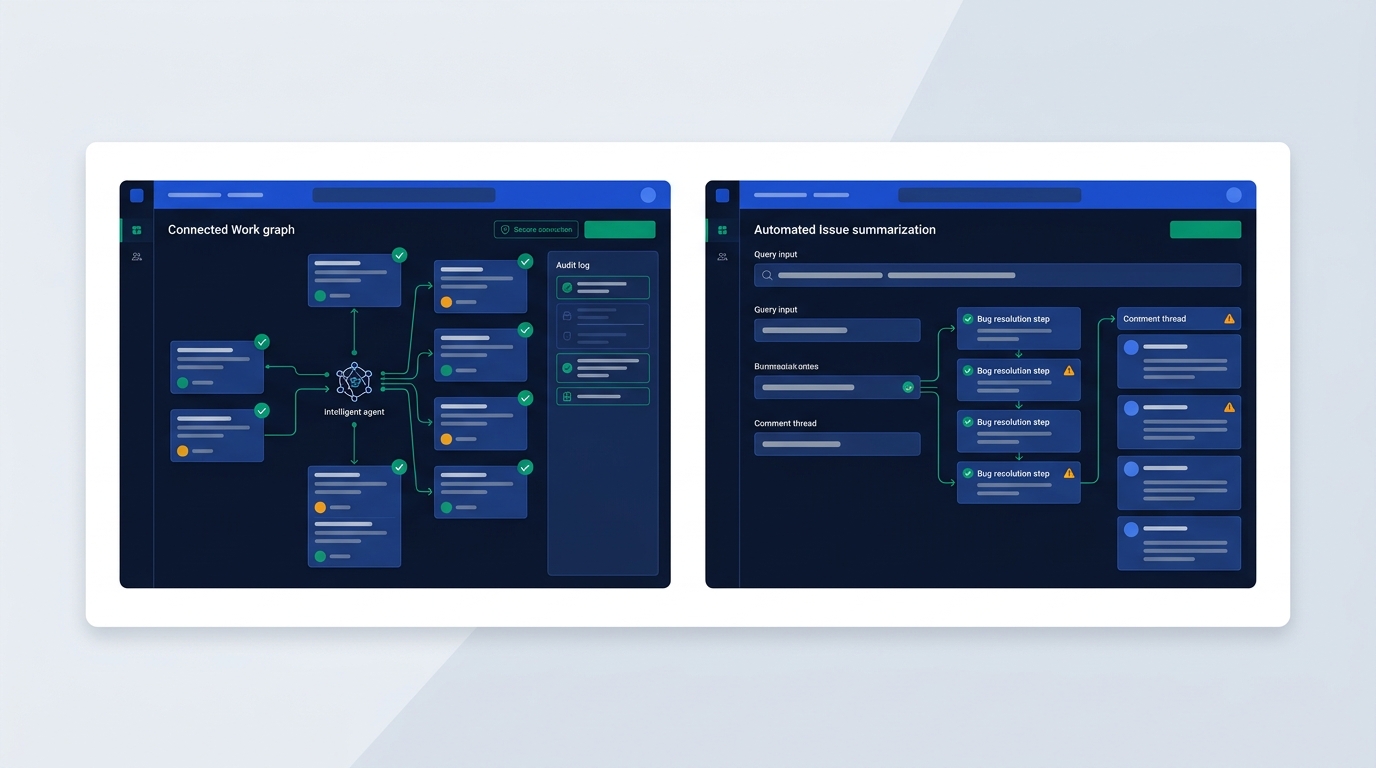
Both platforms have added automation engines and artificial intelligence to eliminate administrative overhead. However, their technical implementations suit different user groups across your business. Understanding these differences is key to choosing the tool that best empowers your specific teams and workflows, whether they are technical or business-focused.
Artificial Intelligence: Asana AI vs Atlassian Intelligence
Asana AI features rely on Asana AI Teammates powered by the underlying Work Graph architecture. These AI agents analyze project goals, task dependencies, and historical progress across departments to suggest action items. Crucially, every AI action appears directly within your visible activity logs, giving managers complete auditability over automated changes. This transparency ensures that AI suggestions are not attributed to users, creating clear accountability. Asana AI Teammates build shared memory that compounds across your whole team, understanding your team's goals, projects, and dependencies from day one, making every AI action visible and auditable. This "brain" for your organization helps maintain cross-functional context and supports broad team adoption.
Asana's AI is designed to be accessible and useful for the entire team, not just technical users. It helps simplify task coordination and project management for business-wide adoption, making it easier for teams to manage work efficiently. The AI built for teams understands the work context, making suggestions and automations more relevant and actionable. This approach helps teams scale efficiently without added operational complexity, as the AI supports decision-making and task management across various departments. Features like "Smart Goals," "Smart Fields," and "Smart Summaries" help teams track, organize, and understand project data more effectively within Asana's platform.
Atlassian Intelligence in Jira focuses on ticket acceleration and technical summarization. It allows your developers to generate natural language queries for complex search filters, summarize long issue comment threads, and draft bug resolution steps across Jira and Confluence documentation. It excels at processing technical data within individual engineering workspaces. Jira's AI is often siloed within technical tickets, missing the cross-functional context of your business goals. While it helps summarize issues and provides suggestions, it often attributes AI suggestions to the user who accepted them, potentially creating accountability gaps. Its focus is more on enhancing developer productivity within the technical context rather than building a persistent, shared organizational memory across all departments.
Visual Rules vs Event-Driven Automation Engines
Asana features a visual, no-code rule builder designed for business operations. Any team member can construct automated rules by picking trigger cards, setting conditions, and choosing actions. For instance, moving a task into "Design Approved" can instantly assign a creative director, change the due date, and push a summary notification into a shared Slack channel. This intuitive approach makes project management automation accessible to non-technical users, enabling them to set up triggers, conditions, and actions visually through workflow automation and AI Studio, without the need for scripting or developer support.
The ease of use in Asana's automation allows teams of all sizes to customize projects, connect tools, and report on progress efficiently. It supports broad adoption by non-technical users with in-product guidance and intuitive templates, making it simple to automate handoffs and centralize work. By reducing manual updates and keeping work in sync, Asana's automation helps streamline workflows across departments like marketing, analytics, and IT, making it easier for non-technical users to set up and automate without IT support. This empowers business teams to take control of their workflows and implement consistent project management across teams.
Jira offers an event-driven automation engine built for complex operational logic. It supports API-triggered webhooks, global automation rules across multiple projects, and branched conditional logic. You can build advanced rules that automatically calculate story points, reassign parent epics, or trigger external API payloads when code commits pass verification tests. This level of customization and flexibility allows for highly specific and powerful automations, especially for technical workflows. Jira's automation capabilities are integrated within its comprehensive project management features, allowing for sophisticated process enforcement and data synchronization across the Atlassian ecosystem and beyond.
How Jira's automation helps technical teams
While Jira's automation is powerful, it often requires technical expertise or add-ons to configure, which can create barriers for business teams and smaller teams without dedicated IT resources. However, for software development and IT teams, this depth of automation is a significant advantage. It allows them to create highly customized workflows that respond to specific events in the development cycle, ensuring consistency, reducing manual errors, and accelerating delivery. The ability to automate across tools and systems, with features like API-triggered automations, makes Jira a strong choice for organizations with complex, interconnected technical processes.
Plan Limits and Automation Rule Pools
Asana enforces strict caps on monthly rule executions based on your subscription tier. If your operations rely heavily on complex multi-step rules, reaching tier limits requires upgrading your entire team to higher price brackets. This can become a significant cost factor for organizations that extensively use automation to streamline workflows across many projects or departments. The cap on automation actions means that teams need to carefully manage their usage or be prepared for potential cost increases as their automation needs grow. This limitation might hinder large-scale deployment of automations for enterprises that seek unlimited capabilities without incremental costs.
Jira offers generous automation execution pools. Standard tiers include up to 1,700 automation rule runs per month, while Premium and Enterprise tiers provide unlimited automation executions. This structural allowance makes Jira more predictable for high-volume automated processing, especially in complex software development or IT service management environments. The larger or unlimited automation pools in Jira's higher tiers ensure that technical teams can implement extensive workflow automations without worrying about hitting usage limits. This allows for greater efficiency, consistency, and scalability in automating processes, making Jira a more capable choice for organizations with demanding automation requirements and a need for predictable operational costs.
Visual Collaboration and Onboarding Speed
The speed at which your team adopts a new work management tool directly impacts overall organization productivity. Asana prioritizes visual clarity, whereas Jira prioritizes structured data flexibility. This fundamental difference influences how quickly new users can become proficient and how effectively teams can collaborate across various functions.
Onboarding Friction and Administrative Overhead
Asana delivers instant onboarding with minimal setup friction. Because the user interface uses intuitive drag-and-drop cards, clean task lists, and visual assignment icons, non-technical team members can launch new projects in minutes without IT assistance. You do not need dedicated platform administrators to maintain workspaces. Asana's simple, approachable design makes it easier for teams to get started, create projects independently, and manage work efficiently without technical setup. It provides in-product guidance and intuitive templates, making project creation and workflow customization accessible to everyone.
Asana offers a full range of training and support resources, including the Asana Academy for on-demand courses and a comprehensive Help Center. These resources are designed to help teams quickly learn, troubleshoot, and optimize their use of the platform, regardless of technical background. Switching from Jira to Asana is straightforward thanks to these comprehensive onboarding resources and step-by-step migration guides. This rapid onboarding across both technical and business teams ensures that everyone can collaborate from day one, supported by flexible workflows and clear project management features. It enables teams to organize projects, assign tasks, and collaborate right away, without requiring technical admin support.
Jira requires upfront configuration before business teams can operate efficiently. Setting up project schemes, issue types, field layouts, and permission trees typically requires an Atlassian administrator or dedicated project manager. Without proper administrative oversight, Jira spaces easily become cluttered with conflicting fields and broken permissions. Historically, Jira had a reputation for complexity and a steep learning curve, often tailored for software development teams and requiring more technical setup. This can make onboarding less accessible for non-technical users and slow down adoption, increasing migration anxiety.
Is Jira easy for everyone to use?
While Atlassian has made major strides in usability, with features like AI summaries, card covers, and simplified project overviews, Jira still retains its depth for technical users. Its support ecosystem can be more complex and less accessible for smaller, non-technical teams. The emphasis on agile methodologies and technical configurations means that, for non-technical departments, there can be a higher barrier to entry and ongoing administrative effort. However, for organizations that embrace its structure and invest in proper administration, Jira offers unparalleled control and customization, which is invaluable for complex technical projects.
Project Views and Cross-Department Adoption
Asana provides native List, Board, Timeline (Gantt chart), Calendar, and Workload views across all paid tiers. Tasks can live in multiple projects simultaneously without duplication, allowing updates made by a creative design team to reflect automatically on an executive launch portfolio. This flexibility ensures centralized updates across work, connecting communication and project updates in one place. Comments, file sharing, and a centralized inbox help keep everyone aligned, and updates flow across teams automatically without extra tools. This makes it easier for teams to track progress and collaborate in real time, even as they scale or work across departments.
Asana’s user-friendly interface and multiple project views make it suitable for a wide range of teams, from marketing and operations to product management. Its ability to bridge the gap between task-level execution and high-level coordination makes it ideal for managing diverse, ongoing work. Teams can personalize with custom fields and templates, color-code, filter, and sort tasks instantly, making project management clear and actionable. This adaptability supports broad adoption by non-technical users and allows for consistent workflows across different types of projects, ensuring that everyone has a shared view of progress and deadlines.
Jira includes standard Board, List, and Timeline views, with advanced cross-project roadmaps available on Premium tiers. While these views excel at tracking technical dependencies, non-technical departments like marketing, human resources, and legal often report higher friction when navigating Jira's dense metadata fields. Jira’s project creation and workflow customization are optimized for technical teams, often requiring more setup and technical expertise. While it offers flexible views like lists, boards, and backlogs, the underlying complexity can be daunting for non-technical users. The platform is designed to connect work across multiple teams and projects, from cross-functional roadmaps to linked tasks and dependencies, but its strength lies in managing technical work. For business teams, this can mean a steeDespite Atlassian's efforts to make it more approachable for all teams.
EU GDPR Compliance Data Location and VAT
For businesses operating within Europe, data residency and legal privacy frameworks represent critical decision factors when choosing a gdpr compliant project management software. These considerations are not just about technical features but also about legal obligations, trust, and ensuring that customer and company data is handled in accordance with strict regional regulations.
Data Residency in Frankfurt and Dublin
Jira provides complete European Union data residency for cloud customers on Standard, Premium, and Enterprise plans. Atlassian allows European organizations to pin primary customer data at rest directly within AWS data centers located in Frankfurt, Germany and Dublin, Ireland. This legal isolation helps European enterprises maintain compliance with strict regional data sovereignty guidelines. For many European businesses, having data stored within the EU is a non-negotiable requirement, simplifying their GDPR compliance efforts and reducing concerns about international data transfers. This option is a significant advantage for organizations that handle sensitive personal data and need to demonstrate a clear commitment to data protection within the European economic area.
The Atlassian Cloud EU Data Residency option is a key differentiator for Jira, providing peace of mind for European customers. It means that customer data, including project details, tasks, and attachments, is physically located and processed within the EU. This eliminates the complexities often associated with cross-border data transfers, such as relying solely on Standard Contractual Clauses (SCCs) for all data. For businesses with strict internal policies or those operating in highly regulated industries within Europe, this direct data residency option offers a strong foundation for their data governance strategy, ensuring adherence to local and regional data protection laws.
Asana stores primary operational data in United States data centers. While Asana provides enterprise security controls, it relies on legal transfer mechanisms rather than local EU cloud infrastructure for standard business tiers. Organizations with strict national data residency mandates must factor this hosting structure into their compliance evaluations. While Asana's DPA incorporates EU Standard Contractual Clauses to cover data transfers, the absence of an explicit EU data residency option for all tiers means that European companies might need to conduct a more thorough risk assessment regarding data transfers outside the EU. For some businesses, especially those in the public sector or certain regulated industries, US data residency might present a barrier due to national or sectoral data sovereignty requirements.
Legal DPAs, BCRs, and International Transfers
Atlassian executes a comprehensive GDPR Data Processing Addendum (DPA) supported by Binding Corporate Rules (BCR) and Standard Contractual Clauses (SCCs). This multi-layered legal framework provides strong legal protection for international data processing across European subsidiaries. Binding Corporate Rules are internal codes of conduct applied by multinational companies for transfers of personal data from the EEA to third countries within the same corporate group. They offer a strong legal basis for such transfers, demonstrating a commitment to GDPR principles. Coupled with SCCs, which are standardized contractual clauses approved by the European Commission, Atlassian provides a comprehensive approach to data protection that aims to meet the highest standards of GDPR compliance.
This strong legal framework ensures that customer data processed by Jira is handled with the utmost care and in accordance with European data protection laws. Atlassian's commitment to ISO 27001 and SOC 2 certifications further reinforces its security posture, providing independent verification of its information security management systems. For European businesses, these certifications and legal mechanisms are critical indicators of a vendor's reliability and commitment to protecting sensitive data. They help organizations fulfill their own accountability obligations under GDPR by ensuring that their service providers maintain appropriate safeguards for personal data.
Asana offers a standard legal DPA that incorporates EU Standard Contractual Clauses to cover data transfers between Europe and the US. Both platforms meet core European compliance standards, including ISO 27001 and SOC 2 Type II certifications. While SCCs are a recognized legal mechanism for international data transfers, their effectiveness can be subject to ongoing scrutiny and legal challenges, especially concerning transfers to the US. Therefore, for businesses with a heightened sensitivity to data sovereignty, the distinction between direct EU data residency (Jira) and reliance on SCCs for US-based processing (Asana) can be a decisive factor. Both platforms, however, demonstrate a commitment to foundational security and privacy standards through their certifications.
B2B Reverse Charge Rules in the EU and UK
When purchasing B2B SaaS software subscriptions from outside your home state, tax handling varies by registration status:
- EU Member States: If your company provides a valid EU VAT identification number during checkout, the invoice applies the standard VAT reverse charge mechanism under Directive 2006/112/EC. You account for VAT on your local return without upfront vendor tax charges. This simplifies cross-border transactions for VAT-registered businesses within the EU, preventing double taxation and streamlining administrative processes.
- United Kingdom: UK VAT-registered businesses follow domestic reverse charge provisions under HMRC VAT Notice 741A for cross-border services, as the UK operates independently from the EU VAT area. This means UK businesses apply their own specific rules for accounting for VAT on services received from outside the UK, ensuring compliance with national tax regulations post-Brexit.
Top European Alternatives for Tech and Business Teams
If neither Asana nor Jira perfectly fits your operational structure, several specialized platforms offer strong regional capabilities. Evaluating asana alternatives for tech teams and general agile project management tools europe highlights three top alternatives on the market. These tools cater to different needs, from high-velocity software development to all-in-one productivity suites and visual cross-functional workflows, often with EU data residency options.
Linear for High-Velocity Software Teams
Linear is built specifically for modern software engineering teams seeking a fast, streamlined alternative to Jira. It provides keyboard-centric navigation, offline synchronization, and automated sprint cycle tracking without enterprise clutter. Its focus on speed and efficiency makes it ideal for developers who prioritize a fluid and uninterrupted workflow. Linear's approach to issue management is designed to reduce friction, allowing teams to move quickly from idea to execution without getting bogged down in complex configurations. The platform's clean interface and emphasis on developer experience set it apart from more generalized project management tools.
- Suitability: Best for high-growth software engineering teams and technical startups. Linear's design philosophy aligns with the needs of agile development, offering tools that support rapid iteration and continuous delivery.
- Verdict: Outperforms Jira on interface speed and keyboard navigation for pure developer workflows. Developers often praise Linear for its responsiveness and intuitive controls, which enhance productivity.
- Key Points: Free plan covers up to 250 active issues with unlimited members, offering a generous entry point for small teams. The Standard tier starts at $8.00 per user per month when billed annually, providing unlimited active issues and file uploads. Significantly, Linear offers custom EU data residency options on Enterprise tiers, addressing a critical concern for European businesses. It also includes GitHub and Slack integrations and API access even on the Free plan, making it highly connected for technical users.
- Real Downsides: Lacks general business project templates, Gantt portfolios, or marketing request forms. Linear is highly specialized, meaning it may not be suitable for non-technical teams or those requiring broader project management functionalities beyond software development. Its focus on developer workflows means it doesn't aim to be an all-encompassing solution for every department.
- Pricing Line: Free plan up to 250 issues; Standard plan at $8.00/user/month (annual).
- Baseline Comparison: Linear is faster than Jira for issue tracking, but lacks Asana's cross-departmental visual customization. For pure engineering teams, Linear's focus on velocity and developer experience can be a significant advantage over Jira's broader agile capabilities. Learn more on our Linear pricing review.
ClickUp for Feature Density at Scale
ClickUp provides an all-in-one productivity suite combining tasks, documents, whiteboards, and time tracking into a single unified workspace at lower per-user price points. This comprehensive approach aims to replace multiple tools with one platform, reducing costs and streamlining workflows. ClickUp's versatility makes it appealing to teams looking for a highly customizable solution that can adapt to various project types and departmental needs. It offers a vast array of features, from mind maps and sprints to CRM and goal tracking, all within a single environment.
- Suitability: Best for scaling business teams wanting maximum functional features at minimal subscription cost. ClickUp is ideal for organizations that need a flexible system to manage diverse projects, from marketing campaigns to product development, without incurring high per-user expenses.
- Verdict: Offers broader native features than Asana at lower entry prices, but requires significant setup configuration. Its extensive feature set can be a major advantage for teams that need a powerful, customizable tool, but it also necessitates an investment in initial setup and ongoing management.
- Key Points: Free Forever plan includes unlimited tasks, unlimited members, and 100MB storage, making it very accessible for small teams or individuals. The Unlimited tier starts at $7.00 per user per month when billed annually, offering unlimited storage, integrations, Gantt charts, native time tracking, and resource management. The Business tier starts at $12.00 per user per month when billed annually, adding Google SSO, advanced automations, and workload management. For enterprise clients, ClickUp offers EU data residency in Frankfurt and Dublin, which is a crucial compliance feature for European businesses. It also supports collaborative docs and whiteboards, enhancing team collaboration.
- Real Downsides: Steep configuration learning curve that can overwhelm casual business users. The sheer number of features and customization options can make ClickUp complex to set up and manage, especially for teams without a dedicated administrator. Users might need to invest time in learning how to best configure the platform to suit their specific workflows, which can be a barrier to rapid adoption.
- Pricing Line: Free plan available; Unlimited plan at $7.00/user/month (annual).
- Baseline Comparison: ClickUp offers cheaper entry pricing than Asana, but requires more ongoing workspace management. Compared to Jira, ClickUp provides a more generalized, all-in-one approach that appeals to a broader range of business teams, while still offering extensive features for technical projects. Explore complete features on our ClickUp deal page.
Monday.com for Visual Cross-Functional Workflows
Monday.com delivers visual work management boards paired with customizable automation columns, making it a direct competitor to Asana for marketing and operations teams. Its highly visual interface, with color-coded tasks and intuitive drag-and-drop functionality, helps teams quickly grasp project status and individual responsibilities. Monday.com excels at creating dynamic workflows that are easy to understand and adapt, fostering strong cross-functional collaboration. The platform's flexibility allows teams to manage a wide array of projects, from simple task lists to complex campaign management, all within a visually engaging environment.
- Suitability: Best for visual project planning, agency resource allocation, and creative campaign tracking. Monday.com's strength lies in its ability to present information clearly and visually, which is particularly beneficial for teams that rely on visual cues for progress tracking and collaboration.
- Verdict: Matches Asana's visual appeal while providing flexible dashboard widgets for executive reporting. Its dashboards can combine data from multiple boards, offering a comprehensive overview of projects and team performance, which is valuable for stakeholders and management.
- Key Points: Free tier covers up to 2 seats with 3 boards and unlimited docs, providing a good starting point for very small teams. The Standard plan costs €12.00 per user per month when billed annually, offering timeline & Gantt views, calendar view, and 250 automation actions per month. The Pro plan costs €19.00 per user per month when billed annually, including private boards, chart views, time tracking, and 25,000 automation actions per month. For Enterprise clients, Monday.com offers EU data hosting in Frankfurt, ensuring compliance with European data residency requirements. It also offers 200+ free templates and iOS/Android mobile apps, enhancing accessibility and ease of use.
- Real Downsides: Enforces rigid 3-seat minimum user buying increments across all paid tiers. This means that even if a team only needs one or two paid users, they must purchase a minimum of three seats, which can increase costs for very small teams or those with fluctuating user counts. This pricing structure can be less flexible than per-user models, especially for organizations with lean teams.
- Pricing Line: Free plan for 2 seats; Standard plan at €12.00/user/month.
- Baseline Comparison: Monday.com offers comparable visual campaign tracking to Asana, but forces seat-tier billing brackets. Compared to Jira, Monday.com provides a more business-friendly, visual interface that is easier for non-technical teams to adopt, focusing on project management and collaboration rather than deep technical issue tracking. Read details on our Monday.com pricing page.
The Good vs The Bad Direct Fact Comparison
To help your procurement team make a clear decision, the following lists highlight the verified advantages and real limitations of both platforms based on factual features and plan specifications. This direct comparison cuts through marketing claims to present the core strengths and weaknesses of Asana and Jira, allowing for an informed choice based on your specific organizational needs.
Asana Strengths and Limitations
The Good:
- Highly intuitive interface requiring zero administrative overhead or IT training. Its simple, approachable design makes it easy for teams to get started, create projects independently, and manage work efficiently without technical setup. This fosters rapid adoption and allows non-technical users to quickly become proficient.
- Flexible multi-project task linking that updates across departmental portfolios automatically. Tasks can live in multiple projects simultaneously, meaning updates flow across teams automatically without extra tools, ensuring everyone stays aligned across different initiatives.
- Clean visual workload views for balance management across creative teams. These views help managers understand team capacity and allocate resources effectively, preventing burnout and ensuring projects stay on track.
- No-code automation builder accessible to non-technical business managers. Any team member can automate workflows using visual rules and AI-powered features, making project management automation accessible without scripting or developer support.
- Over 400 pre-built native integrations for standard business software suites. Asana offers integrations with popular tools like Slack, Microsoft Teams, Google Drive, and Salesforce, enabling teams to connect workflows across departments and scale collaboration efficiently.
- Asana AI Teammates are AI agents powered by the Work Graph, understanding your team's goals, projects, and dependencies from day one. Every AI action is visible and auditable, enhancing transparency and accountability.
The Bad:
- Higher subscription pricing ($10.99 to $24.99 per user per month) compared to technical issue trackers. This per-user cost can become substantial for larger teams, especially when comparing to Jira's more competitive pricing for technical users.
- Lacks native Scrum backlog planning, velocity charts, and burndown reports for developers. While it can be adapted for agile-like workflows, it does not offer the deep, native agile project management capabilities required by dedicated software development teams.
- Primary data storage based in US data centers on standard commercial tiers. For European organizations with strict data residency requirements, this can be a significant compliance consideration, potentially requiring reliance on legal transfer mechanisms rather than local EU cloud infrastructure.
- Asana AI is confined within Asana’s project data and doesn’t extend to documents or external links, limiting its cross-platform intelligence compared to Jira’s Atlassian Intelligence.
- Automation in Asana is capped by plan level, making large-scale deployment costly for organizations with extensive automation needs.
Jira Strengths and Limitations
The Good:
- Complete out-of-the-box support for Scrum, Kanban, sprint planning, and release management. It is purpose-built for agile methodologies, offering features like epic, stories, issue tracking, backlog grooming, and sprint reports, which are essential for software development.
- Lower baseline subscription pricing ($8.15 Standard / $16.00 Premium) saving significant budget at scale. Jira's per-user pricing is generally more cost-effective for larger technical teams, offering a better long-term investment for growing organizations.
- Guaranteed EU data residency in Frankfurt and Dublin for regional compliance needs. This is a critical advantage for European businesses, ensuring that primary customer data at rest is stored within the European Union, simplifying GDPR compliance.
- Deep developer toolchain integrations connecting code commits and CI/CD pipelines directly to tickets. Jira integrates strongly with GitHub, Bitbucket, Confluence, and CI/CD tools, enabling efficient workflows and reducing context switching for developers.
- Jira supports custom issue types, advanced permissions, and multi-step workflows that span projects and systems, offering unmatched flexibility for complex operational logic.
- Atlassian Intelligence provides real-time data at every level and across all teams, with advanced agile reporting, burndown, velocity, and cumulative flow diagrams, offering actionable insights for confident decision-making.
The Bad:
- High administrative complexity requiring dedicated configuration for custom workflows. Setting up project schemes, issue types, field layouts, and permission trees demands technical expertise and ongoing administrative oversight.
- Steep learning curve for non-technical marketing, HR, or operational business teams. Jira's interface and terminology are optimized for technical users, which can be daunting and less intuitive for non-developers.
- Requires separate Atlassian products like Confluence for long-form documentation workspace. While Jira integrates with Confluence, it means managing two distinct platforms for project tracking and knowledge management, rather than an all-in-one solution.
- Jira’s AI is often siloed within technical tickets, focusing on summarizing issues rather than maintaining a persistent "brain" for the organization, potentially missing cross-functional context.
- Jira often attributes AI suggestions to the user who accepted them, potentially creating accountability gaps in the activity log.
Frequently Asked Questions About Asana vs Jira
These frequently asked questions address common concerns and provide further clarity on how Asana and Jira compare, especially for European businesses and diverse team structures.
Can Asana and Jira Be Used Together in the Same Company?
Yes, your business can run both platforms simultaneously. Asana provides an official two-way Jira Cloud integration that syncs technical Jira issues directly with Asana marketing or product planning tasks. This setup allows your engineering teams to remain in Jira, utilizing its specialized agile features and deep developer integrations, while cross-functional project leads track deliverables inside Asana. The integration ensures that status updates and key information flow between the two systems, maintaining alignment without forcing all teams into a single, potentially unsuitable, tool. This hybrid approach can be highly effective for large organizations with distinct technical and business departments, allowing each to use their preferred platform while still contributing to shared objectives.
How Difficult Is It to Migrate Data from Asana to Jira?
Migrating projects from Asana to Jira is straightforward. Atlassian provides an automated built-in Asana importer tool directly within Jira administration settings. The importer maps Asana task names, custom fields, assignees, due dates, and task attachments into corresponding Jira issues and boards within minutes. This dedicated import resource and onboarding support through features like project importing and exporting and CSV import makes it straightforward for teams to bring their project management data into Jira without manual re-entry or data loss. The process is designed to be user-friendly, minimizing the need for extensive technical expertise and supporting a smooth transition for both technical and non-technical users. This ease of migration reduces the anxiety often associated with switching project management platforms.
Is Jira Suitable for Non-Technical Marketing or HR Teams?
Jira offers general business project templates, but non-technical users frequently report higher learning friction compared to dedicated work management tools. The platform's dense issue metadata, permission structures, and technical terminology often lead business teams to request lighter task tracking alternatives. Jira is often tailored for software development teams and can require more technical setup, making onboarding less accessible for non-technical users. While Atlassian has made efforts to improve usability and introduce AI-powered features to simplify interaction, the core architecture remains optimized for complex, structured workflows. For marketing or HR teams prioritizing ease of use, visual collaboration, and quick setup, Jira's inherent complexity might slow down adoption and require more administrative support than they are prepared for.
Which Tool Offers Better Value for Small European Startups?
The choice between Asana and Jira for small European startups depends heavily on their core operations. If your startup is primarily technical, focusing on software development, Jira Standard at $8.15 per user per month delivers lower direct subscription costs and stronger engineering features. Its Free plan for up to 10 users with 2GB storage and Scrum/Kanban boards provides immediate value for agile development. However, if your startup consists of non-technical founders managing operations, growth marketing, or client-facing projects, Asana's 10-user Free plan provides immediate visual task tracking without administrative setup overhead. Asana's intuitive interface and ready-to-use templates allow non-technical teams to get up to speed quickly. Ultimately, Jira offers better long-term value for scaling technical teams due to its lower per-seat cost and extensive agile capabilities, while Asana provides faster, easier adoption for non-technical teams at the outset.
Which Tool Should Your Team Pick
You should pick Asana if your primary goal is rapid cross-departmental adoption, intuitive visual campaign planning, and zero-admin setup for non-technical teams. It excels at keeping marketing, operations, and creative teams aligned without technical complexity, thanks to its user-friendly interface and flexible customization. Asana's AI Teammates understand your goals and projects, supporting broad team collaboration with visible and auditable actions. If your team values instant onboarding, clear visual task assignments, and a platform that simplifies project management for everyone without needing IT support, Asana is the ideal choice. It's particularly strong for managing diverse, ongoing workstreams where speed and clarity are paramount, and where tasks can live in multiple projects to ensure updates flow automatically across teams.
You should pick Jira if your organization builds software, runs agile sprints, requires granular administrative control, or mandates guaranteed EU data residency in Frankfurt and Dublin at lower per-seat costs. Jira is purpose-built for agile project management and software development, offering native Scrum and Kanban boards, sprint planning, and deep integrations with developer toolchains like GitHub. Its comprehensive agile reporting and detailed issue tracking capabilities are essential for technical teams needing precision and control over complex development cycles. For growing organizations, Jira's pricing scales more favorably, and its strong security features, including EU data residency and comprehensive legal DPAs, meet stringent compliance requirements. If your team's work demands advanced workflow customization, powerful automations for technical processes, and a platform designed to scale agile across the enterprise, Jira delivers unmatched value and functionality.
Your next step to evaluate platforms
Your clearest next step is to evaluate your primary team structure: sign up for Jira's 10-user free tier to test sprint planning workflows and deep issue tracking with your engineering or IT team. Alternatively, launch Asana's free plan to test visual project tracking and cross-functional collaboration with your marketing or operations team today. Evaluating the platforms will provide the best insight into which one truly aligns with your team's specific needs and operational style.