
















Compare Jira vs Trello pricing, Agile features, EU data residency, and free plan caps to choose the right Atlassian tool for your European team.
Choosing the right project management tool can shape your team's efficiency and how you collaborate. For European businesses, this often comes down to two Atlassian giants: Jira or Trello. Jira excels for structured, process-heavy software engineering teams that need strict approvals, detailed backlog refinement, and deep developer tool integrations. Trello, on the other hand, is ideal for visual, cross-functional teams who need low-friction Kanban boards for tasks like marketing campaigns or content calendars.
This guide compares Jira and Trello based on their pricing, Agile features, EU data residency, and free plan limitations. You will find out which tool best suits your workflow and budget, and how you might even use them together effectively.
TL;DR summary for European project managers
Jira and Trello both come from Atlassian, but they serve different needs. Jira is built for software development, IT operations, and product management teams requiring rigorous process enforcement, multi-level issue hierarchies, and native Agile frameworks. Trello suits marketing, HR, content, and other cross-functional teams that thrive on visual, drag-and-drop simplicity and low-ceremony collaboration.
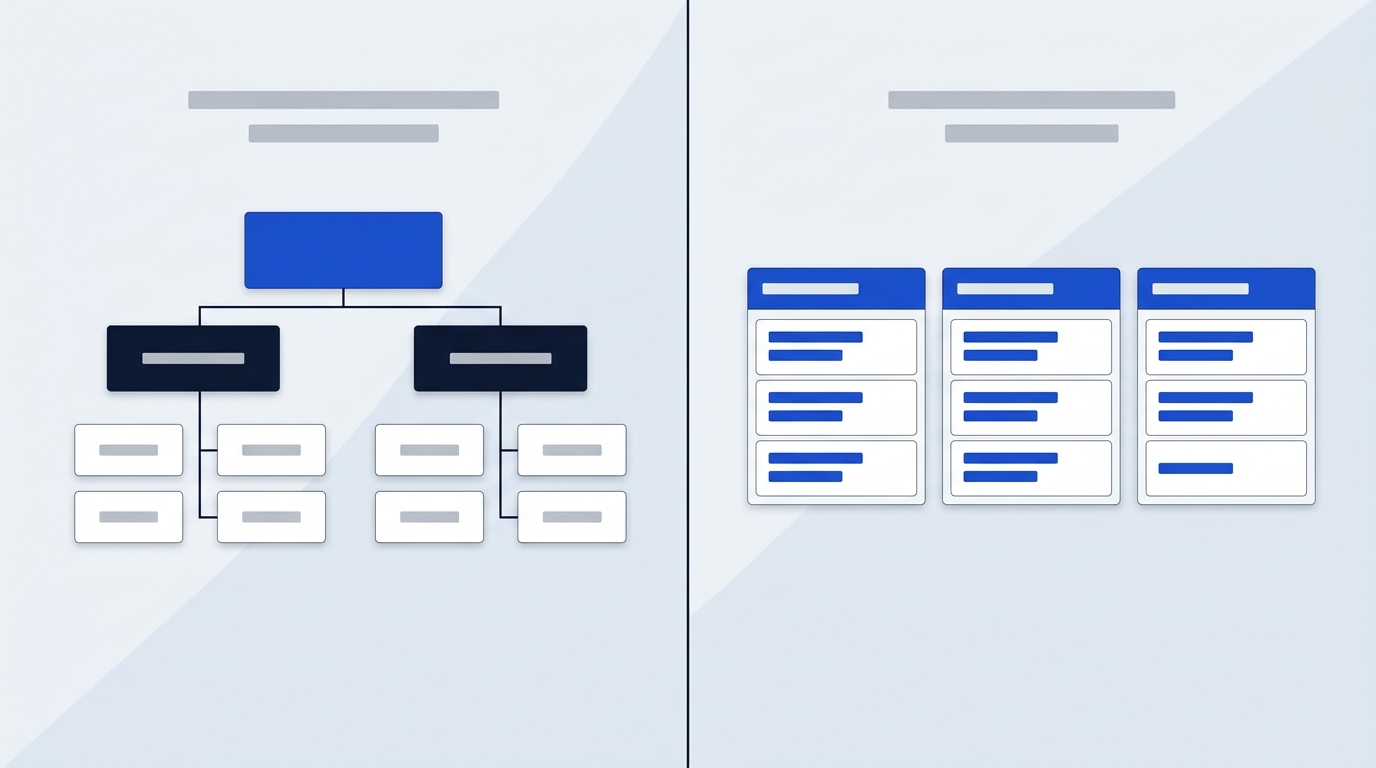
The core architectural difference lies in how they structure work. Jira uses a multi-level issue hierarchy: Epics break down into Stories or Tasks, which then contain Sub-tasks. This allows for detailed tracking and reporting across large projects. Trello, however, offers a visual sticky-note card structure, moving from Workspaces to Boards, then Lists, and finally Cards. It is much flatter, emphasizing quick visual updates.
Both tools benefit from the shared Atlassian ecosystem strengths. You get built-in automation rules, reliable mobile apps, and Atlassian Intelligence capabilities for smarter work. Their extensive app marketplaces also allow for significant customization and integration with other tools you use daily.
This guide evaluates each tool based on US$ per-user pricing before VAT, workspace user caps, and their ability to meet European data residency needs. Atlassian offers primary cloud data centers in Dublin, Ireland, and Frankfurt, Germany, which is a key consideration for EU organizations. We also look into their compliance frameworks like GDPR. Pricing and feature details come from official Atlassian Cloud documentation and verified pricing guidelines, checked October 2026.
| Feature | Trello | Jira |
|---|---|---|
| Best for | Visual, collaborative, low-ceremony work | Process-heavy, high-accountability work |
| Learning Curve | Gentle | Steeper |
| Work Hierarchy | Flat: board → list → card → checklist item | Built in: epic → story/task → sub-task |
| Free Plan Users | Up to 10 collaborators | Up to 10 users |
| Free Plan Storage | Unlimited cards, 10MB file cap | 2GB total cloud storage |
| Free Plan Automations | 250 command runs/month | 150 steps/month per site |
| Standard Plan (annual) | US$5/user/month | US$7.75/user/month |
| Premium Plan (annual) | US$10/user/month | US$15.25/user/month |
| EU Data Residency | EU (on Enterprise plans) | EU (on Enterprise plans) |
| GDPR DPA | Yes, with SCCs and BCRs | Yes, with SCCs and BCRs |
Jira's structured approach for complex workflows
Jira's strength lies in its ability to enforce structured workflows. If a task status change carries significant risk, like an unreviewed code deployment or a skipped compliance sign-off, Jira's conditional status transitions are invaluable. It allows you to define specific rules that must be met before an issue can move to the next stage. This level of control is essential for teams where process governance is critical.
For software teams, Jira offers out-of-the-box Scrum and Kanban boards. These come with integrated backlogs, story points, sprint planning, burndown charts, and velocity reports. It handles complex project dependencies and provides advanced filtering with Jira Query Language (JQL). This makes it possible to generate precise reports on project progress and team performance. Jira also integrates natively with developer tools like GitHub, Bitbucket, and GitLab, linking commits and pull requests directly to tickets.
Trello's visual simplicity for agile teams
Trello shines in its simplicity and visual appeal. It is designed for instant setup; you can create a board and start moving cards in about a minute. This low setup friction makes it highly accessible for non-technical stakeholders who need to update tasks without extensive training. Trello's visual interface is intuitive, making it a favorite for marketing campaign launches, hiring pipelines, and content calendars.
While Trello offers basic visual lists, its flexibility comes from Power-Ups and automation. You can extend its functionality for reporting, time tracking, or dependencies. Trello Premium also unlocks additional views like Timeline, Calendar, Table, Dashboard, and Map. Its mobile app is widely praised for being user-friendly, which is a significant advantage for teams needing on-the-go access. The free plan allows unlimited cards, which is generous for smaller teams.
When to pick Jira vs Trello
Choosing between Jira and Trello depends heavily on your team’s workflow, the complexity of your projects, and your need for process governance. Both tools are powerful, but they cater to different operational styles.
Trello for visual, low-ceremony collaboration
You should pick Trello if your team prioritizes visual collaboration, ease of use, and a low-ceremony approach to project management. Trello excels in scenarios where quick updates and transparent progress are more important than strict workflow enforcement. It is ideal for:
- Marketing campaign launches: Teams can visually map out campaign stages, assign content creation, and track approvals without complex configurations.
- Hiring pipelines: HR teams can move candidate cards through stages like 'Application Received', 'Interview Scheduled', and 'Offer Extended'.
- Content calendars: Editorial teams can plan, track, and manage content creation from idea to publication.
- Cross-functional teams: When non-technical stakeholders need to update cards without extensive training, Trello's intuitive interface reduces friction.
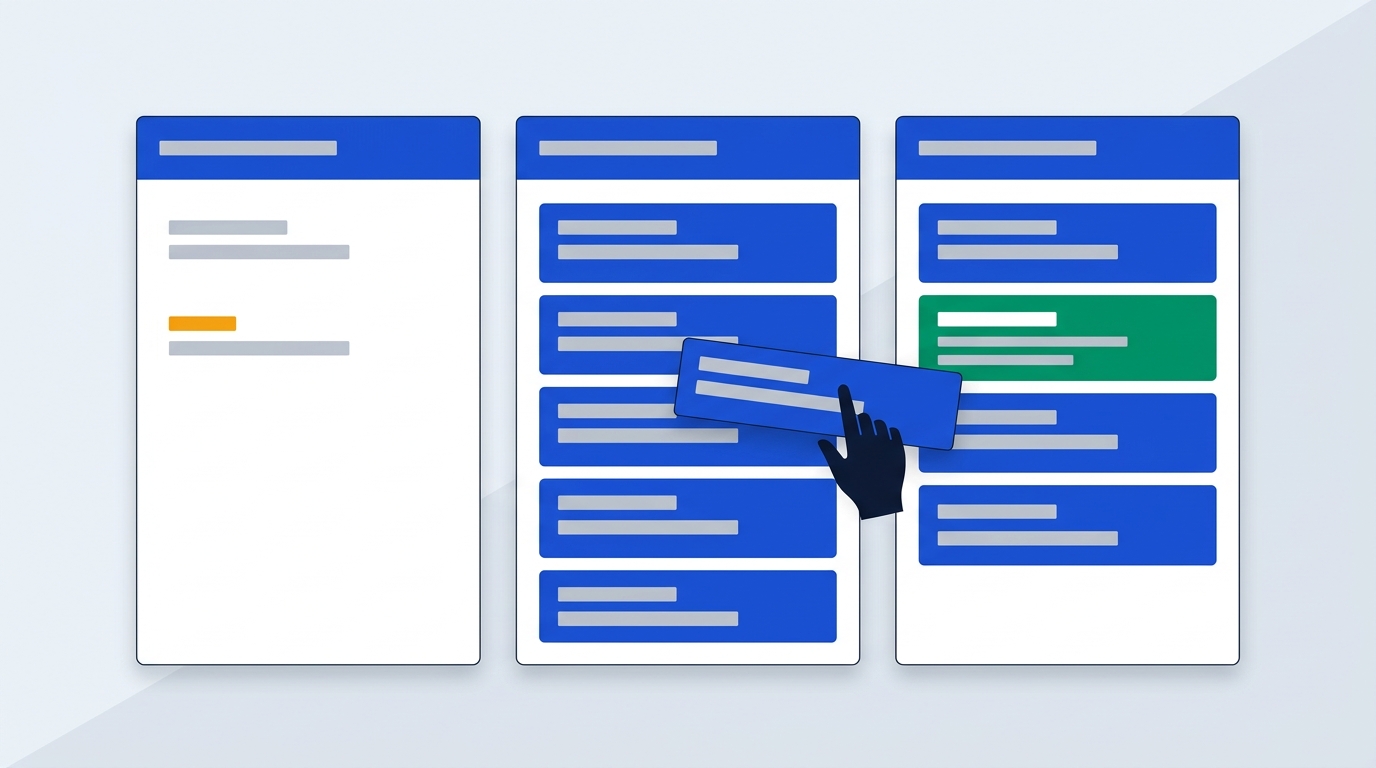
Trello's instant 60-second board creation means your team can start organizing work almost immediately. Its learning curve is gentle, making it easy for most people to grasp on day one. Cards move freely between columns, which fosters a flexible, adaptive work environment. This suits teams where collaboration is key and rigid processes might slow things down.
Trello's limitations
Despite its strengths, Trello has limitations that can become apparent as projects grow in complexity or require stricter control. For example, Trello offers limited process enforcement. Anyone can drag a card anywhere, which is a risk when strict approvals or sequential steps are required. Trello does not natively block status changes based on conditions. Its flat hierarchy means cards do not nest deeply. This can make tracking large projects challenging, often requiring multiple boards or heavy reliance on checklists.
Built-in reporting is limited to the Dashboard view on Premium plans. There is also no native way to define task dependencies (e.g., "this card can't start until that one's done") without a Power-Up. Furthermore, the free plan caps at 10 collaborators per workspace, and exceeding this limit makes boards read-only until an upgrade or user removal.
Jira for structured, high-accountability projects
Jira is the essential choice when an unapproved task status change could cause real financial or operational damage. This includes critical processes such as unreviewed code deployments, skipped compliance sign-offs, or complex product release cycles. Jira's configurable workflows enforce conditional status transitions, ensuring that necessary steps, approvals, or field completions occur before moving forward.
Jira is best suited for:
- Software development: Agile teams use Jira for Scrum and Kanban, managing backlogs, sprints, story points, and bug tracking.
- IT operations: Tracking incidents, service requests, and change management with defined approval flows.
- Product management: Building roadmaps, managing feature requests, and overseeing release processes with detailed hierarchy.
- Regulated industries: Where audit trails and strict adherence to processes are mandatory.
The setup for Jira is more involved, often requiring multi-week administrative configuration of custom fields, issue types, and permission schemes. This steeper learning curve pays off in strong process control and granular access management. If your team needs to control rather than just collaborate, Jira provides the necessary tools. This ensures accountability and prevents costly errors.
Jira's complexities
Jira's power comes with a steeper learning curve. Expect a few weeks before your team feels comfortable navigating its interface and terminology. Even a simple to-do list can take more setup than you might expect, as you need to define project types, workflows, and issue types. The interface can also feel cluttered with many buttons and options, which can be overwhelming for new users.
Cost is another factor, as Jira's paid plans typically start at a higher price point than Trello's. While Jira offers comprehensive dependency mapping within a single project, planning dependencies across multiple teams or projects often requires upgrading to Premium or adding a Marketplace app. For teams that simply need to move cards across three columns, Jira's extensive feature set can be overkill.
Team maturity and process governance
Consider your team's maturity and the level of process governance required. Trello is for low-ceremony visual collaboration. It empowers teams to self-organize and adapt quickly. Jira, conversely, enforces rigid, multi-step workflow enforcement. It is designed for environments where formal processes, auditability, and precise tracking are paramount.
Trello offers basic user roles, but Jira provides granular control over user permissions. This allows you to define who can view, edit, or transition specific types of issues. If your team needs more than just "view" or "edit" capabilities, Jira's extensive permission schemes become necessary. This distinction is crucial for scaling your project management strategy effectively.
Agile workflows and visual task tracking
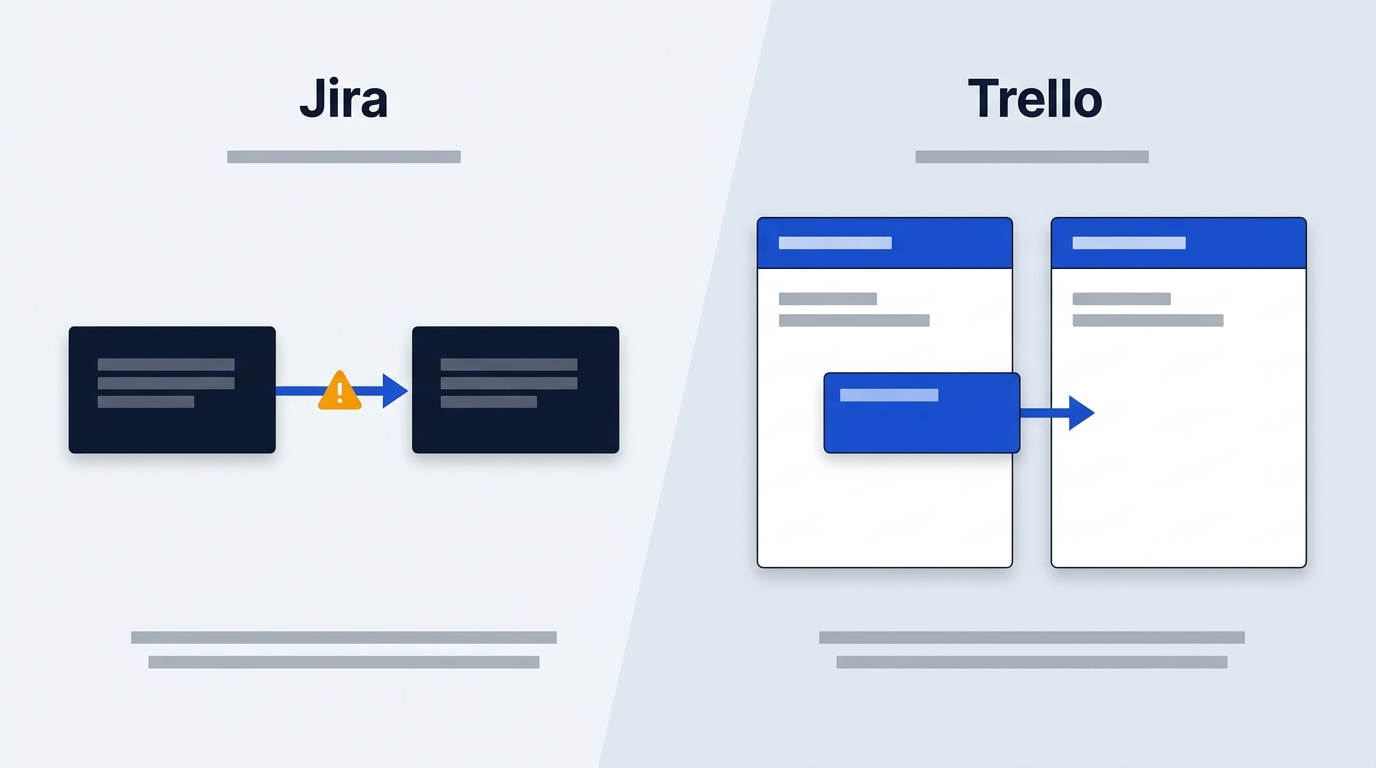
Both Jira and Trello support visual task tracking, but they approach Agile methodologies with different levels of built-in functionality and enforcement. Understanding these differences is key to choosing the right tool for your team's Agile practices.
Agile framework comparison
Jira is purpose-built for Agile software development. It offers out-of-the-box Scrum and Kanban boards with a comprehensive suite of features. These include integrated product backlogs, sprint planning tools, story points, and various Agile reports like burndown charts and velocity reports. This makes Jira an all-in-one solution for teams fully committed to Scrum, Kanban, or a hybrid Agile approach. It provides a structured environment for managing user stories, epics, and sub-tasks, ensuring that every piece of work fits into a larger project hierarchy.
Trello, while visual and flexible, offers basic visual lists. You can implement Kanban principles by creating "To Do," "Doing," and "Done" lists. However, any sprint structure, story points, or advanced Agile reporting must be built manually or through Power-Ups. Trello allows for a more informal, adaptable Kanban. It suits teams that need visual task tracking without the strictures of formal Agile ceremonies. The source for these features is official Atlassian features documentation and Zapier evaluation.
Workflow mechanics in practice
The practical difference in workflow mechanics is significant. In Trello, cards move freely between lists without restriction. Anyone can drag a card from one column to another. This flexibility is excellent for brainstorming, content creation, or simple project tracking where approvals are informal. It fosters a highly collaborative environment where friction is minimal.
Jira workflows, by contrast, enforce conditional status transitions. A ticket cannot move from "In Review" to "Done" unless specific fields are filled, or a manager provides a digital sign-off. This level of control is vital for processes where accountability, quality gates, and compliance are paramount. It ensures that every step is completed and documented. The source for these features is official Atlassian features documentation and Zapier evaluation.
Multi-view analysis
Both tools offer multiple ways to visualize your work. Trello Free and Standard plans primarily provide the Board view. Trello Premium unlocks additional views, including Timeline, Calendar, Table, Dashboard, and Map views. These views provide different perspectives on your cards, aiding in planning and reporting for more complex projects.
Jira, on the other hand, includes a wider array of views across all its plans, including Free. You get board, list, timeline, calendar, and summary views. These built-in views are designed to support various aspects of project management, from sprint tracking to long-term roadmapping. The timeline view, for example, helps visualize dependencies within a single project. The source for these features is official Atlassian features documentation and Zapier evaluation.
Advanced filtering and search
Jira's strength in managing complex data is evident in its advanced filtering capabilities. Jira Query Language (JQL) enables users to construct complex queries. You can find "every bug assigned to my team, created this sprint, still not in review" with a single line of code. These powerful filters can be saved and shared, or even displayed on custom dashboards. This allows for deep insights and precise reporting across large datasets.
Trello offers a simpler search bar and label filtering. While effective for everyday needs and smaller boards, it lacks the multi-attribute filtering depth of JQL. For most non-technical teams, Trello's filtering is sufficient, but for detailed data analysis or compliance reporting, Jira provides a more advanced solution. The source for these features is official Atlassian features documentation and Zapier evaluation.
Developer ecosystem integration
Jira's native developer ecosystem integration is a key differentiator. It includes a development panel that links GitHub, Bitbucket, and GitLab commits, branches, and pull requests directly to Jira tickets. This provides developers with a unified view of code changes associated with specific tasks, streamlining the development and review process. It ensures that all work, from initial idea to code deployment, is tracked within Jira.
Trello relies on Power-Up add-ons for similar integrations with developer tools. While Power-Ups can extend Trello's capabilities, they are not as deeply integrated or as comprehensive as Jira's native features. For software teams, Jira's built-in connections offer a more cohesive and efficient workflow. The source for these features is official Atlassian features documentation and Zapier evaluation.
Free plan limits and upgrade friction points
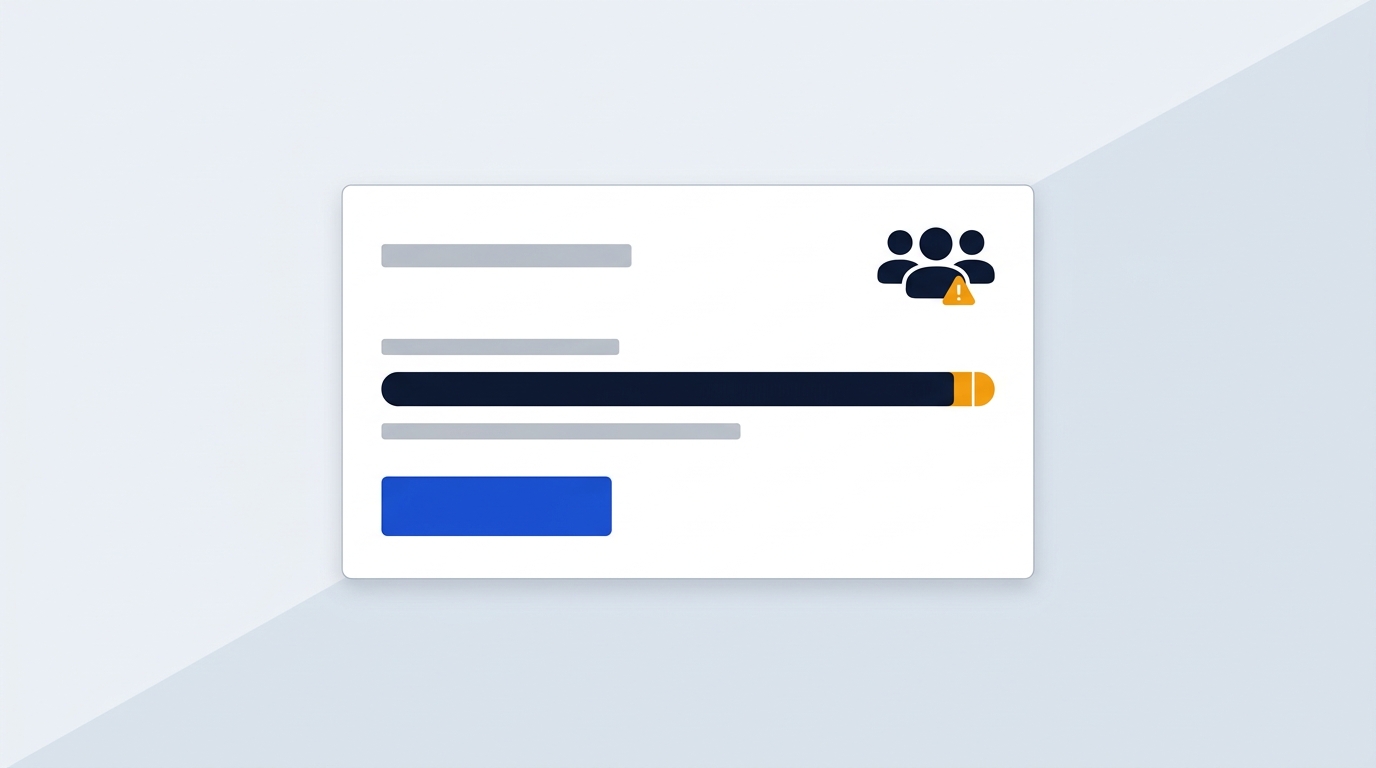
Both Jira and Trello offer free plans, which are excellent for small teams or individuals to get started. However, these plans come with specific limitations that can become friction points as your team grows or your needs evolve.
Trello free plan enforcement
The Trello Free plan is generous for small teams. It allows unlimited cards and offers 250 command runs per month for automation. However, it has a hard limit of 10 collaborators per workspace. If your team exceeds this number, your boards will automatically turn read-only. You must either upgrade to a paid plan or remove collaborators to regain editing access. This can be a significant friction point for growing teams. The free plan also caps file attachments at 10MB per file. This might limit teams dealing with larger assets or extensive documentation.
Jira free plan enforcement
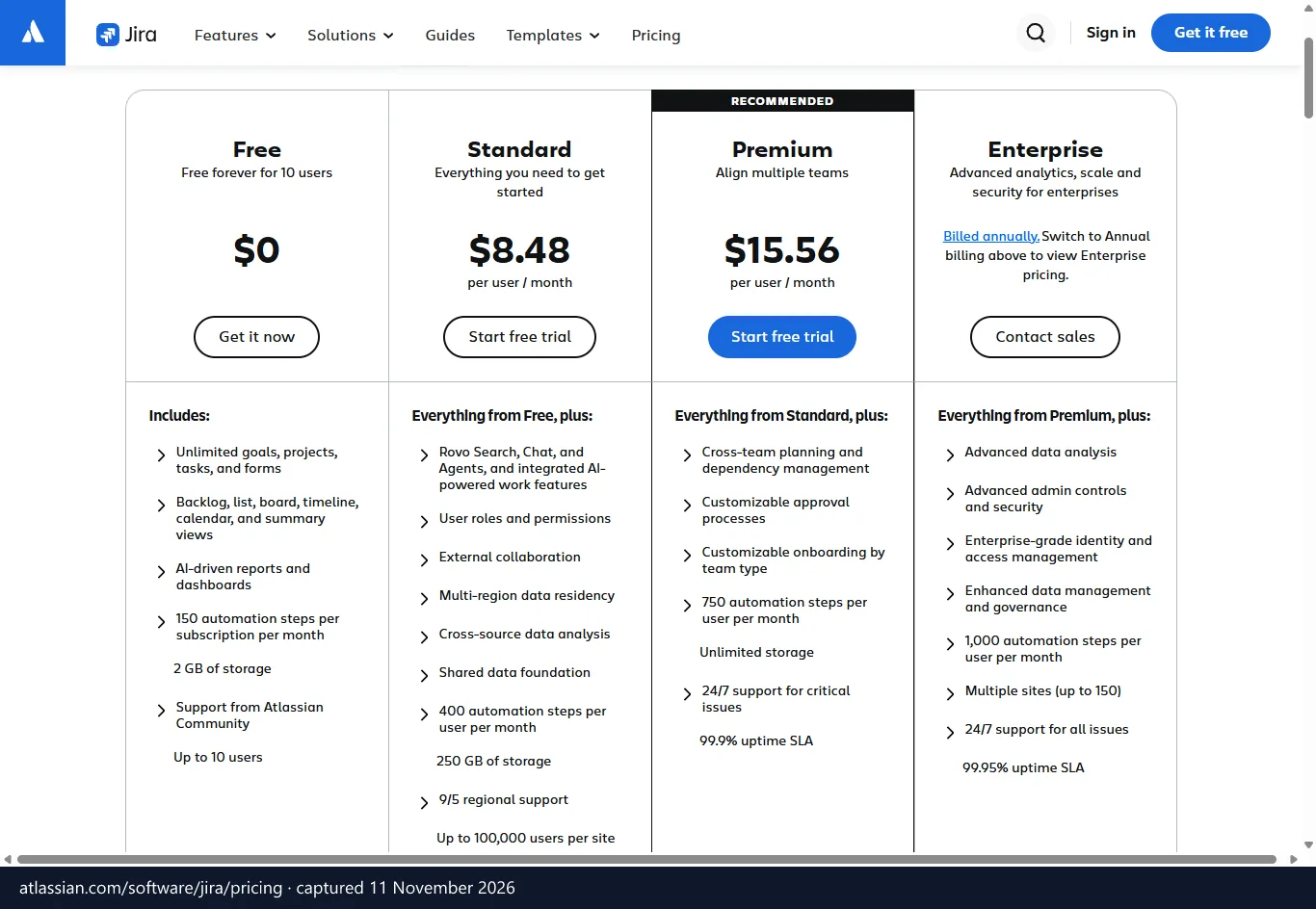
Jira's Free plan also supports up to 10 users. It provides Scrum and Kanban boards, backlog planning, and basic reporting. However, it comes with a strict 2GB total cloud storage limit. This can be quickly consumed by attachments, documentation, or code snippets, especially for software development teams. Exceeding this limit will require an upgrade. The free plan also offers community-only support, which means no direct access to Atlassian support staff for troubleshooting. Automation is limited to 150 steps per month per site.
Role and permission restrictions on free tiers
On Trello Free, all workspace members are granted full admin rights. This simplifies setup but lacks the granular control needed for larger organizations or sensitive projects. As your team grows, you might want to restrict who can change board settings or delete cards. Trello Premium adds observer roles and more detailed admin controls. Enterprise plans provide organization-wide permissions.
Jira Free also makes all users global admins, and you cannot customize permissions. This means everyone has broad access to project settings and configurations. For teams that need strict access control, user roles, and project-specific permissions, an upgrade to Jira Standard or Premium is necessary. This is a critical consideration for compliance and security.
Automation step allocations
Automation can significantly boost productivity in both tools. Trello Free provides 250 command runs per month. This is enough for basic automations like moving cards, setting due dates, or assigning members based on list changes. If your team relies heavily on automated workflows, you will quickly hit this limit. Trello Standard increases this to 1,000 runs, and Premium offers unlimited runs.
Jira Free offers 150 automation steps per month per site. This is a lower allocation than Trello's free plan. For complex workflows involving multiple triggers, conditions, and actions, this limit can be restrictive. Jira Standard, Premium, and Enterprise plans offer higher automation step allocations per user, scaling with your team's needs.
Jira vs Trello pricing for European teams
When choosing between Jira and Trello, pricing is a major factor for European teams. Both tools offer free plans and tiered subscriptions, with per-user pricing before VAT. Here’s a detailed comparison of their costs in US$, Checked October 2026.
Trello plan pricing
Trello offers three main tiers beyond its Free plan:
- This tier removes the 10-collaborator limit per workspace, increases file attachment size to 250MB, and provides 1,000 automation command runs per month. AI features are available from the Standard plan upwards.
- Premium unlocks advanced features like Timeline, Calendar, Table, Dashboard, and Map views, along with unlimited automation command runs.
- Enterprise: Pricing is available upon contacting sales, offering enhanced security, admin controls, and organization-wide features.
Jira plan pricing
Jira also has three main tiers:
- Standard: Priced at US$8.15/user/month when billed monthly, or US$7.75/user/month when billed annually. This tier includes granular user roles, project permissions, 250GB file storage, audit logs, and business hours support. AI features like Rovo (search, chat, agents) are available on all paid plans.
- Premium: Costs US$16.00/user/month when billed monthly, or US$15.25/user/month when billed annually. Premium offers advanced roadmaps across teams, capacity planning, unlimited storage, 24/7 premium support, and a 99.9% uptime SLA.
- Enterprise: Pricing is available upon contacting sales, with features like unlimited sites, 99.95% uptime SLA, and centralized user management via Atlassian Access.
Comprehensive total cost comparison table (before VAT)
Here’s a breakdown of the monthly costs for Trello and Jira across different team sizes, based on annual billing to show the best value:
As you can see, Trello consistently offers a lower price point compared to Jira at every tier and team size. This difference becomes more significant as your team grows.
For larger teams, Jira's per-seat pricing sometimes includes volume discounts, but the base per-user cost remains higher than Trello's. If budget is a primary concern and your team doesn't require Jira's advanced Agile features or strict workflow enforcement, Trello offers better value. For a wider comparison of various SaaS tools, you can compare prices side by side on our site.
Connecting Jira and Trello across teams
For many European businesses, the choice isn't necessarily Jira or Trello, but rather how to use them together. Both tools, being part of the Atlassian family, offer integrations that allow for strategic coexistence, leveraging each tool's strengths. This approach can bridge the gap between technical and non-technical departments.
Strategic coexistence framework
A common strategy is to use Trello for initial idea generation, content planning, and marketing boards. These are areas where visual simplicity and quick collaboration are paramount. Once ideas are refined and approved, they can transition into Jira for formal software delivery, bug tracking, or complex project management. This allows marketing and operations teams to work in their preferred visual environment, while engineering teams benefit from Jira's structured Agile tracking.
For example, a marketing team might plan a campaign on a Trello board, moving cards from "Brainstorming" to "Content Creation" to "Approved." Once a piece of content is approved for development (e.g., a new landing page), a corresponding task or story can be created in Jira for the engineering team to build. This ensures a smooth handover without requiring all team members to be proficient in both tools.
Integration method 1: Atlassian Smart Links
One way to connect the two tools is through Atlassian Smart Links. This feature allows you to display rich Jira ticket previews directly within Trello card descriptions or comments. When you paste a Jira URL into a Trello card, it automatically transforms into a Smart Link. You can then choose from inline, card, or embedded view layouts.
This means a marketing team in Trello can quickly see the status of a linked Jira ticket without leaving their board. They can track the progress of a feature build or a bug fix that impacts their campaign. It provides context and keeps everyone informed across different platforms. This reduces the need for constant context-switching and manual updates.
Integration method 2: Jira lists in Trello
A more direct integration method involves setting up Jira lists in Trello. This feature allows you to sync live Jira tasks directly into Trello lists. You can configure these lists to auto-populate based on specific Jira project and task filters, using JQL (Jira Query Language). For instance, you could have a Trello list that displays all "In Progress" tasks from a specific Jira project.
This is particularly useful for individual contributors who manage their daily tasks in Trello but need to stay updated on team project deliverables in Jira. They can manage their personal workflow in Trello while seeing relevant Jira tasks appear automatically, without having to manually check Jira. Changes made in Jira will reflect in the Trello list, maintaining synchronization.
Avoiding duplicate seat licenses
A key benefit of strategic coexistence is avoiding duplicate seat licenses. You can configure cross-departmental workflows where non-technical users interact exclusively in Trello, while technical leads and developers maintain ownership of tasks in Jira. This means not everyone needs a Jira license, optimizing costs. For example, a content manager only needs a Trello license, even if their work eventually triggers a Jira task for a developer who has a Jira license.
This approach allows each team to use the tool best suited for their specific needs and expertise. It minimizes the learning curve and administrative overhead for users who don't require the full complexity of Jira. This leads to more efficient resource allocation across your organization.
Cross-tool operations setup
You can build initial approval steps on Trello boards and automatically trigger Jira execution pipelines. For example, once a Trello card representing a new feature request moves to an "Approved by Product" list, an automation rule can trigger the creation of a new Epic in Jira. This Epic could then automatically assign a project lead and send notifications via Slack or Microsoft Teams. This creates a smooth flow from high-level planning to detailed execution.
This setup ensures that critical work is captured and managed in the appropriate system from the outset. It provides clear handoff points between teams and maintains visibility across the entire project lifecycle. This hybrid approach allows European businesses to harness the best of both Jira and Trello, tailoring their use to specific departmental requirements.
European data residency and GDPR compliance
For European businesses, data residency and GDPR compliance are critical considerations when choosing SaaS tools. Atlassian, as a global vendor, provides strong provisions for its cloud offerings, including both Jira and Trello.
Atlassian Cloud infrastructure and EU data residency availability
Atlassian understands the importance of data localization for European organizations. It offers primary cloud data centers hosted within the European Union. Specifically, you can choose to host your data in Dublin, Ireland, or Frankfurt, Germany. This allows European businesses to keep their data physically located within the EU, which can simplify compliance with local regulations and internal policies.
Data residency options are typically available for Atlassian Cloud Enterprise plans. For Standard and Premium plans, data is generally hosted in global regions, but Atlassian maintains strong compliance frameworks for all its cloud offerings. It is always advisable to confirm the specific data residency options available for your chosen plan directly with Atlassian.
GDPR compliance and legal safety provisions
Atlassian is committed to GDPR compliance across all its cloud products, including Jira and Trello. To demonstrate this commitment, Atlassian provides a Data Processing Addendum (DPA) that incorporates Standard Contractual Clauses (SCCs). These SCCs are approved by the European Commission for international data transfers, ensuring legal safeguards for data moved outside the EU.
Furthermore, Atlassian has adopted Binding Corporate Rules (BCRs), which are a rigorous framework for international data transfers within multinational companies. Atlassian also holds key certifications such as ISO 27001 and SOC 2 Type II. These certifications validate its adherence to international standards for information security management and data protection, offering peace of mind to European customers. You can learn more about Data Processing Addendum GDPR requirements on our blog.
Tax regulations for EU buyers
When purchasing Jira or Trello, prices are typically displayed in US$ before VAT. For businesses registered for VAT within the European Union, the VAT reverse charge mechanism applies. This means you do not pay VAT to Atlassian directly. Instead, you provide your valid VIES VAT number during checkout, and you self-account for the VAT in your own country. This simplifies cross-border transactions within the EU.
The reverse charge ensures that VAT is accounted for by the recipient business in their member state, rather than by the supplier. This is a standard practice for B2B digital services within the EU. It is important to ensure your VAT number is correct and valid to benefit from this mechanism. For a comprehensive overview, read our VAT Reverse Charge Mechanism Guide.
Tax regulations for UK buyers
The United Kingdom is no longer part of the European Union. Therefore, UK VAT-registered businesses utilize a separate domestic reverse charge rule. This is governed by HMRC VAT Notice 741A, rather than the EU VIES mechanisms. Similar to the EU reverse charge, UK businesses providing a valid VAT registration number will typically not be charged VAT by Atlassian. They will instead apply the domestic reverse charge rules themselves.
It is crucial for UK businesses to understand that this mechanism operates independently from the EU system. Always consult the latest HMRC guidance or a tax professional for specific advice on VAT obligations. This ensures compliance with UK tax laws.
Enterprise governance features
For larger European enterprises, Atlassian offers advanced governance features through Atlassian Access and Enterprise plans. These include admin sandboxes, which allow administrators to test configurations without impacting live environments. Release tracks give control over when new features are rolled out to your instance. Centralized user provisioning via Atlassian Access simplifies identity management and ensures consistent security policies across all Atlassian products used by your organization. These features are essential for maintaining control and compliance in complex enterprise environments.
Top European and modern enterprise alternatives
While Jira and Trello are powerful, other tools offer compelling alternatives, especially for European teams seeking different pricing structures, feature sets, or data residency options. Here are a few notable alternatives to consider, with pricing and details checked October 2026. This data comes from official vendor pricing pages and SaaSEuro's verified catalog.
Linear
Linear is purpose-built for fast software tracking. It focuses on speed and efficiency for engineering teams. Its interface is clean, making it popular with developers who find Jira too complex. Linear offers a Free plan for up to 250 active issues with unlimited members, making it a strong contender for small development teams. The Standard tier costs US$8/user/month when billed annually (or US$10/month monthly).
Linear's focus is on streamlining engineering workflows, offering features like issue imports/exports and GitHub/Slack integrations. While its primary cloud hosting is in the US, it offers an EU data residency option on its Enterprise plan. Compared to Jira, Linear has a much gentler learning curve and a more modern, intuitive UI, but it lacks Jira's extensive reporting and complex workflow enforcement. It is priced in US$.
Monday.com
Monday.com is a versatile multi-view project hub, suitable for a wide range of teams beyond just software development. It offers a highly visual and customizable platform with various views like Kanban, Gantt, and Calendar. Monday.com has a Free tier for up to 2 seats, which is useful for very small teams or individuals. The Standard tier is €12/user/month when billed annually (or €14/month monthly), including timeline and calendar views, and 250 automation actions/month.
Monday.com's strength lies in its flexibility and ease of use for cross-functional teams, similar to Trello but with more advanced project management features. It offers EU data residency in AWS Frankfurt on its Enterprise plan. Its pricing is in Euros, which can be a benefit for European businesses for budgeting. It provides more advanced reporting and customizability than Trello's base plans, but it doesn't match Jira's deep Agile feature set.
ClickUp
ClickUp is a feature-dense work workspace designed to be an all-in-one productivity platform. It offers a vast array of views, integrations, and customization options. ClickUp provides a Free Forever tier with 100MB storage, unlimited tasks, and unlimited members, making it very attractive for individuals and small teams. The Unlimited tier is US$7/user/month when billed annually (or US$10/month monthly), including unlimited storage, Gantt charts, and native time tracking.
ClickUp aims to replace multiple tools with its comprehensive feature set, including native time tracking, goals, and advanced automations. It supports EU data residency in AWS Ireland/Frankfurt on its Enterprise plan. ClickUp offers more features and customization than Trello, and can be configured to mimic some of Jira's Agile capabilities, though its complexity can lead to a steeper learning curve. Its pricing is in US$.
Sources and how this was compiled
Compiled by the SaaSEuro team from the vendors' official documentation; we have not hands-on tested these products. Facts last checked in October 2026.
Source: official vendor pages, checked October 2026.
Frequently asked questions
Is Jira or Trello cheaper for a European team?
Trello is cheaper per user on the paid tiers. Standard costs US$5 per user per month on annual billing against US$7.75 for Jira, and Premium is US$10 against US$15.25 (prices before VAT).
How many users can use the free plans?
Trello's free plan covers up to 10 collaborators per workspace, and going over that limit makes boards read-only until you upgrade or remove users. Jira's free plan covers up to 10 users.
Do Jira and Trello offer EU data residency?
Both list EU data residency on Enterprise plans. Atlassian's primary cloud data centers are in Dublin, Ireland, and Frankfurt, Germany.
Do both tools offer a GDPR data processing agreement?
Yes, the comparison table shows a GDPR DPA for both Trello and Jira, with SCCs and BCRs.
Which tool suits a software team and which suits a marketing team?
Jira suits software development, IT operations and product management teams that need strict approvals, backlogs and developer tool integrations. Trello suits marketing, HR and content teams that want visual, low-ceremony Kanban boards.
Which tool should you pick
Your choice between Jira and Trello hinges on your team's specific needs and operational style. If your team prioritizes instant setup, visual drag-and-drop simplicity, and low-ceremony collaboration, especially across non-technical departments, then Trello is your go-to. It's perfect for quickly organizing tasks and fostering fluid teamwork.
Conversely, if your software, operations, or product teams require strict workflow governance, native Agile frameworks, detailed release tracking, and powerful JQL reporting, then Jira is the clear choice. It provides the control and depth necessary for complex, high-accountability projects.
For many organizations, a hybrid approach makes the most sense. Deploy Trello Standard for marketing and operations teams, while utilizing Jira Standard for engineering. You can connect these workflows via Atlassian Smart Links, ensuring smooth information flow without forcing everyone into a single tool.
To make an informed decision, start with the free plans of both tools. Then, review the verified pricing and deals available on SaaSEuro before finalizing your team's deployment strategy. This will help you find the best fit for your budget and workflow.