


Compare Linear vs Jira on pricing, features, and speed. Learn whether your team needs Linear's developer focus or Jira's enterprise governance.
Stay on Jira if marketing, legal or IT work in the same system as your developers. Switch to Linear if one engineering team wants speed and almost no admin. That is the short answer to linear vs jira, and the sections below show where each tool starts to strain.
Linear vs Jira at a Glance
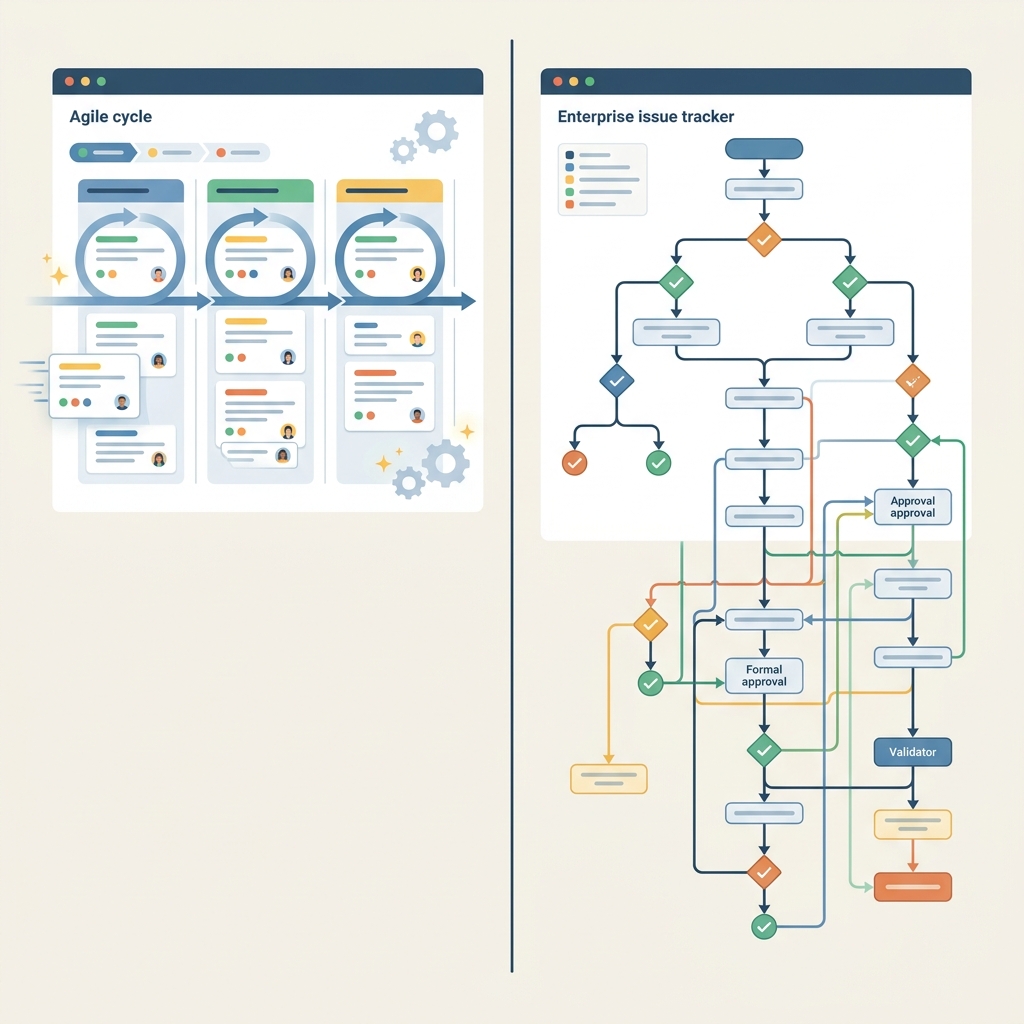
TL;DR. Each tool suits a different kind of organisation.
- Linear suits engineering teams that want an opinionated tracker, sub-100-millisecond response times and little maintenance. It does not suit multi-department companies that need strict approval gates or native time tracking.
- Jira suits cross-functional organisations, platform teams and enterprise IT that need flexible governance and portfolio reporting. It does not suit a lean squad that wants to be running today without an administrator.
The market is moving, though. According to Bloomberry's May 2026 analysis, Linear won 1,351 new companies between February and April 2026, against 1,524 for Jira. Sacra reports that Linear crossed US$100 million in annual recurring revenue in July 2026. Jira is still far bigger, with 300,000+ customers on Atlassian's count against Linear's 40,000+ companies.
The deeper contrast is architectural. Linear builds in cycles and keyboard-first navigation, so you adapt to it. Jira is an open platform with Jira Query Language (JQL) and custom workflow validators, so it adapts to you, at the price of more setup.
How to Choose Between Both Tools
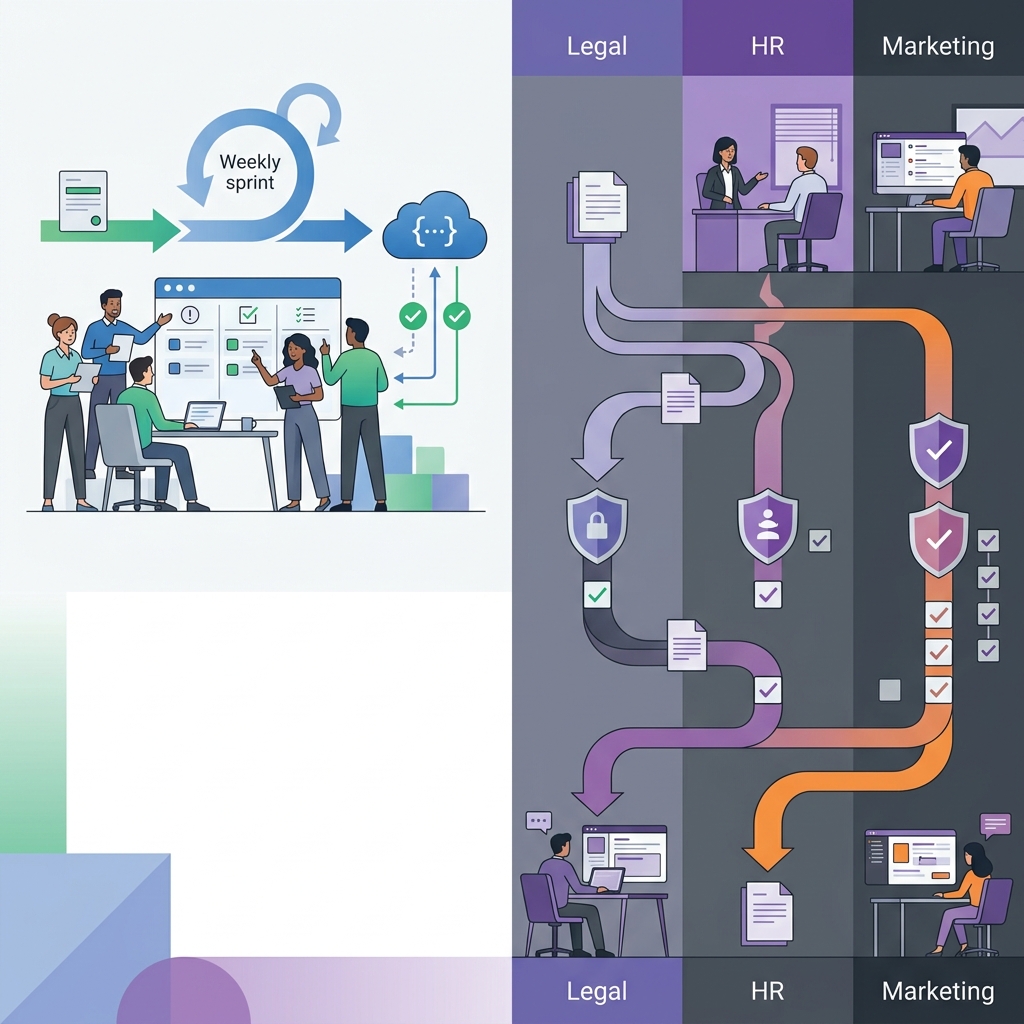
Choose by who will use the tool every day, not by feature count. Picture a 15-person product team shipping weekly. Now picture a 400-person company where legal and HR also need ticket queues. Those two companies should land on different tools.
Choose Linear if
- Your main users are software engineers and product managers who value execution speed, keyboard shortcuts and Git-connected cycles over administrative overhead.
- You want roadmaps, customer requests and issue triage to work together out of the box, without building schemes or maintaining custom fields.
- One team, or a handful of teams, will run everything. Atlassian itself concedes that Linear is quick to stand up for a single team.
Choose Jira if
- Non-technical teams such as marketing, HR, legal and finance must work in the same platform as development.
- Your process needs built-in time logging, multi-step transition conditions or separate permission schemes per project.
- You must connect to legacy enterprise systems, where the Marketplace breadth matters.
Now the migration reality. Nuclino notes that Jira lets teams create custom workflows, issue types and fields, while Linear takes a simpler, more opinionated approach. So if your Jira setup leans on bespoke issue types and long status diagrams, expect to redesign them rather than copy them across. Linear's plan table lists import and export on every tier, but the redesign is your job.
The sources for this section are Tech Insider's April 2026 comparison, Nuclino's review and Atlassian's comparison page.
Daily Workflow and Issue Tracking Compared
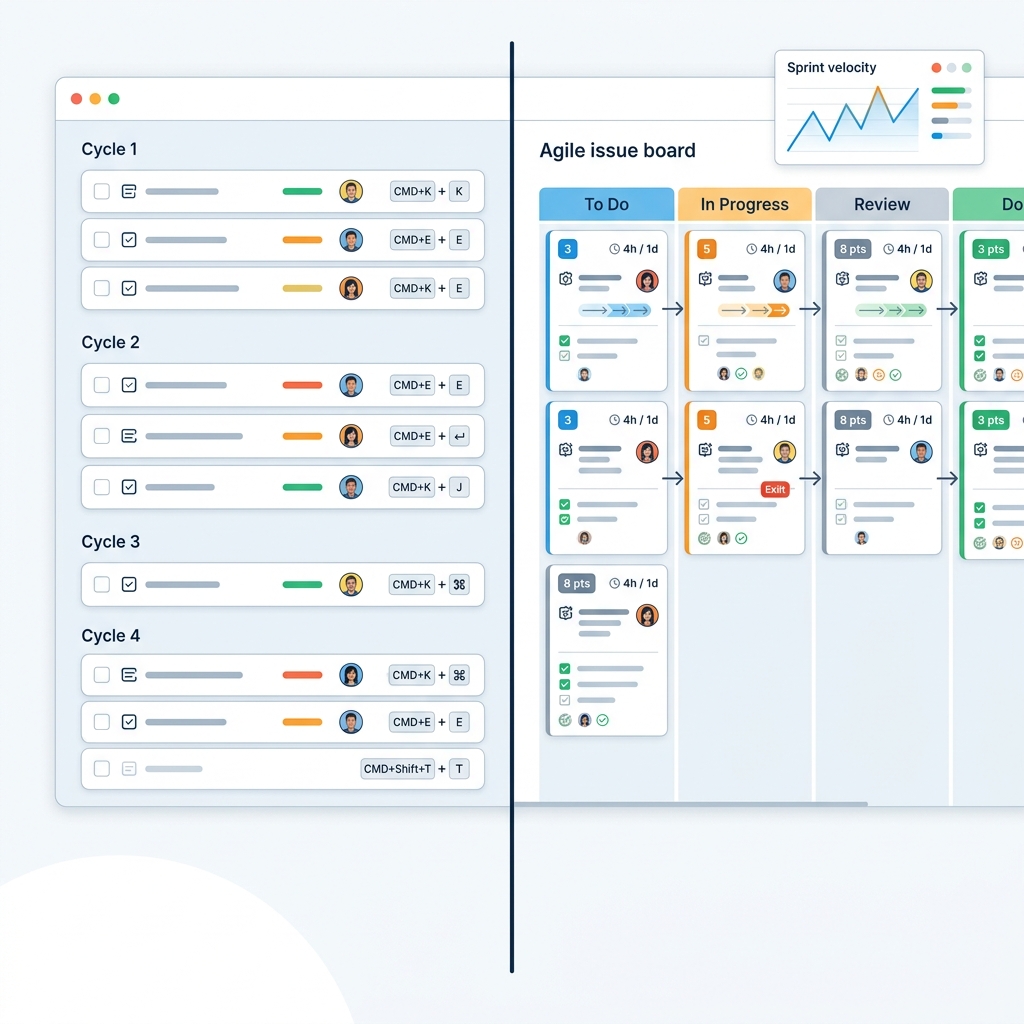
In daily use, Linear is the faster and narrower tool, and Jira is the broader and heavier one. Tech Insider's 2026 comparison cites sub-100-millisecond response times and a keyboard-first interface for Linear, which fits how developers already work in an editor. Nuclino adds that Jira's many customisation options give it a steeper learning curve.
Sprints, cycles and estimation
Linear lists cycles, projects and initiatives as core features on every plan. Jira supports Scrum, Kanban and hybrid setups, and an Atlassian customer quote on the comparison page points to its estimation and workflow management as the reason they returned after trying another vendor for six months. If your team estimates in story points and reviews velocity by ritual, Jira maps onto that directly. If you would rather let work flow through time-boxed cycles, Linear asks less of you.
Customisation versus structure
Jira's workflow engine supports conditions and validators, and teams can add as many custom fields as they like. Linear allows customisable statuses per team but nothing like that engine. That limit stops workflow sprawl, but it also stops you from encoding a compliance process in the tracker.
Time tracking and roadmaps
Jira has built-in time tracking and logging. Linear has none, so you need a third-party integration if finance wants timesheets. On roadmaps, Jira keeps basic views on its lower tiers and puts Advanced Roadmaps on Premium and above. Linear offers project and roadmap views, and its Business plan adds Insights, Asks and Linear Insights reporting.
Tech Insider's comparison table covers the time tracking, roadmap and workflow details above.
AI Capabilities and Integration Ecosystem
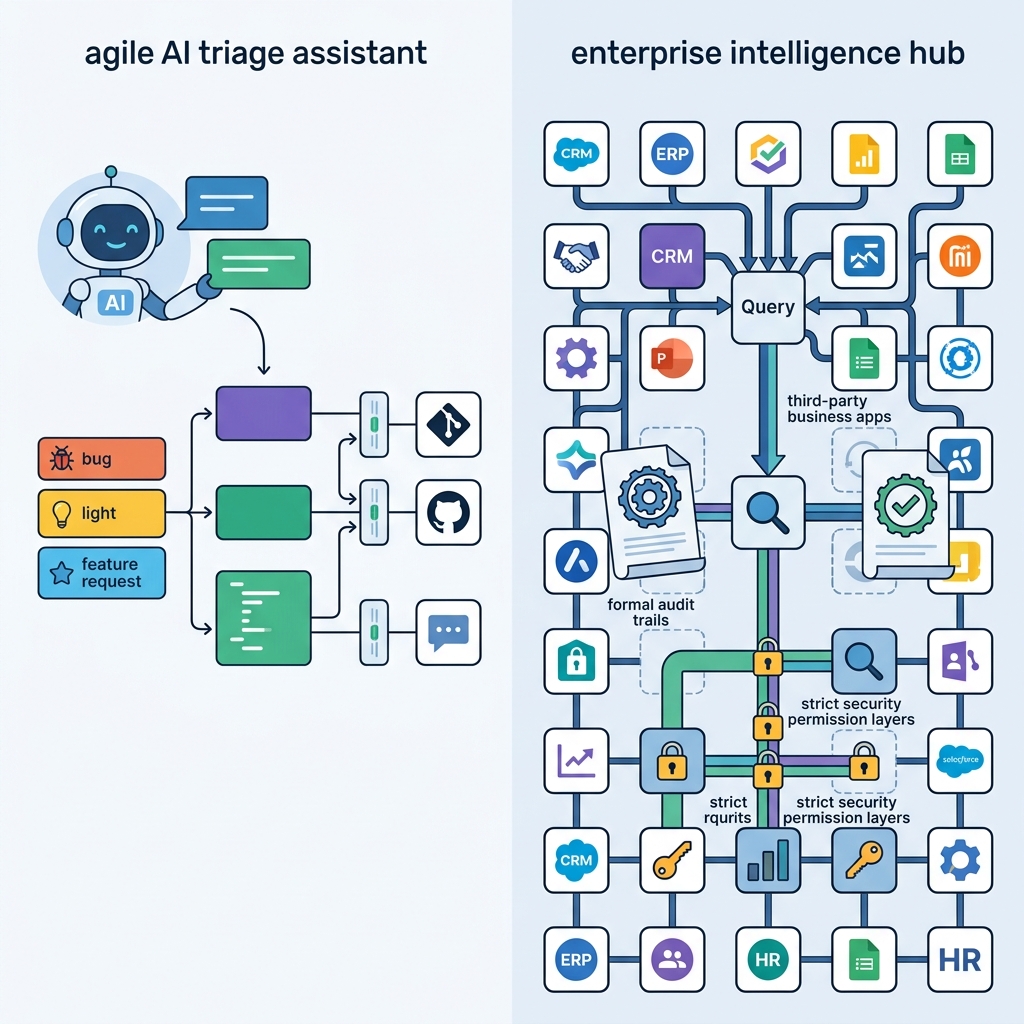
Both tools now ship AI, but they aim it at different jobs. Linear uses it to sort and move issues. Jira uses it to pull context from a wider set of company tools.
On the Linear side, Tech Insider lists AI Triage, auto-categorisation and Linear Agent in beta. Linear's pricing page puts MCP access and an agent platform on every plan, including Free. Triage Intelligence and Code Intelligence sit on Business, and coding sessions and Loops need AI credits.
On the Jira side, Atlassian Intelligence generates JQL from plain language and summarises long threads. Rovo works across Confluence, Jira and third-party tools. Atlassian says you can assign a work item to Claude, Cursor, Codex, GitHub Copilot or its native coding agent. It also lists required reviewers, audit trails and branch protections tied to your permission model, which matters if auditors ask who approved an agent's change.
Integrations and customer intake
Tech Insider counts 6,000+ Marketplace apps for Jira and about 50 native integrations for Linear, covering GitHub, GitLab, Slack, Figma and Sentry. If your stack is mainstream, the smaller list may be enough. If you need to reach Salesforce, SAP or an industry-specific tool, Jira's breadth is hard to match.
For support intake, Linear Business includes Linear Asks (Slack, email and web forms) plus Zendesk and Intercom integrations. A Salesforce integration costs extra. Without a Business plan, you route support requests by hand.
Sources: Linear's pricing page and Atlassian's comparison page, with Tech Insider's April 2026 data for the integration counts.
Linear vs Jira Pricing and Limits
Jira's Standard tier is cheaper per seat, while Linear's tiers are simpler to read. Prices below are before VAT. Linear is in US$ and billed yearly.
| Tier | Linear | Jira |
|---|---|---|
| Free | Unlimited members, 2 teams, 250 issues | Up to 10 users, 2 GB storage |
| Entry paid | Basic, US$10 per user/month: 5 teams, unlimited issues | Standard, US$7.91 per user/month: 250 GB storage |
| Upper paid | Business, US$16 per user/month: unlimited teams, private teams, guests, Triage Intelligence | Premium, US$14.54 per user/month: unlimited storage, 99.9% uptime SLA, Advanced Roadmaps |
| Enterprise | Custom, annual billing only: SAML, SCIM, invoice/PO billing | Custom |
Source: Linear's pricing page, checked October 2026, for the Linear column; Tech Insider's April 2026 pricing data for the Jira column. Our verification process explains how we handle these checks.
Watch the free plans. Linear's 250-issue ceiling is a hard stop, and Tech Insider reads it as something a serious project outgrows within weeks. Jira's Free plan stops at 10 users instead.
Recent price moves
The Jira Guy reported that Atlassian raised Jira Standard by 5% in October 2025 and Data Center by 15% in February 2026. Comparedge's data shows Linear's paid tiers rising from US$8 and US$14 to the current US$10 and US$16. A Jira pricing tracker adds that Jira list prices switch on 13 October 2026, and that Rovo credits and Automation steps create usage costs beyond seats.
Startups get one real concession. Atlassian for Startups gives eligible companies up to 50 seats free for 12 months. Linear instead offers its permanent free tier, with the issue cap.
Compliance Data Security and European Procurement
Both vendors cover the basics, and Jira goes further on certifications. According to Tech Insider's comparison table, Linear lists SOC 2 Type II and GDPR. Jira lists SOC 2 Type II, GDPR, ISO 27001, HIPAA and FedRAMP on its Enterprise tier. Linear's pricing page also shows HIPAA compliance in the security rows of its plan table, next to SAML and SCIM.
Atlassian's comparison page adds data residency and bring-your-own-key encryption to its enterprise compliance list. That page is Atlassian's own positioning, so treat it as a claim of what the platform offers rather than a neutral rating. If your legal team requires encryption keys under your control, it is a point in Jira's favour.
For purchasing, Linear's Enterprise tier supports invoice and PO billing, which finance teams often require. It is also annual billing only, so a short pilot is better started on Basic or Business, which are billed yearly too, but cost far less.
Finally, think about who will run the tool. Linear's Basic plan adds admin roles, and its Business plan adds private teams and guests. Jira's flexibility means someone has to own the permission model, because broad configuration brings real upkeep.