















European teams, choose wisely: compare monday vs Asana pricing, automation, and EU data residency to find your ideal project management solution.
TL;DR: Who should pick which tool?
monday.com suits: Creative teams, sales operations, and small-to-medium businesses that need a flexible Work OS with highly visual, color-coded boards. It is ideal if you want to build custom workflows like CRMs or event trackers using 14+ column types, 50+ dashboard widgets, and customizable board templates. monday.com's visual nature and extensive customization options make it perfect for teams that thrive on adapting their tools to unique processes.
monday.com does not suit: Organizations that require multi-homing tasks across multiple projects, native organization-wide goal tracking (OKRs) without complex custom setups, or native direct messaging within the project management app. Teams prioritizing a minimalist interface or direct 1-on-1 chats within the platform might find it less suitable.
Asana suits: Cross-functional teams, marketing operations, and growing enterprises that manage complex projects with interdepartmental dependencies. It excels if you need tasks to live in multiple projects simultaneously (multi-homing), structured OKR goal tracking, persistent AI agents powered by a Work Graph, and access to over 400 native integrations. Asana's structured approach ensures clarity and alignment across large-scale initiatives.
Asana does not suit: Teams seeking budget-friendly pricing in Euros for small teams, highly flexible visual field customization (such as rating stars or custom buttons), or flat-rate seat scaling for solo users. Those who prefer a highly visual, drag-and-drop interface for every element might also prefer monday.com.
How monday.com and Asana compare
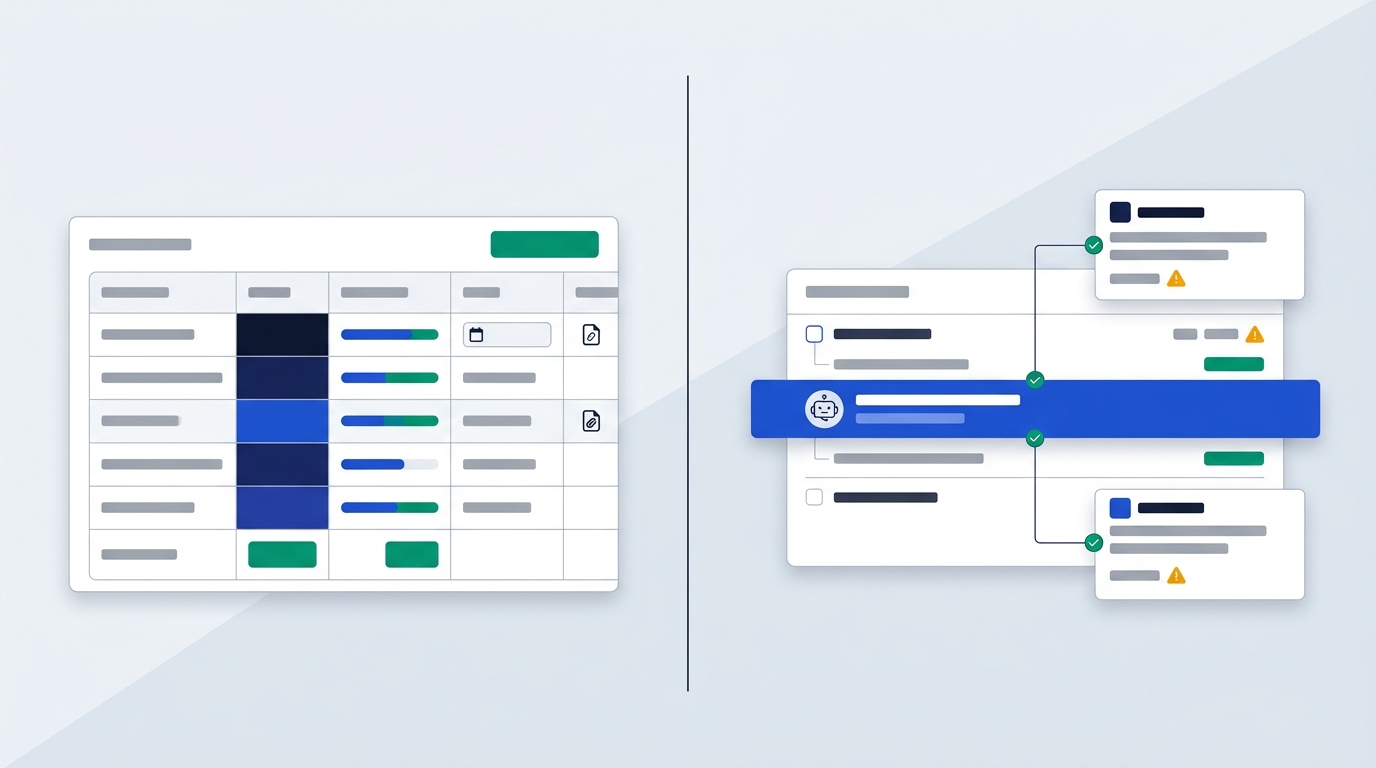
Deciding between monday.com and Asana for your European team involves understanding their core differences. monday.com suits teams needing a flexible Work OS with customizable boards and visual tracking for diverse uses, from marketing campaigns to event planning. Asana is better for complex, cross-departmental projects with structured goal tracking and streamlined, process-driven workflows, ensuring every task aligns with strategic objectives.
This guide compares their pricing, automation, AI capabilities, GDPR compliance, and data residency. It aims to help you find the ideal project management solution without unexpected seat tiers or compliance issues. Every figure, plan limit, and compliance detail in this comparison comes directly from official vendor documentation and verified platform data, ensuring accuracy for your decision-making.
Which Project Tool Is Right for You?
monday.com suits teams needing a flexible Work OS, customizable boards, and granular dashboard widgets. It excels at visual project tracking and versatile use cases. Asana is better for complex, cross-departmental projects with multi-homing tasks, structured goal tracking, and process-driven workflows. It emphasizes clear, scalable project management, ensuring consistency as your team grows.
Choose monday.com if your team values high customization, a vibrant interface, and the ability to build diverse work applications beyond traditional project management. You can adapt it to fit sales pipelines, marketing campaigns, or even HR processes. This gives your team complete freedom to turn board rows into custom items with specialized data types. This flexibility is key for teams whose needs evolve rapidly or have highly specific tracking requirements. For a deeper dive into its offerings, you can visit our verified monday.com page.
Pick Asana if your projects demand a strong structure, extensive automation, precise goal tracking, and a straightforward approach to managing work across many teams. It helps ensure everyone stays aligned on company objectives, from individual tasks to company-wide OKRs. When your design, legal, and marketing teams need to work on the same task without creating duplicate entries, Asana delivers the necessary underlying framework through its Work Graph architecture, promoting a single source of truth. Learn more about its features and pricing on our dedicated Asana page.
Which platform fits your business scenario
To help you evaluate your options, consider these common business scenarios:
- Scenario A: High-growth digital agency running client pipelines. If you need to customize status columns, track budgets, add star ratings to creative assets, and build visual dashboards with 50+ widgets for client review, monday.com provides the necessary flexibility. Its rich customization allows you to create a bespoke CRM or project tracker that perfectly matches your agency's unique client management process, making visual progress clear and actionable.
- Scenario B: Enterprise cross-functional product launch. If a single launch task must appear in the Product roadmap, Marketing calendar, and Legal review board simultaneously without creating multiple copies, Asana's multi-homing architecture handles this natively. This ensures that all relevant stakeholders across departments have real-time visibility and updates on that task from their preferred project view, eliminating silos and reducing communication overhead.
- Scenario C: Operations team automating multi-step tasks across tools. If you need natural-language AI prompts to build automated rules that connect Slack, Salesforce, and internal project boards, Asana AI Studio handles these multi-step workflows smoothly. Its sophisticated automation builder can orchestrate complex sequences, saving significant manual effort and ensuring consistent execution across integrated platforms.
The Good vs The Bad: monday.com
The Good: monday.com offers exceptional visual customization with 14+ custom column types, 15+ board views (including Map and Pivot charts), and 50+ dashboard reporting widgets. Its flexible Work OS structure and lower starting price points in Euros for small teams are also beneficial. This allows teams to precisely tailor their workspace to unique needs, from tracking sales leads with custom rating columns to visualizing global projects on a map. (Source: monday.com pricing page, checked November 2026)
What are their main strengths and weaknesses
The Bad: The platform has a stee. Automation limits are tied to fixed seat blocks, and AI credit limits reset or require additional purchases on lower tiers. The visual density can be overwhelming for new users, and the lack of in-app direct messaging might fragment team communication across multiple tools.
The Good vs The Bad: Asana
The Good: Asana features a powerful Work Graph architecture supporting task multi-homing across projects and native organization-wide goal tracking (OKRs). It boasts 400+ native integrations and persistent AI Teammates with shared memory. Its transparent per-tier automation quotas are also a plus. These features ensure smooth cross-functional collaboration and clear strategic alignment, making it easier to manage complex, interconnected projects at scale.
The Bad: Asana has higher entry pricing for paid tiers ($10.99/user/month Starter billed annually) and offers less board-level field customization than monday.com. It lacks native rating or custom button column types. Teams requiring niche visual field types or a highly budget-conscious entry point for very small teams might find these aspects less appealing.
monday vs Asana: Key Differences
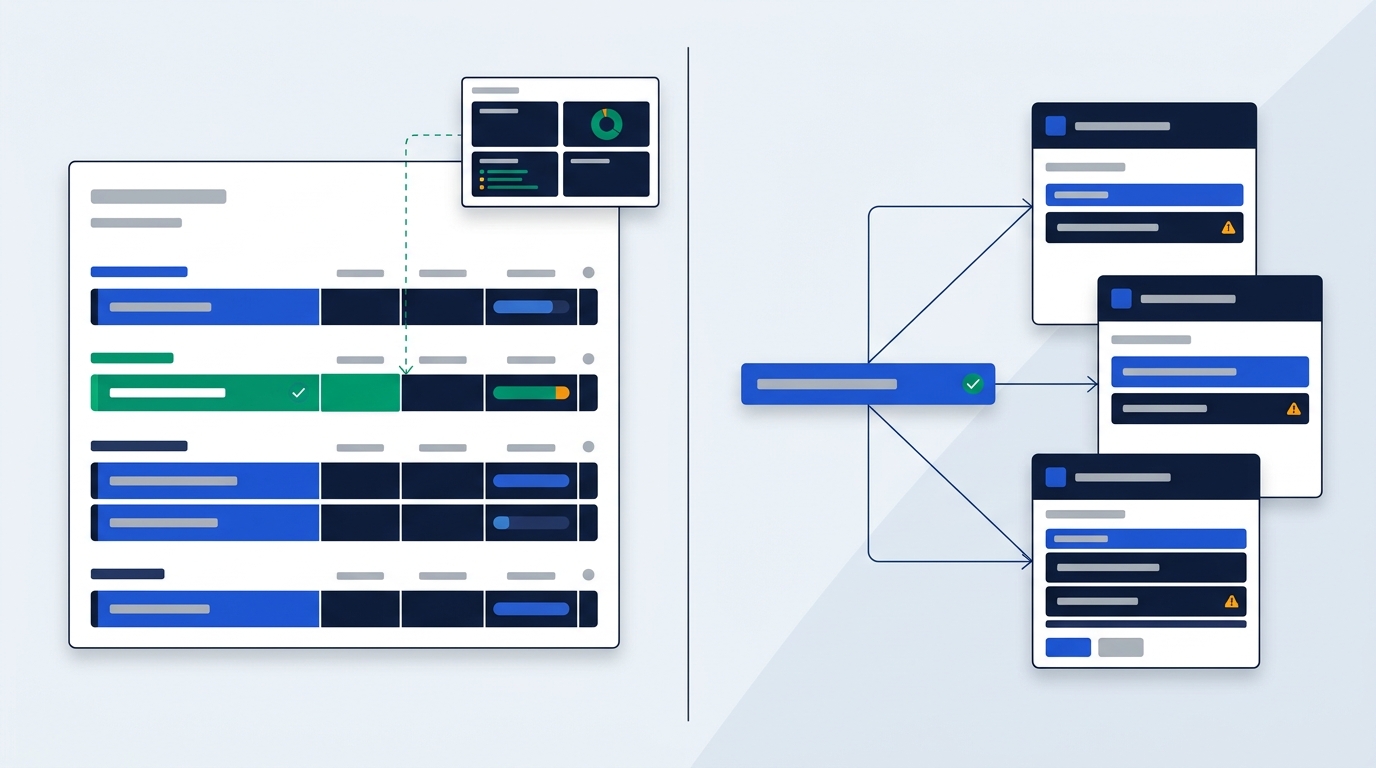
monday.com and Asana both offer powerful project management features, but they approach work organization differently. monday.com operates as a 'Work OS' with a flexible board-and-column model. This allows for deep customization across various workflows, such as CRM or marketing campaigns. The platform is built to adapt to almost any business process you can imagine, giving teams the freedom to design their ideal workspace.
Asana, on the other hand, uses a 'Work Graph' architecture. This focuses on connecting tasks, projects, and goals across departments. Features like multi-homing tasks allow a single task to exist in multiple projects, providing cross-team visibility without duplication. This structured approach ensures every piece of work links back to a broader objective, fostering organizational alignment and accountability.
Understanding this structural difference is critical for long-term scalability. On monday.com, an item belongs primarily to one board; linking it across boards requires dashboard rollups or workflow connections. In Asana, a single task can live in up to dozens of projects simultaneously. When a designer marks a task as complete in their personal project board, it updates instantly in the master launch project and the client deliverable board, ensuring real-time consistency and reducing manual updates.
User Interface and Learning Curve
monday.com's user interface is known for its visual appeal, color-coding, and extensive drag-and-drop customization options. It presents a lot of information at once, which can lead to a stee. However, for those who invest the time, it offers a rewarding level of control and personalization. The vibrant design helps make complex data feel more engaging, which can be particularly beneficial for creative or visually-oriented teams.
Asana provides a cleaner, more minimalist interface that prioritizes clear task organization and process-driven workflows. This makes it intuitive for quick adoption, especially for new users who prefer a straightforward layout. Its focus is on efficient navigation and clarity, allowing teams to get started quickly with minimal training. This simplicity helps reduce cognitive load, making it easier for users to focus on their assigned tasks and deadlines.
When setting up an editorial calendar or project planner, the onboarding process reflects these design choices:
- On monday.com: You start by choosing from over 200 templates or creating a blank board. You then build out columns using the Column Center, assigning field types like Person, Date, Status, Priority, or File. You can apply conditional color-coding to highlight overdue items and configure split-screen task views to see updates on the right and details on the left. This deep customization is important for teams needing to track highly specific metrics or visual cues for project health.
- On Asana: You pick a project template or start from scratch, instantly selecting a default view like List or Board. You add tasks, set assignees and due dates, and add custom fields like Priority or Stage. You can then multi-home the task into other relevant projects using the project field menu. This structured approach ensures consistency across projects and helps maintain a clear hierarchy of work, which is vital for large, interconnected teams.
Project Views and Customization
Both platforms offer multiple ways to visualize your projects. monday.com provides a vast selection of over 15 views, including unique options like Map, Chart, and Pivot Boards. This flexibility allows teams to see their data from many angles, catering to different preferences and reporting needs. For instance, the Map view is invaluable for geographically dispersed teams tracking field operations, while Pivot Boards aid in advanced data analysis and resource allocation.
Asana gives you a versatile set of core views to help you manage your work effectively. These include List, Board, Timeline, Gantt, Workload, Dashboard, and Calendar. While perhaps fewer in number than monday.com, these views are highly functional and designed for clarity and efficiency in project tracking. They provide all the essential perspectives for project oversight, focusing on core project management methodologies without overwhelming users with too many options.
Customization extends heavily into field types. The table below illustrates how custom fields compare between the two tools:
| Field / Feature Type | monday.com | Asana |
|---|---|---|
| Text & Number Columns | Yes | Yes |
| Single & Multi-Select Dropdowns | Yes | Yes |
| Date & Person Assignee | Yes | Yes |
| Checkbox & Files | Yes | Files via attachments |
| Rating & Color Picker Columns | Yes | No |
| Action Buttons in Board | Yes | No |
| Multi-Homing Tasks | No | Yes |
| Organization OKR Goals | No (Milestones only) | Yes |
monday.com's unique field types like 'Rating' or 'Color Picker' are particularly valuable for creative teams needing to assess designs or sales teams tracking lead quality visually. The 'Action Buttons' allow for quick, contextual triggers directly from the board, streamlining repetitive actions. Asana's focus on essential field types, combined with its multi-homing capability, supports a more standardized yet interconnected approach to task management across an entire organization.
Pricing and Value for Money
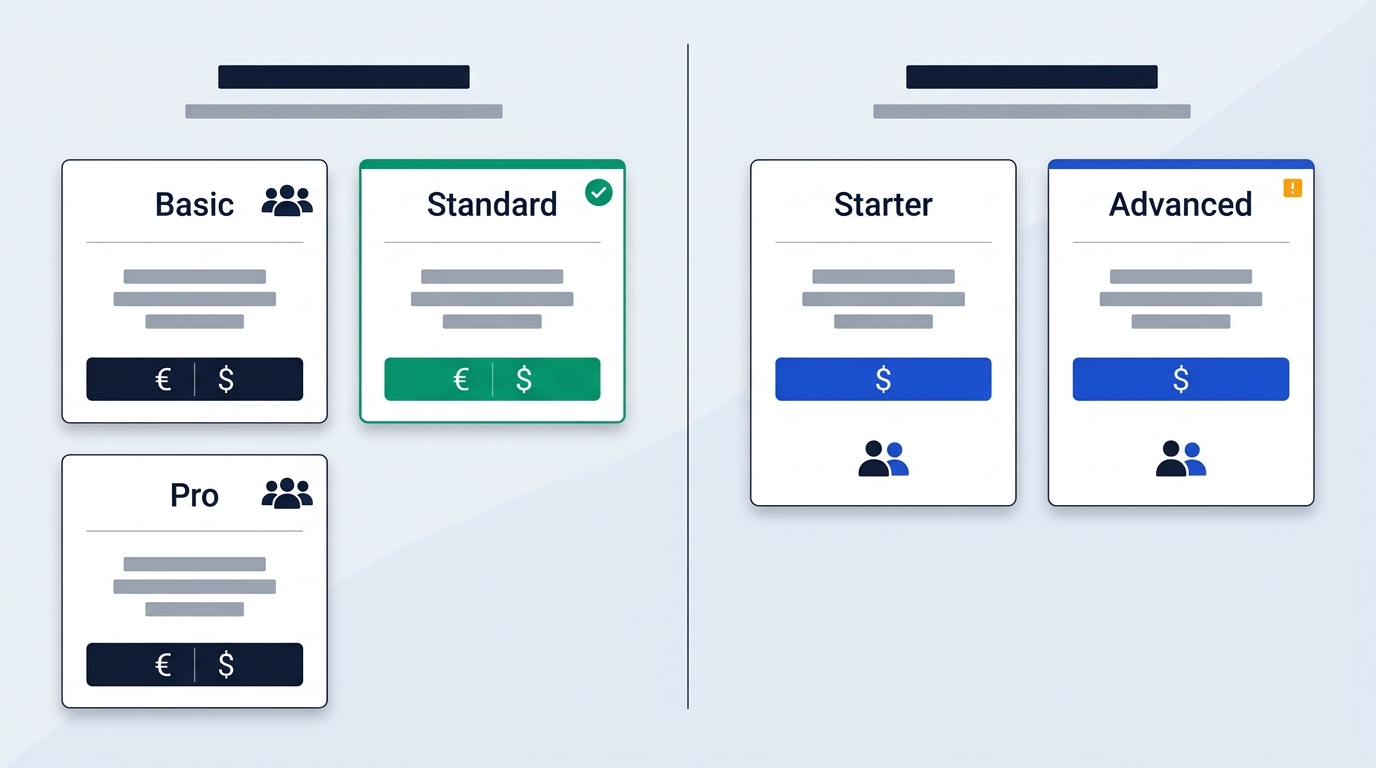
Understanding the pricing structure is crucial for any European business. Both monday.com and Asana offer free plans and tiered paid subscriptions, but their models differ in important ways that impact overall cost and scalability.
monday.com offers a Free plan for up to 2 seats, allowing you to use up to 3 boards and 3 Docs. Beyond that, paid plans include Basic, Standard, Pro, and Enterprise. Paid plans start from a minimum of 3 seats when purchasing through standard seat blocks. This means solo users or two-person teams cannot access paid features without buying a minimum 3-seat package.
Asana offers a Personal free plan for up to 2 users, which includes basic features and 100+ integrations. Its paid tiers are Starter, Advanced, and Enterprise plans. Paid plans require a minimum of 2 users. This makes Asana slightly more accessible for two-person teams looking to upgrade to advanced functionalities without needing to add an extra, unused seat.
Here's a breakdown of their standard annual pricing for core plans, billed yearly:
| Plan Tier | monday.com (per seat/month, billed annually) | Asana (per user/month, billed annually) |
|---|---|---|
| Free / Personal | Free (up to 2 seats, 3 boards) | Free (up to 2 users) |
| Basic / Starter | €9 / $9 (Basic plan) | $10.99 (Starter plan) |
| Standard | €12 / $12 (Standard plan) | N/A (Included in Starter/Advanced spectrum) |
| Pro / Advanced | €19 / $19 (Pro plan) | $24.99 (Advanced plan) |
| Enterprise | Custom quote | Custom quote |
monday.com's pricing shows both USD and EUR options for its paid plans, offering flexibility depending on your billing preference. Asana's pricing is listed officially in USD. These prices are before VAT. You can compare more SaaS prices side-by-side on our comparison page.
Seat Tiers and Scaling
monday.com's seat pack purchase model means you buy seats in predetermined blocks (such as 3, 5, 10, 15, 20 seats). This can sometimes lead to unused seats if your team size fluctuates slightly outside these blocks. A small team growing from 6 to 7 members might need to jump from a 5-seat block to a 10-seat block, incurring costs for 3 unused seats. This model is best suited for teams with stable headcounts or those planning for significant growth within a specific block.
Asana's per-seat scaling generally allows for more granular adjustment to your team size, charging per active user tier starting at a 2-user minimum. This can provide a more cost-effective solution for teams with fluctuating member counts, as you do not step into larger seat buckets as abruptly. This flexibility is ideal for agile teams or startups whose headcount might change frequently, ensuring they only pay for what they actively use.
Concrete European Cost Comparison (Annual, Billed Yearly)
Let's look at the annual cost for different team sizes, based on yearly billing for better value. These figures are before VAT.
For a 3-person team:
For a three-person team needing standard board management, monday.com Basic offers a lower entry price point in Euros, making it budget-friendly for core task management. Asana Starter, while slightly higher in USD, brings advanced automations and a wider integration ecosystem from the outset.
For a 5-person team:
For a five-person team, monday.com Basic remains the lower numerical option in Euros. Asana Starter provides access to custom rules, workflow builders, and 100+ native integrations, offering more advanced features for a slightly higher investment.
For a 10-person team:
How their pricing and plans compare
These comparisons highlight that monday.com's Basic and Standard plans, when billed annually in Euros, present a competitive cash-outlay alternative for small teams with core project management needs. Asana's higher price point reflects its extensive automation, AI, and integration capabilities.
Automation and AI Capabilities
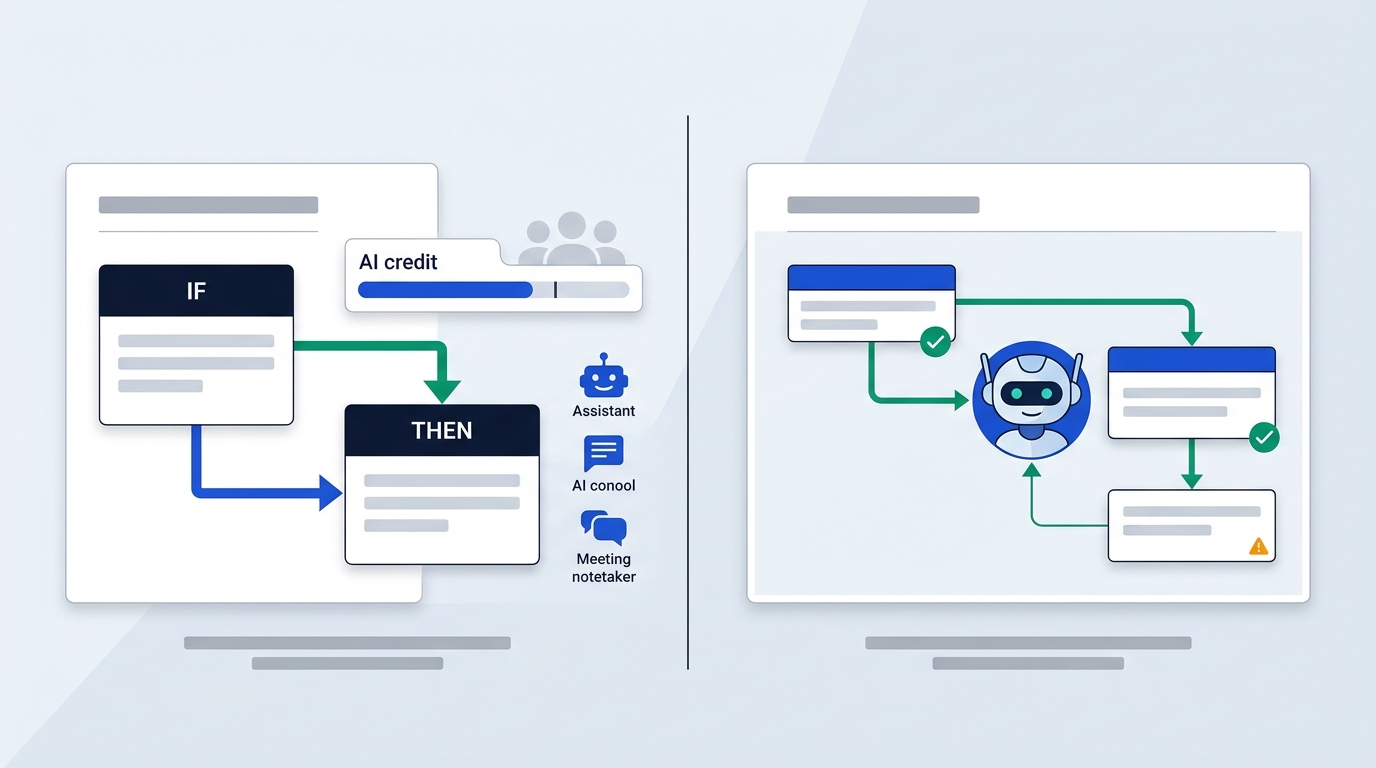
Both monday.com and Asana integrate automation and AI to streamline workflows, but they do so with different philosophies and feature sets. Understanding these differences is key to choosing the tool that best supports your team's operational efficiency.
monday.com provides 'if-this-then-that' automations, allowing you to set up simple rules to handle repetitive tasks. The Basic plan includes zero automation actions, meaning teams on this tier must perform all tasks manually. With the Standard plan, you get 250 automation actions per month and 250 integration actions per month. The Pro plan jumps to 25,000 automation actions per month and 25,000 integration actions per month. On Enterprise, this scales up to 250,000 actions. monday.com caps automations by seat block tier, meaning your monthly action limit is fixed per plan level regardless of individual user usage. This can make forecasting automation usage challenging for rapidly scaling teams, as reaching a limit might force an upgrade for the entire seat block rather than just increasing individual user capacity.
Asana offers multi-step workflow automation, particularly through its AI Studio and flowchart-style automation rule builder. The Starter plan provides 250 automation actions per month, while the Advanced plan provides 25,000 actions per month. Asana's automation limits are specific and published per tier, ensuring transparency on usage and upgrade paths. This makes it easier to predict and manage your automation needs across growing departments, as the limits scale predictably with your plan, providing a clearer path for capacity planning.
AI Features and Usage
monday.com includes AI features starting from its Basic plan, using a credit-based consumption model:
- Basic Plan: Includes 1,000 AI credits/month and 3 AI tools (limited AI agent workforce, Sidekick AI assistant, Vibe app builder). These tools offer basic assistance for tasks and app creation.
- Standard Plan: Includes 2,000 AI credits/month and 5 AI tools (adds AI meeting notetaker, AI columns). The meeting notetaker can significantly save time by summarizing discussions, while AI columns automate data processing within boards.
- Pro Plan: Includes 3,000 AI credits/month and 6 AI tools (adds AI workflow builder). This allows for more sophisticated, AI-driven process automation across the platform.
- Enterprise Plan: Includes custom AI credits matched to actual team usage, providing tailored capacity for large organizations.
If your team needs more AI operations on monday.com, additional credits can be purchased. Note that monday.com's AI agents reset context between sessions, meaning they don't retain memory across interactions, and agent actions are attributed to human user accounts in audit logs, which might reduce direct AI accountability.
Asana's AI Teammates leverage its Work Graph architecture to understand project goals, task connections, and dependencies from day one. Key characteristics of Asana AI include:
- Persistent Shared Memory: Asana AI Teammates build shared memory that compounds across your whole team, rather than resetting between sessions. This allows the AI to learn and improve its assistance over time, becoming more effective and context-aware.
- Auditability: Every AI action is visible and logged directly in your activity stream as an AI teammate, ensuring clear accountability and transparency in automated processes. This is crucial for compliance and understanding how AI influences project outcomes.
- Unlimited Standard AI Actions: Most core AI features (Smart Goals, Smart Chat, Smart Summaries, Smart Projects, Smart Fields, Smart Editor) offer unlimited usage on paid plans, with published usage quotas applied specifically to AI Studio workflows. This provides predictability and ensures teams can leverage AI extensively without worrying about credit limits for common tasks.
For European teams that also rely heavily on dedicated meeting capture tools alongside project management software, you can learn more about specialized AI assistants on our verified page for Jamie.
Project Management Features
When you look at core project management functionality, both monday.com and Asana provide comprehensive toolsets. They prioritize different aspects of task and project organization. Your choice will depend on whether your team values granular visual customization or structured, interconnected workflows.
monday.com offers a vast selection of over 14 custom column types for boards. This enables highly granular data tracking, with unique options like 'world clock', 'rating', 'progress bar', 'color picker', or 'button' columns. This level of customization lets you tailor your boards precisely to your project's specific data needs, which is invaluable for creative teams tracking design feedback or sales teams managing lead scoring visually.
Asana focuses on reusable custom fields and templates to maintain consistency across projects. This allows teams to personalize task tracking efficiently while ensuring a standardized approach. You can easily apply predefined fields across different projects without rebuilding board structures from scratch, promoting efficiency and reducing setup time for new initiatives across departments.
Planning and Tracking
monday.com supports milestones, subtasks, task dependencies, and timeline views on its Standard plan and above. Native time tracking is available on the Pro plan (€19/seat/month), alongside advanced board views (chart, graph, diagram) and formula columns for complex calculations across board data. This makes it a strong choice for teams needing detailed control over individual tasks and visual reporting on project progress.
Asana features built-in, organization-wide goal tracking (OKRs). This allows teams to measure progress and success against clear targets and strategic objectives, linking individual tasks and portfolios directly to top-level company goals. This direct link ensures that every team member understands how their daily tasks contribute to broader company objectives, fostering alignment and transparent progress measurement. Time tracking is built into Asana's Advanced plan ($24.99/user/month).
Collaboration and Reporting
For collaboration, monday.com integrates comments and file sharing directly within task items. It also offers 'monday workdocs' for real-time collaboration on shared documents embedded within boards, providing a dedicated space for content creation and co-editing. However, it lacks a native direct messaging system between individual users, requiring teams to rely on external communication tools like Slack or Microsoft Teams for private 1-on-1 chats, which can fragment communication across platforms.
Asana centralizes communication with task comments, file attachments, a centralized inbox, built-in direct messaging between team members, and the ability to record and embed video messages directly within updates. Combined with multi-homing tasks, this gives you clear cross-team visibility and direct communication without leaving the platform, ensuring you keep all project-related discussions and decisions in one place to reduce context switching.
monday.com emphasizes visual dashboard customization with over 50 drag-and-drop widgets. Standard plans allow you to combine data from up to 5 boards into a single dashboard view, while higher plans allow extensive cross-board rollups. You can build personalized visual reports tracking budgets, workloads, and task statuses, which is highly beneficial for managers who need a quick, at-a-glance overview of various project aspects.
Asana delivers real-time dashboards for organization-wide reporting. It tracks goals and portfolios across thousands of projects without manual updates, providing real-time portfolio insights and health snapshots that connect strategic planning directly to team execution. This is particularly valuable for executives and portfolio managers who need to monitor the health and progress of multiple strategic initiatives simultaneously.
Data Privacy and European Compliance
For European businesses operating in the UK, Ireland, France, Spain, Italy, and the broader EU, data privacy and regulatory compliance are critical factors when selecting software. Understanding where your data is stored and how it is protected is paramount for GDPR adherence.
monday.com's corporate HQ is located in Tel Aviv, Israel, with European operations based in London, United Kingdom. While Tel Aviv is outside the EU, for European customers with strict residency requirements, monday.com offers an EU data residency option. Specifically, Enterprise plan customers can elect to host their data at rest in AWS Frankfurt, Germany, which is a key consideration for many regulated industries.
monday.com's data transfers to Israel are covered under the European Commission's Adequacy Decision for Israel, confirming that Israel provides an adequate level of data protection under GDPR. Additionally, monday.com provides a comprehensive GDPR Data Processing Addendum (DPA) featuring Standard Contractual Clauses (SCCs) and maintains ISO 27001 and SOC 2 Type II compliance certifications, giving you a dependable framework for data protection.
For Asana, vendor documentation notes US-based operations. Buyers requiring specific EU data location commitments or localized DPA execution should review Asana's legal terms directly during procurement to verify that their compliance criteria are met. Asana is GDPR compliant DPA with SCCs, EU-US Data Privacy Framework certified, SOC 2 Type II, ISO 27001 compliant.
VAT Reverse Charge for European Businesses
European and UK businesses purchasing SaaS subscriptions from providers outside their local country typically utilize the reverse charge mechanism for value-added tax (VAT). This system shifts the responsibility for accounting for VAT from the supplier to the recipient of the services. For a detailed guide on this, see our VAT Reverse Charge Mechanism Guide.
For EU VAT-registered buyers, purchasing services from providers outside your home EU member state (such as monday.com's Israeli legal entity or US-based SaaS vendors) falls under the reverse charge rule pursuant to EU VAT Directive 2006/112/EC Article 196. Under this rule, the vendor bills the service at 0% VAT, and your business accounts for the output and input VAT on your local tax return, effectively nullifying the VAT impact for B2B transactions.
UK VAT-registered buyers use the UK reverse charge mechanism under HMRC VAT Notice 741A for services supplied by overseas vendors. The UK is no longer part of the EU, so UK businesses apply domestic VAT rules for cross-border B2B software purchases, ensuring compliance with local tax regulations.
Integrations and Ecosystem
Connecting your project management software with your existing tech stack prevents data silos and cuts down on manual data entry, streamlining workflows and improving overall efficiency. The breadth of integrations can significantly impact a tool's utility within your organization.
Asana boasts over 400 native integrations with popular business tools, including Slack, Microsoft Teams, Google Drive, Salesforce, Tableau, Jira, and Zoom. This extensive ecosystem allows teams to automate handoffs and synchronize workflows across sales, marketing, IT, and executive leadership teams, reducing manual data entry and ensuring data consistency across the entire organization. This wide array of integrations makes Asana a central hub for many business processes.
monday.com supports over 200 native integrations, connecting with key business applications like Slack, Google Drive, Microsoft Teams, Jira, and Zendesk. While fewer than Asana, this still covers most core business applications and provides ample connectivity for many teams. Integrations are available starting on the Standard plan (capped at 250 actions/month), scaling up to 25,000 actions/month on Pro and 250,000 on Enterprise, allowing for growth in automation capacity.
Both platforms integrate with Zapier, granting access to thousands of additional third-party tools and automated webhooks, further extending their connectivity options for unique business needs. Furthermore, monday.com publishes explicit API call limits to ensure system stability for custom applications:
- Standard Plan: 1,000 API calls / day
- Pro Plan: 10,000 API calls / day
- Enterprise Plan: 25,000 API calls / day
These published developer limits make it easier for internal IT teams to architect custom integrations and data exports safely, ensuring that custom solutions can scale without unexpected performance issues. If you are looking for other project management tools, consider exploring ClickUp pricing in Europe.
Frequently asked questions
Which tool suits teams that want a highly customizable, visual workspace?
monday.com. It offers 14+ column types, 15+ board views (including Map and Pivot charts) and 50+ dashboard widgets. Its unique field types include Rating, Color Picker and Action Buttons, which Asana does not have.
Can a single task live in several projects?
In Asana, yes. Multi-homing lets one task appear in multiple projects at once without duplicates. On monday.com an item belongs primarily to one board, and linking it across boards needs dashboard rollups or workflow connections.
Do monday.com and Asana have free plans?
Yes, both offer a free plan alongside tiered paid subscriptions. monday.com's Free plan covers up to 2 seats, 3 boards and 3 Docs.
Which one is cheaper to start with?
For small teams, monday.com has the lower starting price points in euros. Asana's entry paid tier, Starter, costs $10.99 per user per month billed annually (US dollars, as listed by the vendor).
Which tool is better for goal tracking, integrations and AI?
Asana offers native organization-wide goal tracking (OKRs), 400+ native integrations and persistent AI Teammates with shared memory. monday.com has milestones only, not OKR goals, and its AI credit limits reset or require extra purchases on lower tiers.
Sources and how this was compiled
Compiled by the SaaSEuro team from the vendors' official documentation; we have not hands-on tested these products. Facts last checked in October 2026.
Source: official vendor pages, checked October 2026.
Bottom Line: Which One Should You Pick?
For European teams prioritizing visual customization, flexible column types, and an adaptable Work OS that can function as a CRM, marketing planner, or operations board, monday.com offers strong value. Its colorful interface, lower entry pricing in Euros for small teams, and AWS Frankfurt data residency option on Enterprise make it a compelling choice for teams that value visual clarity and the ability to tailor their workspace precisely.
If your organization requires cross-departmental task multi-homing, structured company-wide OKR goal tracking, persistent AI Teammates built on a Work Graph, and access to over 400 native integrations out of the box, Asana is the superior choice. It ensures complex, multi-team projects stay aligned with high-level strategic objectives, providing a solid framework for large-scale and process-driven organizations.
When deciding between the two platforms, follow these concrete evaluation steps:
- Audit task relationships: Determine whether tasks frequently need to live in multiple projects at once. If yes, Asana's multi-homing saves hours of manual duplication by ensuring that updates made in one project automatically reflect across all relevant boards, maintaining a single source of truth and preventing discrepancies across departments.
- Review data field requirements: Decide if your boards require niche column types like rating stars, progress bars, or inline action buttons. If so, monday.com offers unmatched column flexibility, allowing highly visual and tailored tracking for creative assets, customer feedback, or quick operational triggers directly within your project boards.
- Calculate seat block costs: Compare actual team headcount against monday.com's seat tier increments (e.g., 10 seats) versus Asana's per-user pricing model to see which delivers better real-world cost efficiency. This helps prevent overspending on unused licenses and ensures your investment aligns precisely with your team's current and projected size, providing better budget predictability.
- Verify compliance needs: Confirm whether your legal team mandates EU data hosting in Germany (available on monday.com Enterprise) or requires specific DPA clauses. This is non-negotiable for many European businesses, impacting GDPR adherence and overall risk management, making a provider's data location and DPA terms a critical deciding factor for legal and security teams.
How to switch between the platforms
If you decide to migrate between tools, both platforms support structured data imports. Asana offers guided change management, Customer Success programs, and CSV import tools to transfer boards smoothly, providing expert assistance to minimize disruption and accelerate user adoption during the transition. monday.com provides pre-built visual board templates and data import wizards to convert spreadsheets into active Work OS pipelines with minimal downtime, making it straightforward to transform existing data into its flexible board format, even for complex datasets.