











Compare Resend vs SendGrid for transactional email. Discover key differences in pricing, React Email templates, deliverability, and developer experience.
Choosing between resend vs sendgrid comes down to your software architecture and your team workflow. Resend is the better pick for modern web applications built with React or Next.js that need instant setup and code-first templates. Twilio SendGrid fits established systems that require bundled dedicated IPs, subuser hierarchies, and visual builders for marketing staff.
Resend vs SendGrid quick decision summary

If you build modern web applications and need clean developer tooling, pick Resend. It provides an instant setup from day zero, code-first React Email templates, and a permanent free plan. However, you should pick Twilio SendGrid if your system requires bundled dedicated IPs starting at 100,000 monthly sends or visual template editors for non-technical teams.
Here is a breakdown of who each tool serves best:
- Who Resend suits: Fast-moving engineering teams, indie founders, and developers wanting code-first React Email templates with native idempotency protection.
- Who Resend does not suit: Large marketing teams requiring drag-and-drop template builders without developer deployment, or legacy enterprise systems reliant on subuser accounts and bundled dedicated IPs under US$100 per month.
- Who SendGrid suits: Established businesses needing over 15 years of ISP routing history, visual editors for non-developers, and high-volume delivery accounts with subuser hierarchies.
- Who SendGrid does not suit: Developers looking for zero-friction setup without vetting hurdles, or side projects needing a permanent free tier.
Which email platform fits your tech stack

Your choice between these two platforms depends heavily on how your engineers prefer to maintain templates and deploy code. Resend approaches email infrastructure from a modern JavaScript perspective, while Twilio SendGrid approaches it from a classic SaaS email background.
Template architecture and developer adoption
Resend uses React Email to render transactional emails directly as typed React components. That means you can keep your design system inside your repository, preview emails locally, and version-control templates using Git. In contrast, SendGrid relies on dynamic Handlebars templates and hosted visual builders. If your product designers or marketers insist on editing email layouts in a browser window without touching code, SendGrid supports that workflow out of the box.
Modern JavaScript adoption reflects this split. The official resend npm package records 51.8 million monthly downloads, whereas SendGrid's @sendgrid/mail registers 19 million monthly downloads. This gap shows a strong developer preference for component-driven email development in the React ecosystem, according to data from Resend's migration guide.
Time to first send and vetting friction
Getting your first email out of the door is significantly faster on Resend. Once you verify your DNS records, Resend enables instant production sending from day zero. That removes friction when launching new projects or verifying user accounts. In contrast, Twilio SendGrid enforces strict account vetting procedures. New startups often face review delays or account holds while SendGrid checks their business identity to prevent spam.
Separating transactional APIs from marketing broadcasts
Both platforms keep transactional sending separate from marketing campaigns, but their billing mechanics differ. Resend charges strictly for stored audience contacts and lets you send unlimited broadcast emails to those contacts. SendGrid Marketing Campaigns charges for stored contacts too, but it also imposes strict monthly send caps. For example, SendGrid's Basic marketing tiers cap your sends at roughly three emails per contact each month.
Comparing Resend pricing and SendGrid email costs

Transactional email costs are remarkably close on entry-level paid plans, but the pricing models diverge sharply on free tiers, dedicated IPs, and log retention. You can explore more options in our email marketing category, but the numbers below outline what you will pay for these two specific APIs.
The free tier reality
Resend offers a permanent free tier that includes 3,000 emails per month, with a daily cap of 100 emails. SendGrid retired its permanent free plan in 2025. It now offers only a 60-day trial with 100 emails per day, after which all sending stops until you upgrade to a paid subscription.
Entry-level parity and dedicated IP costs
At 50,000 emails per month, Resend Pro costs US$20, while SendGrid Essentials costs US$19.95. At 100,000 emails, Resend Pro costs US$35 per month, compared to SendGrid Essentials at US$34.95. Both tiers send through shared IP pools.
The cost structure shifts when you need a dedicated IP. SendGrid Pro includes one dedicated IP starting at US$89.95 per month for 100,000 sends. On Resend, getting a dedicated IP requires the Scale plan at US$90 per month plus a US$30 monthly dedicated IP add-on, bringing the total monthly bill to US$120. If an included dedicated IP at 100,000 sends is your main requirement, SendGrid is cheaper.
| Monthly Volume | Resend Plan & Cost | SendGrid Plan & Cost | Dedicated IP Status |
|---|---|---|---|
| 3,000 emails | Free (US$0/mo) | US$19.95/mo (after 60-day trial) | Shared IP on both |
| 50,000 emails | Pro (US$20/mo) | Essentials (US$19.95/mo) | Shared IP on both |
| 100,000 emails | Pro (US$35/mo) | Essentials (US$34.95/mo) | Shared IP on both |
| 100,000 emails (Dedicated IP) | Scale + Add-on (US$120/mo) | Pro 100K (US$89.95/mo) | Dedicated IP included on SendGrid |
| 1,000,000 emails | Scale (US$650/mo) | Pro (US$799/mo) | Dedicated IP available |
Note: Pricing verified from official Resend and Twilio SendGrid pricing pages, checked late 2026. All prices exclude VAT.
Hidden retention fees and high-volume scaling
Log retention is another major differentiator. Resend includes 30 days of full searchable email activity logs across its Free, Pro, and Scale plans. In contrast, SendGrid Essentials stores activity logs for only 3 days, and SendGrid Pro limits them to 7 days. If your support team needs to investigate delivery issues beyond one week, SendGrid charges extra for historical log retention.
At higher volumes, Resend becomes more cost-effective. Sending 1,000,000 emails per month costs US$650 on Resend Scale, with extra sends billed at US$0.65 per 1,000. SendGrid Pro costs US$799 per month for that same tier. We outline how we audit these figures in our pricing verification process.
Developer experience and email API reliability
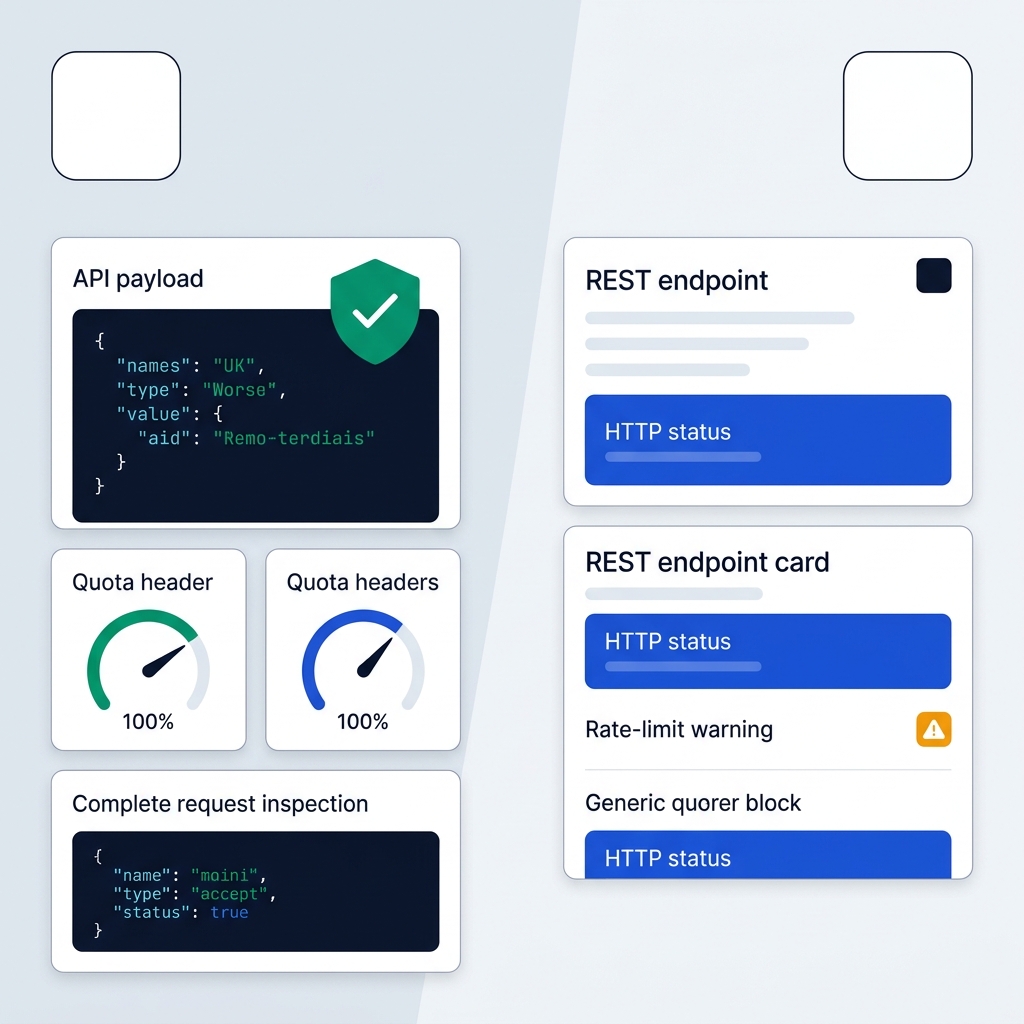
Developer tooling is where Resend focuses its product development. SendGrid provides reliable baseline REST and SMTP endpoints, but Resend adds several modern API primitives that simplify production maintenance.
API idempotency keys
Resend natively supports idempotency keys on both single and batch endpoints (POST /emails and POST /emails/batch). If a network timeout happens during an API call, your background worker can safely retry the request using the same idempotency key. Resend ensures that the email sends only once, which prevents double-charging and duplicate notifications. SendGrid does not support API idempotency keys, so your engineering team must build and maintain custom deduplication logic in your application database.
Rate-limit visibility and debugging logs
When you make an API request, Resend returns IETF-compliant response headers specifying your remaining quota. That allows your service to throttle sending proactively before errors occur. SendGrid throws generic rate-limit HTTP errors when you exceed your limits, without returning detailed quota metadata in standard headers.
Debugging delivery failures is also more transparent on Resend. The Resend console stores complete API request payloads and webhook delivery response logs. That means you can inspect the exact JSON payload sent by your server and verify how the receiving webhook responded. SendGrid returns only real-time HTTP response status codes without keeping a persistent record of the incoming API request bodies.
SDK options and SMTP port flexibility
Both platforms support Node.js, Python, Go, PHP, Ruby, Java, and .NET. However, Resend also provides an official Rust SDK (resend-rust), whereas SendGrid does not maintain an official Rust library. For legacy systems sending through SMTP, Resend supports ports 25, 465, 587, 2465, and 2587 with SMTPS or STARTTLS. SendGrid supports ports 25, 465, 587, and 2525, but it does not support port 2465. Resend also lets you use your standard API key directly as your SMTP password.
Transactional email deliverability and sending scale
Ensuring that critical emails reach the inbox requires clean routing infrastructure and proper domain authentication. Both platforms handle this well, but they rely on different infrastructure foundations.
Twilio SendGrid operates its own proprietary email infrastructure with over 15 years of ISP routing reputation. It offers automated IP warming tools that gradually increase sending volume on new dedicated IPs to establish trust with mailbox providers like Gmail and Microsoft 365. For enterprises sending tens of millions of marketing and transactional messages daily, SendGrid provides mature subuser isolation, multi-IP pools, and enterprise service level agreements.
Resend routes its delivery through AWS-backed infrastructure while layering proprietary deliverability tooling on top. Inside the Resend dashboard, you get native Deliverability Insights. This tool analyzes your sent messages and provides automated configuration recommendations for SPF, DKIM, and DMARC alignment. For early-stage and growth-stage companies sending up to several million emails monthly, Resend offers reliable delivery out of the box without requiring manual IP warming on shared tiers.
European compliance data privacy and delivery latency
European engineering teams must evaluate data protection standards and network latency when choosing an email API provider. Both Resend and Twilio SendGrid comply with regional standards, but infrastructure routing differs.
Resend offers multi-region infrastructure routing. This feature allows European engineering teams to send emails through regional endpoints located closest to their end users. Routing calls through closer European endpoints reduces TLS connection handshake latency compared to sending all API calls across transatlantic connections to US-centralized relays.
Regarding regulatory standards, both Resend and Twilio SendGrid offer formal Data Processing Addendums (DPAs) that incorporate Standard Contractual Clauses (SCCs) to satisfy GDPR cross-border transfer requirements. Both vendors are also SOC 2 Type II certified and enforce multi-factor authentication across their dashboards.
From a billing perspective, both platforms invoice in US dollars before value-added tax. If your business is registered for VAT in the UK, Ireland, France, Spain, or Italy, you can enter your valid corporate VAT ID during checkout. This applies the reverse charge mechanism, zero-rating the invoice for local VAT. If you are comparing European-headquartered alternatives with native euro billing, see our Brevo vs Mailchimp comparison and our Brevo pricing guide for EU-hosted email options.
Planning your Resend vs SendGrid migration
Switching your application's email provider requires updating DNS records, refactoring SDK methods, and updating webhook listeners. The transition between these two services is straightforward if you map the components properly.
First, configure your authentication records. Both services enforce SPF and DKIM while recommending strict DMARC policies. On SendGrid, you navigate through Sender Authentication to configure Sender Identities. On Resend, you add your sending domains directly under the Domains tab, which generates standard DNS TXT and MX records for your hosting provider.
Next, refactor your application code. If you send plain HTML or raw text, replacing the @sendgrid/mail package with resend requires updating your payload object keys. If you use SendGrid's dynamic template IDs, you can replace them with typed React Email components. That brings template management directly into your application repository.
Finally, update your webhook handlers to match event naming conventions. The table below shows the direct mappings according to Resend's migration specifications:
| Event Type | SendGrid Webhook Event | Resend Webhook Event |
|---|---|---|
| Sent | processed | email.sent |
| Delivered | delivered | email.delivered |
| Delayed | deferred | email.delivery_delayed |
| Bounced | bounce | email.bounced |
| Complaint | spamreport | email.complained |
| Opened | open | email.opened |
| Clicked | click | email.clicked |
Note: Webhook mapping specifications sourced from Resend's official SendGrid migration guide.
If you want to review other cloud automation tools and email integrations, browse our software comparisons index to evaluate matching infrastructure for your stack.
Which one should you pick?
If you're a developer who wants React Email templates, instant setup, and a free tier that never expires, Resend fits your stack. If you run an established business that needs visual builders for marketing staff or bundled dedicated IPs, SendGrid makes more sense. Side projects and indie founders lean Resend; large teams with non-technical editors lean SendGrid.
Start by matching your pick to your actual sending volume and team setup in the quick decision summary above before you touch any DNS records.


