











Deciding on free Zapier alternatives? Compare free plan limits of Make, n8n and Activepieces, plus EU hosting, DPA terms and VAT rules for European teams.
Make and n8n Community Edition are the Free Zapier Alternatives that handle multi-step workflows. Make runs in the managed cloud, and n8n runs on a server you control. Below you will find each tool's free limits, paid prices in the vendor's own currency, and the EU data and VAT terms that decide what you really pay.
TL;DR on the best Free Zapier Alternatives

Choose by who will maintain the tool, not by feature lists. If nobody on your team touches a command line, take Make. If someone does, n8n Community Edition removes volume charges entirely.
- Make suits non-technical teams that want free multi-step scenarios in a managed cloud. It does not suit you if you need more than two active scenarios without paying.
- n8n Community Edition suits technical teams and privacy-conscious firms that want unlimited self-hosted executions with no per-task costs. It does not suit you if nobody can run Docker and keep a server patched.
- Activepieces suits open-source purists who want an MIT-licensed engine with a linear, Zapier-style editor. It does not suit you if you depend on a wide app catalogue.
- Zapier Free suits one two-step Zap that fires a few dozen times a month. It does not suit teams that need more than two steps or more than 100 actions a month.
| Tool | Free option and cost | Main free limit | Hosting and licence | Key difference |
|---|---|---|---|---|
| Zapier | Free plan, no charge | 100 tasks a month, one user | Managed cloud | 9,000+ apps, premium apps on paid plans only |
| Make | Free plan, no charge | 1,000 credits a month | Managed cloud | Unlimited steps, visual router, filters and error handlers |
| n8n Community Edition | Free software, plus your own server | No execution cap, only your hardware | Self-hosted, Sustainable Use License (fair code) | 400+ nodes, JavaScript and Python code nodes |
| Activepieces | Community version free to self-host, plus a cloud tier | Cloud tier caps active flows | Self-hosted or cloud, MIT licence | Linear, Zapier-style editor, around 280+ apps |
Figures come from the vendors' pricing pages, checked October 2026. All prices in this article are before VAT.
Our picks rest on five criteria: price, plan limits, EU data location, DPA terms and integrations, all from vendor-published figures. On those, Make is the best free cloud option and n8n Community Edition is the best pick for EU data control. These are editorial picks, not test results.
The trade-off fits in one line. With n8n you pay nothing for software but own the maintenance, while Make needs no maintenance but stops at its credit allowance. A small VPS is the only bill for n8n.
Which automation tool fits my startup's constraints?
If you run a bootstrapped European startup, start from your constraint. Need a campaign automation live this week, with nobody technical on the team? Take Make. Handling customer data you would rather keep on a server in your own country? Self-host n8n and choose the region yourself.
Starting on Make and moving to n8n when volume grows is a sensible path. Both tools use visual canvases, so the way you think about a workflow carries over.
Which automation tool fits your exact workflow?
The right tool is the one the person who builds and maintains the workflow can actually run. The four situations below cover the most common team profiles.
Four common situations
The bootstrapped marketer. You run campaigns, not servers. You want drag-and-drop routing, native app integrations and multi-step flows, such as a form that tags a contact, posts to Slack and logs a row.
Make fits this profile. Its free plan allows unlimited steps per scenario, so the two-step wall that stops you on Zapier does not exist.
The technical founder or developer. You can run Docker on a simple virtual private server, and you want custom logic. n8n Community Edition fits. It gives you unlimited workflow executions plus JavaScript and Python code, so an awkward step in a visual tool becomes ten lines of code instead.
The open-source purist. Your policy says MIT or nothing, and you want a linear editor that feels like Zapier. Activepieces fits. n8n's Sustainable Use License is a fair-code licence, not an MIT one, so it will not satisfy that rule.
The Microsoft shop. If your core data sits in Office 365, evaluate the connectors built into that ecosystem before adding external middleware. Every extra automation layer means another vendor, another DPA and another place where credentials are stored. Reach for Make or n8n when a workflow crosses into apps Microsoft does not cover.
When to stay on Zapier
Stay if you rely on a niche connector in Zapier's directory of 9,000+ apps that no alternative supports. That is the one case where switching costs more than it saves.
Before you decide, list the three or four apps your business cannot run without. Then confirm each one exists in Make or n8n before you move anything.
Stay, too, if your usage genuinely fits the free plan. One two-step Zap that fires well under 100 times a month works fine, so why migrate it? The trouble starts when a second action or a busier month arrives.
Why Zapier's free plan holds teams back
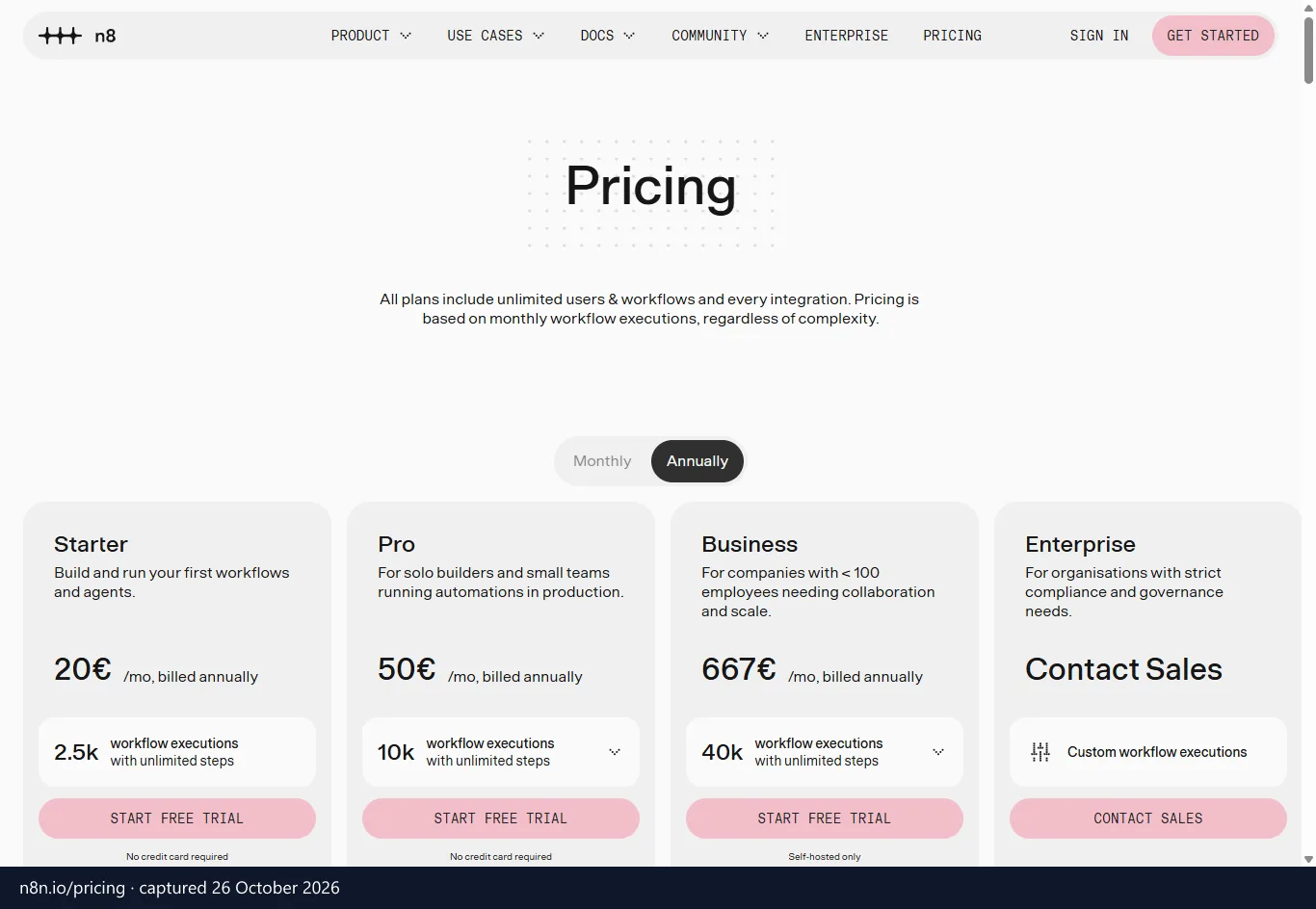
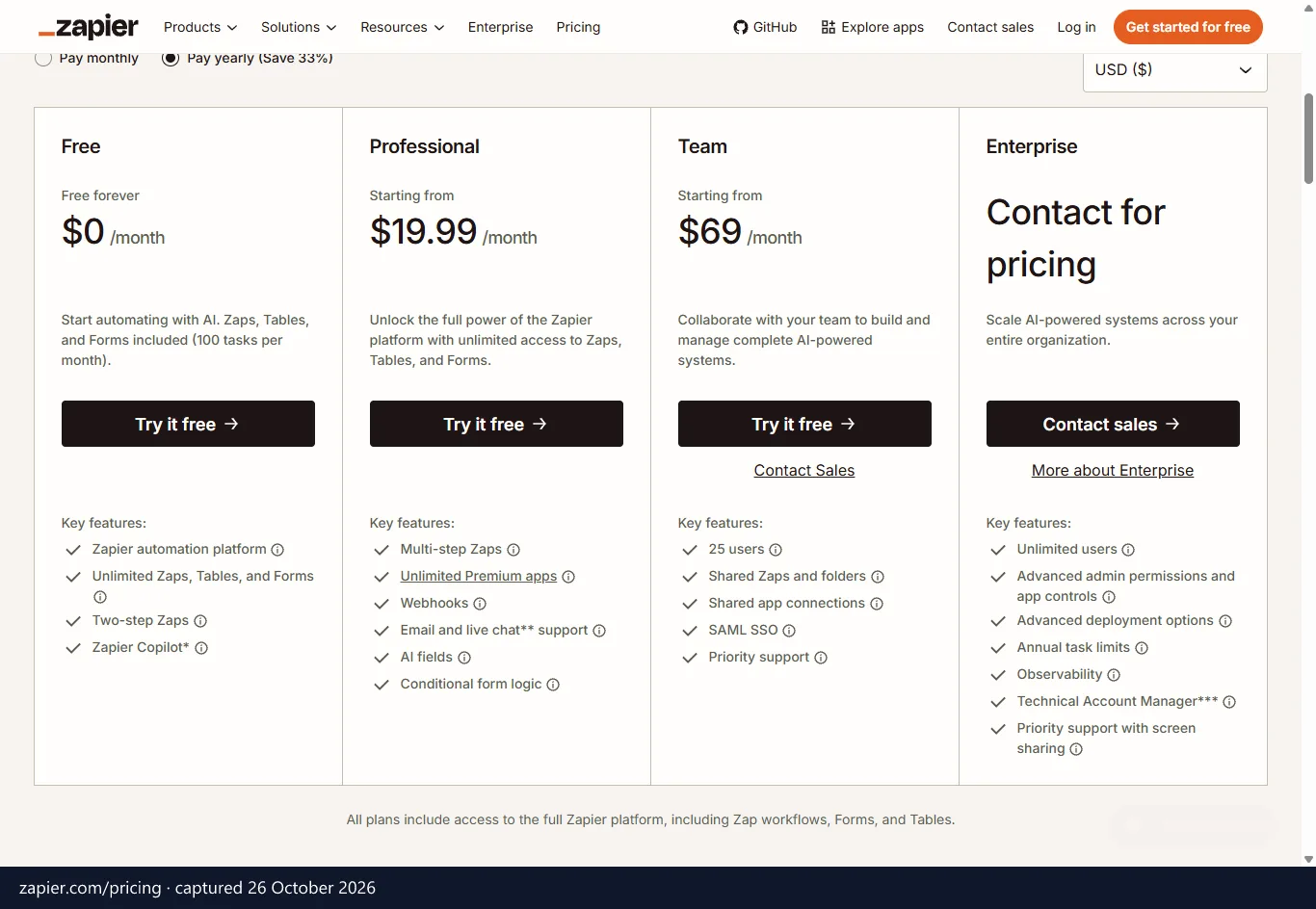
Zapier's free plan stops at 100 tasks a month, two-step Zaps and one user, which is enough to test whether two apps connect and little more. The details below come from Zapier's pricing page, checked October 2026.
The plan includes unlimited Zaps, Tables and Forms, plus Copilot. A Zap on Free has a trigger and a single action. Triggers do not count toward your limit, and failed actions do not count either, but each successful action uses one task.
Free and Professional are single-user plans. Shared workspaces and shared app connections arrive with the Team plan, which includes up to 25 users. Premium apps are another gate: Zapier reserves select apps for paid plans, so a Zap that touches one of them is off the table on Free.
The lead workflow burn rate
Take a standard lead qualification flow. A form submission arrives, the contact is created in your CRM, Slack gets a message, and a spreadsheet row is added. The form is the trigger and the other three steps are actions, so each lead spends 3 tasks.
At that rate, the 100-task allowance runs out after 33 leads. For a quiet site, that lasts a month. For a paid campaign, it lasts a weekend.
In fact, you cannot build this Zap on Free at all, because it has four steps. Zapier's built-in tools that do not count as tasks (Paths, Delay, Looping, Sub-Zap, Digest, Storage) do not rescue it either. The CRM, Slack and spreadsheet actions all count.
The paywall and the AI meter
Multi-step Zaps and webhooks start at Professional: US$19.99 a month billed annually, or US$29.99 billed monthly, with 750 tasks. New accounts get a free 14-day Professional trial with no credit card. That is enough to build a multi-step Zap, but you need the paid plan to keep it running afterwards.
Higher task tiers lower the cost per task, and nonprofits get 15% off any paid plan, excluding pay-per-task charges. Hitting a paid plan's limit brings a second surprise. Zapier switches you to pay-per-task billing at a higher per-task rate unless you turn that off, and with it off, your Zaps pause until the next usage period.
AI makes the arithmetic harder. Zapier MCP lets AI assistants act on your apps, and one MCP tool call uses two tasks. AI steps, code, MCP and the SDK all draw from the same task pool, although the SDK is free while it is in beta.
An agent that needs twenty tool calls to finish one job therefore spends forty tasks. A handful of such jobs would empty a free month.
Free plan limits compared at a glance
Make and n8n Community Edition both go well beyond Zapier Free, but each tool counts usage in a different unit. The table puts the three free options on the same rows, using the vendors' pricing pages, checked October 2026.
| Metric | Zapier Free | Make Free | n8n Community Edition |
|---|---|---|---|
| What is metered | Task (each successful action) | Credit | Execution (one full workflow run) |
| Steps per workflow | 2 (trigger plus one action) | Unlimited | Unlimited |
| Active workflows | Unlimited Zaps | 2 active scenarios | Unlimited |
| AI and MCP | Zapier MCP, 2 tasks per tool call | AI agents and an MCP server | AI Agent nodes (LangChain) and MCP |
Per task, per credit or per execution
Because the meters differ, the headline allowances are not directly comparable. Zapier counts every successful action as a task, so a long Zap spends several tasks per run. Make draws credits as the modules in a scenario run, while n8n counts the whole run as one execution, however many steps it contains.
The gap shows most on long workflows. A fifteen-step flow costs n8n one execution, but Zapier charges for each successful action in it. Make sits in the middle.
Do not read 1,000 Make credits as 1,000 full runs. A scenario with five modules uses several credits each time it fires. Activepieces works differently again, since its cloud tier limits how many flows are active.
For your own estimate, count the actions in your busiest workflow and multiply by how often it fires. That number is your monthly Zapier task bill. On n8n it collapses to the number of runs.
Self-hosting versus managed cloud
On steps, the gap is wide. Zapier Free stops at two, while Make and n8n let you chain as many as the job needs. Make limits how many scenarios stay switched on at once instead.
Hosting is the bigger choice. Zapier and Make are fully managed: you sign up, build and never think about uptime. With n8n Community Edition you rent a server, install the software and own the upkeep.
A small VPS is the only bill for n8n, so the money is trivial, but the time is not. Activepieces sits on both sides, with a cloud tier for trying it and a community version you can self-host.
Make for visual multi-step cloud workflows
Make gives you multi-step visual workflows in a managed cloud, with every logic tool available on the free plan. Volume and the number of active scenarios are what limit you, not features. The figures below come from Make's pricing page, checked October 2026, and you can see Make's current plans and offers on its page.
- 1,000 credits a month
- Up to 2 active scenarios
- Unlimited steps per scenario
- A visual router for branching paths
- Data filters
- Error handlers
The router replaces the branching you would pay for on Zapier. Picture a lead form: deals tagged "enterprise" go to Slack and your CRM, while the rest go into an email sequence. One scenario handles both paths, which also stretches the two-scenario cap.
Filters stop junk records from consuming credits. Error handlers let a failed step retry or send you an alert, rather than failing silently.
Real downsides
The two-scenario cap is the first wall. A router lets one scenario carry several branches, but a third separate automation needs a paid plan. Core removes the limit.
The canvas also has a learning curve. Zapier gives you a simple vertical list, while Make shows a diagram with routes and mappings. If you are new to automation, expect your first scenario to take longer than it would on a linear builder.
Speed is the third trade-off. The 1-minute polling interval is listed from Core upward, so faster checks are a paid feature. If a lead must reach Slack within seconds, check this before you commit to the free tier.
Make prices against Zapier
Make lists its prices in US$, billed monthly or yearly. Every plan from Core to Teams lists 10,000 credits a month.
| Plan | Billed monthly | Billed yearly (per month) | What it adds |
|---|---|---|---|
| Core | US$10.59 | US$9 | Unlimited scenarios, 1-minute interval, Make API |
| Pro | US$18.82 | US$16 | Priority execution, custom variables, log search |
| Teams | US$34.12 | US$29 | Team roles and permissions, shared templates |
Enterprise adds custom volume, SSO, dedicated support and an enterprise SLA. Most small teams never need it.
On the free tier, Make lets you branch and chain steps at no cost, which Zapier Free cannot do at all. The units differ, but a five-person marketing team running multi-step flows gets further on Make for nothing.
The paid tiers point the same way. Core costs less than half of Zapier Professional on annual billing, and it lists 10,000 credits against 750 tasks. For multi-step volume, Make costs less, and our two-way Make and Zapier breakdown for EU teams goes plan by plan.
n8n Community Edition for self-hosted automation
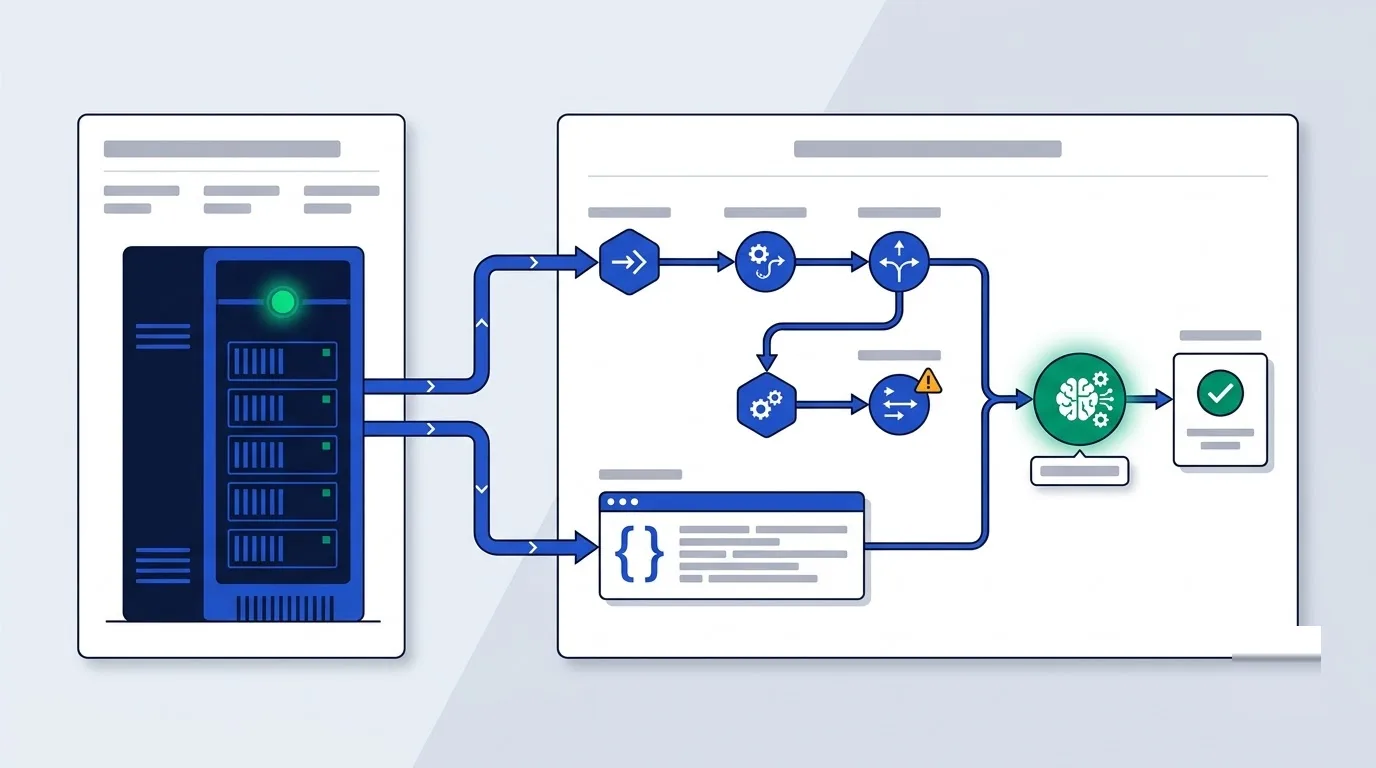
n8n Community Edition lets technical teams run unlimited automations for the price of a server. You pay for hardware, not runs, and the workflow limit is whatever that hardware can handle. The details below come from n8n's pricing page, checked October 2026, and n8n's plans and current offers are listed on its page.
- The standard self-hosted version, available on GitHub under the Sustainable Use License
- Unlimited workflow executions
- Full access to 400+ nodes
- Built-in JavaScript and Python code execution
- Native AI agent nodes built on LangChain, plus MCP support
The code nodes set n8n apart from the other tools here. When an API returns awkward JSON, you reshape it in a few lines instead of hunting for a module that happens to do it.
The AI agent nodes let you build assistants that call your own workflows as tools. On a self-hosted instance, those calls carry no per-call fee.
Real downsides
You are the sysadmin. That means Docker deployment, SSL setup, updates and manual backups. If the server goes down at 2 a.m., your automations go down with it, and nobody at n8n restores them for you.
The licence is another point. The Sustainable Use License is fair code, so it will not pass a strict "OSI open source only" rule. Some features also sit on paid plans: SSO and LDAP, Git version control and multiple environments are listed on Business.
The cloud route has no free tier. n8n offers a free trial of its cloud plans with no credit card, but after that you pay.
Cloud price ladder
If you want managed hosting from n8n itself, these are the plans, in £ and before VAT.
| Plan | Billed monthly | Billed yearly (per month) | Included |
|---|---|---|---|
| Starter | £24 | £20 | 2.5k executions a month, hosted by n8n, 1 shared project, 5 concurrent executions |
| Pro | £60 | £50 | 10k executions a month, hosted by n8n, 3 shared projects, up to 50 concurrent executions, admin roles |
| Business | £682 | £569 | 40k executions a month, self-hosted only, 6 shared projects, SSO and LDAP, Git version control |
The execution meter is what changes the maths against Zapier. A long automation drains a Zapier quota action by action, while n8n counts the whole run once, and on a self-hosted instance that run costs nothing.
For a five-person team with developer skills, n8n costs less than any of the paid options once volume climbs. The catch is your own time, and you can weigh it against the cloud plans with Zapier and n8n prices laid out side by side.
Other open source and free automation tools
Activepieces is the other open-source tool worth a serious look, mainly for teams with a strict licence requirement. Agent-focused and device-focused products also exist, but they solve different problems from replacing Zaps, so they sit outside this comparison.
Activepieces is an automation engine under the MIT licence. Its editor is linear and close to Zapier's, so a marketer who knows Zaps will not need to relearn the mental model. The community version is free to self-host with no limits.
The cloud tier caps active flows, so the same logic applies as with Make. Treat it as a way to try the tool, not to run a department.
Activepieces describes every piece as an MCP server, and it offers AI agents and a Copilot. That suits teams planning AI-driven flows.
Consider it if you want the simplest editor of the three and a licence that passes a strict open-source review. You can also start in the cloud and self-host later. It is newer than the others, but development moves quickly.
Where it falls short
The catalogue is the real downside. Activepieces lists around 280+ apps, against Zapier's 9,000+, and for some teams that rules it out.
Before you commit, list your five must-have apps and check each one. If a connector is missing, you build the call yourself with a generic HTTP step. That is easy for a developer and a headache for everyone else.
Its coverage of broader business workflows is narrower too. It fits straightforward trigger-and-action flows better than complex branching across a dozen systems. If your needs are large, Make or n8n will serve you better.
European data privacy and VAT compliance rules
For a European business, the contract behind a tool matters more than its free tier. Where the tool runs, which DPA you sign and how the invoice is taxed all shape the real cost.
Where your data lives
n8n GmbH is a German company based in Berlin. When you self-host n8n, workflow data stays on infrastructure you control. A server in an EU data centre therefore gives you EU data residency on your own terms, a level of control no other option here offers.
With Make and Zapier, you rely on the vendor's contract terms rather than your own server. That makes the transfer rules below more important.
DPAs and transfer rules
A DPA is the contract GDPR Article 28 requires between you, as controller, and a tool that processes personal data for you. Standard Contractual Clauses (SCCs) and the EU–US Data Privacy Framework (DPF) are the two mechanisms that make transfers of that data to the US lawful. Each vendor states the following in its own legal pages.
- n8n: a data processing agreement, SCCs for transfers and a sub-processor list. Its security programme is aligned to SOC 2, which is not the same as a SOC 2 certification.
- Make: its privacy notice is issued by Celonis, and Celonis Inc. and Celonis Labs LLC are certified under the EU–US Data Privacy Framework.
- Zapier: its Data Processing Addendum is part of its terms, so there is no separate copy to sign. It includes SCCs, its subprocessors are listed publicly, and Zapier complies with the EU–US Data Privacy Framework.
In practice, Zapier's built-in DPA saves you an admin step. n8n's package covers DPA, SCCs and sub-processors in one place, and if the data never leaves your own server, there is much less to transfer.
VAT on your invoice
Suppose you are a VAT-registered business in France, Germany, Spain or Italy, buying from a supplier established in another country. Cross-border B2B SaaS then generally falls under the EU reverse charge. You account for the VAT on your own return, rather than paying it to the vendor.
The UK is not in the EU. UK VAT-registered buyers apply the UK reverse charge under HMRC VAT Notice 741A, not the EU mechanism, and our guide to the reverse charge for European buyers walks through both cases.
Frequently asked questions about automation tools
Is any automation tool free with no execution cap?
Yes, if you self-host. n8n Community Edition and the Activepieces community version are both free to run with no limits, and you pay only for the server. "Free" here means no software fee, not no effort. The cloud free plans from Make and Zapier are always capped.
Can I move existing Zaps straight into Make or n8n?
Plan on rebuilding rather than importing. Zaps, Make scenarios and n8n workflows use different internal structures, so there is no clean one-click path. The rebuild is usually straightforward, though, because webhooks and JSON payloads work in both tools.
Sort your Zaps by how many tasks they use, rebuild the busiest one first, and run old and new versions side by side for a few days. Switch the Zap off only when the new version matches its output.
What happens when I exceed the free quota?
On Make's free plan, the credit allowance is a hard ceiling. Once it is spent, your scenarios wait for next month or an upgrade to Core. Zapier's paid plans switch to pay-per-task billing, as described earlier, while n8n Community Edition has no quota beyond your server's capacity.
Do free automation platforms support AI models and MCP servers?
All three do, but they bill for it differently. Each Zapier MCP tool call draws two tasks from your plan, so agent work eats a small quota fast. n8n's AI Agent nodes carry no per-call charge when you self-host, and Make's AI runs draw on your credits like any other scenario.
Which tool is easiest for a non-technical solo operator?
Make. It runs in the cloud, so there is no command line, no Docker and no server. The canvas takes longer to learn than Zapier's linear list, but it is the gentlest route to multi-step automations that stay free. Activepieces has a simpler editor, though self-hosting it still needs technical skills.
Bottom line on choosing your automation stack
If you have no technical background and want multi-step flows in the cloud, pick Make and build your first scenario on the free plan. Should someone on your team be able to run Docker and you want data ownership, pick n8n Community Edition on an EU server. If your policy demands an MIT licence, pick Activepieces. Stay on Zapier only when a niche connector forces you.
Your next step is simple. Open your Zapier task history and note last month's usage. Then rebuild your busiest Zap in Make or on a test n8n instance today.