








Compare Webflow vs WordPress for business websites. Explore true operating costs, design workflows, CMS limits, e-commerce, and EU compliance.
If you need lower operating overhead and faster design turnaround, Webflow is the better choice for standard marketing websites. It eliminates server maintenance, security patching, and developer queues. WordPress gives you lower upfront software costs, but it requires continuous engineering upkeep unless your site relies strictly on simple, uncustomised templates.
Webflow vs WordPress at a glance

Choosing between Webflow and WordPress comes down to how your business allocates its technical resources. When you compare webflow vs wordpress, you are comparing an integrated visual development platform with a modular open-source ecosystem.
Webflow suits marketing teams, fast-growing companies, and creative agencies that need complete visual control without hiring web developers for daily updates. WordPress suits publications, complex directories, and organisations with dedicated technical staff who need deep customisation of the underlying database.
If you evaluate total operating overhead, Webflow removes hidden maintenance tasks. You do not have to update server stacks, troubleshoot conflicting plugins, or audit PHP versions after a minor release. Instead, you pay a single predictable SaaS subscription. WordPress appears cheaper because the core software is free, but hosting, security tools, and developer hours quickly increase your operating expenses.
The table below summarises the core capabilities of both platforms based on verified vendor specifications from October 2026.
| Feature | Webflow | WordPress |
|---|---|---|
| Architecture | Visual-first SaaS platform with integrated managed hosting | Open-source CMS deployed on managed or self-managed hosting |
| Design Workflow | Visual canvas compiling clean semantic HTML, CSS, and JS | Theme templates, Gutenberg blocks, or third-party page builders |
| Maintenance Burden | Zero maintenance; updates apply automatically in a sandboxed setup | Requires manual or managed core, theme, and plugin updates |
| Plugin Ecosystem | Curated marketplace with around 300 sandboxed apps | Open directory with more than 60,000 community plugins |
| Native Membership | Sunset beginning January 29, 2026; requires third-party tools | Native user accounts with granular access levels and roles |
| Commerce Scaling | Integrated store engine for small to mid-sized catalogues | WooCommerce engine supporting 60+ countries and 135+ currencies |
Source: verified specifications from Webflow and WordPress official documentation, checked October 2026.
Choosing the right platform by use case
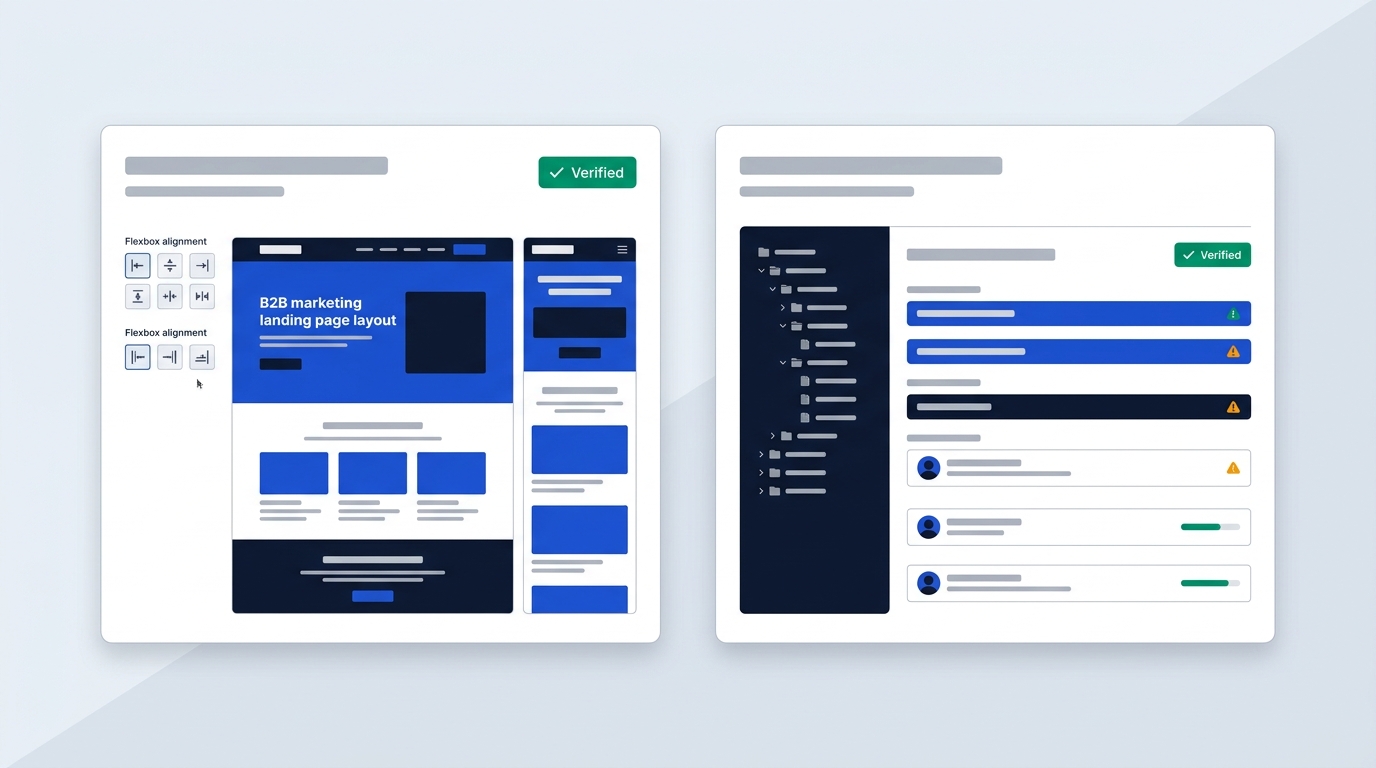
Every business website serves a specific commercial objective. Your choice of platform should align with your daily publishing workflows and the people who manage them. If your website requirements fall outside a platform's core design, you will face high software friction.
When to pick Webflow
Webflow is ideal for B2B company websites, product showcases, and high-converting landing pages. If your brand relies on distinct visual presentation, Webflow lets your designers implement modern web layouts directly without developer intervention. You can read more about visual builder pricing in our Webflow pricing guide.
Agency teams also benefit heavily from Webflow. Designers can build production-ready client sites, configure custom content collections, and hand over a clean editing interface. This approach removes the need to write custom themes or configure server environments for every new client project.
When to stay on WordPress
WordPress remains the industry standard for content-heavy newsrooms, online magazines, and high-frequency blogs. If your organisation publishes dozens of articles daily across nested categories and author profiles, WordPress manages that volume effortlessly. Its database model handles hundreds of thousands of posts without structural friction.
You should also stay on WordPress if your business operates private client portals, community forums, or internal company wikis. Because WordPress provides user authentication out of the box, it supports membership models at scale without adding third-party subscription costs.
Why marketing teams migrate from WordPress to Webflow
Many enterprise marketing teams move away from WordPress to eliminate development bottlenecks. In a typical WordPress setup, changing a landing page layout or adjusting a responsive component requires a developer ticket. This process slows down campaign launches and marketing experiments.
According to Webflow's published migration case studies, teams migrate to regain operational agility. When marketing teams can edit content visually, create responsive pages, and publish updates safely, they launch campaigns in days instead of weeks. If you are comparing visual design options, take a look at our Webflow vs Framer comparison.
Platform boundaries and structural constraints
Webflow becomes unfeasible if you need deep programmatic database control, custom server scripts, or native user portals. Attempting to build a multi-tiered marketplace or an intricate LMS directly on Webflow leads to brittle workarounds. In these cases, external tools add excessive monthly costs.
Conversely, WordPress creates technical debt when you use visual page builders like Elementor or Divi to mimic modern canvas design. These tools add heavy DOM structures, script overhead, and database bloat. Over time, your team spends more time updating plugins and fixing broken layouts than improving your web content.
Visual canvas versus theme block editing
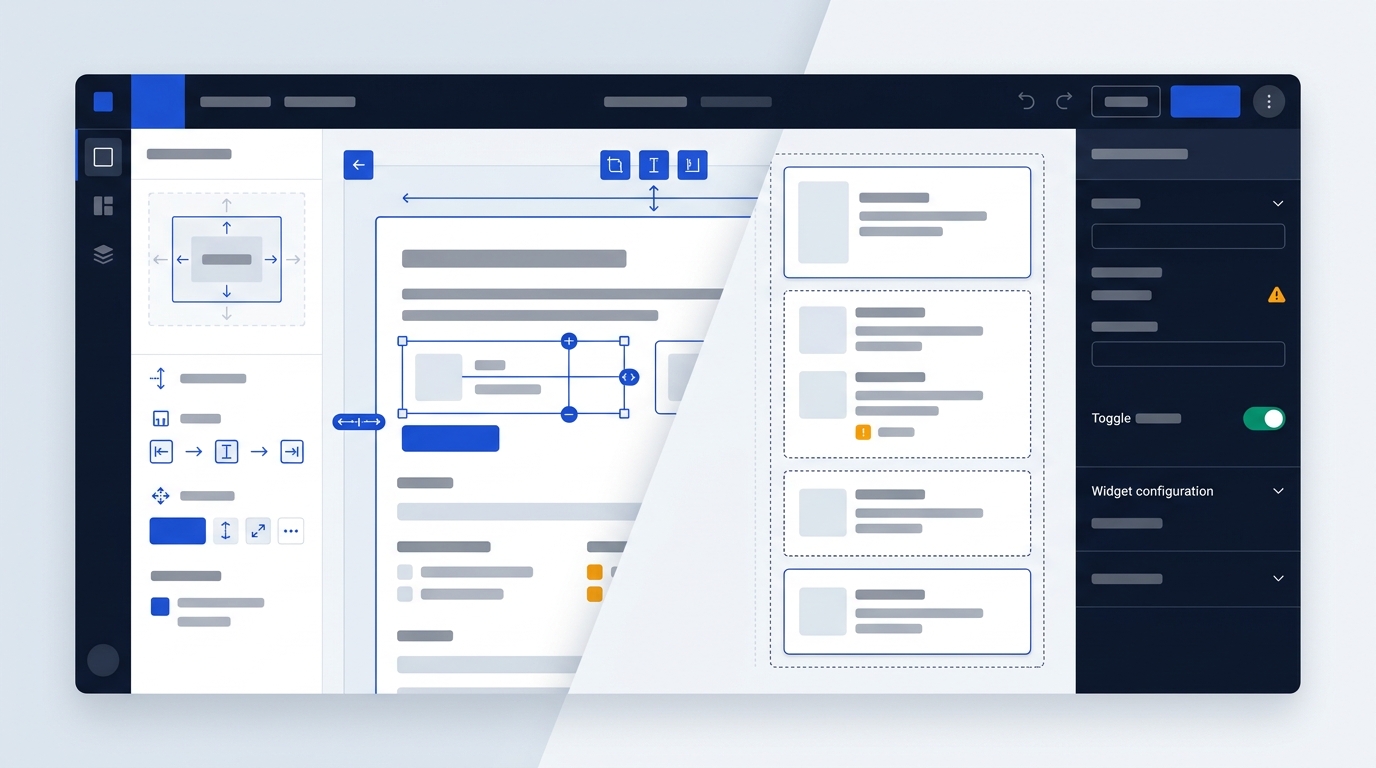
The primary difference in daily work between these platforms lies in how you create and adjust web pages. Webflow gives you direct control over standard web code through a visual interface. WordPress structures your site through themes, templates, and content blocks.
Webflow's visual development engine
Webflow does not use a typical drag-and-drop layout builder. Instead, its canvas gives you a direct visual interface for semantic HTML elements and CSS properties. You work directly with CSS grid, flexbox, box models, and responsive breakpoints.
Because the engine mirrors browser standards, the platform outputs clean, valid code without excess containers. Webflow also includes native tools for micro-interactions and scroll-triggered animations. You can integrate advanced motion assets like GSAP, Lottie, and Spline 3D without installing extra plugins or writing manual scripts.
WordPress block editing and page builders
The standard WordPress editing experience relies on the Gutenberg block editor. Gutenberg organizes content through modular blocks, which works well for standard articles, case studies, and structured business pages. However, making bespoke visual changes outside your theme's preset styles remains challenging.
To achieve detailed visual control, WordPress users often install third-party builders like Elementor, Divi, or Bricks. While these plugins offer visual editing, they introduce significant CSS and JavaScript bloat. Furthermore, whenever WordPress updates its core software, complex page builder setups risk layout breaks, requiring developer testing across staging environments.
Figma design implementation speed
For modern design teams, the workflow from Figma to production is much faster in Webflow. Because Webflow uses standard CSS properties, you can mirror Figma variables, colour tokens, typography scales, and spacing systems directly. This removes the traditional process of slicing layouts and handing them off to developers.
According to design agency analysis from N4 Studio, teams frequently cut complete site build times in half when moving from WordPress theme development to Webflow. Projects that typically require six weeks of custom PHP theme development can be built in three weeks on Webflow's visual canvas.
Webflow CMS workflows against WordPress publishing
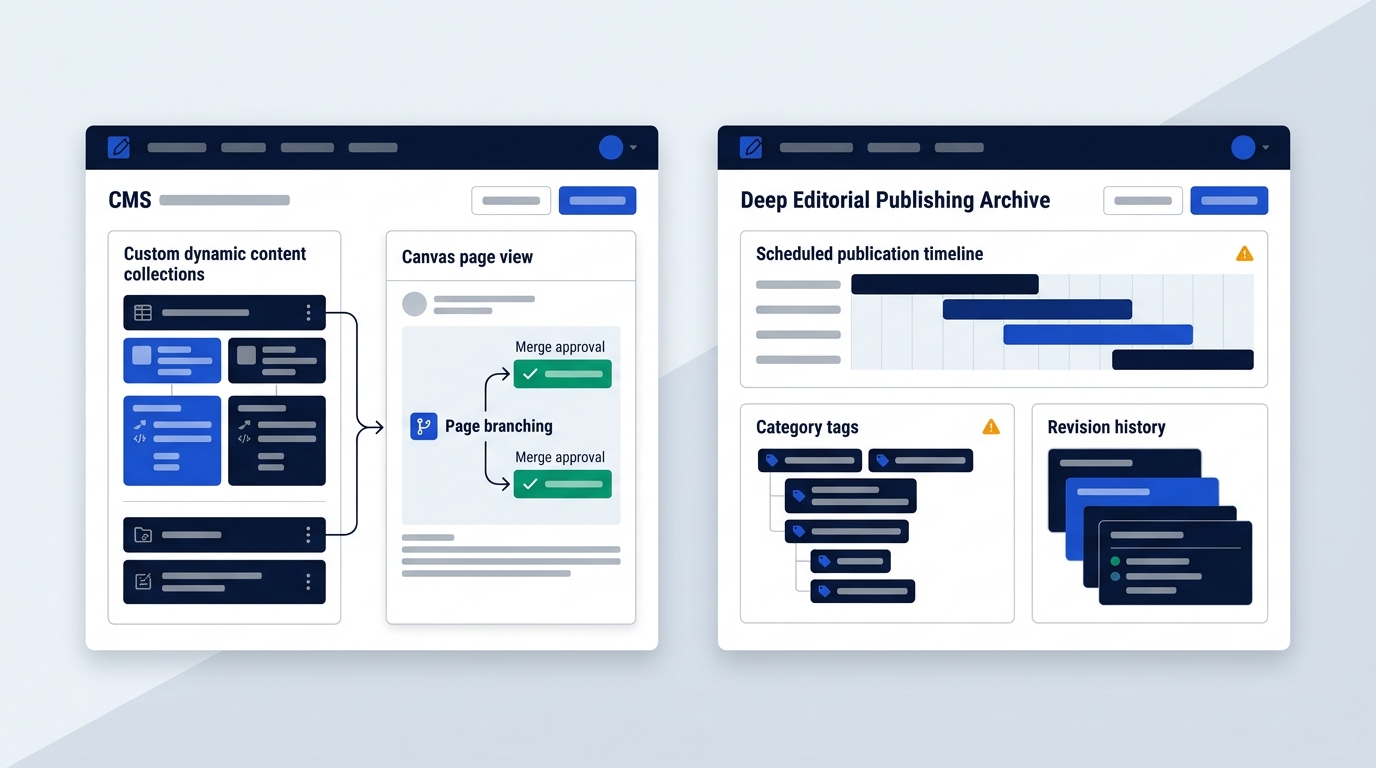
Managing ongoing content requires structured data systems. Both platforms offer content management capabilities, but they approach content structure, marketer workflows, and AI tooling differently.
Webflow CMS structure and team collaboration
Webflow uses custom CMS Collections, allowing you to define fields visually for any content type, such as team members, case studies, or job openings. Marketers can edit text, swap images, and manage metadata directly on the canvas using Webflow's Editor mode. This prevents non-technical staff from accidentally altering structural page designs.
For mid-sized and enterprise teams, Webflow includes native page branching, branch staging, and formal approval workflows. Multiple team members can work on website updates simultaneously in isolated branches. They can review changes in private staging environments and merge them without causing publishing conflicts.
WordPress publishing power and taxonomy depth
WordPress remains unmatched for traditional editorial workflows. It provides native support for hierarchical categories, post tags, editorial author profiles, and custom post archives. If you need alternative drag-and-drop options, you can review our Wix vs Webflow analysis.
Unlike hosted website builders that place limits on database collections, WordPress lets you publish tens of thousands of articles without software penalties. Standard blog posts, revisions, editorial comments, and scheduled publication queues operate natively without needing external software add-ons.
Native AI tools versus plugin-based automation
Both platforms now incorporate AI to assist content production, but their technical implementations differ significantly:
- Webflow native AI suite: Includes on-canvas AI copy generation, Webflow Optimize for automated real-time traffic variant testing, and Webflow Analyze to track organic referral traffic coming from AI answer engines like ChatGPT and Perplexity.
- WordPress modular AI setup: Relies on independent third-party plugins like Jetpack AI for content generation or external A/B testing scripts, which require separate accounts, API configurations, and routine compatibility checks.
Because Webflow embeds these AI capabilities directly into the core platform, marketing teams can run personalisation campaigns and conversion tests without configuring third-party tracking scripts. WordPress offers high flexibility through its plugin directory, but you must oversee and maintain each AI plugin integration yourself.
Comparing true operating costs and pricing tiers
Assessing the cost of each platform requires looking beyond the initial sign-up price. You need to calculate the total operating cost, which includes platform subscriptions, third-party software licences, hosting, and ongoing developer maintenance.
WordPress.com pricing tiers
If you prefer a managed WordPress hosting environment rather than provisioning your own web servers, WordPress.com offers several tiered subscriptions:
- Free: US$0 with basic features and WordPress subdomains.
- Personal: US$4 per month billed yearly (US$9 per month on monthly billing), including a custom domain for one year and 6 GB storage.
- Premium: US$8 per month billed yearly (US$18 per month on monthly billing), offering 13 GB storage and premium themes.
- Business: US$25 per month billed yearly (US$40 per month on monthly billing), providing 50 GB storage, custom plugin installs, and automated developer tools.
- Commerce: US$45 per month billed yearly (US$70 per month on monthly billing), unlocking advanced WooCommerce tools for global online stores.
According to WordPress.com's official pricing page, checked in October 2026, all listed prices exclude local value-added taxes.
Webflow pricing tiers
Webflow separates its plans into Site plans for individual sites and Workspace plans for team collaboration. Individual site plans include:
- Starter: Free plan on a webflow.io subdomain, supporting 2 static pages and up to 50 form submissions.
- Basic: US$15 per month billed yearly, supporting custom domain connections, 300 static pages, and 10 GB bandwidth, but no CMS collections.
- CMS / Premium: US$25 per month billed yearly, supporting full CMS functionality, custom dynamic collections, site search, and scalable bandwidth.
- Team Platform: US$2,500 per month on an annual contract, offering enterprise localization, AEO search analytics, and advanced publishing governance.
- Enterprise: Custom pricing tailored to high-traffic organisations requiring custom service agreements and dedicated support.
According to Webflow's pricing documentation, checked in October 2026, these subscription prices are listed in US dollars and exclude VAT.
Total cost of ownership breakdown
A self-hosted WordPress site initially seems economical, but operating costs accumulate quickly. To run a fast, secure business site on WordPress, you typically pay for managed cloud hosting, premium form builders, security firewalls, and automated off-site backups. You can check our methodology on the how we verify page.
More importantly, self-hosted WordPress sites require ongoing technical upkeep. A company often pays external developers or internal engineers several retainer hours each month just to test plugin updates, patch security vulnerabilities, and resolve database errors. Webflow bundles hosting, global CDN caching, security certificates, and automated software updates into its monthly subscription, delivering a predictable operating budget.
Memberships, e-commerce, and third-party app scaling
When your website moves beyond standard content delivery into membership portals and e-commerce, the architectural differences between Webflow and WordPress become critical.
Webflow user accounts sunset
A crucial factor for membership sites is Webflow's deprecation of its native membership tool. Webflow announced the sunset of its built-in user accounts feature beginning January 29, 2026. Consequently, businesses building client portals, paid communities, or online courses on Webflow must use third-party membership services.
Integrating an external service like Memberstack adds operational complexity and cost. To run a community with more than 200 members without paying transaction fees, Memberstack costs at least US$499 per month. For businesses with membership-driven models, this extra monthly expense substantially alters the cost comparison.
WordPress native membership capabilities
WordPress holds a major structural advantage for gated content, subscription sites, and internal directories. Its core code includes a complete user authentication engine with granular roles like administrators, editors, authors, and subscribers. You can compare this with other layout systems in our Framer vs Webflow price comparison.
By pairing WordPress with established community and membership plugins, you can build online learning platforms, private directories, and member discussion forums. Because WordPress manages user data directly inside your database, you avoid paying third-party SaaS fees on every registered member.
E-commerce scale and global retail
Both platforms support digital retail, but they target different transaction scales and store complexities:
- Webflow native e-commerce: Designed for boutique shops, merchandise sales, and direct service checkout. It gives you total visual control over product cards, carts, and checkout pages, but it lacks advanced inventory management for large catalogues.
- WordPress with WooCommerce: An enterprise-grade retail platform powering millions of online shops. Available natively on WordPress.com Business and Commerce plans (US$45 per month billed yearly), it supports sales across 60+ countries and processes transactions in 135+ currencies.
If your primary business model is high-volume e-commerce with complex shipping rules, multi-warehouse inventory, or extensive product variations, WordPress with WooCommerce provides a far more scalable foundation than Webflow.
Hosting security and European compliance standards
European businesses must evaluate data privacy, regulatory compliance, and hosting architecture when selecting web software. Both platforms provide dependable infrastructure, but their security models require different management approaches.
Webflow enterprise security standards
Webflow operates a fully managed hosting infrastructure hosted across Amazon Web Services (AWS) multi-region data centres. Websites published on Webflow achieve 99.99% uptime, with automated content distribution through fast edge caches. The platform protects sites natively against DDoS threats and automated bot traffic without requiring third-party security plugins.
To safeguard your work, Webflow creates automatic site backups every 10 minutes or every 10 changes, whichever comes first. If a design update causes an issue, you can inspect previous site versions in a separate tab and restore the entire layout with a single click. Webflow holds formal SOC 2 Type II certification, verifying its operational security controls.
European data privacy and GDPR governance
For European companies subject to GDPR, Webflow provides compliant international data transfer mechanisms. Webflow participates in the EU-US Data Privacy Framework and offers a formal Data Processing Addendum (DPA) that incorporates standard European Commission Standard Contractual Clauses (SCCs). This framework provides legal certainty when processing personal contact forms and customer interactions collected across European territories.
WordPress compliance depends entirely on your hosting configuration. If you use self-hosted WordPress, you must ensure your hosting provider maintains proper server-level GDPR safeguards and sign individual DPAs with every plugin provider that touches user data. If you choose WordPress.com, Automattic provides managed infrastructure and enterprise data handling protocols.
Maintenance responsibilities compared
The difference between managed security and self-managed security is substantial:
- Webflow: Software patches, database administration, and SSL certificates are handled automatically by the provider. You never need to access server consoles or update web server configurations.
- WordPress: Unless you pay for a fully managed tier like WordPress.com Business, your team must manually review and update core files, theme packages, and third-party plugins to protect against vulnerabilities.
European B2B invoicing and VAT accounting
Both Webflow and WordPress bill digital subscriptions in US dollars (US$) across international markets. When purchasing these services for a VAT-registered business in the United Kingdom, Ireland, France, Spain, or Italy, you can apply the standard reverse charge mechanism.
By entering your valid company VAT identification number during checkout, the invoice applies a zero-rated tax calculation. Your finance team then accounts for local VAT on your domestic tax return, keeping administrative overhead low for cross-border software procurement.
Making the call
Pick Webflow if you run marketing campaigns, agency client sites or landing pages and want designers publishing without a developer queue. Stay on WordPress if you publish high volumes of articles, run member portals, or need deep database control. If your daily work is mostly visual edits and campaign speed, start by reading choosing the right platform by use case to confirm which side you fall on before committing budget.