


Deciding between Webflow vs Framer? Compare official 2026 pricing, CMS depth, animations, and GDPR compliance to choose the right builder for your team.
TL;DR: Webflow vs Framer at a Glance
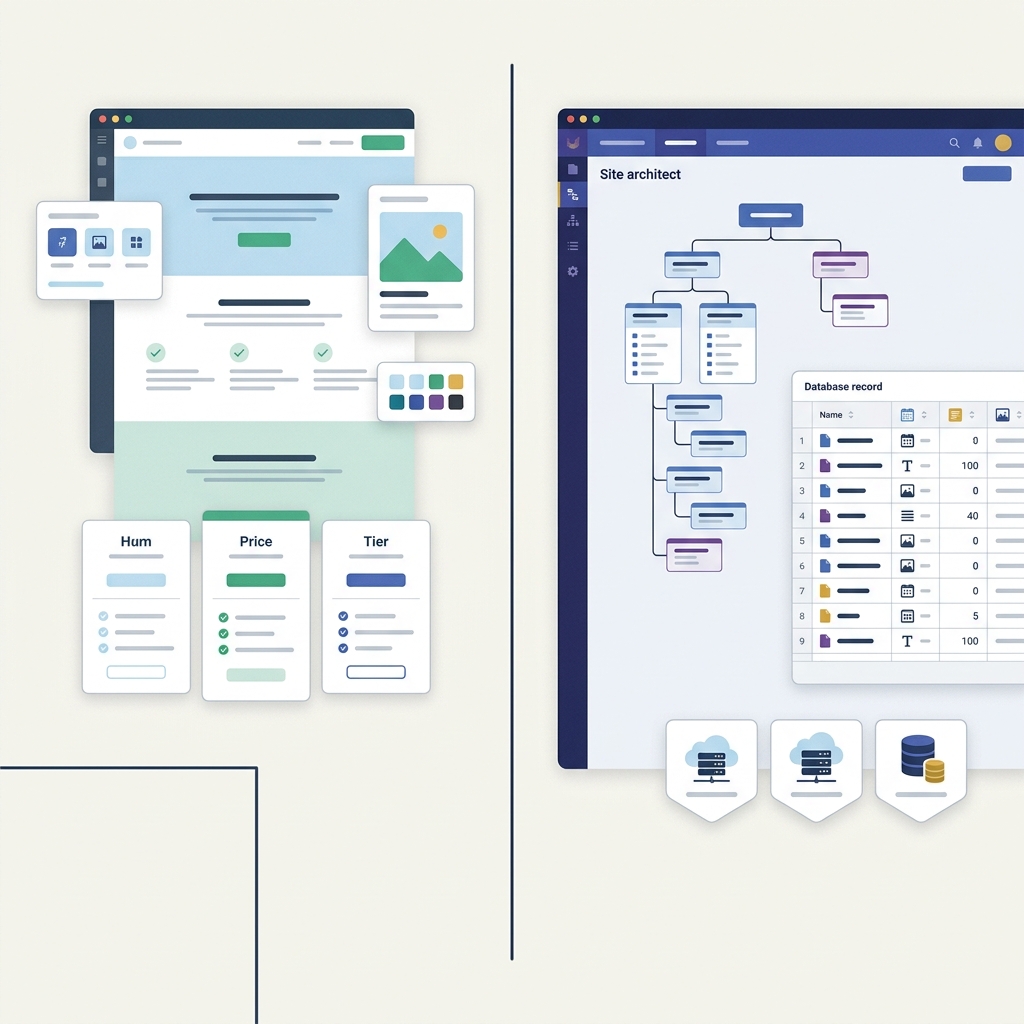
The choice between the two platforms comes down to workflow rather than price. Framer starts cheaper for a single page. Webflow scales further for complex, CMS-heavy sites. Both publish their own hosting, so neither needs a separate web host.
Who each tool suits
- Framer suits design-first startups, marketing teams moving straight out of Figma, and projects built around interactive micro-animations with little developer involvement. See Framer's pricing page for plan details.
- Webflow suits complex marketing sites, teams that need strict semantic HTML/CSS output, high static-page volumes, or a CMS with many linked reference collections. See Webflow's pricing page for plan details.
Side-by-side snapshot
| Attribute | Webflow | Framer |
|---|---|---|
| Starting paid price | US$15/mo (Basic, billed yearly) | £8/mo (Basic, billed yearly) |
| Currency on pricing page | USD | GBP |
| Free plan | Starter site on webflow.io, 2 static pages | Framer domain, 1 GB bandwidth, 500 AI credits |
| Free-tier bandwidth | — | 1 GB |
| Corporate jurisdiction | US-based | Dutch (Framer B.V., Amsterdam) |
| Hosting infrastructure | AWS data centers, multiple regions | Servers outside the EEA and UK, including the US |
| DPA (GDPR Art. 28) | DPA with Standard Contractual Clauses | — |
Source: Webflow and Framer pricing and legal documentation, checked October 2026.
Canvas Architecture: Semantic Box Model vs Freeform Canvas
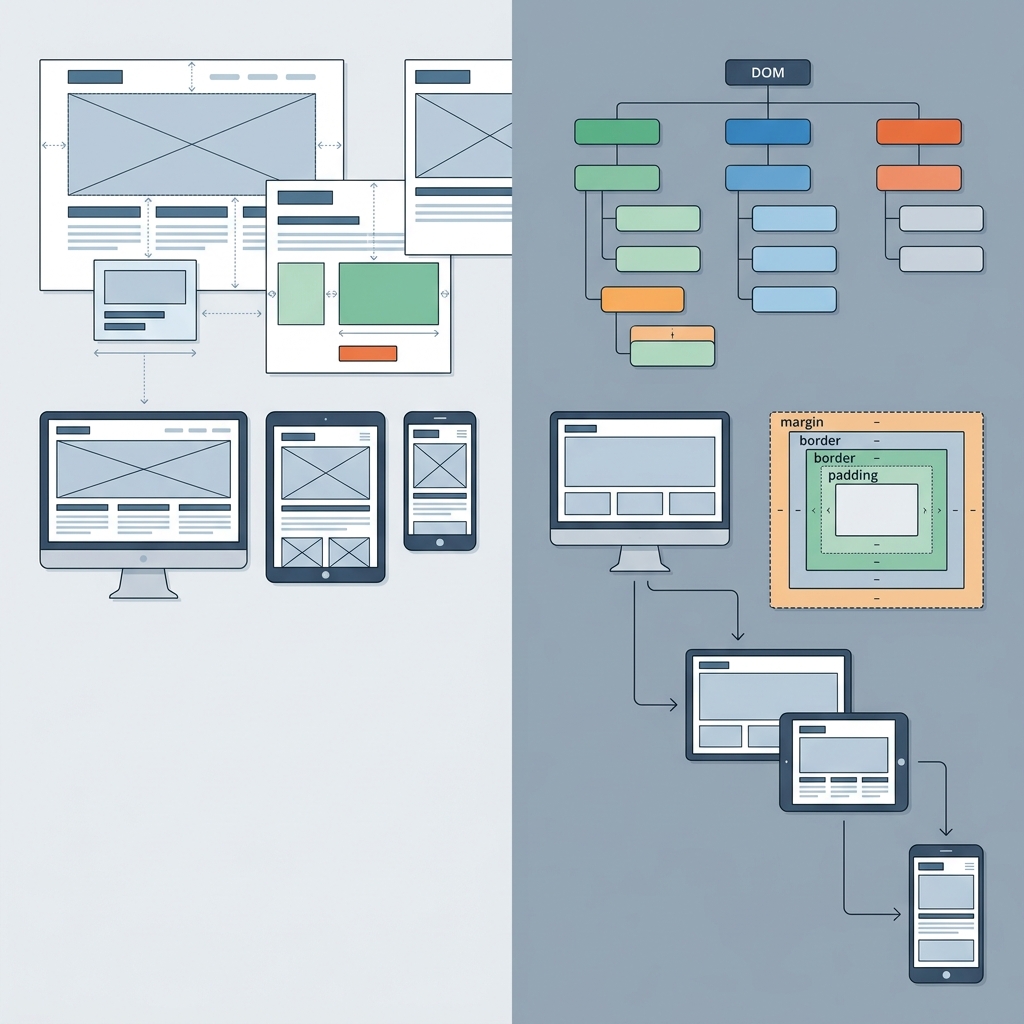
The core architectural difference starts beneath the surface, in how each tool represents a page. Framer's editor behaves like a Figma-style freeform canvas: elements sit on stacks and auto-layout frames. Designers can position or layer objects without writing CSS. This makes Framer fast for moving from mockups to live pages. The visual logic mirrors familiar design software.
Webflow translates layout choices directly into clean HTML and CSS markup. Elements follow standard web boxes, grids, and positioning rules. This keeps the underlying page code structured and ready for production.
Responsiveness: overrides vs cascade
The two platforms also diverge on how layouts adapt across screen sizes. Framer relies on visual breakpoint overrides: a designer sets a style at one breakpoint and overrides it on smaller screens. This feels similar to adjusting Figma frames. Webflow passes desktop styling down to smaller screens automatically. You only adjust elements when a specific screen size needs changes.
Who carries the maintenance load
- Framer favours speed of handoff: product and UI designers can ship polished pages quickly. However, freeform positioning can produce unpredictable layout shifts as content expands.
- Webflow favours long-term maintainability: because output follows DOM and CSS conventions. Marketing teams and developers inherit a clean, auditable structure when scaling the site.
Teams that already lean toward one tool or the other for this reason can compare plan details directly on the Webflow pricing page or the Framer pricing page.
Interaction and Motion: framer animations vs webflow
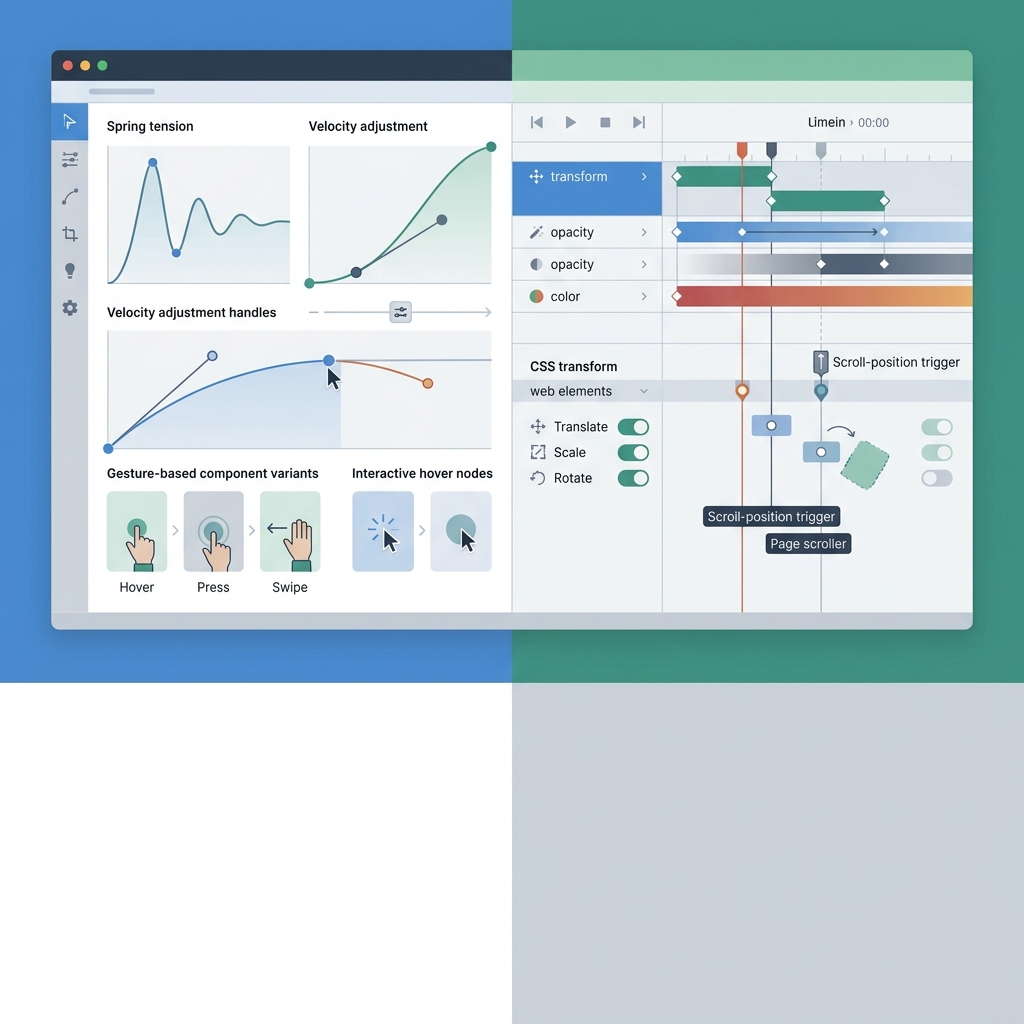
Both platforms let you animate elements visually. Their underlying interaction engines, however, work very differently.
How each engine is built
Framer is built on native React and Framer Motion primitives. Spring physics, gesture interactions and component variants work directly on canvas. You can configure cursor movement and scroll transitions without writing scripts. Webflow uses timeline triggers for clicks and hovers. It converts these actions into standard browser animations.
Where each one is stronger
- Micro-interactions and physics: Framer's component variants and spring easing make bouncy, natural-feeling motion quick to build without embeds.
- Multi-step sequencing: Webflow's timeline interactions handle complex, multi-trigger page sequences and third-party script integrations well, though replicating Framer-style spring physics usually needs a custom code embed.
- Scroll-linked transitions: Framer leans toward frictionless scroll-driven 3D effects; Webflow leans toward CSS-based scroll triggers that are reliable but less physics-driven out of the box.
Performance trade-offs
Framer loads animation scripts with React. Heavy animation stacks can increase overall page weight. Webflow uses declarative CSS transforms with minimal runtime script overhead. Stacking many complex timeline triggers can still affect page speed.
| Attribute | Webflow | Framer |
|---|---|---|
| Animation engine | Timeline-based, CSS-driven | React / Framer Motion, physics-based |
| Free plan | Starter site, 2 static pages | Framer domain, 1 GB bandwidth, 500 AI credits |
| Entry paid plan | Basic US$15/mo | Basic £10/mo (£8/mo yearly) |
Source: webflow.com/pricing and framer.com/pricing, checked October 2026.
Teams wanting a side-by-side breakdown of these two plans can see the full Framer vs Webflow price and feature comparison.
Database Scalability: webflow cms vs framer cms
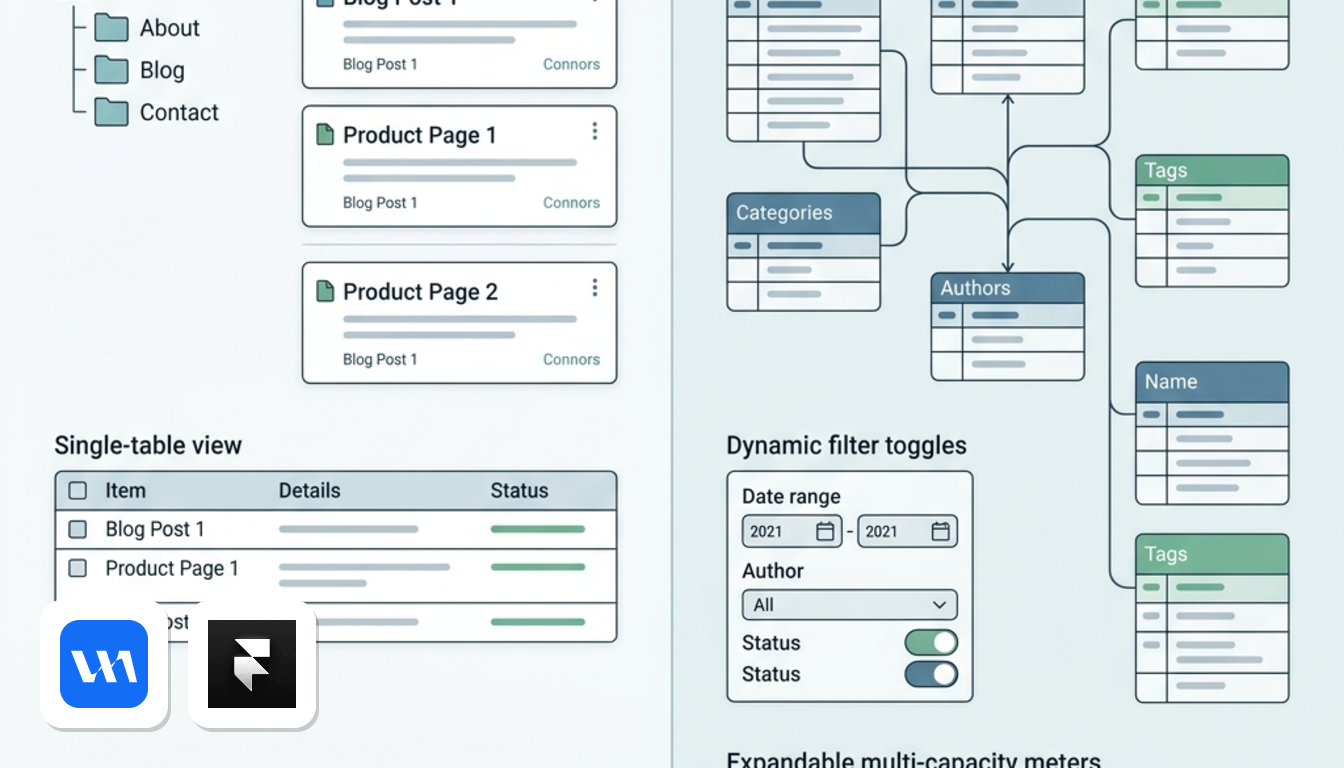
Your choice depends on how your content grows over time. A simple blog needs far less structure than an extensive resource library.
Framer's CMS: simple collections, fixed caps
Framer's Basic plan includes CMS collections suitable for a small blog. However, limits feel tight once publication volume grows. The Pro plan raises CMS capacity, which covers a standard company blog or a simple portfolio repository without heavier relational needs. Both tiers keep content flat. There is no native support for nested collections or multi-reference schemas.
Webflow's CMS: static first, then a real database layer
Webflow's Basic plan is strictly static without CMS collections. It suits static marketing sites without dynamic content. The Premium plan is where Webflow becomes a CMS-driven platform — it adds native Webflow CMS collections, customizable multi-reference schemas, and dynamic filtering, which matter for content hubs where articles link to authors, categories and related resources, according to Webflow's pricing page, checked October 2026.
Bandwidth as a scalability limit
Source: Framer and Webflow pricing pages, checked October 2026.
At entry level, Framer includes more bandwidth on Basic than Webflow Basic. When a project requires CMS collections, compare Framer Pro against Webflow Premium. Both tiers provide higher bandwidth allowances for growing content hubs.
Programmatic and relational content
Webflow's structured CMS is built to handle nested collections and relational fields. These serve as building blocks for programmatic pages and catalogues. Framer's flat content structure is not designed for that kind of relational depth — it works well for a blog, less well for a content hub with cross-referenced records.
If your roadmap requires relational databases, Webflow Premium is built for that scale. For a straightforward blog, Framer's collections are sufficient.
For full plan breakdowns, see the Webflow pricing page and the Framer pricing page.
Plan Limits and Total Cost of Ownership: framer vs webflow pricing
Pricing structures look similar on the surface. Total costs diverge once bandwidth, page limits, and CMS access enter the picture. Framer bills in GBP, while Webflow charges in USD. Real costs depend on gated features rather than monthly headline rates.
Free plan: a playground versus a two-page card
Framer's free tier gives a working site on a Framer domain with 1 GB of bandwidth and 500 AI credits. Webflow's free Starter plan limits you to a webflow.io subdomain and 2 static pages. Framer's free tier supports a functional starter site. Webflow's two-page starter tier remains limited to quick design mockups.
Paid tiers: GBP versus USD, and what's included
| Plan | Framer | Webflow |
|---|---|---|
| Entry paid | Basic: £10/mo (£8/mo yearly) — custom domain, 1,000 AI credits, 30 pages, 2 CMS collections, 50 GB bandwidth | Basic: US$15/mo (yearly) — custom domain, 300 static pages, 10 GB bandwidth, no CMS |
| Mid tier | Pro: includes AI credits, pages, CMS collections, and bandwidth—refer to Framer's pricing page for current pricing and allowance details. staging, branching with previews | Premium: CMS included, with bandwidth limits not publicly specified (refer to the official pricing page for details). |
| Top tier | Enterprise: custom pricing | Team (Platform): US$2,500/mo; Enterprise: custom pricing |
Source: Framer's pricing page, checked October 2026; Webflow's pricing page, checked October 2026.
Webflow reserves CMS collections for its Premium tier. Framer includes CMS collections on its Basic plan. A simple blog reaches dynamic publishing at a lower entry rate on Framer.
Agency and multi-site cost math
Webflow's paid plans are per site, so an agency running ten client sites multiplies the US$15–US$25 monthly fee by ten sites. Framer's plans are not described as per-site in the same way, so teams managing several projects under one subscription may find the maths more predictable, though AI credits and page limits still cap how far one plan stretches. Businesses scaling past these limits, or needing enterprise features like SSO, move to custom Enterprise pricing on either platform.
European Legal and Compliance Audit: framer european company vs webflow gdpr compliance
For European businesses, corporate jurisdiction and data hosting matter as much as software pricing. The two platforms sit on opposite sides of the Atlantic, and that shapes how each one answers GDPR questions.
Corporate origin and jurisdiction
Framer is operated by Framer B.V., a company based in Amsterdam, Netherlands — making it a European company by incorporation. Webflow is a US corporation headquartered in San Francisco, California. This distinction affects which legal system a vendor is primarily answerable to, even though both companies sell into the EU and UK.
Data hosting realities
Despite its Dutch incorporation, Framer B.V. stores customer data on servers outside the EEA and UK, including the United States. Framer backs this with ISO 27001 certification and a formal Data Processing Agreement incorporating Standard Contractual Clauses (SCCs) to cover the transfer. Webflow runs on Amazon Web Services data centers across multiple regions and states that it complies with the EU–US Data Privacy Framework, with an Article 28 Data Processing Addendum and SCCs available as a fallback mechanism.
Billing currency and VAT reverse charge
Framer bills UK and European accounts in GBP (£), while Webflow bills international customers in USD ($). Neither currency choice reflects where data is processed. VAT-registered businesses in Europe use reverse charge accounting for both vendors. You provide your VAT number at checkout to self-account for taxes locally.
| Point | Framer | Webflow |
|---|---|---|
| Legal entity / jurisdiction | Framer B.V., Amsterdam, Netherlands | US corporation, San Francisco, California |
| Data location | Outside EEA/UK, including the US | AWS data centers, multiple regions |
| DPA (GDPR Article 28) | — | Yes, with SCCs as fallback |
| Certifications / frameworks cited | ISO 27001, SCCs | EU–US Data Privacy Framework |
| Billing currency | GBP (£) | USD ($) |
Framer legal terms verified from Framer Privacy Statement and DPA, checked October 2026; Webflow terms verified from Webflow Legal DPA, checked October 2026.
Neither vendor keeps data exclusively within the EEA. Both rely on Standard Contractual Clauses for overseas transfers. If you require an explicitly titled Article 28 DPA, Webflow provides one in its legal terms.
SEO Controls, Staging Environments, and Team Collaboration
For teams weighing Webflow vs Framer on technical SEO, both tools cover the basics but differ in control. Framer builds automated sitemaps and structured metadata into every plan, and adds custom redirects on Pro. Webflow offers granular control over XML sitemaps and Open Graph templates. It also provides native redirect tools, which help teams migrating existing URL structures.
Staging and publishing workflows
Framer Pro includes staging domains and visual branching with live previews, letting a designer test a layout change before it goes live without a separate tool. Webflow offers its own staging domains on the .webflow.io subdomain, paired with multi-user publishing workflows that become more structured on the Team (Platform) plan, where agencies typically need the US$2,500/month tier with an annual contract, according to Webflow's pricing page (webflow.com/pricing, checked October 2026). Framer includes branching inside its Pro tier.
AI credits for content and layout
Framer meters AI usage on its free plan with 500 AI credits to try for design generation and layout drafting. Webflow instead bundles AI page generation and styling assistance across its tiers without a separate credit counter. Teams generating many draft pages a month should check whether Framer's credit ceiling or Webflow's uncapped assistance fits their workflow better — details are on the Framer vs Webflow price comparison and the Webflow pricing page.
Which Website Builder Suits Your European Operation?
The choice between these two platforms comes down to team workflow and page volume.
Choose Framer if
You run a design studio, an early-stage SaaS startup, or a marketing team that wants to publish visually rich landing pages straight from Figma-style prototypes without writing CSS. Framer suits fast-moving teams rather than large content hubs. Its Amsterdam headquarters also appeals to buyers who prefer an EU corporate entity.
Choose Webflow if
You operate an established enterprise marketing hub needing hundreds of static pages, deeply relational CMS databases, or strict developer-grade HTML/CSS output. Webflow accommodates growing content libraries and complex page structures. Larger teams can add localization workflows and enterprise security as needs expand.
Alternative considerations
- For lightweight standalone conversion pages or PPC landing funnels, dedicated builders such as Leadpages may fit better than either full site builder.
- For location-based dynamic routing and geo-targeting across European markets, Geo Targetly is worth assessing alongside Webflow or Framer rather than instead of them.
Neither Webflow nor Framer is built as a pure landing-page or geo-routing tool — both are full site builders first.
Procurement and Migration Checklist for European Teams
Before signing, run a short technical and legal audit rather than choosing on price alone.
- Bandwidth audit: estimate monthly traffic against Webflow's Basic plan's 10 GB cap (US$15/mo) versus Framer's 50 GB on Basic and 100 GB on Pro (£10 and £35/mo, per Framer's pricing page, checked 2026-10-09). A traffic spike past these limits forces a plan upgrade mid-contract.
- Legal onboarding: sign the vendor's DPA before go-live. Webflow names SCCs and EU–US Data Privacy Framework compliance in its DPA; log the transfer mechanism in your GDPR register. For Framer, document its DPA and SCC transfer mechanisms in your audit log.
- VAT setup: enter your EU or UK VAT number at checkout on either platform so invoices trigger the reverse-charge mechanism instead of charged VAT.
- Asset readiness: if designs already exist as Figma frames, Framer's import path saves rebuild time; if the team needs production-grade HTML/CSS export and CMS structure, Webflow's Premium tier is the better landing point.
Frequently Asked Questions about Webflow vs Framer
Is Framer a European company, and where is user data stored?
Framer is incorporated in the Netherlands, but stores data on servers outside the EEA and UK. Webflow is US-based and hosts infrastructure on Amazon Web Services across multiple regions. Neither platform guarantees exclusive EU data residency.
Can Framer CMS replace Webflow for large-scale content publishing?
Framer's CMS works well for straightforward blogs and portfolios. Webflow's CMS provides relational collections and multi-reference fields, making it better suited for multi-category content hubs.
How do Framer's GBP prices compare to Webflow's USD pricing?
The two run in different currencies, so direct conversion isn't meaningful; buyers should compare against their own budget in each listed currency. Framer's Basic plan is £10/month (£8/month billed yearly) and Pro is £35/month (£23/month billed yearly). Webflow's Basic is US$15/month and Premium is US$25/month, both billed yearly, per each vendor's pricing page checked in October 2026.
Do both support GDPR compliance and DPAs?
Webflow states it complies with the EU–US Data Privacy Framework and offers a DPA with Standard Contractual Clauses as a fallback, per its legal page checked October 2026. Framer provides a DPA with SCCs, though its documentation does not specifically label the terms under Article 28.
Main limitations of the free plans?
Webflow's free Starter site runs on a webflow.io domain with just 2 static pages and no CMS. Framer's free plan uses a Framer domain with 1 GB bandwidth and 500 AI credits to try, per both pricing pages checked October 2026 — fine for testing, not for a live business site. See the full breakdown in Framer vs Webflow: prices, plans and features compared.