

















Compare verified Figma alternatives for European design teams. Analyze self-hosting options, EU data residency, and real plan costs for Penpot, Miro, and Balsamiq.
Evaluating Figma Alternatives depends on whether you need open-source code control, EU data hosting, or low-fidelity wireframing. Every product team operates under different technical workflows, software budgets, and compliance standards. This guide covers verified prices, seat limits, and hosting facts for top design platforms.
If your organization needs full control over design assets and source code, open-source software like Penpot provides complete data sovereignty. If you focus on early product thinking or visual mapping with native EU data residency, tools like Miro and Balsamiq offer specialized benefits over Figma. You can test these tools without paying for expensive design seats.
Avoid these alternative options if you require an identical vector engine to Figma or rely on proprietary plugins that only run inside Figma.
TL;DR: How to Choose Design Tools
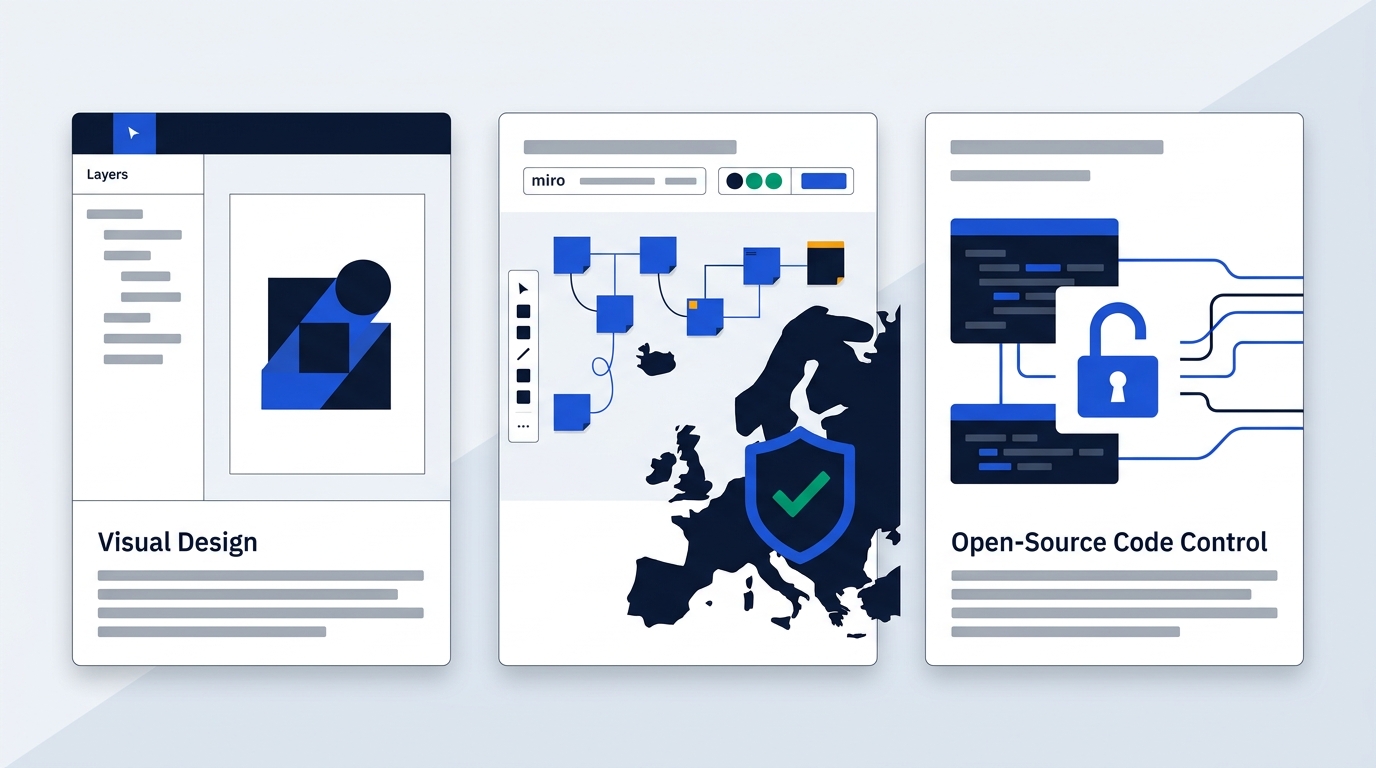
Penpot suits teams needing open-source code, local self-hosting, and transparent developer handoff without extra paid seats. Miro is ideal for visual collaboration, visual mapping, and teams prioritizing verified EU data hosting in Germany and Ireland. Balsamiq works best for early-stage wireframing and rapid product validation, especially when non-designers need quick feedback without visual polish.
Sketch suits macOS teams wanting native desktop software with open file formats. Lunacy offers a free, cross-platform offline vector editor. UXPilot AI accelerates initial wireframing through prompt-based design generation. Framer targets marketing teams building and publishing live websites directly from designs.
You should avoid these options if you need complete parity with Figma's exact design component engine or deep reliance on Figma's proprietary cloud ecosystem.
Why Look Beyond Figma?
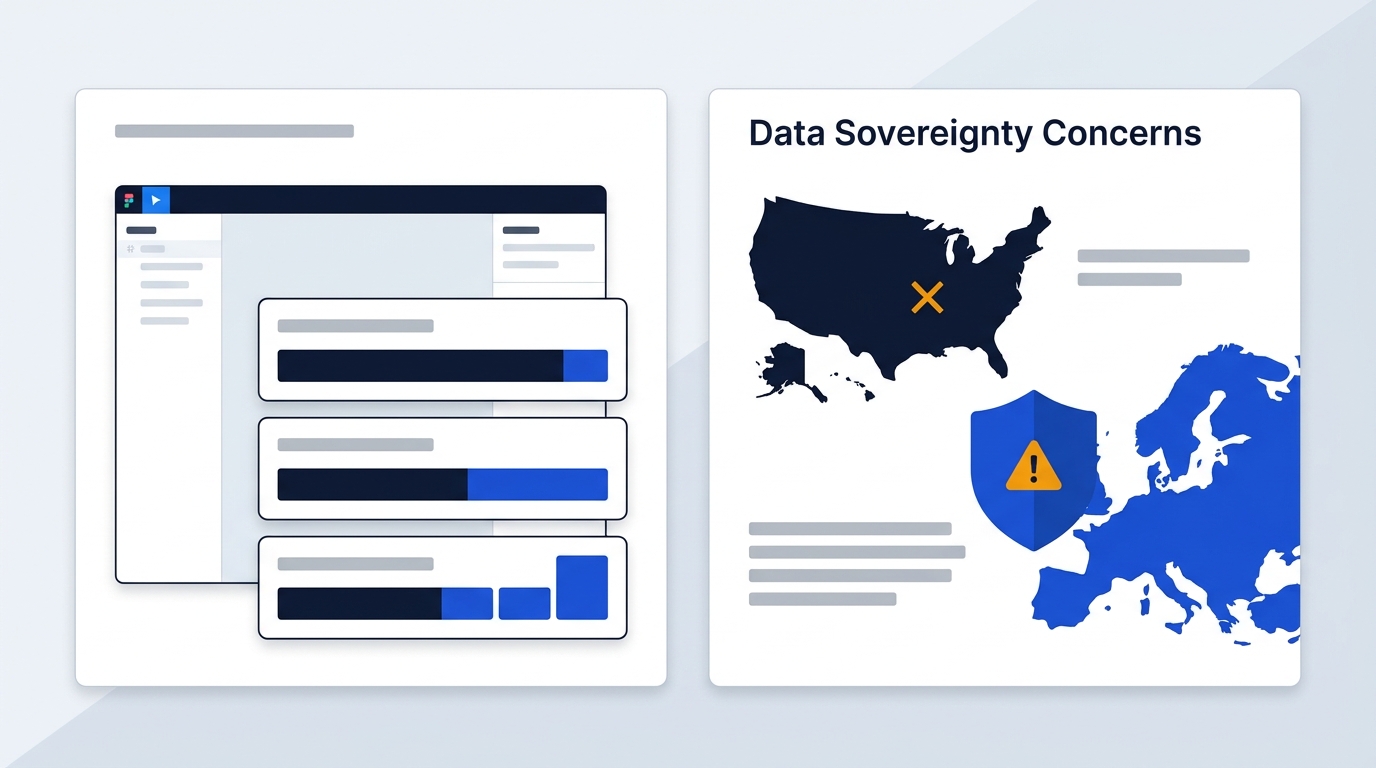
Figma is a cloud-based design tool used for real-time collaboration, detailed UI/UX design, interactive prototyping, and design system management. You can manage complete design lifecycles inside Figma. Changing software pricing structures and seat models have caused European businesses to review their software stack.
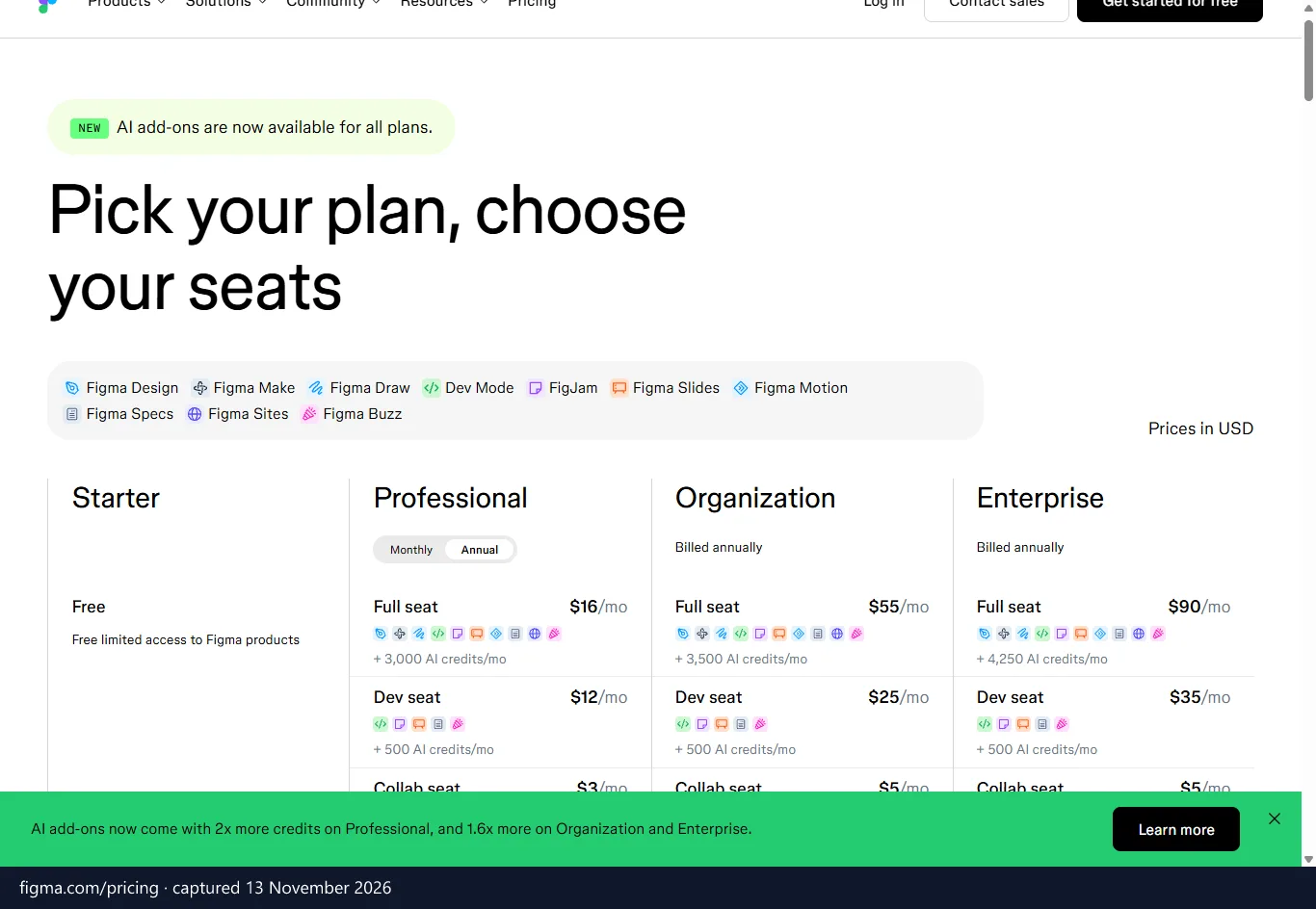
Rising subscription charges on paid tiers create budget challenges for growing organizations. According to Figma's pricing page, the Professional plan costs US$12 per month per editor on annual billing or US$15 on monthly billing. Its Organization plan costs US$45 per month per editor with an annual commitment. Its Enterprise plan costs US$75 per month per editor billed annually. You can review full seat structures on our Figma pricing and seat tiers guide to see how these costs scale across departments.
Per-Seat Pricing and Hidden Dev Costs
Managing user access in Figma requires navigating multiple seat categories. Figma splits users into Full seats, Dev seats, Collab seats, and free Viewers. Full seats grant complete access to design tools, prototyping, and Dev Mode inspection. Dev seats give full access to Dev Mode and FigJam, but restrict users to view-only access in design files.
Free viewers and Collab seats receive only basic inspection tools. If your software engineers need advanced inspection features or code integrations, your team must purchase dedicated Dev seats or Full seats. This per-seat pricing structure increases monthly expenses when scaling technical teams.
Figma also limits AI features using monthly credit allotments shared across seat types. According to Figma's documentation, Professional plans include 3,000 AI credits per month per seat. Organization plans include 3,500 credits, and Enterprise plans include 4,250 credits. Free Starter seats and non-design seats receive only 500 AI credits per month.
Data Sovereignty Concerns for EU Teams
Figma hosts primary user data in the United States using the AWS us-east-1 region in Northern Virginia. European businesses operating under GDPR guidelines must rely on Standard Contractual Clauses and the EU-U.S. Data Privacy Framework. If your internal compliance policies prohibit storing product intellectual property on American cloud servers, Figma's infrastructure creates legal challenges.
Large design files can also experience performance slowdowns in web browsers. Because Figma relies on a proprietary file format, your team cannot easily extract raw vector data outside the platform without exporting static assets.
Figma Alternatives: Quick Comparison
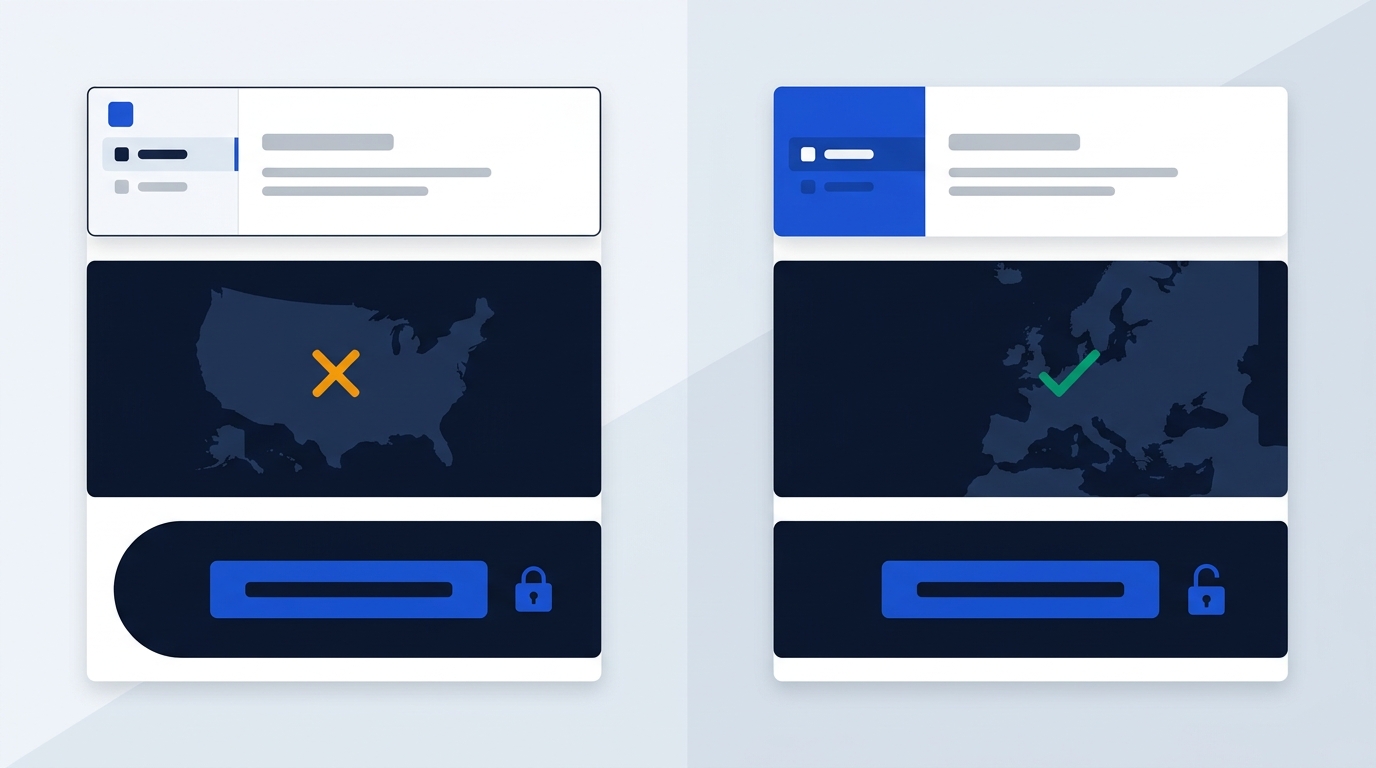
The table below summarizes key metrics for Figma, Penpot, Miro, Balsamiq, Sketch, and Lunacy. It highlights pricing structures, free access limits, developer inspection tools, and data hosting locations.
| Feature / Metric | Figma | Penpot | Miro | Balsamiq | Sketch | Lunacy |
|---|---|---|---|---|---|---|
| Best For | High-fidelity UI/UX design | Open-source design and code handoff | Collaborative whiteboarding | Low-fidelity wireframing | macOS vector design | Free offline vector editing |
| Free Plan / Trial | Free Starter plan (3 files) | Free plan (unlimited files and users) | Free plan (3 editable boards) | 14-day free trial | 30-day free trial | Free plan available |
| Starting Price | US$12 per editor/month (annual) | Free SaaS & open-source | US$8 per user/month (annual) | US$16 per editor/month (annual) | US$10 per user/month (annual) | US$11.99 per user/month (annual) |
| EU Data Residency | No (US AWS us-east-1) | Yes (via self-hosting) | Yes (Frankfurt & Dublin) | Cloud hosting | Cloud & local files | Yes (via private cloud/on-prem) |
| Self-Hosting | No | Yes (air-gapped) | No | No | No (local files) | Yes (on-prem cloud) |
| Inspect Mode Cost | Paid Dev or Full seat | Free for all users | Included in plan | Free for reviewers | Included in plan | Included in plan |
Source: verified vendor pricing pages, checked October 2026.
Overview of Other Design Platforms
Beyond open-source tools, several specialized design platforms address specific team requirements. Reviewing these options helps you match software features to your team's workflow.
Sketch: Best for macOS Native Design Teams
Sketch is a macOS-specific design and prototyping platform. According to Sketch's documentation, it offers vector editing, real-time collaboration, developer handoff tools, and an open file format. Unlike Figma, Sketch uses standard file structures that third-party software can read directly.
Sketch includes a native desktop app optimized for offline use on Apple hardware. According to Sketch's pricing page, plans cost US$10 per user per month billed annually, or US$12 billed monthly. Sketch also offers a one-time license fee of US$120 per user. Sketch does not charge extra for different seat tiers, but it lacks a built-in whiteboard tool equivalent to FigJam and does not run natively on Windows or Linux operating systems.
Lunacy: Free Cross-Platform Offline Vector Editing
Lunacy is an open-source vector design application that works across macOS, Windows, and Linux. According to Lunacy's official documentation, it operates fully offline and supports native Sketch document formats. You can also import existing Figma assets into Lunacy layouts.
Lunacy provides built-in graphic assets, repeat grids, and web page design links that update websites in real time. According to Lunacy's pricing page, it offers a functional free plan, with paid subscriptions starting at US$11.99 per user per month billed annually. Organizations can run private cloud installations for local security. Downsides include a smaller third-party integration ecosystem and limited device preview tools.
Framer: Production Website Design and Publishing
Framer focuses on website design, publishing, and hosting within a single visual editor. According to Framer's documentation, the software converts visual canvas layouts directly into production web code. It includes AI wireframe generation, built-in SEO tools, and web analytics tracking. You can review hosting details on our Framer and Webflow comparison.
Framer provides entry-level free plans, making it suitable for marketing teams and freelancers building live websites. However, Framer is built specifically for websites. You cannot use Framer to design mobile application interfaces or complex backend user flows.
UXPilot AI: Prompt-Based Wireframing and Prototyping
UXPilot AI uses generative AI models to create high-fidelity wireframes, interactive screen flows, and predictive user heatmaps. Users generate multi-screen interfaces using text prompts. It includes an image-to-HTML generator that outputs production code for developers.
UXPilot offers a free trial plan, after which pricing starts at US$12 per month billed annually.
Open-Source vs Proprietary Cloud Software
Choosing between open-source design software and proprietary cloud platforms involves trade-offs between system control and managed convenience. Understanding these differences protects your team from unexpected infrastructure costs.
Data Sovereignty and Self-Hosting Control
Proprietary cloud platforms like Figma manage hosting, server maintenance, and security updates automatically. However, your team loses control over where files are stored and how user data is processed. If a vendor updates its subscription prices or terms of service, your business must accept the changes or migrate off the platform.
Open-source tools like Penpot allow you to self-host the entire application on private cloud servers or local hardware. According to Penpot's documentation, self-hosted deployments can run air-gapped without internet connectivity. Your IT team retains complete authority over data encryption, access logs, and user privacy.
Open Standards vs Vendor Lock-In
Figma uses a proprietary document format. If you leave Figma, you cannot export fully editable design systems into open standards without losing component interactions or layout constraints.
Open-source design software relies on open web standards including SVG, HTML, CSS, and JSON. Files created in Penpot render directly using browser layout standards. This open framework eliminates vendor lock-in and ensures that visual components transfer directly into codebases.
Migration and Figma File Import Capabilities
Switching design tools requires moving existing design assets without losing work. File import capabilities vary across alternative design platforms.
Penpot includes a native Figma migration tool. According to Penpot's documentation, you can import Figma files directly into Penpot workspace projects. The importer converts design layers, vector shapes, and basic text formatting into Penpot's native format. However, complex interactive prototyping triggers and proprietary Figma plugin data may require manual adjustment after import.
Sketch and Lunacy can also import Figma files. Sketch allows direct file conversion, converting imported vectors into native Sketch components. Lunacy imports Figma design layers, allowing teams to edit assets offline across Windows, Linux, and macOS platforms.
Balsamiq does not support importing Figma vector files directly. Because Balsamiq focuses on sketch-style, low-fidelity wireframing, high-fidelity vector layouts do not translate into its hand-drawn component system. Miro allows users to import static PDF files and image exports from Figma, but it does not convert vector shapes into editable Miro canvas layers.
Penpot: The Open-Source Design Platform
Penpot is an open-source design platform built for teams that create web applications at scale. Designers and developers collaborate within a single unified workspace, operating either in the cloud or through self-hosted internal servers.
+-------------------------------------------------------------------+
|                        PENPOT ARCHITECTURE                        |
|                                                                   |
|   +-------------------+                     +-----------------+   |
|   |   Design System   | <-----------------> |  Inspect Tab    |   |
|   |  (W3C Tokens)     |                     | (SVG, HTML, CSS)|   |
|   +-------------------+                     +-----------------+   |
|             ^                                        ^            |
|             |                                        |            |
|   +-------------------+                     +-----------------+   |
|   | Open Web Formats  |                     | Free MCP Server |   |
|   | (CSS Grid/Flex)   |                     | (AI Agents)     |   |
|   +-------------------+                     +-----------------+   |
|                                                                   |
|   DEPLOYMENT OPTIONS: Cloud SaaS  |  Self-Hosted On-Premise      |
+-------------------------------------------------------------------+
You retain total data ownership when using Penpot. Because the platform uses standard open web formats, your team avoids vendor lock-in completely.
Open-Source Architecture and Self-Hosting Control
Penpot allows organizations to deploy the complete application on internal infrastructure. If your business operates under strict compliance requirements, you can run Penpot air-gapped on internal network servers. Self-hosting gives your IT team total authority over data storage, user authentication, and system access.
Because Penpot operates under an open-source license, your team retains permanent control over your design files. You do not risk losing access to your design assets if vendor subscription terms change.
Penpot relies on open web standards including SVG, HTML, CSS, and JSON formats. Instead of converting graphics into a proprietary format, Penpot native files render web technologies directly. This architecture ensures that what your design team builds matches what your engineering team renders in web browsers.
Native W3C Design Tokens and CSS Layouts
Design systems in Penpot use native W3C design tokens. Design tokens serve as a single source of truth for design variables like colors, spacing, and typography across both software codebases and UI layouts.
- Native W3C design tokens connect UI elements directly to production code formats.
- Composite typography tokens maintain text styles across shared design libraries.
- Built-in CSS Flexbox and CSS Grid layout engines mirror real web browser rendering.
- Open APIs and plugin systems allow custom automated pipeline integrations.
Because Penpot includes native CSS Flexbox and CSS Grid layout rules, designers build layouts using the same spatial logic that developers write in code. This alignment eliminates common layout discrepancies during front-end engineering.
Cost-Free Inspect Mode and AI Server Access
Developer handoff in Penpot is completely free on all plans. According to Penpot's comparison documentation, every team member receives full access to the Inspect tab without purchasing specialized developer seats. Software engineers can view design layers, measure spacing, and extract clean CSS, HTML, and SVG code directly from the canvas.
Penpot provides an open Model Context Protocol (MCP) server. Your technical team can connect automated AI coding agents directly to Penpot design files without credit caps or additional usage limits.
Real downsides include administrative technical overhead if you choose to self-host and manage server deployments internally. Penpot's third-party plugin catalog is also less mature than Figma's extensive ecosystem.
According to Penpot's official pricing page, Penpot provides a free cloud plan that includes unlimited files, unlimited viewers, and unlimited designer seats. Organizations needing centralized administration, SAML Single Sign-On (SSO), and custom governance can choose the Penpot Enterprise option.
Miro: For Collaborative Ideation and Whiteboarding
Miro is a visual collaboration platform designed for distributed teams to map workflows, run strategic workshops, and plan product roadmaps. Rather than focusing purely on vector UI design, Miro provides an infinite digital canvas for visual team alignment.
+-------------------------------------------------------------------+
|                     MIRO COLLABORATION HUB                        |
|                                                                   |
|   +-------------------+                     +-----------------+   |
|   |  Infinite Canvas  | <-----------------> | Visual Mapping  |   |
|   | (Brainstorming)   |                     |  (UML & BPMN)   |   |
|   +-------------------+                     +-----------------+   |
|             ^                                        ^            |
|             |                                        |            |
|   +-------------------+                     +-----------------+   |
|   | EU Data Hosting   |                     | Core Workflows  |   |
|   | (Frankfurt/Dublin)|                     | (Slack & Zoom)  |   |
|   +-------------------+                     +-----------------+   |
+-------------------------------------------------------------------+
You can run product strategy sessions, build system architecture diagrams, and review project milestones on a shared board. You can evaluate full seat options on our Miro board pricing and features page.
Infinite Canvas and Visual Collaboration Tools
Miro excels at early-stage product development before high-fidelity interface design begins. Cross-functional teams use Miro to build user journey maps, sketch preliminary wireframes, and organize sprint retrospective boards.
- Infinite canvas hosting pre-made templates for agile workflows and visual mind mapping.
- Real-time cursor tracking, live audio chat, and attention-tracking tools for workshop facilitators.
- High-resolution board exports without watermarks on all paid plans.
- Advanced diagramming shape libraries for UML, BPMN, and cloud infrastructure mapping.
By capturing early feedback on Miro boards, product managers align engineering and design teams before spending hours in vector editing tools. You can also integrate Miro with issue tracking tools like Jira and Linear issue tracking software to convert whiteboard sticky notes directly into engineering tasks.
Enterprise Governance and EU Data Residency
According to Miro's security documentation, Miro provides native European Data Residency for organizations operating in the European Union. Primary data storage locations are in Frankfurt, Germany, and Dublin, Ireland. This infrastructure helps European enterprises comply with strict GDPR data storage mandates.
Miro holds SOC 2 Type II and ISO 27001 security certifications. The platform includes SCIM user provisioning, SAML Single Sign-On, and centralized administrative logging on business plans.
Real downsides stem from Miro's functional boundaries. Miro is not a high-fidelity vector UI editor. You cannot export production CSS code, manage complex design component variants, or build interactive vector prototypes for mobile applications inside Miro.
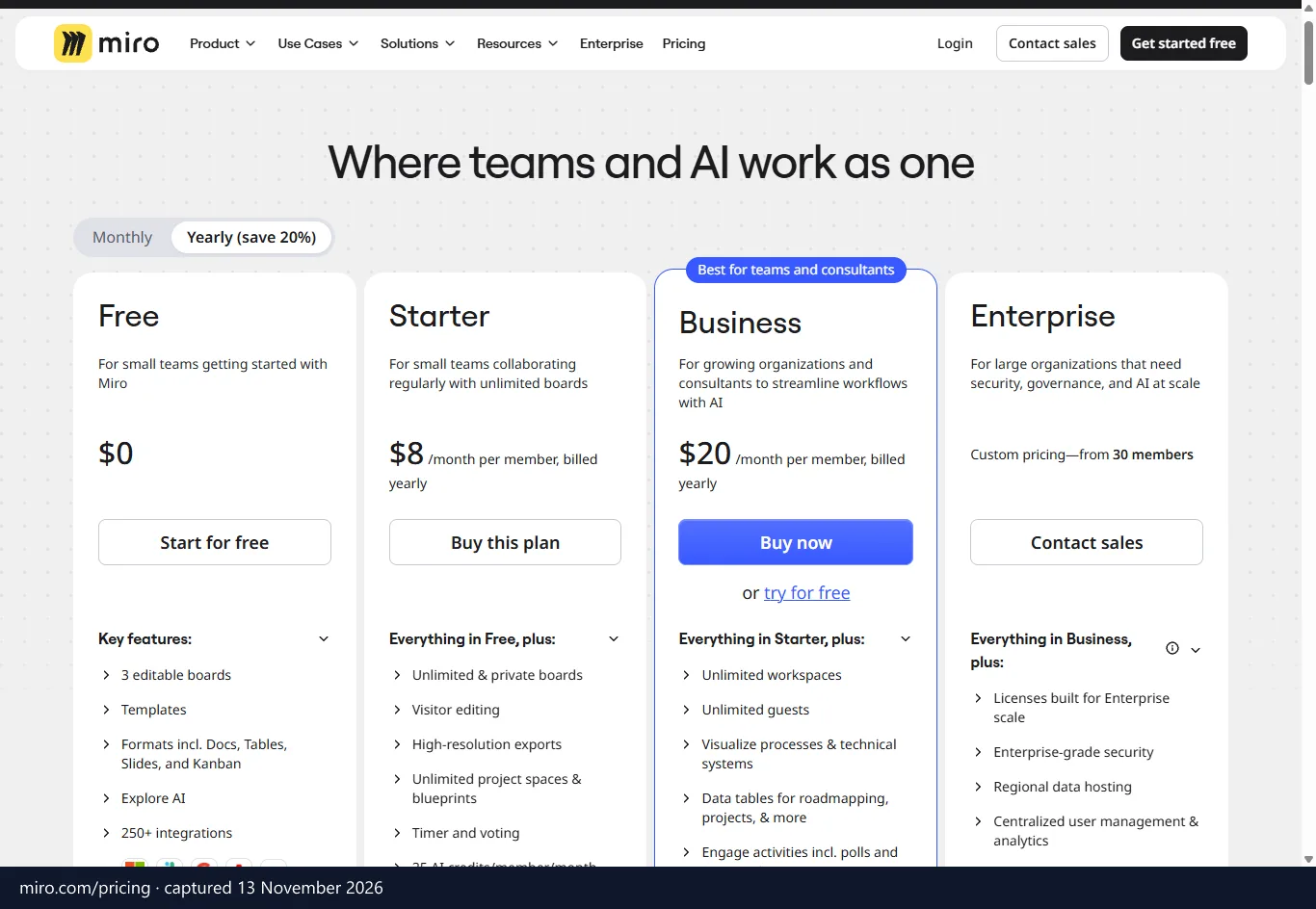
According to Miro's pricing page, the Free plan includes 3 editable boards, standard templates, and core app integrations. The Starter plan costs US$8 per user per month billed annually (or US$10 monthly) and provides unlimited boards, custom templates, and private board controls. The Business plan costs US$16 per user per month billed annually (or US$20 monthly), adding Single Sign-On, UML/BPMN diagramming, and unlimited external guest access.
Balsamiq: For Early-Stage Wireframing
Balsamiq focuses exclusively on low-fidelity wireframing and initial product design thinking. By intentionally using a hand-drawn, sketch-style aesthetic, Balsamiq forces teams to focus on core layout logic, content hierarchy, and user flows rather than aesthetic visual polish.
+-------------------------------------------------------------------+
|                   BALSAMIQ WIREFRAMING FLOW                       |
|                                                                   |
|   +-------------------+                     +-----------------+   |
|   |  Rough Concept    | <-----------------> | Sketch-Style UI |   |
|   | (Prompt / Sketch) |                     |  Components     |   |
|   +-------------------+                     +-----------------+   |
|             ^                                        ^            |
|             |                                        |            |
|   +-------------------+                     +-----------------+   |
|   | Balsamiq AI / MCP |                     | Clickable Flow  |   |
|   | (Specs & Code)    |                     |  Prototypes     |   |
|   +-------------------+                     +-----------------+   |
+-------------------------------------------------------------------+
Product managers, software engineers, and founders use Balsamiq to validate ideas rapidly before involving UI designers.
Rapid Low-Fidelity Wireframing and AI Assistance
Balsamiq intentionally removes complex visual design settings like gradient fills, drop shadows, and web typography options. This simple approach eliminates unnecessary debates about color choices during initial concept reviews.
- Sketch-style UI components keep stakeholder attention focused on structural interaction.
- Drag-and-drop component interface with pre-built UI elements and system icons.
- Balsamiq AI generates editable wireframes automatically from text prompts, sketches, or screenshots.
- Quick conversion of low-fidelity screens into simple, clickable interactive prototypes.
Because non-designers can master Balsamiq in minutes, project stakeholders contribute directly to interface sketches. Non-technical users avoid the steep learning curves associated with professional design platforms.
Jira Integration and AI Coding Handoff
Balsamiq streamlines early developer handoff through deep integrations with team collaboration software. You can embed wireframes directly inside Jira tickets, Confluence pages, or Slack channels to keep development specs visible.
Balsamiq includes its own MCP server. Technical teams can connect AI coding assistants directly to Balsamiq wireframes to generate user stories, automated QA test plans, and initial front-end code frameworks.
Real downsides include a complete lack of high-fidelity design features. You cannot use Balsamiq to create final visual assets, client-ready marketing materials, or pixel-perfect app interfaces.
According to Balsamiq's official pricing page, pricing starts at US$16 per editor per month when billed annually (US$192 per year) or US$23 per editor billed monthly. Editors are users who create or modify wireframes. Anyone can review, view, and comment on wireframe projects without extra charges. Balsamiq offers a 14-day free trial.
EU Data Residency and GDPR Compliance
Data privacy standards require European companies to inspect where SaaS tools store information and how vendor processing agreements operate. Understanding legal mechanisms helps protect your user data and business compliance.
+-------------------------------------------------------------------+
|                   DATA COMPLIANCE PARITY GUIDE                    |
|                                                                   |
|  VENDOR     DATA LOCATION           LEGAL TRANSFER MECHANISM      |
|  -------    ---------------------   ----------------------------  |
|  Figma      United States (AWS)     EU-US DPF + Standard Clauses  |
|  Penpot     Self-Hosted (Local)     Full On-Premise Sovereignty   |
|  Miro       Frankfurt & Dublin      Native EU Data Residency      |
|  Balsamiq   Cloud Hosting           Standard Vendor DPA           |
+-------------------------------------------------------------------+
Comparing US Hosting vs EU Sovereign Deployment
According to Figma's privacy documentation, Figma stores primary application data on cloud servers in the United States using AWS us-east-1. To handle cross-border data transfers under GDPR, Figma relies on certification under the EU-U.S. Data Privacy Framework along with Standard Contractual Clauses in its Data Processing Addendum. You can learn more about regulatory requirements in our GDPR data processing agreement requirements guide.
Miro offers built-in European Data Residency. Its infrastructure hosts EU enterprise data in Frankfurt, Germany, and Dublin, Ireland, providing isolated regional storage. Miro maintains native compliance with EU GDPR requirements, backed by ISO 27001 and SOC 2 Type II audit reports.
Penpot solves compliance requirements through software self-hosting. By installing Penpot on your own local servers, you maintain total data sovereignty. Data never leaves your controlled environment, eliminating reliance on third-party cross-border transfer agreements.
Legal Mechanisms and EU VAT Rules
When purchasing cloud software, European businesses must manage international tax regulations carefully.
For VAT-registered businesses operating within European Union member states (excluding the United Kingdom), SaaS tools purchased from foreign vendors apply the reverse charge mechanism. You supply a valid EU VAT identification number during checkout so the vendor invoices without local value-added tax. Your finance team then accounts for output and input tax on your national VAT return. You can read full tax details in our EU VAT reverse charge mechanism guide.
UK VAT-registered businesses operate outside the EU VAT area following Brexit. UK companies purchasing cross-border SaaS software apply the UK domestic reverse charge rule under HMRC VAT Notice 741A.
Developer Handoff and Cost Considerations
Software handoff between design teams and front-end developers often creates hidden operational costs. Comparing per-seat developer pricing across different platforms helps protect project budgets.
+-------------------------------------------------------------------+
|               DEVELOPER HANDOFF SEAT COST MATRIX                  |
|                                                                   |
|   FIGMA:                                                          |
|   Full Seat ($12-$45/mo) OR Dev Seat (Paid)                       |
|   [Free Viewers receive basic CSS inspection only]                |
|                                                                   |
|   PENPOT:                                                         |
|   Inspect Tab = $0 (Included for all roles)                       |
|   [Full SVG, HTML, CSS code access for unlimited users]          |
|                                                                   |
|   BALSAMIQ:                                                       |
|   Editor Seat ($16/mo) | Viewers & Reviewers = $0                 |
|   [Embeds directly in Jira/Confluence + free MCP AI connection]   |
+-------------------------------------------------------------------+
Dev Mode Fees vs Open Inspection Access
Figma isolates advanced developer inspection tools behind paid Dev seats or Full seats. While free viewers can perform basic property inspection and copy simple CSS rules, advanced code generation features require paid seats. Figma also uses a shared monthly AI credit allotment across seat tiers.
Penpot makes developer handoff completely free across all user roles. Every team member accesses the Inspect tab without purchasing add-on seats. Developers inspect design components, view CSS and HTML layouts, and download SVG vectors without increasing monthly software costs.
Design Tokens and Code Translation Efficiency
Penpot translates visual design elements directly into production code using standard CSS Flexbox and CSS Grid syntax. Because Penpot uses native W3C design tokens, developers map design variables to codebase CSS properties without manual conversion.
Balsamiq simplifies early handoff by embedding low-fidelity sketches into team workflows. Developers view clickable wireframes directly inside Jira tickets, using the Balsamiq MCP server to feed interface structure into AI coding tools.
Evaluating total software costs requires adding up the full number of designers, project managers, and software engineers who need access to your design platform.
| Cost Element | Figma | Penpot | Miro | Balsamiq |
|---|---|---|---|---|
| Paid Designer Seats | US$12–US$45 / mo | Free (SaaS) | US$8–US$16 / mo | US$16 / mo |
| Developer Access Fee | Paid Dev / Full seat | Free Inspect tab | Free viewer access | Free reviewer access |
| AI Usage Caps | Credit allotments per seat | Free unlimited MCP calls | Standard platform tools | Included AI wireframing |
| Storage Limits | Unlimited on paid | Unlimited files | 3 boards (Free) / Unlimited | Project-based |
For a cross-functional team with 5 designers and 15 developers, Figma requires paid seats for all technical members who need advanced inspection tools. Penpot allows those 15 developers to inspect files and extract code for free, saving substantial monthly software expenditure.
Frequently Asked Questions
Are there any free Figma Alternatives?
Penpot provides a completely free cloud plan that includes unlimited design files, unlimited users, and full access to developer inspection tools. Miro offers a free plan with 3 editable boards, core integrations, and visual templates. Figma provides a free Starter tier that restricts teams to 3 Figma design files and 3 FigJam boards.
What is the best open source Figma alternative?
Penpot is the leading open-source alternative to Figma. It gives teams complete control over source code and data storage through local self-hosting. Penpot builds designs directly on standard web formats like SVG, HTML, and CSS while using native W3C design tokens.
How does Penpot compare to Figma for developer handoff?
Penpot provides free, unrestricted inspect tools for all users without requiring a paid Dev Mode add-on seat. Figma restricts advanced inspection features and code integrations to paid Dev seats or Full seats, offering only basic property values to free viewers.
Can I import my Figma files into these alternatives?
Penpot includes a dedicated migration tool that allows you to import Figma design files directly onto its canvas. Sketch and Lunacy also support importing Figma files. Balsamiq focuses on sketch-style wireframes, meaning direct high-fidelity file imports are not supported. Miro allows you to import static PDF documents and image files, but does not convert editable vector layers into native Miro objects.
Which alternative is best for teams in Europe concerned about data privacy?
Miro provides native European Data Residency with primary server locations in Frankfurt, Germany, and Dublin, Ireland. Penpot allows organizations to self-host the software entirely on internal servers for total local data sovereignty. Figma stores user data primarily in the United States using AWS us-east-1, relying on standard contractual clauses and data privacy frameworks for international transfers.
Which Tool Is Right for You?
Choosing the correct design platform depends on your team's workflow priorities, software budget, and compliance mandates.
Choose Penpot if you want an open-source tool, complete data control through self-hosting, native W3C design tokens, and zero-cost developer handoff. Choose Miro if your team prioritizes collaborative visual whiteboarding, user journey mapping, and guaranteed EU data hosting in Germany and Ireland. Select Balsamiq if you need rapid low-fidelity wireframing and product validation without spending time on visual design details.
Review your team's developer seat requirements, file hosting policies, and European tax rules before committing to a design platform.
Sources and how this was compiled
Compiled by the SaaSEuro team from the vendors' official documentation; we have not hands-on tested these products. Facts last checked in October 2026.
Source: official vendor pages, checked October 2026.
Bottom Line
Choose Penpot if you need an open-source, self-hostable design platform with free developer handoff. Your team should choose Miro if you require visual whiteboarding backed by native EU data residency in Frankfurt and Dublin. Choose Balsamiq if you need rapid low-fidelity wireframing that non-designers can master immediately.
Start by signing up for Penpot's free plan to test its Figma file importer and open developer inspect tab with your team.
