















Find Airtable alternatives for EU teams. Compare verified prices, user limits, EU data residency, and GDPR compliance for your business.
For teams needing external client portals and cost-effective user management, Softr offers a compelling alternative. NocoDB and Baserow stand out for those requiring open-source self-hosting or strict EU data residency. If your primary concern with Airtable is spiraling per-editor costs, limited client access, or data sovereignty issues, these platforms provide tailored solutions.
Consider a typical agency scenario. You manage 50 external clients who need to check deliverable statuses and upload assets weekly. Softr solves this by letting you build a branded client portal on top of your existing base for $99 per month flat. Your clients log in securely through custom web interfaces without consuming paid database seats.
Engineering teams face a different challenge altogether. When your application data lives in a live PostgreSQL database, forcing records into a proprietary cloud spreadsheet creates synchronization friction. NocoDB connects directly to your SQL database, giving non-technical staff a friendly grid view while developers execute raw queries. Understanding these operational differences helps you pick software that fits your technical stack and financial limits.
Airtable Alternatives at a glance
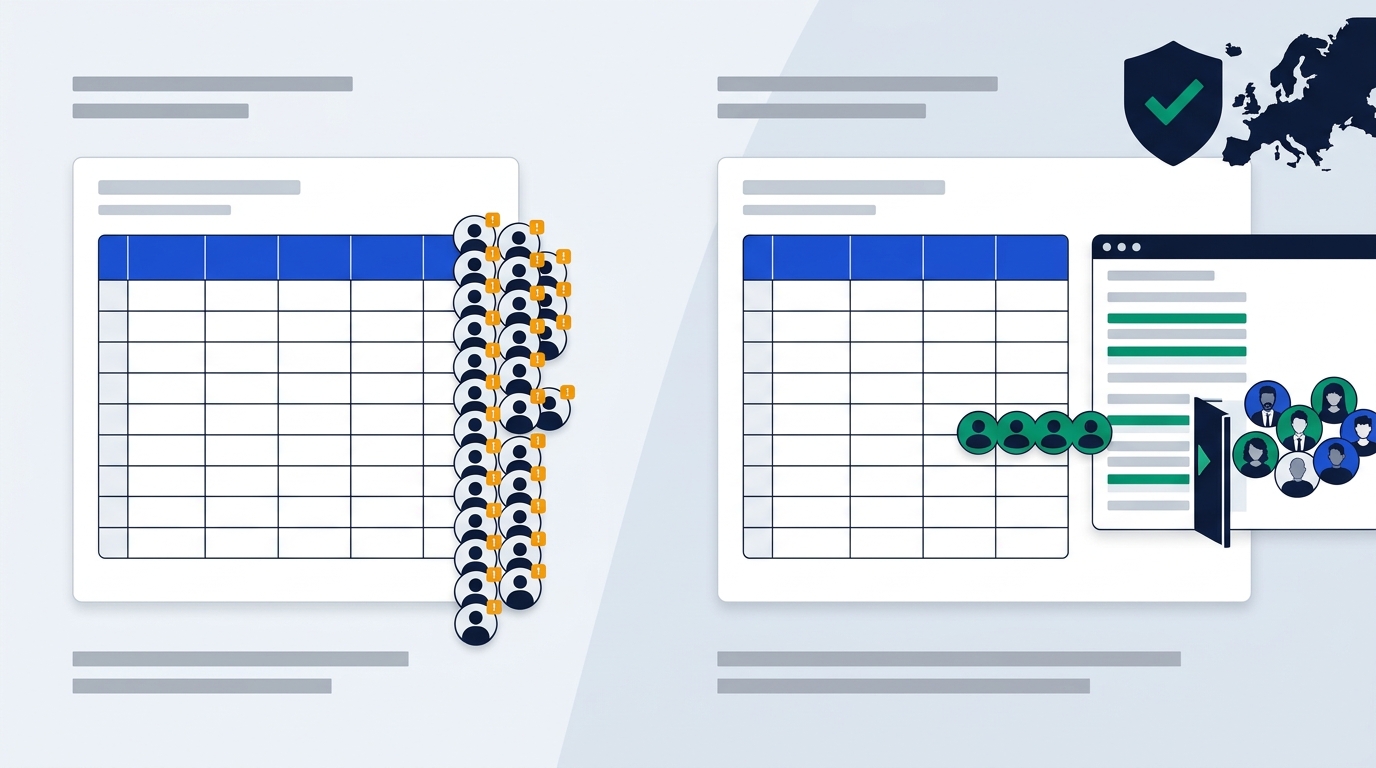
Softr suits teams building external client portals with plan-based pricing, while NocoDB and Baserow suit organizations needing open-source self-hosting or EU data residency in Germany. If you prefer AI-driven application generation without seat limits, Zite fits well. Zapier Tables suits automation-heavy workflows, and Retool caters to developers building custom administrative panels. Each platform replaces specific parts of the legacy spreadsheet-database architecture.
Airtable charges per editor, costing $20 per user per month on the Team plan and $45 per user per month on the Business plan when billed annually. As a result, sharing databases with external clients or large internal teams becomes expensive quickly. Plan-based or self-hosted platforms offer predictable software expenditures instead. You can scale your user base without worrying about sudden license increases at the end of the month.
Quick summary of top picks
Each platform addresses a specific operational bottleneck created by legacy spreadsheet databases. If you need client-facing login screens with record-level permissions, Softr turns relational tables into web portals without forcing external users onto paid editor seats. You control exactly which rows and columns each client sees after logging into their portal. This setup gives your business a professional web front end while keeping sensitive internal tables private.
However, if your engineering team requires full ownership of raw SQL data, NocoDB connects directly to existing PostgreSQL or MySQL instances on your own servers. You avoid moving sensitive company data into vendor-managed cloud backends entirely. Your developers retain full access to standard SQL tools, while operational managers edit tables through a clean spreadsheet interface.
Zite uses natural language prompts to construct full business applications on top of its built-in database or external bases. Zapier Tables integrates directly into existing automation stacks so record updates avoid task charges. Meanwhile, Retool offers technical teams custom JavaScript execution and React UI blocks for complex internal dashboards.
Choosing the best tool requires evaluating who will interact with your data daily. Non-technical staff often want familiar spreadsheet grids with easy filters. External clients require secure forms, clear dashboards, and simple login screens. Developers require direct database connections, custom API endpoints, and clean code extensibility. The summary table below compares these solutions against your primary operational requirements.
At-a-glance pricing comparison
The table below summarizes verified starting prices, billing models, and EU data hosting details across the top choices.
| Platform | Best for | Starting price (Billed annually) | Billing model | EU data residency |
|---|---|---|---|---|
| Airtable | Flexible no-code database & internal apps | $20/user/month | Per seat | Not specified |
| Softr | Client portals & seat cost reduction | $19/month | Per plan (User tiers) | AWS Germany |
| NocoDB | Open-source self-hosting & SQL database layer | $12/seat/month (Cloud) or Free (Self-hosted) | Per seat or self-hosted | Self-hosted (Customer managed) |
| Zite | AI-powered app building without seat caps | $25/month | Per plan (Credit-based) | US (SOC 2 Type 2) |
| Zapier Tables | Automation-first database workflows | $19.99/month | Per plan (Task-based) | US servers |
| Retool | Developer internal tools & admin panels | $10/standard user/month + $5/end user/month | Per user (Tiered) | Self-hosted option available |
| Baserow | European open-source database hybrid | $10/user/month (Cloud) or Free (Self-hosted) | Per user or self-hosted | Hetzner Germany |
| Stackby | Spreadsheet CRM look-alike on a budget | $4.20/user/month ($149/year for 3 users) | Per user | US infrastructure |
| SmartSuite | Operational project workflows & templates | $15/user/month (3-user minimum) | Per user (Seat minimums) | US infrastructure |
Source: vendor pricing pages, checked October 2026.
Generic reviews often overlook total cost calculation models and granular EU hosting locations. By benchmarking these solutions against Airtable, you can evaluate real licensing costs alongside strict GDPR data sovereignty requirements. Calculating total cost of ownership across 10, 50, or 500 users reveals drastic price differences over a standard three-year software lifecycle.
Open-source tools like NocoDB eliminate user fees entirely when self-hosted on your own hardware. Your monthly bill stays fixed at server hosting costs regardless of how many team members create accounts.
Why teams leave Airtable for other platforms
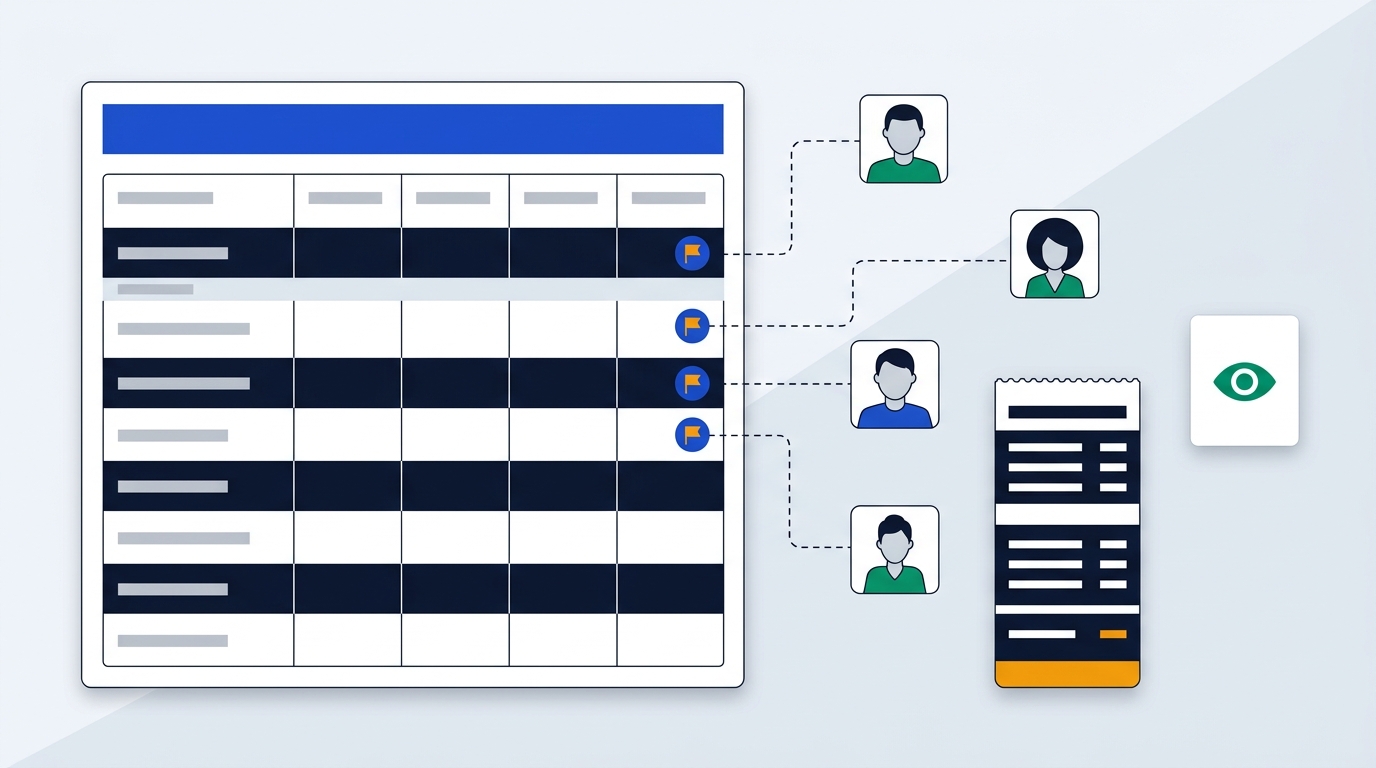
The Airtable Team plan costs $20 per editor per month when billed annually, while the Business plan costs $45 per editor per month. Because per-editor billing mandates paid seats for any internal staff member or external contractor granted edit access to a single base, software invoices grow rapidly as business operations scale. You pay full price even if a user edits one cell per month.
Read-only share links and forms are free on Airtable, but interactive client collaboration requires paid editor seats or custom web development. Consequently, companies managing dozens of client projects spend thousands of dollars annually just to let external stakeholders update single status fields or upload project files. The licensing friction slows down everyday collaboration across departments.
Consider how prorated billing works in practice. When an operations manager invites three temporary freelancers to update a project base mid-month, Airtable automatically converts them to paid editor seats. Managing seat permissions across dozens of bases becomes a constant administrative burden.
Interface Designer limits and technical barriers
Airtable Interface Designer allows teams to build visual interfaces on top of base tables. However, native user authentication for external clients remains limited unless you purchase enterprise add-ons or write custom code using the Blocks SDK. Because the Blocks SDK requires JavaScript and React experience, non-technical teams cannot easily customize client-facing app layouts.
Data stored in Airtable relies on proprietary database structures. If your team needs to run direct SQL queries across existing PostgreSQL or MySQL databases, importing raw records into Airtable breaks live backend synchronizations. Instead, technical managers prefer tools that overlay directly on top of SQL backends. Maintaining duplicate data stores across third-party tools increases system latency and sync errors.
Form capabilities also create daily frustration for operations teams. Standard Airtable forms allow external users to submit new entries into a table easily. However, creating forms that allow users to update existing database records remains complex. If a client needs to modify an submitted request, you must build custom interfaces or rely on third-party portal tools.
Usage caps, overages, and corporate ownership changes
Record and attachment limits strictly restrict base capacity across plan tiers. If a base reaches its hard record limit, team members cannot create new entries until the workspace upgrades to a higher pricing tier. Automations and API request caps further limit complex business workflows unless higher-tier packages are locked in.
When an automated workflow reaches its monthly execution limit on Airtable, critical data syncs halt immediately. Your team must either upgrade to a higher plan or wait for the next billing cycle. For high-volume businesses handling thousands of webhooks daily, these automation ceilings create unexpected operational bottlenecks.
In August 2026, private equity firm Bending Spoons acquired Airtable in a $1.285 billion all-cash transaction. Following the acquisition, subsequent staff layoffs occurred, prompting operations managers to evaluate platform independence, long-term product roadmaps, and prospective subscription price adjustments. Software buyers increasingly look for open standards and flexible hosting to protect their technology investments.
The enterprise criteria checklist for switching platforms
Before replacing your core database tool, evaluate candidates using this ten-item criteria framework. IT departments and compliance officers rely on these technical checks to prevent operational disruption during software migrations.
- Single sign-on (SSO): Ensure the platform integrates with your identity provider via SAML 2.0 or OAuth.
- SCIM provisioning: Verify automated user onboarding and offboarding when staff members change roles in your HR directory.
- Detailed audit logs: Confirm the software logs user updates, permission edits, data exports, and login timestamps for security reviews.
- Verifiable data residency: Identify the physical country housing your cloud servers to meet regional compliance standards.
- Base record capacities: Check hard ceilings on records per table, total base memory limits, and file attachment caps.
- Record-level permissions: Ensure you can restrict read and write access down to specific rows and fields per user group.
- Predictable billing structure: Determine whether software costs scale per editor seat, per active workspace user, or per feature plan tier.
- Total cost at scale: Calculate your exact annual software expenditure at 50 internal team members and 500 external users.
- API and export capabilities: Test database export options to ensure you can retrieve full CSV or SQL dumps without lock-in.
- Compliance certifications: Verify active SOC 2 Type II compliance reports and GDPR Data Processing Agreement availability.
Softr: Reduces seat costs and powers client portals
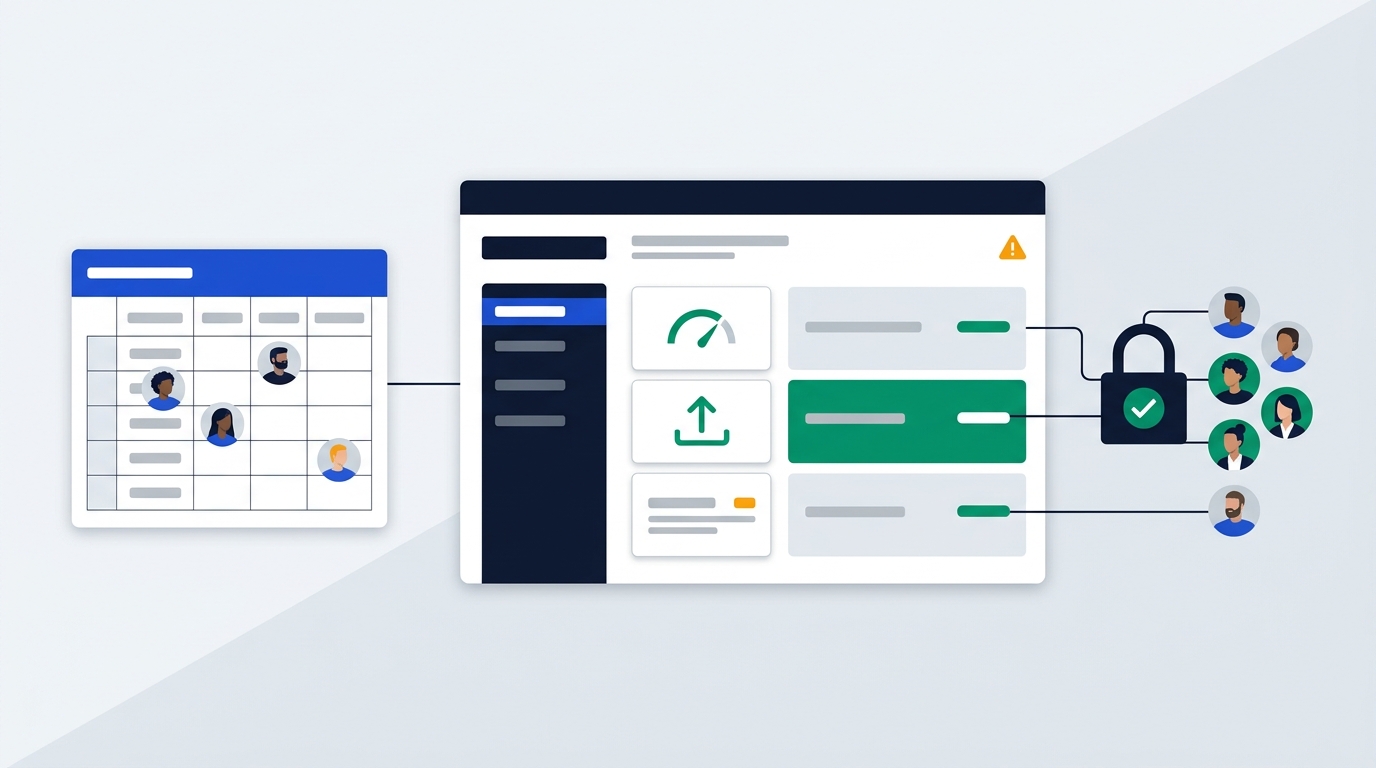
Softr is a strong alternative for turning relational data into secure client portals and internal web apps without paying per-editor licensing fees. Instead of charging for every team member who edits a database cell, Softr structures subscription tiers around overall plan usage. You gain complete control over your software budget as your client base expands.
You can connect your existing Airtable bases directly to Softr or migrate your data into native Softr Databases. If you keep Airtable as your backend, Softr sits on top as an application layer, enabling secure client logins without buying additional Airtable seats. Your internal team keeps working in their preferred grid view while external clients use polished web portals.
Imagine running a regional consulting practice with 10 project managers and 100 corporate clients. On standard spreadsheet databases, providing portal access to all clients requires enterprise tier custom quotes. Softr lets you build client-facing dashboards, file upload portals, and invoicing pages with custom domain branding on fixed monthly plans.
Plan-based pricing replacing per-editor fees
Softr pricing starts on a Free tier with basic web app capabilities. The Pro plan costs $99 per month when billed annually and includes 10 team builder users alongside 50 client app users. Because external users log into your published Softr web application directly, you avoid paying $20 to $45 per editor per month to Airtable. You can add client logins without watching your software bill double every quarter.
Built-in user authentication allows administrators to assign role-based access control and record-level permissions. For instance, an agency can grant 50 clients access to their respective project dashboards, ensuring each client views only the database records linked to their specific account ID. Users see a personalized view of their data without seeing records belonging to other accounts.
Setting up custom user permissions in Softr takes minutes rather than days. You define user groups such as Clients, Freelancers, and Operations Staff within the administrative dashboard. Next, you link page visibility and block-level data filters to those defined groups. A client logging in sees only their active project deliverables, while an operations manager accesses full financial records.
Native databases and European hosting security
Softr Databases allows teams to leave Airtable entirely by importing raw bases and CSV files while preserving existing relational links. Softr's AI app builder can also generate complete user interfaces, logic rules, and relational schemas directly from natural language prompts. You describe your desired business application, and the AI constructs functional layouts automatically.
Data stored within Softr Databases is hosted on AWS infrastructure located in Germany. The platform holds a verified SOC 2 Type II compliance report and fulfills strict EU GDPR standards. That makes it a practical fit for European businesses seeking compliance alongside predictable software costs. You meet legal requirements for processing personal data within the European Economic Area.
The platform also features specialized UI blocks for rapid application design. The Vibe Coding block lets creators customize visual component styling without writing complex CSS files. Conditional forms allow you to show or hide fields dynamically based on previous user answers, streamlining data collection for client onboarding.
Downsides: Softr does not offer a grid editing interface inside its raw database layer as familiar as standard Airtable bases. Users needing rapid inline spreadsheet typing across thousands of raw cells may find the interface less flexible for mass manual data entry. If your daily work relies on rapid keyboard navigation across raw rows, you may prefer keeping a grid backend.
User profiles: Who benefits most from Softr?
Best for Agency Owners: Client portal creation is fast and affordable. You pay a predictable monthly plan fee while providing custom logins to hundreds of external clients. Your team maintains centralized project tracking without purchasing extra database seats.
Best for Operations Managers: You can build internal staff portals, inventory trackers, and HR hubs quickly. Granular permissions ensure team members access only the tools required for their daily tasks.
Less suitable for Data Analysts: Softr focuses on application UI generation rather than complex ad-hoc database queries. Analysts needing raw inline cell manipulation across massive datasets will find dedicated database tools faster.
Step-by-step guide: Migrating from Airtable to Softr
- Audit your current Airtable bases to identify public forms, internal views, and external client share links.
- Create a Softr account and choose whether to link your live Airtable base or import data into Softr Databases.
- Connect your data source using secure API tokens or direct CSV database uploads.
- Define your user groups (such as Administrators, Internal Staff, and External Clients) inside Softr user management.
- Use Softr visual page builder or AI prompt generator to create web layouts, forms, and client dashboards.
- Set block-level visibility rules so users access only records linked to their specific permissions.
- Map your custom domain name, configure SSL security certificates, and test client login flows before launching.
NocoDB: Open source relational database for self-hosting
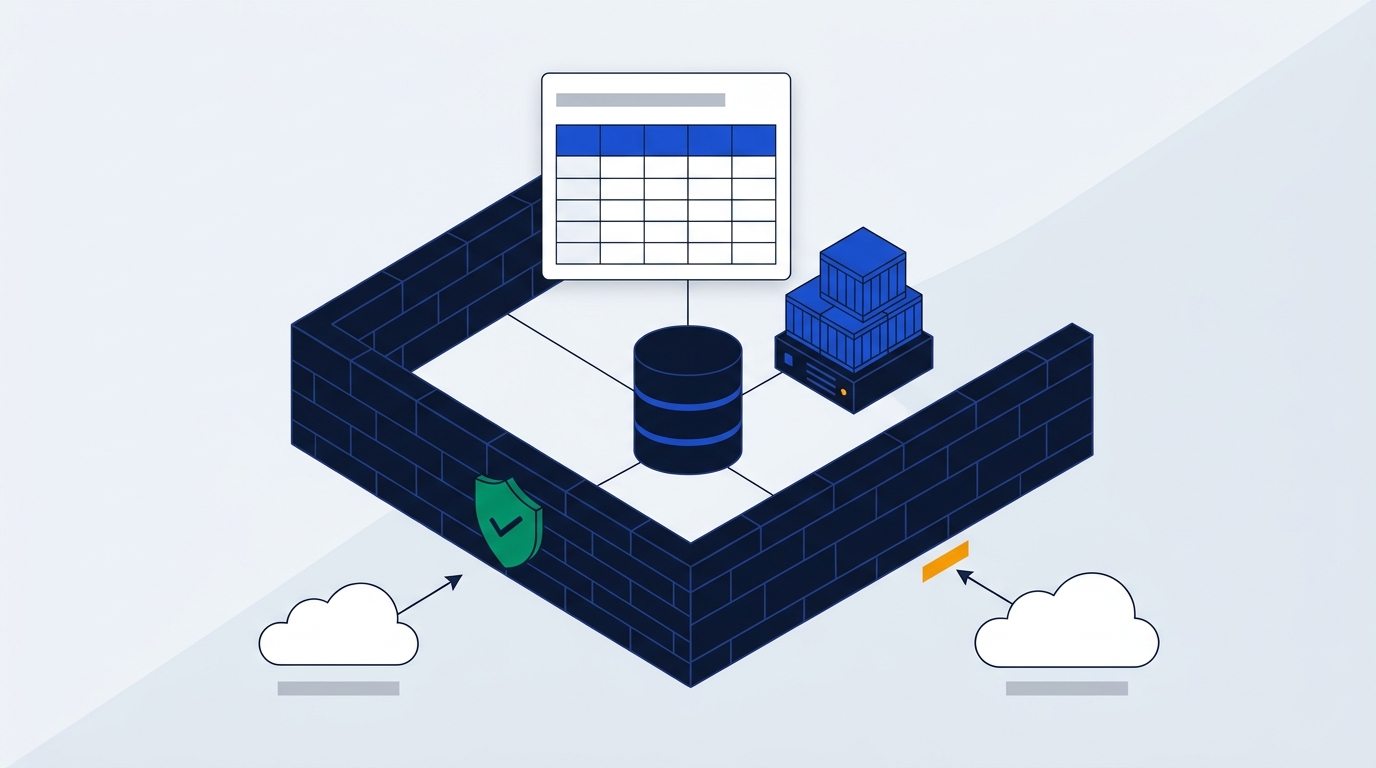
NocoDB is a leading open-source choice for engineering and IT teams requiring complete data ownership alongside zero per-seat licensing fees. The software transforms any existing MySQL, PostgreSQL, or SQL Server database into a spreadsheet-style interface, generating automated REST and GraphQL APIs instantly. You keep full control over database architecture while delivering a modern UI to business users.
Because NocoDB runs directly on top of your existing SQL infrastructure, your company data never leaves your private cloud servers. This structure completely eliminates third-party database vendor lock-in and vendor access risk. Security auditors appreciate keeping sensitive corporate records behind internal network firewalls.
Consider a healthcare software company handling sensitive patient records in an internal PostgreSQL database. Storing raw medical data in third-party cloud spreadsheets violates strict data privacy regulations. NocoDB deploys directly inside their secure cloud network, allowing administrative staff to organize records without exposing underlying SQL tables to third-party sub-processors.
SQL integration and unlimited self-hosting
Self-hosting NocoDB is free under its open-source license. You can deploy it using Docker on local hardware or private cloud providers like DigitalOcean and AWS, granting access to unlimited users without software licensing costs. You pay only for your underlying server hosting costs. This framework keeps software expenditures minimal as your workforce expands.
For teams seeking managed cloud infrastructure, NocoDB Cloud hosting starts at $12 per seat per month. Alternatively, an unlimited seat tier is available for $108 per month when billed annually, preventing bill expansion as your organization grows. Managed cloud options suit teams wanting rapid setup without managing server maintenance.
Because NocoDB overlays existing SQL backends, schema changes made in NocoDB reflect in your SQL database automatically. You can add columns, build primary key relationships, and link tables visually without writing manual SQL migration scripts. Developers can query the raw database via standard SQL clients at any time.
Spreadsheet views over raw SQL data
NocoDB delivers familiar grid, gallery, and Kanban views on top of relational SQL tables. Team members can create primary keys, establish foreign key relationships, and filter data sets without writing SQL syntax. Meanwhile, developers retain backend access to run direct queries on the underlying SQL database. You bridge the operational gap between engineering teams and non-technical staff.
Instant API generation represents a major technical advantage. As soon as you connect a SQL table to NocoDB, the platform creates REST and GraphQL API endpoints automatically. External systems can read, update, or create records using standard API requests, simplifying custom integration projects.
Downsides: NocoDB requires technical setup for self-hosted container deployment, database connection configuration, and server upkeep. Out of the box, it lacks embedded AI generation assistants and pre-built front-end page layouts found in dedicated app builders. Non-technical teams will need IT assistance to complete initial server deployments.
User profiles: Who benefits most from NocoDB?
Best for Systems Engineers and IT Admins: Full data sovereignty and zero user license fees. You host the application on your own servers, manage user access internally, and maintain full direct access to raw SQL databases.
Best for Database Administrators: You can grant business users a clean spreadsheet interface without giving them direct database shell access. Automated REST and GraphQL APIs save hours of backend development work.
Less suitable for Non-Technical Marketers: Setting up self-hosted Docker containers and configuring database connections requires technical knowledge. Teams without technical staff may find cloud alternatives easier to launch.
Step-by-step guide: Deploying self-hosted NocoDB via Docker
- Provision a virtual private server on your preferred hosting provider (such as DigitalOcean, AWS, or Hetzner).
- Install Docker and Docker Compose on your server environment.
- Create a `docker-compose.yml` file configuring the NocoDB container alongside your PostgreSQL or MySQL database connection strings.
- Run `docker-compose up -d` to launch the NocoDB application service in the background.
- Navigate to your server IP address or mapped domain name in a browser to complete initial admin setup.
- Connect your existing SQL database parameters or let NocoDB initialize a new default relational database.
- Invite team members, create grid views, and configure automated API tokens for external integrations.
Zite: AI-powered app builder with built-in database
Zite is ideal for business teams building custom internal tools, client portals, and operational dashboards quickly using natural language prompts. Rather than forcing users to assemble relational tables, linked fields, and view layouts manually, Zite uses AI models to create full software structures. You build operational applications by describing business logic in plain text.
You describe your desired software layout in plain text, and Zite auto-generates the database schema, user interfaces, logic flows, and authentication gates within seconds. You can then edit elements visually or adjust the underlying code directly. This approach reduces time-to-market for custom business tools from weeks to minutes.
Consider a sales director who needs a custom deal dashboard, client portal, and lead submission form. Building these components manually requires configuring multiple base views and interface layouts. With Zite, the director types a single text prompt describing the desired workflow, and the platform generates the database schema, pages, and permission rules automatically.
AI app generation and credit-based plans
Zite eliminates per-seat pricing across all tiers. Its Free plan includes unlimited applications and unlimited end users, capped at 50 AI generation credits per month. The paid App plan starts at $25 per month when billed annually, providing 100 credits per month, custom domain mapping, and branding removal options. You can onboard your entire company without increasing subscription fees.
Credits are consumed only when sending prompts to create or modify applications. For context, generating a complete sales dashboard layout consumes two credits. Because user seats are unlimited, scaling app access across internal departments does not increase monthly costs. You pay for software creation activity rather than user access licenses.
Modifying generated tools is straightforward. You can adjust UI elements using visual drag-and-drop tools, issue follow-up text prompts to refine logic rules, or edit the generated React codebase directly. This hybrid model accommodates both non-technical creators and technical developers.
Enterprise security and self-hosting boundaries
Zite includes a built-in relational database that configures schema links automatically. However, if your business data already resides in external systems, Zite connects natively to Airtable bases and Google Sheets, acting purely as an application interface layer. You can modernise your user interface while leaving existing backends intact.
Security capabilities include SOC 2 Type 2 certification, single sign-on (SSO) support, and detailed security audit logs. That ensures enterprise teams can enforce central identity controls for internal user access. Your IT department retains control over user access policies and corporate data protection standards.
Downsides: Zite does not provide source code export options. Applications built using Zite must remain hosted on its platform infrastructure, preventing teams from downloading raw codebase files for offline deployment. If your corporate policy requires on-premise application code hosting, Zite will not meet that specific constraint.
User profiles: Who benefits most from Zite?
Best for Product Managers and Founders: Rapid application prototyping using natural language prompts. You generate functional software, client portals, and database schemas in minutes without writing backend code.
Best for Growing Companies: Unlimited end users on all plan tiers. You can launch internal apps across multiple departments without tracking individual user seat licenses.
Less suitable for Offline Enterprises: Because Zite requires cloud hosting on its infrastructure, organizations requiring self-hosted, offline application code cannot use the platform.
Zapier Tables and Retool: For automation and developer workflows
Zapier Tables suits operational teams whose database actions revolve primarily around multi-app automations. Retool, by contrast, targets software engineers building custom internal web applications and administrative panels linked to enterprise backends. Both platforms replace legacy cloud databases by addressing specific workflow requirements.
Evaluating these tools helps clarify whether your operational priority centers on automated task orchestration or complex, developer-led software interfaces. Understanding this technical distinction ensures you invest in software aligned with your team's skillset.
Zapier Tables for automation-centered operations
Zapier Tables is a database built directly into the Zapier ecosystem. If your business workflows rely heavily on Zaps to sync information across external platforms, storing data within Zapier Tables eliminates third-party API integration hurdles. You store operational records right where your automation routines execute.
Zapier Tables features a Free tier providing up to 100 tasks per month. Paid plans start at $19.99 per month for 750 tasks, with Tables included across all pricing tiers. Crucially, updating or creating records directly inside Zapier Tables does not consume monthly Zap task limits, reducing overall automation billing costs. You execute database operations without consuming your automation budget.
Because Zapier Tables connects natively with over 8,000 third-party applications, pushing form submissions or database entries into external software requires zero API configuration. For teams using automated workflows extensively, comparing options in our Make vs Zapier comparison provides additional background on task execution structures and operational cost differences.
Downsides: Zapier Tables lacks visual Kanban, calendar, and timeline views found in dedicated database platforms. It also lacks real-time multi-user editing and record commenting features found in standard collaborative bases. It functions best as an automation data staging area rather than a visual project management suite.
Retool for developer-driven administrative tools
Retool provides a low-code framework for technical teams building enterprise internal tools. Engineers can query databases directly using SQL, write custom JavaScript functions inside component properties, and build administrative software using pre-built UI components. You construct tailored internal software without building front-end components from scratch.
Retool pricing includes a Free tier for up to 5 users. Paid tiers start at $10 per standard developer user per month, plus $5 per end user per month when billed annually. Retool connects to PostgreSQL, MySQL, MongoDB, REST APIs, and GraphQL endpoints without requiring data migration. You maintain direct control over enterprise data pipelines.
Retool also includes AI layout generation features, enabling developers to generate functional application layouts quickly before refining logic with custom code. Self-hosting options allow enterprise engineering teams to deploy Retool containers inside their private cloud infrastructure, ensuring sensitive internal tools stay behind corporate firewalls.
Downsides: Retool carries a steep technical learning curve, making it impractical for non-technical operations managers who cannot write SQL or JavaScript. Non-technical staff will struggle to build or modify applications without engineering assistance.
User profiles: Automation vs Developer Workflows
| Feature & Persona | Zapier Tables | Retool |
|---|---|---|
| Primary Persona | Operations Managers & No-Code Builders | Software Engineers & Technical Leads |
| Technical Skill Required | Basic logic & spreadsheet skills | SQL, JavaScript, & API knowledge |
| Core Strength | Native access to 8,000+ app automations | Custom JS logic & direct SQL querying |
| Task Ceiling Impact | Table record actions do not count as Zap tasks | Direct DB connections avoid API task caps |
| Interface Customization | Basic layout forms & data tables | Full custom UI component library |
Baserow, Stackby, and SmartSuite: Operational database alternatives
Baserow, Stackby, and SmartSuite provide distinct operational balances across data privacy, CRM features, and project management capabilities. Each platform replaces specific Airtable grid workflows under different pricing structures. Evaluating these choices helps you select software optimized for your specific operational focus.
Reviewing these platforms reveals how specialized tools cater to distinct database requirements across open-source deployment, small-business CRM tracking, and enterprise project template libraries. You can pick an option tailored to your day-to-day workflow demands.
Baserow for open-source European database hosting
Baserow is an open-source database platform designed as a direct functional alternative to Airtable. It offers both a cloud-hosted version and a self-hosted community edition that you can deploy freely on your own server hardware. The user interface mirrors the familiar cloud spreadsheet experience closely, making user transition easy.
Baserow Cloud pricing starts at $10 per user per month. Cloud infrastructure is hosted natively in Germany on Hetzner servers, ensuring compliance with strict EU data protection standards out of the box. Teams can switch between cloud hosting and self-hosted deployments without losing base relational structures. For a deeper technical breakdown of self-hosting capabilities, read our Baserow vs Airtable comparison guide.
The open-source architecture ensures complete software independence. If your team starts on Baserow Cloud and later decides to migrate to internal servers for compliance reasons, you can move your databases without rebuilding tables or rewriting formulas. This flexibility protects your organization against unexpected policy changes.
Stackby, SmartSuite, and Google Sheets for specialized workflows
Stackby acts as a budget-friendly spreadsheet-database hybrid with built-in CRM capabilities. It includes native email synchronization, column-level API connectors, and activity logs out of the box. Stackby pricing starts at $4.20 per user per month, or $149 per year for a 3-user workspace package. It suits small sales teams wanting lightweight CRM features inside a spreadsheet interface.
SmartSuite is built specifically for operational project management and business workflow tracking. It features a library of over 200 pre-built industry templates, alongside native timeline, map, and Kanban views. SmartSuite pricing starts at $15 per user per month following a 14-day free trial, enforced by a mandatory 3-seat pricing baseline ($45/month minimum entry cost). It excels at managing complex cross-departmental projects.
Google Sheets offers a free and familiar spreadsheet interface for basic data tracking. It has a zero learning curve for users already comfortable with spreadsheets and works offline. However, Google Sheets is not a relational database and lacks the advanced features, automations, and granular permissions of dedicated alternatives.
Downsides: Stackby has a smaller user ecosystem and fewer third-party integrations than established platforms. SmartSuite's 3-seat minimum makes it less cost-effective for solo operators, while Baserow Cloud charges per seat rather than per workspace plan. Google Sheets lacks the relational database capabilities of other alternatives. Consider these baseline pricing constraints before standardizing on a platform.
EU data residency, GDPR compliance, and European business VAT
Data privacy regulations under the European Union General Data Protection Regulation (GDPR) require organizations processing European personal data to ensure legal compliance across hosting regions, processing terms, and security standards. European businesses must verify where data resides before storing customer information in cloud tools.
Selecting a SaaS database hosted within the European Economic Area (EEA) simplifies compliance audits and helps satisfy strict national regulatory mandates. Storing data on European infrastructure eliminates legal uncertainties surrounding cross-border transfer mechanisms.
EU hosting infrastructure and DPA compliance
Softr and Baserow host their cloud infrastructure within Germany. Softr uses AWS data centers in Frankfurt, while Baserow uses Hetzner servers located in Germany. Data processing agreements (DPAs) compliant with GDPR Article 28 terms are available from both vendors. These DPAs establish legally binding data protection obligations for European buyers.
Platforms relying on US cloud infrastructure (such as standard Airtable instances, Zite, and Zapier) execute standard contractual clauses (SCCs) or rely on the EU-US Data Privacy Framework for cross-border transfers. Organizations handling sensitive EU healthcare, public sector, or legal records must evaluate whether standard contractual clauses satisfy their internal risk criteria.
If full data control is legally mandatory, self-hosted deployments of NocoDB or Baserow provide complete isolation. You host the database application on your own local servers or private European cloud infrastructure, ensuring no data reaches outside systems.
VAT reverse charge application for EU and UK buyers
Prices quoted across all evaluated SaaS vendors represent net figures before Value Added Tax (VAT). When European businesses purchase software subscriptions from vendor entities outside their domestic country, specific VAT rules apply.
For business-to-business (B2B) transactions within the European Union, the reverse charge mechanism applies under the EU VAT Directive. When you supply a valid EU VAT identification number during checkout, the vendor issues an invoice with zero VAT charged. Your accounting team then accounts for output and input VAT on your domestic tax return. Read our detailed VAT reverse charge guide for detailed accounting guidance.
The United Kingdom operates outside the EU VAT mechanism. UK VAT-registered businesses purchasing software from overseas vendors follow the UK reverse charge rule defined under HMRC VAT Notice 741A, accounting for tax locally on cross-border software services. Ensure your finance team updates accounting configurations based on seller location.
Frequently asked questions about Airtable Alternatives
How do I migrate my existing Airtable base and records to an alternative platform?
Most platforms, including Softr and Baserow, feature direct Airtable import tools. You connect your Airtable account via API key or OAuth, select the target base, and the tool imports your tables, field types, and linked record relationships automatically. Alternatively, you can export Airtable views as CSV files and import them directly into NocoDB, Stackby, or SmartSuite databases. Review your field formulas after importing to ensure full calculation compatibility across software engines.
Which Airtable alternative is completely free for unlimited users?
NocoDB and Baserow offer open-source self-hosted community editions that are completely free for unlimited users. You deploy the software on your own server infrastructure, avoiding per-user software licensing fees. Zite also offers a free cloud plan supporting unlimited users and applications, capped at 50 AI generation credits per month. You pay only for your server hosting hardware costs on open-source deployments.
Can external clients access my database without paying for an extra seat?
Yes. Softr allows you to build client portals where external users log into your published web application securely. Pricing is structured per plan tier rather than per editor seat, meaning 50 external clients can view and update their records under the Pro plan ($99/month) without incurring separate per-user license charges. Zite also provides unlimited end-user logins across all tiers without per-seat charges.
What is the best self-hosted alternative for strict database privacy?
NocoDB and Baserow are the leading self-hosted choices. NocoDB connects directly to existing PostgreSQL, MySQL, and SQL Server databases on your private network, ensuring data stays behind your firewalls. Baserow provides a self-hosted Docker container that mirrors spreadsheet functionality on private infrastructure. Both tools keep your sensitive company records under your internal IT department's control.
How does VAT reverse charge apply when subscribing to US vs EU SaaS tools?
When an EU business with a valid VAT ID buys SaaS from a US vendor or an EU vendor outside its home state, the seller issues an invoice without charging local VAT. The buyer applies the VAT reverse charge mechanism on its domestic tax return. UK buyers follow HMRC VAT Notice 741A rules to calculate reverse charge tax on cross-border software purchases. Providing a valid VAT ID at checkout ensures accurate invoicing.
Sources and how this was compiled
Compiled by the SaaSEuro team from the vendors' official documentation; we have not hands-on tested these products. Facts last checked in November 2026.
Which Airtable alternative should you pick?
Choose Softr if you want to eliminate per-editor billing and create secure client portals hosted on AWS Germany. Select NocoDB or Baserow if your organization mandates open-source self-hosting or direct connection to raw SQL databases. Choose Zite for AI-driven application creation without seat caps, Zapier Tables for automation workflows, or Retool for developer-led admin panels.
To make the best decision, evaluate your team using three core criteria: user license budget, technical skillset, and regulatory requirements. If your main goal is sharing client dashboards affordably, Softr offers the fastest return on investment. If your IT department requires complete server hosting control, NocoDB or Baserow fit best.
Map your team's total editor count, list your external client access needs, and test free plans before committing to annual subscription contracts. Testing workflows on free tiers ensures your chosen platform meets daily operational needs before executing data migration.