











Weighing AhaSlides alternatives for classes or meetings? Compare free-plan participant caps and listed starting prices for seven polling and quiz tools.
The right pick among AhaSlides Alternatives depends on who is in the room. Below you will find each tool's free-plan cap, its listed starting price and the meeting format it fits, with AhaSlides as the baseline.
TL;DR
- AhaSlides: suits you if you want polls, quizzes, word clouds and spinner wheels in one deck on a free plan. Skip it if your free sessions regularly pass 50 people.
- Mentimeter: suits polished polls, word clouds and structured Q&A. Skip it if you run events every week on the free tier, because its cap counts per month.
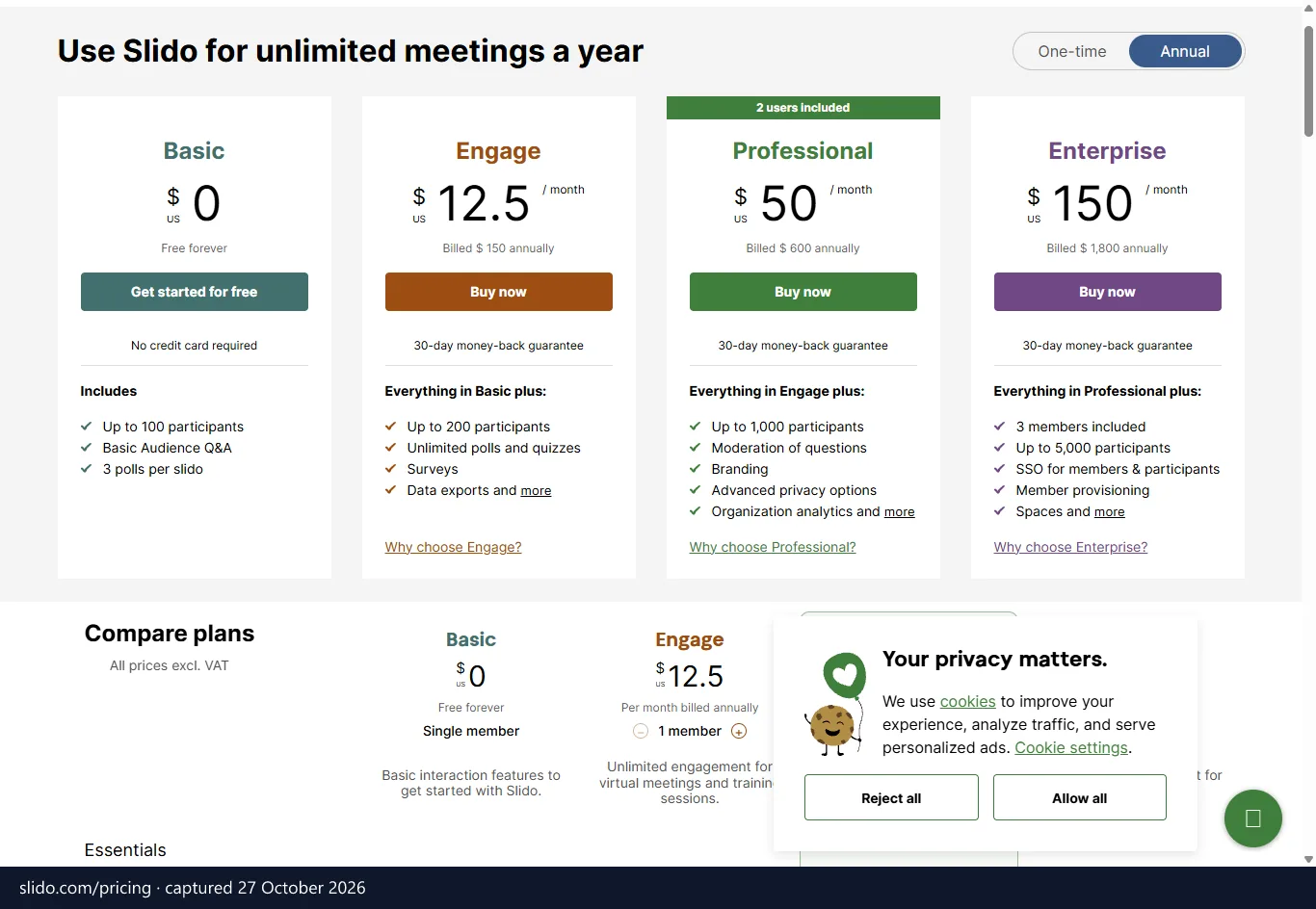
- Slido: suits Q&A and polls inside Teams, Webex, PowerPoint and Google Slides. Skip it if you want several polls on a free plan, which allows 3 per event.
- Kahoot!: suits classroom games. Skip it if you want a calm, corporate feel.
- Quizizz: suits self-paced homework and onboarding quizzes. Skip it if your main need is open-ended Q&A.
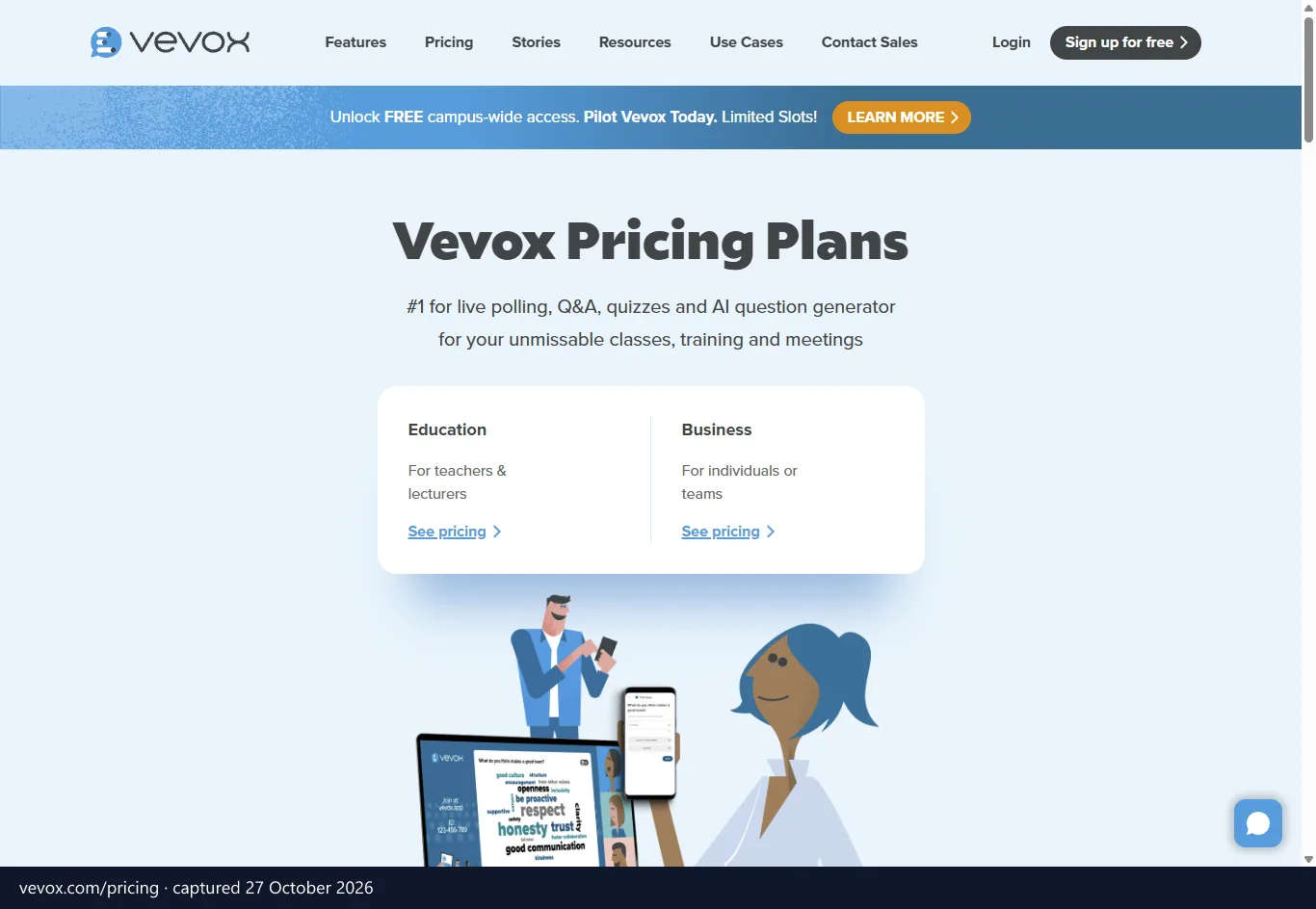
- Vevox: suits hybrid meetings and classes with polls, text Q&A and surveys. Skip it if you want quiz games, because its description centres on polling, Q&A and surveys.
- Wooclap: suits lectures and training where you check understanding live. Skip it if you need more than 40 free participants per session.
- StreamAlive: suits online and hybrid sessions where the chat is already busy. Skip it if nobody in your room uses a chat.
The editorial picks below rest on price, free-plan limits, listed integrations and the use case each vendor describes. They are not test results, and the figures behind them are checked as explained in how we verify prices and offers.
Best AhaSlides Alternatives at a glance
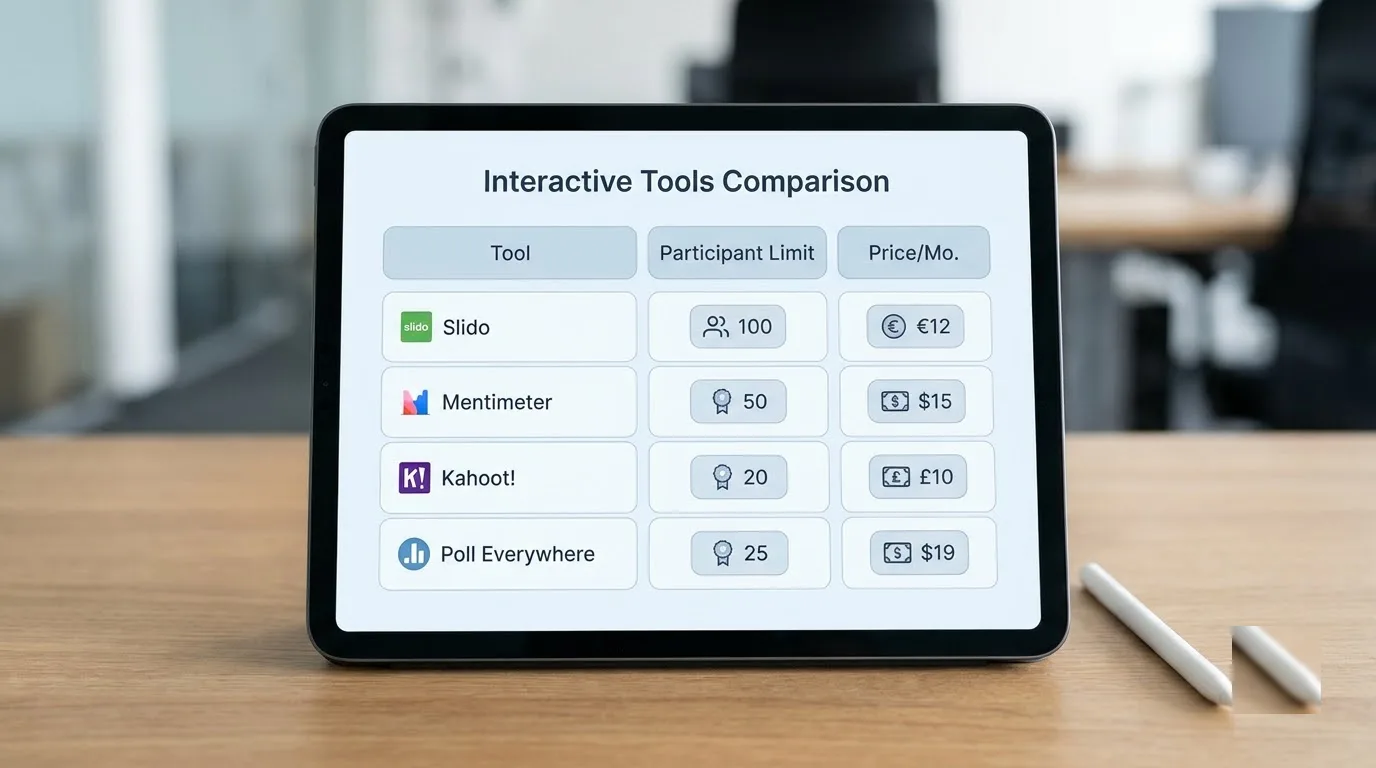
Each tool on this list beats AhaSlides and its free plan at one specific job, but the free plans count very different things. AhaSlides counts 50 live participants per session and lets you run unlimited events. Mentimeter counts 50 participants per month, so several events in one month share the same pool.
| Tool | Free plan limit | Starting price listed | Key difference |
|---|---|---|---|
| AhaSlides | Up to 50 live participants, unlimited events, all slide types, AI quiz creation | US$7.95 per month (Essential, billed yearly) | Polls, quizzes, word clouds and spinner wheels in one deck |
| Mentimeter | 50 participants per month | US$17.99 per month | Live polls, word clouds, quiz and Q&A |
| Slido | 3 polls per event | — | Crowdsourced Q&A and live polls inside meetings |
| Kahoot! | Unlimited players on quizzes | US$17.00 per month | Timed quiz games with leaderboards |
| Quizizz | Unlimited players on quizzes | — | Game-style quizzes, live or self-paced |
| Wooclap | 40 participants per session | €12.00 per month | Real-time comprehension checks |
| Vevox | — | Entry tier £0.00 per year | Live polling, text Q&A and self-paced surveys |
| StreamAlive | — | Entry tier US$0.00 per month | Polls, Q&A and word clouds driven by the chat |
Sources: AhaSlides figures from its pricing page; free-plan limits for Mentimeter, Slido, Kahoot!, Quizizz and Wooclap as stated in AhaSlides' own alternatives guide; starting prices as listed on Capterra UK, in the currency shown there; descriptions from G2 and Capterra UK listings. All checked October 2026, before VAT.
Two patterns stand out. Kahoot! and Quizizz both list unlimited players on quizzes, so a large lecture hall is a job for them rather than for Wooclap, whose free ceiling is 40 per session. On price, Mentimeter and Kahoot! both start at more than double AhaSlides' US$7.95, although billing terms differ between listings and a starting price says little until you match it to the participant limit you need.
AhaSlides plans set the baseline
AhaSlides' monthly rate drops sharply when you bill yearly. According to its pricing page, checked October 2026, it lists prices in US dollars and, on the French version of the page, in euros.
| AhaSlides plan | Monthly billing | Yearly billing, per month | Live participants | What it adds |
|---|---|---|---|---|
| Free | Free | Free | Up to 50 | Unlimited events, all slide types, AI quiz creation |
| Essential | US$23.95 / €24 | US$7.95 / €7 | Up to 100 | Custom backgrounds, privacy controls, folder management |
| Pro | US$49.95 / €46 | US$15.95 / €15 | Up to 2,500 | Data export, Q&A moderation, custom branding and logos |
Enterprise is priced through sales. It goes up to 100,000 live participants and adds SSO/SAML, custom security contracts and a dedicated manager.
The bigger choice is between a single-purpose tool and an all-in-one. Slido and Vevox collect audience input and sit on top of the deck you already have, so you keep your slides and add a Q&A layer. AhaSlides builds the deck and the interaction together, which means one editor, but also one more tool to learn if your team lives in PowerPoint.
The all-in-one route earns its keep when you mix formats. AhaSlides keeps adding slide types: Fill in the Blanks graded live, True or False against the clock, Photo Share for a live photo wall, and Interactive Image for pinned notes. Elsewhere that spread is split across several tools, which means several logins and several bills.
Read the review data with care. On G2, reviewers describe Mentimeter, Kahoot!, Vevox, Quizizz and Slido as slower to reach ROI than AhaSlides, but that sentiment is collected on AhaSlides' own G2 profile. On Capterra UK, AhaSlides itself holds 4.5 from 63 reviews, so treat both as a nudge, not a measurement.
How to choose by your meeting format
Pick the format first and the tool second, because the room rules out half the list. A teacher drilling vocabulary and a finance director taking questions after results need opposite things from a screen.
Do you need games or calm Q&A?
For classrooms, game-forward tools win. AhaSlides' own guide credits Kahoot! with leading on pure gamification, citing its branded countdown timer, rapid-fire format and leaderboard animations. The same guide says Quizizz adds meme-based feedback and team modes, while AhaSlides treats gamification as one part of a broader session.
Picture a revision hour with a noisy Year 9 class. A fast timer and a leaderboard give those students a reason to keep watching the screen. A standard deck with one poll slide rarely does the same.
An all-hands is the opposite case. Slido is built around Q&A where the audience crowdsources the best questions, and Vevox offers live polling and text Q&A too. If your CEO has just announced a restructure, a countdown jingle is the last thing you want. Quiet text input fits better.
Seminars, lectures and the second screen
Seminars and higher education call for a different tool again. AhaSlides' guide says Mentimeter and Wooclap offer more sophisticated polling and open-ended question types than the game-first tools. That suits a seminar where you want opinions rather than right answers, and a live word cloud lets a quiet student contribute without speaking up.
Wooclap describes its job as measuring understanding in real time. That helps a lecturer who wants to know whether the last twenty minutes landed.
Then there is the second-screen problem. Browser-based tools usually ask people to pick up a phone, open a join page and enter a code. In a hybrid meeting that pulls attention away from the speaker, and remote attendees have to switch windows.
StreamAlive takes another route, with polls, Q&A, word clouds and quizzes powered by the chat. People respond where they already type, which works well on an online call. In a lecture hall with no chat you are back to phones, and a browser tool people can join without downloading anything, such as AhaSlides, is the simpler choice.
Top classroom and gamification tools
Kahoot! and Quizizz are the two game-first options here, and both treat a presentation mainly as a container for quiz questions. AhaSlides' guide frames them as purpose-built for K-12, with student-friendly game formats and school LMS integrations.
Kahoot!: best for school classrooms
Kahoot! is the safest choice when your audience is students and the goal is energy.
- Teachers can draw on a bank of 500 million questions.
- One game can combine quizzes, polls, surveys and slides.
- Students play individually or in groups.
- Teachers download reports as spreadsheets and share them with other teachers and administrators.
- The free plan lists unlimited players on quizzes.
The format is also its limit. You get a countdown-driven, leaderboard-first experience, which suits a Year 7 class better than a board meeting. On the plus side, G2 reviewers say it is easier to admin and easier to set up than AhaSlides, which counts when a whole department has to adopt it.
Price: listed from US$17.00 Where it holds 4.7 from 2,892 reviews. That is the largest review base on this list. Against AhaSlides, you trade a mixed-format deck for a dedicated game engine.
Quizizz: best for self-paced homework and onboarding
Quizizz is the pick when people answer on their own time as often as they answer live.
- You can choose presenter-led or self-learning experiences for the same content.
- Live leaderboards and performance data show you where learners struggle.
- Customisable themes and memes keep students motivated.
- More than 20 million people use it each month for training, onboarding, teaching and customer engagement, according to its G2 description.
- No installation or download is needed, and sign-up needs no credit card.
The downsides are mostly about fit. Its school-first framing means a corporate trainer may find the tone too young. G2 reviewers rate it easier to admin and set up than AhaSlides, and at roughly 4.9 it carries the highest G2 rating of the tools here.
Imagine onboarding twelve new starters across three offices. Quizizz lets each one finish the same quiz on their own schedule, and you read the results afterwards. A live-only tool needs everyone in the same slot.
Set against AhaSlides, the difference is structural. AhaSlides gives you presentation slides with games inside them, while Kahoot! and Quizizz give you a quiz with slides added. If your session is fifteen minutes of explanation and five of questions, AhaSlides fits better. If the whole hour is questions, the game tools do it with more polish.
Group size settles many cases. Both game tools list unlimited players on quizzes, while AhaSlides' free plan stops at 50 per session and its Essential tier at 100. A 200-student quiz is therefore a clear point for the game tools.
Leading meeting polling and live Q&A platforms

Mentimeter and Slido are the two names you will hear most in meeting rooms, and they solve different problems. Mentimeter is about how results look; Slido is about which questions reach the speaker.
Mentimeter: best for polished polls
Mentimeter is the pick when the look of your audience results matters as much as the questions.
- Launched in 2014 and widely used in classrooms to improve teacher-learner interaction.
- Covers word clouds, live polls, quizzes and Q&A.
- AhaSlides' own comparison concedes it has a cleaner, more polished interface and is slightly easier for first-time users.
- G2 names it the best overall alternative to AhaSlides, at roughly 4.7 from 788+ reviewers.
The downsides are real. Reviews cited in AhaSlides' guide find moving and adjusting slides tricky, especially reordering by drag and drop. The free tier is capped at 50 participants per month, and G2 reviewers call it more expensive than AhaSlides, though easier to do business with.
Price: listed from US$17.99 Where it rates 4.4 from 101 reviews. AhaSlides' comparison claims more quiz types, monthly billing options, spinner wheels and live leaderboards on its side. It also calls itself better value for regular use, and says Mentimeter's free tier is enough for an occasional one-off poll.
Slido: best for large-meeting Q&A
Slido is the corporate default for hybrid meetings where questions matter more than quizzes.
- Live polls and live quizzes alongside audience Q&A.
- Audiences crowdsource the best questions, so the most wanted ones rise to the top.
- Event analytics show how the audience responded.
- Integrates with Webex, Microsoft Teams, PowerPoint and Google Slides.
- Rated roughly 4.8 on G2.
The free plan allows only 3 polls per event, so a workshop with five poll questions hits the wall quickly. G2 reviewers rate Slido easier to admin and easier to do business with than AhaSlides.
On a free plan, AhaSlides lets you use every slide type, whereas Slido stops you at three polls. Slido wins when the meeting already runs in Teams or Webex and you want the Q&A inside it.
Not sure which to try first? Start with the question your event depends on. If a 200-person town hall lives or dies on the questions people submit, try Slido; if you present to clients and want a word cloud that looks good on a projector, try Mentimeter. Polls, a quiz and a closing spinner wheel in one session suit neither, because you would have to chain tools, which is exactly what AhaSlides avoids.
European academic and live chat options
Vevox, Wooclap and StreamAlive cover cases the bigger names handle awkwardly: UK lecture halls, euro-priced teaching tools and chat-first sessions. All three are listed on Capterra UK, which supplies the ratings and prices below.
Vevox: best for hybrid meetings and classes
Vevox is the one to try when you want honest feedback from a mixed in-room and remote audience.
- Live polling, text Q&A and self-paced surveys on any mobile device.
- Designed to give everyone an equal chance to be heard.
- Rated 4.8 on Capterra UK from 424 reviews, with roughly 4.7 on G2.
- Flagged as a local product on Capterra UK.
G2 reviewers say Vevox beats AhaSlides on support and is easier to do business with. The catch is scope. Its description centres on polling, Q&A and surveys, so it will not give you quiz-night energy.
Price: entry tier listed at £0.00 per year. For a university running hybrid lectures, that makes it cheap to trial next to AhaSlides' paid tiers.
Wooclap: best for lecture comprehension checks
Wooclap suits lecturers and trainers who want to see, in real time, whether the room understood.
- Turns passive audiences into active participants in class, training or meetings.
- Offers the more sophisticated polling and open-ended question types that suit seminars.
- Rated 4.6 on Capterra UK from 187 reviews, and tagged for security features.
- Free tier for up to 40 participants per session.
The 40-person ceiling sits below AhaSlides' 50, so a lecture of 60 pushes you onto a paid plan. Price: listed from €12.00 per month. Because it is priced in euros, you avoid exchange-rate swings if your budget is in euros.
StreamAlive: best for chat-first audiences
StreamAlive fits online and hybrid sessions where people are already typing in a chat.
- Polls, Q&As, word clouds and quizzes are all powered by the chat.
- Works for online, offline and hybrid audiences.
- Rated 4.8 on Capterra UK, but from only 16 reviews.
- Listed from US$0.00 per month.
That review count is thin, so treat the rating as an early signal. If your audience sits in a room with no chat, the chat-driven idea has nothing to attach to.
With AhaSlides, people open a separate browser page to join. StreamAlive removes that step on a call. Wooclap keeps the browser step but prices in euros and focuses on teaching.
Native slide suites with engagement add-ins
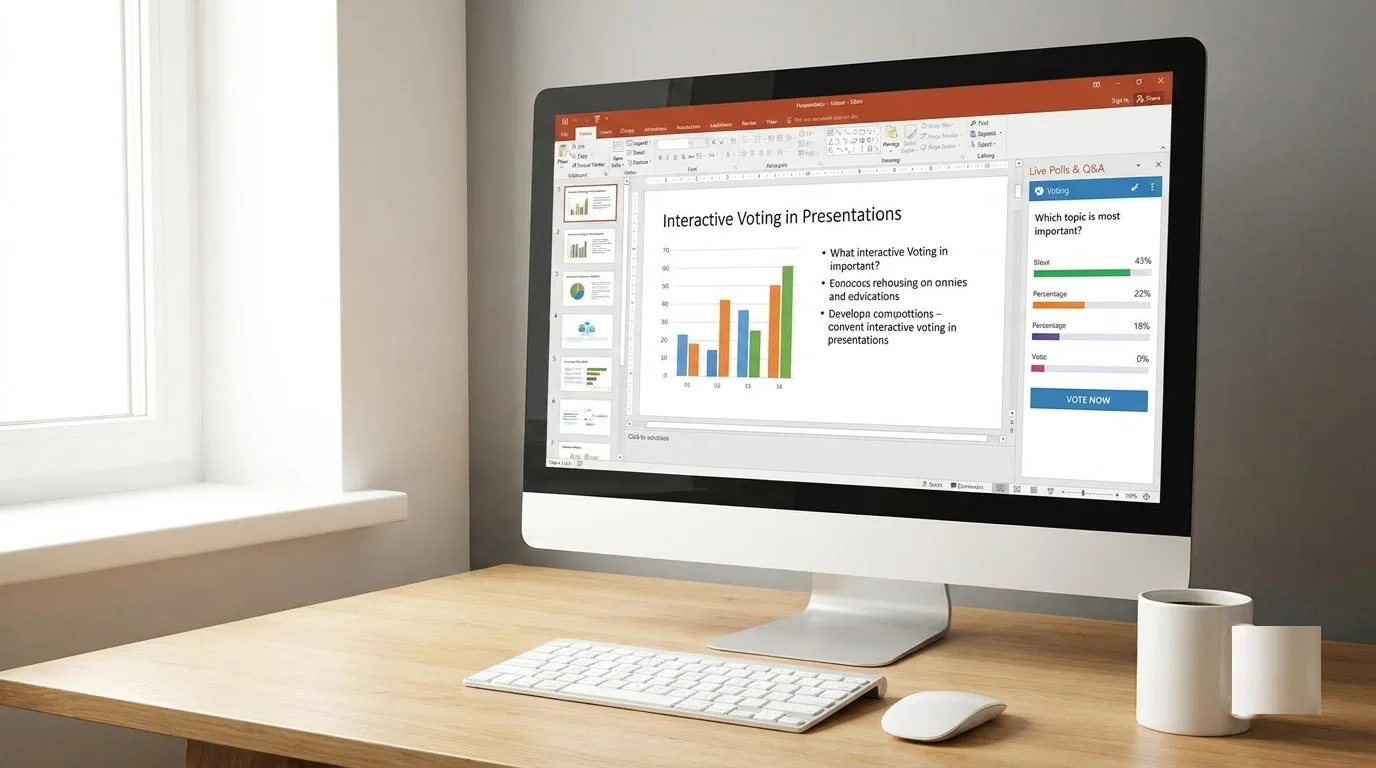
You can keep your existing slide suite and add an interaction layer on top, which is often easier than switching editors. PowerPoint and Google Slides handle the deck well but have no built-in live voting.
Without real-time audience response, a PowerPoint deck can easily turn into a lecture. It still dominates: Capterra UK shows 20,893 reviews and a starting price of US$6.00 per month. The AhaSlides PowerPoint add-in lets you drop interactive elements into the deck without leaving it. If you are weighing PowerPoint against a design tool for the slides themselves, see how Canva and PowerPoint compare for European businesses.
Google Slides is a browser editor with real-time multi-user editing, edit history and automatic saving. AhaSlides covers its missing voting by importing an existing Google Slides file, then adding polls, quizzes, discussions and spinner wheels without leaving the AhaSlides platform.
Slido also lists integrations with PowerPoint and Google Slides, as well as Webex and Teams. The listings for the other tools here do not describe slide integrations, so we would not assume them.
The trade-off is where you keep the deck. With an add-in you stay in PowerPoint, which suits a sales team with a 40-slide master deck nobody wants to rebuild. With an import you move the editing into AhaSlides, which makes sense if you are happy to give up the old file.
When the deck itself is the weak spot, a slide builder may help more than a polling tool. Gamma's plans and free tier cover that side, and you can pair it with any of the seven for the live part.
Prezi and Crowdpurr in brief
Two more names appear on most shortlists. Prezi, founded in 2009, replaces traditional slides with a large canvas and pre-designed templates. AhaSlides' guide notes you can export a finished Prezi to video for use in webinars on other platforms, but it is a presentation tool first, not a polling one.
Crowdpurr is a mobile-based engagement platform for live events, with voting, live quizzes, multiple-choice quizzes and social media walls. It allows up to 5,000 people per experience, and hosts can start or stop polls, approve responses and manage custom branding. That makes it a fit for a conference stage rather than a weekly team meeting.
European data hosting and VAT rules
AhaSlides stores data on Amazon Web Services in both the United States and the European Union, according to its trust centre, checked October 2026. That split matters if your school or employer wants everything inside the EU.
AhaSlides' privacy policy, checked the same month, does not mention a data processing agreement. Under GDPR Article 28, a vendor that handles personal data on your behalf needs a written contract with you. If you collect names or identifiable answers from students or staff, get a DPA in place before rollout, or keep sessions anonymous.
The same applies to the other seven tools. Ask each vendor for its DPA and data location in writing before you collect personal data. Vevox's local-product flag on Capterra UK tells you where the company is listed, not where your data sits.
How does VAT work for business buyers?
Every price in this guide is before VAT. If you are VAT-registered in France, Italy, Spain or Ireland and buy from a supplier established in another country, the reverse charge normally applies. The supplier invoices without VAT, and you account for it on your own return using your VAT ID.
Whether a given vendor invoices that way depends on where it is established. Our step-by-step guide to the reverse charge shows what the invoice and your return should look like.
The UK is not in the EU. UK VAT-registered buyers handle software purchases under the UK reverse charge, set out in HMRC VAT Notice 741A, not under the EU mechanism.
Frequently asked questions about presentation tools
Can one free tool replace AhaSlides?
No single tool on this list combines polls, word clouds, spinner wheels and a 50-person-per-session free plan. AhaSlides' own guide suggests Mentimeter for polls and word clouds plus Kahoot! for quizzes as the closest pairing. That means two logins, two editors and a Mentimeter cap that counts per month, while AhaSlides' free plan also includes AI quiz creation.
Which tool suits university lectures?
Mentimeter and Wooclap are the strongest fits. Mentimeter gives you open-ended questions and word clouds with polished results, which suits seminar discussion. Wooclap focuses on checking understanding as the lecture goes, and Vevox is worth a look for hybrid classes.
Size changes the answer. A 200-seat lecture will outgrow both Mentimeter's and Wooclap's free tiers. For a recall exercise, a quiz tool with unlimited players may suit you better.
How do free participant limits differ?
The table at the top has the figures; the units are what matter. Mentimeter's monthly cap suits an occasional poll. AhaSlides counts per session, so it suits a weekly meeting with the same group, and Wooclap also counts per session at a lower ceiling.
Slido counts polls rather than people. That suits Q&A-heavy meetings that need few polls. Kahoot! and Quizizz list unlimited players on quizzes, so audience size matters less there.
Do voters need to download an app?
Not with the tools that describe their join process. Quizizz states that no installation or download is required, and Vevox collects feedback on any mobile device. AhaSlides participants join in a browser, and StreamAlive runs in the meeting chat, so there is nothing to open beyond the call itself.
Join speed decides whether people take part at all. If you are unsure, try the join flow on your own phone first.
Which one should you pick
Stay with AhaSlides if you want a generous free plan and the widest mix of slide types in one deck. Switch to Mentimeter if polished results matter most, and choose Slido for big town hall Q&A. Pick Kahoot! or Quizizz for classroom games, Wooclap for euro-priced lectures, Vevox for hybrid classes, and StreamAlive if the chat is where your audience sits.
Before you commit to an annual plan, run your shortlisted tool with a test group of five colleagues. Ten minutes on real phones will tell you more than any feature list.