
Compare the best Taskade alternatives for solopreneurs. Evaluate single-user project management tools on EUR/GBP pricing, GDPR, and AI productivity features.
TL;DR: The Best Taskade Alternatives for Freelancers
Searching for taskade alternatives for solopreneurs? Your best pick depends almost entirely on how you work — not on feature counts. Here is a plain-language summary based on official vendor documentation so you can skip straight to the section that matches your situation.
| Tool | Best suits | Does not suit |
|---|---|---|
| Nuclino | Solo consultants who need a lightweight, EU-hosted wiki for client knowledge bases and internal documentation | Anyone requiring heavy AI-driven task automation or recurring workflow templates |
| Notion | Freelancers who want a single, flexible workspace covering notes, databases, projects and client portals | Users expecting a simple, out-of-the-box daily to-do list with zero configuration |
| Todoist | Solopreneurs whose priority is fast, friction-free task capture and deadline tracking across devices | Those who also need long-form document editing or embedded wikis in the same tool |
| ClickUp | Technical freelancers managing complex, multi-stage client projects with custom statuses, time tracking and automations | Anyone who wants a minimalist interface and a short learning curve |
EU compliance note: Under GDPR Article 28, every tool you use to process client personal data — names, emails, project briefs — requires a signed Data Processing Agreement (DPA). Before committing to any plan, verify that the vendor publishes a DPA, lists its sub-processors, and confirms where backup storage is hosted. Each section below covers this explicitly.
Pricing in the sections that follow is quoted in EUR (€) and GBP (£) at net rates; VAT treatment varies by member state and whether you supply a validated VIES VAT number at checkout.
Why Solopreneurs Look Beyond Taskade

Taskade started as a clean, lightweight outliner. Over the past two years, the platform has pivoted hard toward AI agent teams and multi-agent workflow automation — a compelling story for distributed teams, but a mismatch for a freelancer who simply needs to track three client projects and draft a proposal. When the interface leads with "build your AI agent workforce," a solo operator is left navigating infrastructure designed for someone else.
The Free Tier Falls Short
According to Taskade's public pricing page, the free plan caps users at limited AI credits per month and restricts the number of workspaces available. For a solopreneur testing the tool before committing, those caps surface quickly — AI-assisted task generation, summaries and chat all draw from the same credit pool. Hitting the ceiling mid-project means either upgrading or losing the AI features that justified choosing Taskade in the first place.
Built for Teams, Not Client Pipelines
Taskade's core UX centres on real-time collaborative chat, shared agent workflows and team-wide publishing. These are genuinely useful features — for teams. A freelancer's actual priority is different: organising client data cleanly, separating deliverables per contract, and keeping sensitive contact details accessible without friction. Taskade's team-chat-first layout adds cognitive overhead rather than removing it.
There is also a compliance angle worth noting. EU-based solopreneurs processing client personal data need a clear, counter-signed GDPR Data Processing Agreement (per Article 28 of Regulation (EU) 2016/679). Verifying Taskade's DPA terms and sub-processor list is an extra step that several leaner alternatives handle more transparently out of the box.
These gaps — complexity mismatch, credit-limited free tier, and team-oriented design — are the practical reasons solopreneurs search for Taskade alternatives for solopreneurs that fit a one-person business model.
The Minimum Seat Trap & EU Billing Realities
When solopreneurs search for taskade alternatives for solopreneurs, the headline price rarely tells the full story. Three separate billing traps — seat minimums, VAT complexity, and USD-only invoicing — can silently inflate your annual software spend by 30% or more before you notice.
The Seat Minimum Penalty
Several mainstream productivity platforms structurally exclude solo users from their paid tiers. Per Asana's official pricing page, the Starter plan is sold on a per-seat basis with a minimum of one seat, but Advanced and Enterprise tiers enforce multi-seat commitments that make unit economics punishing for a one-person operation. Monday.com's pricing page is more explicit: the Pro and Enterprise plans require a minimum of three seats, meaning a solopreneur effectively pays for two ghost colleagues every billing cycle. At Monday's Pro rate, that mandatory floor adds roughly €50–€60 per month in pure waste — money spent on capacity that will never be used.
The practical consequence: a tool marketed as "starting at €X/user/month" can cost two to three times that figure once the minimum seat floor is applied. Always multiply the advertised per-seat price by the published minimum before comparing plans.
EU VAT & the Reverse-Charge Mechanism
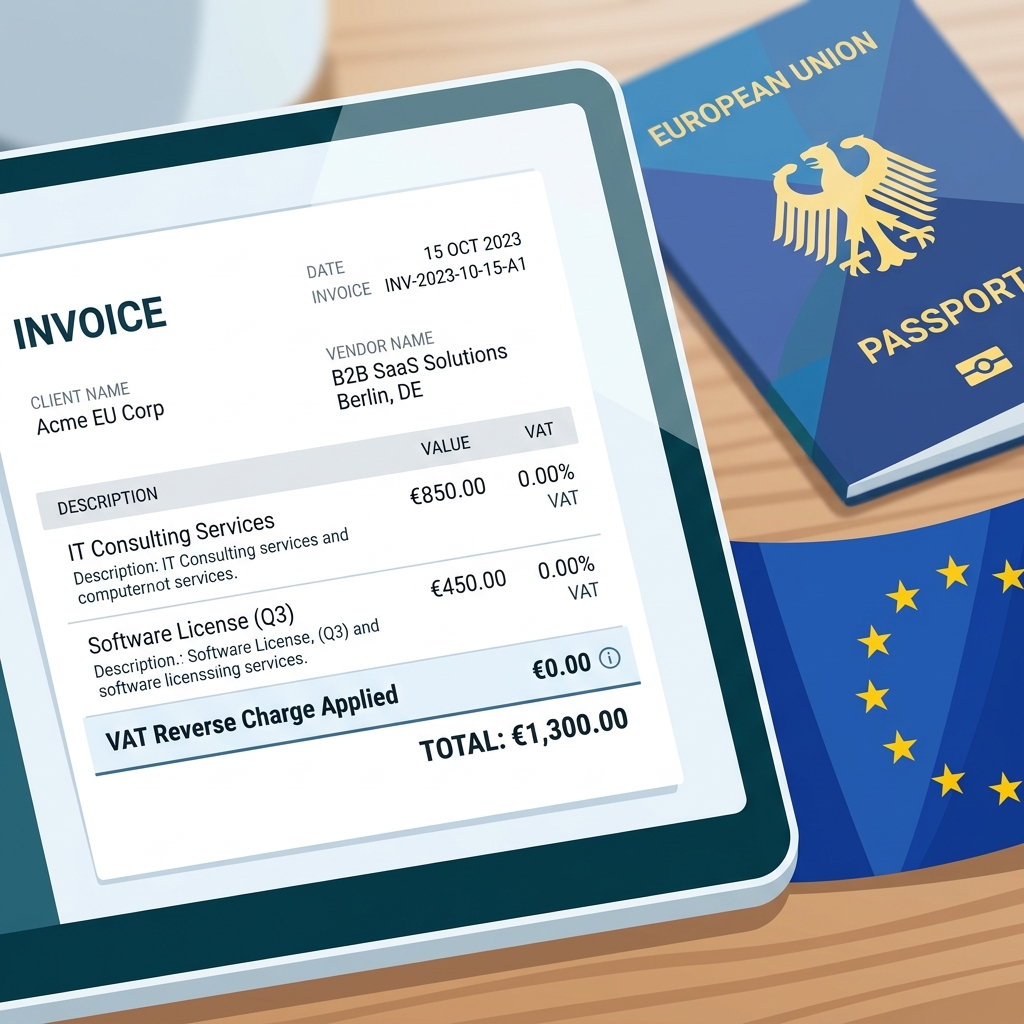
If you hold a VAT registration number, you are entitled to purchase B2B SaaS under the EU Reverse-Charge Mechanism (Article 196 of the EU VAT Directive). In practice, this means the vendor should charge you net-of-VAT, and you self-account for VAT in your own member state. The catch: this only works if the vendor's checkout validates your number against the VIES database in real time. Many US-headquartered SaaS tools skip this step entirely, charging local VAT rates (up to 25% in Nordic markets) to business buyers who are legally exempt from paying it upfront. Per SaaSEuro's knowledge base, European SMEs routinely encounter 15–25% surprise price increases for exactly this reason. Before subscribing, confirm the checkout screen has a VIES VAT ID field — and that it actually validates, not merely accepts any string of characters.
The Hidden Cost of USD-Only Billing
Tools that invoice exclusively in US dollars create a compounding cost problem for EUR and GBP buyers. Your bank or card provider applies a foreign-exchange conversion fee — typically 1.5–3.5% per transaction — on top of any mid-market rate spread. Over a 12-month subscription, that adds up. A tool nominally priced at $15/month costs closer to €15.50–€16.50/month once conversion fees and rate fluctuations are factored in, with no compliant EU tax invoice (full corporate address, VAT ID) generated for your accountant.
Before committing to any paid plan, verify three things: the seat minimum, whether VIES VAT validation is supported at checkout, and whether invoices are issued in EUR or GBP with your VAT ID printed on them.
1. Notion: The Ultimate All-in-One Workspace

TL;DR: Notion suits solopreneurs who need a flexible, database-driven workspace to manage clients, projects, and knowledge in one place. It is less suited to users who want Taskade's real-time outliner-first, AI-native workflow out of the box.
Notion vs Taskade: Structure Is the Core Trade-Off
When evaluating taskade alternatives for solopreneurs, Notion sits at the opposite end of the structural spectrum. Taskade is built around a collapsible outliner: every project starts as a list, and AI assistance is woven into that hierarchy from the start. Notion, by contrast, is a blank canvas of relational databases, linked views, and modular blocks. That flexibility is genuinely powerful — a solopreneur can build a CRM, content calendar, and invoice tracker inside a single workspace — but it demands more setup time and deliberate architecture before it becomes productive.
For example, a freelance translator could use Notion to link a client database to a project tracker and a payment log, with filtered views per client. In Taskade, the equivalent would be a series of nested task lists with AI-generated subtasks — faster to start, but structurally shallower.
The Good vs The Bad
| The Good | The Bad |
|---|---|
| Robust free tier for single users (unlimited pages, limited file uploads) | Notion AI costs an additional $10/month per user on top of any paid plan, per Notion's public pricing page |
| GDPR-compliant Data Processing Agreement (DPA) publicly available, as confirmed on Notion's security page | Data hosting defaults to US-based infrastructure; EU data residency is not offered as a self-serve option |
| Interface localised into French and German (not machine-translated) | Pricing is published in USD only; EU buyers pay via currency conversion, which introduces FX variability and potential bank surcharges |
| Sub-processors listed publicly, supporting GDPR Article 28 compliance review | No EU data centre option means some compliance officers at German or French firms (subject to BfDI or CNIL guidance) may require additional legal review |
Pricing Reality for EU Buyers
According to Notion's pricing page, the Plus plan is $10/month per user (billed annually). Notion does not publish official EUR or GBP prices. EU solopreneurs should budget for currency conversion fees and confirm with their accountant whether the reverse-charge VAT mechanism applies — particularly if they hold a validated VIES VAT number, which would allow them to account for VAT domestically rather than being charged it upfront.
The DPA availability is a meaningful positive for EU compliance, but the absence of EU-region hosting is a concrete limitation that German and French solopreneurs handling client personal data should weigh carefully before committing.
2. Todoist: Streamlined Task Management
If your priority is capturing tasks fast — not generating AI essays — Todoist is one of the strongest free Taskade alternatives for solopreneurs. It strips away document layers and focuses entirely on structured task management with natural language input (type "every Monday at 9am" and it schedules itself). That simplicity is the point.
Who It Suits — and Who It Doesn't
Todoist fits the solopreneur who runs their day from a single task list and needs reliable cross-device sync, not an AI writing co-pilot. It does not suit anyone who needs long-form notes, document collaboration, or an integrated wiki alongside their tasks.
Pricing in EUR and GBP
Per Todoist's official pricing page, the Pro plan is billed at €4/month (annual) or €5/month (monthly) for a single user. That plan raises the active-project limit to 300 projects, up from 5 on the free tier. The Free plan supports up to 5 active projects and 5 collaborators per project — workable for a true solopreneur with minimal project complexity. Todoist supports EU VAT validation at checkout, so registered businesses can apply the reverse-charge mechanism and avoid being billed foreign VAT, per the EU VAT Directive's Article 196 rules.
The Good vs The Bad
| The Good | The Bad |
|---|---|
| True single-user Pro tier billed in EUR and GBP | No native long-form note-taking or document editor |
| UI fully localised in German, French, Italian and Spanish (not machine-translated) | No built-in AI text generation or content drafting |
| GDPR-compliant DPA available; data is hosted in the US (no EU data residency) per Doist's privacy documentation | Project templates are task-only — no rich media or embedded docs |
| Natural language scheduling reduces friction for solo operators | 300-project Pro cap is generous but still a hard ceiling |
GDPR Position
According to Doist's published privacy documentation, a Data Processing Agreement is available for Pro and Business subscribers, covering Article 28 obligations including sub-processor disclosure. EU businesses subject to oversight from authorities such as Germany's BfDI or France's CNIL should request the DPA before processing any client personal data through the platform.
Bottom line: Among taskade alternatives for solopreneurs who want speed over sophistication, Todoist's clean pricing, genuine EU localisation and solid GDPR footing make it a dependable shortlist entry — provided you keep notes elsewhere.
3. Nuclino: The European Lightweight Alternative
TL;DR: Nuclino suits EU solopreneurs who want a clean, fast workspace for notes, docs and lightweight project tracking — with zero GDPR headaches. It does not suit anyone who needs AI agent automation or advanced workflow logic comparable to Taskade.
Nuclino is built by a Munich-based company, which immediately sets it apart from most taskade alternatives for solopreneurs that originate in the US. That German origin translates directly into practical advantages: EU-hosted infrastructure, a straightforward GDPR Data Processing Agreement available without an enterprise sales call, and native EUR billing — no USD conversion fees or surprise VAT charges at checkout (per Nuclino's pricing page and DPA documentation).
The interface is deliberately minimal. Pages load near-instantly, there are no animated dashboards competing for your attention, and the learning curve is measured in minutes rather than hours. For a solopreneur managing client notes, internal wikis or simple project lists, that frictionlessness has real daily value.
Plan Limits (per Nuclino's pricing page)
| Plan | Price | Item Limit | Storage |
|---|---|---|---|
| Free | €0 | 50 items total | 2 GB |
| Starter | €6/user/month | Unlimited | 10 GB |
| Business | €12/user/month | Unlimited | Unlimited |
The 50-item cap on the free tier is restrictive enough that most active solopreneurs will hit it within weeks. The Starter plan at €6/user/month is, however, genuinely affordable — and because Nuclino bills in EUR and supports EU VAT validation, B2B buyers can apply the reverse-charge mechanism cleanly, per the EU VAT Directive Article 196.
The Good vs The Bad
- ✅ EU-hosted infrastructure with a clear, accessible GDPR Article 28 DPA — critical for German, French and Austrian solopreneurs answerable to strict national data protection authorities.
- ✅ Native EUR pricing with no FX markup or USD conversion risk.
- ✅ Extremely fast, distraction-free interface — genuinely one of the snappiest collaborative tools available.
- ❌ No AI agent automation. Nuclino's AI features cover writing assistance only; it offers nothing close to Taskade's multi-agent workflow automation.
- ❌ Limited view types. You get List, Board (Kanban) and Graph — no timeline/Gantt, no calendar view, no embedded databases.
- ❌ Free tier is tight at 50 items, making it more of a trial than a sustainable free plan.
If data sovereignty and billing simplicity are your top priorities and your workflow is documentation-heavy rather than automation-heavy, Nuclino is one of the most credible EU-native choices on this list.
4. Mem.ai: AI-First Note Taking
TL;DR: Mem.ai suits solopreneurs who live inside a single, unstructured knowledge base and want AI to do the filing for them. It is a poor fit for anyone needing task pipelines, team collaboration, or billing in EUR/GBP without currency-conversion friction.
Among the taskade alternatives for solopreneurs, Mem.ai occupies a distinctive niche: it replaces the folder-and-tag discipline most note apps demand with an AI layer that surfaces connections automatically. You write freely; Mem's AI indexes, links and resurfaces relevant notes without manual organisation. For freelancers drowning in scattered research, client context and half-formed ideas, that promise is genuinely compelling.
How the Self-Organising Workspace Works
Mem applies automatic tagging and semantic search across every note you create. When you open a new note about a client, Mem surfaces related entries from weeks prior — no folder navigation required. According to Mem's public product documentation, the AI can also generate summaries and draft new content from your existing notes, making it a reasonable lightweight second-brain tool for solo operators.
The Good vs The Bad
| The Good | The Bad |
|---|---|
| Excellent AI recall and automatic tagging — minimal manual upkeep | Billing is USD-only; per the intra-EU VAT guidance, European buyers face FX conversion fees and non-compliant invoices |
| Strong for unstructured brain dumps and fast capture | No Gantt charts, kanban pipelines or deadline tracking — not a project management tool |
| Semantic search genuinely reduces time spent hunting old notes | EU data-centre availability is not confirmed on lower-tier plans; Mem's public terms do not specify a Frankfurt or Dublin hosting option for standard subscribers |
GDPR & Privacy Reality Check
This is where European solopreneurs must pause. Per Mem's publicly available Privacy Policy, the company reserves the right to use content to improve its services, with opt-out available only on higher-tier plans. A fully counter-signed GDPR Article 28 Data Processing Agreement — mandatory under EU law when processing any client personal data — is not prominently documented for entry-level subscribers. EU buyers should request explicit DPA confirmation and verify sub-processor disclosures before storing any client-identifiable information inside Mem.
Pricing Snapshot
According to Mem's public pricing page, the AI-powered tier is priced at approximately $14.99/month (billed annually). With no EUR pricing, no VAT-compliant invoicing confirmed, and potential bank FX surcharges, the real cost for a German or French solopreneur will be meaningfully higher than the headline figure suggests.
Bottom line: Mem.ai is a genuinely clever capture-and-recall tool, but its USD billing, absent EU hosting guarantees on standard plans, and lack of project management features make it a supplementary tool at best — not a Taskade replacement for most EU solopreneurs.
5. ClickUp: For Complex Freelance Projects
TL;DR: ClickUp suits independent consultants and freelancers juggling multi-phase client projects that require task dependencies, time tracking, and granular reporting. It is not the right pick if you want a lightweight, fast-to-learn tool for simple daily task management.
Among the taskade alternatives for solopreneurs, ClickUp is the most feature-dense. Where Taskade prioritises AI-assisted note-taking and team collaboration, ClickUp is built around structured project delivery — Gantt charts, dependency mapping, workload views, and built-in time tracking that independent consultants can bill directly from.
The free Forever plan is genuinely functional: unlimited tasks, unlimited members (useful if you occasionally loop in a subcontractor), and 100 MB storage. Paid plans start at $7/member/month (Unlimited tier); ClickUp charges in USD, so EU buyers should factor in bank FX conversion fees and confirm their VAT ID is validated at checkout to trigger the reverse-charge mechanism — otherwise local VAT is added on top, per standard EU VAT Directive rules.
The Good vs The Bad
| The Good | The Bad |
|---|---|
| Personal tier available — no forced team seat minimums | Steep learning curve; onboarding alone can consume several hours |
| EU data residency via AWS Frankfurt and AWS Ireland (confirmed on ClickUp's security page) | Interface becomes overwhelming for simple recurring tasks |
| Fully featured free tier — dependencies, time tracking and custom fields included | ClickUp AI is a paid add-on ($7/member/month extra), not bundled into base plans |
| UI localised into French, Spanish, and German per official release notes | GDPR DPA requires manual request; not self-serve for free-plan users |
GDPR & EU Compliance
ClickUp offers a Data Processing Agreement covering GDPR Article 28 obligations, including sub-processor disclosure and Standard Contractual Clauses. Per the vendor's DPA documentation, EU data residency must be explicitly selected during workspace setup — it is not the default. Free-plan users should verify DPA access before processing any client personal data, as German (BfDI) and French (CNIL) regulators treat this as a non-negotiable prerequisite.
Who Should Choose ClickUp Here?
If you are a solo consultant managing multi-client retainers with deliverable dependencies and need billable time logs in one place, ClickUp's depth justifies its complexity. If your workflow is closer to a simple to-do list with AI writing assistance, the overhead is hard to justify — and Taskade or a lighter alternative will serve you better.
GDPR Compliant Task Management for EU Freelancers
Most solopreneurs evaluating taskade alternatives for solopreneurs focus on features and price. Fewer ask the question that actually carries legal weight: is this vendor a compliant data processor under EU law?
Why a DPA Is Not Optional
Under GDPR Article 28, any EU freelancer who stores client names, email addresses, or project details inside a third-party SaaS tool is acting as a data controller and must execute a legally binding Data Processing Agreement (DPA) with that vendor before processing begins. A standard Terms of Service document does not satisfy this requirement — per the SaaSEuro knowledge base on GDPR Article 28, a valid DPA must specify sub-processors, mandate 72-hour breach notification, and confirm the vendor acts solely on your documented instructions.
Failure to hold a counter-signed DPA exposes a solopreneur to the same enforcement framework as large companies: fines up to €20 million or 4% of global annual turnover under GDPR Article 83. German freelancers face additional scrutiny from the BfDI; French solopreneurs from the CNIL.
Zero Model Training: Verify Before You Sign
AI-powered task tools present a specific risk: vendors may use workspace content — your client briefs, meeting notes, task descriptions — to improve their foundational AI models. Before committing to any platform, verify the vendor's legal pages explicitly state that private workspace data is excluded from AI model training. A vague "we may use data to improve our services" clause in a privacy policy is a red flag, not a guarantee.
DPA, SCC and EU Hosting: What the Vendors Actually State
| Tool | DPA Available | Counter-signed SCCs | EU Data Centre Option | Zero Model Training Stated |
|---|---|---|---|---|
| Notion | Yes (self-serve) | Yes, per Notion's legal page | No dedicated EU region (as of 2024) | Business/Enterprise plans only |
| ClickUp | Yes | Yes, per ClickUp's privacy documentation | EU hosting available on Enterprise | Stated for paid plans |
| Asana | Yes | Yes, per Asana's Data Processing Addendum | EU residency option (Enterprise) | Yes, per vendor DPA |
| Todoist | Yes (Doist DPA) | SCCs included in DPA | AWS EU regions stated | Not explicitly confirmed |
| Taskade | Available on request | Not prominently published | Not confirmed as EU-primary | Not explicitly stated |
Practical note: Always download and read the vendor's current DPA directly from their legal or trust page — not from third-party summaries. Sub-processor lists change, and you are responsible for reviewing updates under Article 28(3)(d).
For solopreneurs handling even modest volumes of client data, Asana and ClickUp currently publish the most complete compliance documentation for EU users. Todoist's DPA covers the basics at a lower price point. Notion and Taskade require more due diligence before they can be confidently used for client data under strict EU obligations.
Frequently Asked Questions
Which Taskade alternatives offer true single-user plans?
Several strong options impose no minimum seat requirement. Notion's Free and Plus plans are billed per user, meaning a solopreneur pays only for one seat — there is no enforced team minimum according to Notion's public pricing page. Todoist similarly offers individual Free and Pro tiers with no seat floor. ClickUp and Craft also allow single-user subscriptions. If a tool quotes a "per user / month" rate but requires a minimum of two or five seats, that effectively doubles or quintuples your cost — always confirm the minimum seat count before checkout.
Are AI productivity tools GDPR compliant?
GDPR compliance is not a fixed property of a tool — it depends on two actions you must take. First, you must execute a signed Data Processing Agreement (DPA) with the vendor, as required under GDPR Article 28. A generic Terms of Service does not substitute for a counter-signed DPA. Second, you must verify that the vendor's DPA explicitly prohibits your data from being used to train public AI models. Per the SaaSEuro knowledge base, failing to confirm the "zero model training" clause is one of the most common compliance gaps for EU solopreneurs. Tools such as Notion and Craft publish DPAs on request; always check whether EU data-centre hosting (e.g. Frankfurt) is available as an option, not just a default.
Can I pay for these tools via SEPA or local EU credit cards?
Tools that bill natively in EUR — such as Craft, which prices in EUR on its European checkout — typically route payments through Stripe's EU integration, which supports SEPA Direct Debit and major European cards without foreign-exchange markups. Tools priced exclusively in USD may trigger bank FX conversion fees of 1.5–3%, and their invoices may lack a compliant EU VAT ID field. As a practical example: if you hold a validated VIES VAT number, vendors supporting the EU reverse-charge mechanism will zero-rate the invoice, removing the VAT line entirely. Always verify at checkout that the invoice includes your VAT ID and the vendor's EU entity address.
Checklist: Migrating Your Solo Business
Switching between taskade alternatives for solopreneurs is low-risk if you follow a disciplined sequence. Rush the order and you risk losing data, triggering unexpected VAT charges, or importing a workflow that no longer fits how you work.
- Step 1 — Export your Taskade data first. Per Taskade's official export documentation, projects can be exported as Markdown or CSV from the workspace settings panel. Do this before cancelling your plan; access is revoked immediately on downgrade in some cases.
- Step 2 — Verify GDPR compliance and billing before upgrading. Locate the new tool's Data Processing Agreement (per GDPR Article 28) and confirm it covers your member state. Then enter your VIES-validated VAT number at checkout so the reverse-charge mechanism applies — avoiding a 15–25% surprise VAT surcharge, per EU VAT Directive Article 196.
- Step 3 — Map your core workflow before importing historical data. Sketch your two or three daily routines (client onboarding, task inbox, weekly review) in the new tool first. Importing old data into an unmapped structure creates clutter that slows adoption.
Complete all three steps in order and the migration typically fits inside a single afternoon.