
Looking for a cheaper alternative to Zapier? Compare Make, n8n, and Pabbly based on EUR/GBP pricing, EU data centers, and strict GDPR compliance.
TL;DR: Which Zapier Alternative Fits Your EU Business?

If Zapier's per-task pricing is straining your budget, you are not alone. For EU freelancers, solopreneurs and small businesses, the cost gap between Zapier and its competitors can be substantial — per Make's public pricing documentation, Make charges per operational step rather than per complete multi-step workflow, which according to vendor comparisons can translate to a 3x–5x cost difference for typical EU SMB use cases. This guide evaluates five cheaper alternatives to Zapier strictly on the basis of official vendor DPAs, public pricing pages, and infrastructure documentation.
Here is who each option suits — and who it does not:
| Tool | Best for | Not ideal for |
|---|---|---|
| Make (formerly Integromat) | Visual thinkers and EU businesses needing confirmed EU data residency (AWS Frankfurt & Ireland) plus EUR-denominated pricing | Non-technical users who want simple linear workflows without a learning curve |
| n8n | Technical teams and developers requiring strict data sovereignty via self-hosting — zero data leaves your own infrastructure | Solo operators without DevOps capacity to manage their own server |
| Pabbly Connect | Budget-conscious solopreneurs who want a one-time lifetime deal and can accept US-based cloud hosting | Businesses with hard GDPR data-residency requirements, as Pabbly does not operate native EU data centres |
| Albato | Teams wanting a mid-range cloud tool with straightforward pricing and growing app coverage | Organisations that need a published EU-specific DPA or confirmed EU hosting |
| Integrately | Non-technical users seeking one-click automation templates at a low monthly cost | Complex, multi-branch workflow logic or enterprise-grade compliance requirements |
Key GDPR note: Make and n8n are the only two options in this guide with clearly documented EU data-residency paths. If your workflows handle personal data of EU residents, this distinction is not optional — it is a legal baseline under GDPR Article 46.
All evaluations below are drawn from official vendor DPAs, public pricing pages, and infrastructure documentation published as of 2024. No hands-on benchmarks or timed tests were conducted by this publication.
Why European Businesses Are Seeking a Cheaper Alternative to Zapier

Zapier remains the most recognised name in no-code automation, but for European freelancers and small businesses, recognition does not equal value. Four structural problems — cost architecture, currency exposure, data residency, and VAT complexity — are pushing EU users to look for a cheaper alternative to Zapier with fewer hidden penalties.
The Per-Task Pricing Trap
Zapier counts every action inside a multi-step Zap as a separate "task." A workflow that catches a form submission, formats the data, looks up a contact in a CRM, and posts a Slack message consumes four tasks — not one. For a solopreneur running dozens of such automations daily, the task counter climbs fast.
According to Zapier's public pricing page, the Professional plan starts at $49/month for 2,000 tasks. A comparable volume of operations on Make.com — which also charges per step — is available from €9/month on its Core plan (10,000 operations). Per the SaaSEuro knowledge base, this billing architecture difference produces a 3x–5x cost variance for EU SMBs running multi-step workflows. That gap is not a rounding error; for a micro-business watching every euro, it is a meaningful monthly line item.
No EUR or GBP Pricing — Ever
Zapier bills exclusively in USD. For a UK limited company or a German freelancer, every invoice arrives in a foreign currency, which means:
- Bank or card foreign-transaction fees on each charge (typically 1–3%).
- Monthly cost that fluctuates with the EUR/USD or GBP/USD exchange rate — impossible to budget precisely.
- Accounting friction when reconciling USD invoices against EUR or GBP books.
Competitors such as Make.com publish native EUR and GBP prices, eliminating all three friction points.
GDPR and Data Residency: The US-Processing Problem
According to Zapier's public documentation, data processed through Zapier flows through US-based infrastructure by default. Zapier does offer a Data Processing Addendum (DPA) and relies on Standard Contractual Clauses (SCCs) to legitimise transatlantic transfers under GDPR Article 46.
SCCs are a valid legal mechanism, but they require the data controller (that is, you) to conduct a Transfer Impact Assessment (TIA) before relying on them — a step many small businesses overlook entirely. By contrast, tools with default EU data centres remove this obligation for most standard workflows, which is a meaningful compliance simplification for a one-person operation without a dedicated legal team.
VAT Headaches for Non-VAT-Registered Freelancers
Zapier is a US entity. When a non-VAT-registered freelancer in, say, France or Spain purchases a Zapier subscription, the reverse-charge mechanism does not apply — Zapier is required to collect local VAT under EU digital-services rules. However, US-headquartered platforms do not always issue invoices formatted to EU standards, which can complicate expense reporting.
For freelancers below the VAT registration threshold, this is largely an administrative nuisance. For those who are VAT-registered, confirming that the vendor correctly handles intra-EU B2B reverse-charge — and issues a VAT-compliant invoice — adds an unnecessary compliance step that EU-based vendors handle automatically.
Taken together, these four factors explain why the search for a cheaper alternative to Zapier is not simply about price: it is about finding a tool whose entire commercial and legal structure fits how European businesses actually operate.
1. Make (formerly Integromat): The Best Overall European Alternative
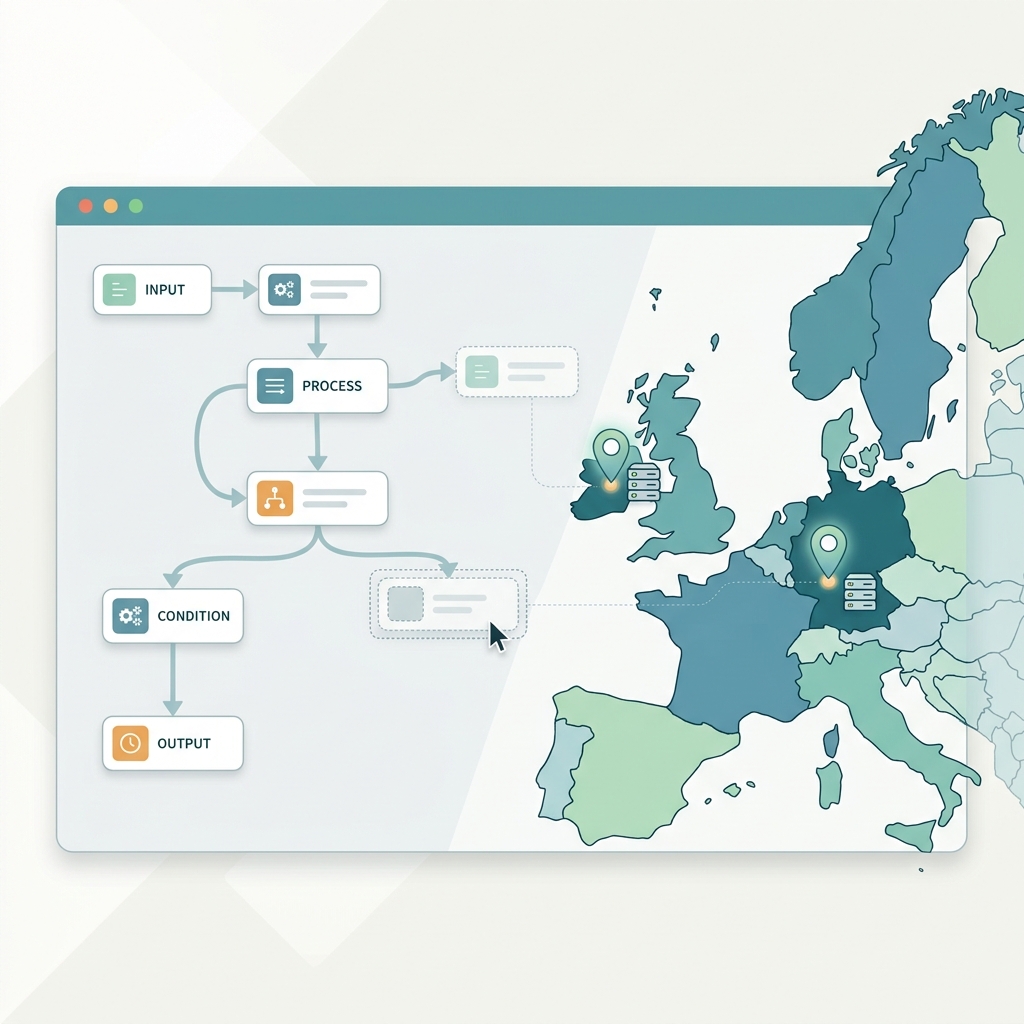
TL;DR: Make suits EU freelancers and SMBs who run multi-step workflows and want EUR billing, Frankfurt/Ireland hosting, and a signed DPA without negotiation. It is not the right pick if you need a tool you can learn in an afternoon — the visual canvas rewards patience.
Make (rebranded from Integromat in 2022) is headquartered in Prague and has built its entire commercial model around the European market. That heritage shows in the details that matter most to EU operators: native EUR pricing, dedicated data centres on European soil, and a publicly available GDPR Data Processing Agreement.
Pricing in EUR — What You Actually Pay
According to Make's public pricing page, paid plans begin at approximately €10.59 per month (billed annually) for the Core tier, which includes 10,000 operations per month. The Pro tier sits at roughly €18.82/month (annual billing), and the Teams tier scales upward from there. All plans are invoiced in EUR, which eliminates the currency-conversion losses that European buyers absorb when paying Zapier's USD-denominated invoices. Make also applies EU VAT at the point of checkout, so the price you see reflects your actual liability — no surprise invoice adjustments.
Operation Cost Efficiency: The Maths That Matter
This is where Make's value proposition becomes concrete. Zapier bills per Zap run — every time a multi-step Zap fires, it consumes one task per action step. Make bills per operation, but its non-linear routing logic changes the equation significantly.
Consider a practical example: an EU e-commerce store receives an order, checks stock in a warehouse API, routes to one of three fulfilment partners depending on country, and logs the result. On Zapier, this is a multi-step Zap; each order consumes at least four tasks. On Make, a Router module branches the same flow without multiplying the operation count for paths not taken — only the executed branch is counted.
Per the SaaSEuro knowledge base analysis of workflow automation architectures, this structural difference produces a 3x–5x cost variance in favour of Make for EU SMBs running conditional or branching workflows. At 1,000 orders per month, that gap can mean the difference between staying inside a €10.59 plan and being pushed into a higher Zapier tier costing significantly more.
One caution: Make's per-operation model cuts both ways. An infinite loop — a misconfigured scenario that triggers itself repeatedly — will consume your monthly operation quota in minutes. This is a known pitfall flagged in Make's own documentation and worth treating as a setup checklist item, not an afterthought.
EU Data Centres & GDPR Compliance
According to Make's documentation, the platform operates dedicated European hosting via AWS Frankfurt (eu-central-1) and AWS Ireland (eu-west-1). EU-region accounts process and store data within these regions, which satisfies the data-residency requirements many European B2B contracts now mandate explicitly.
Make publishes a standard GDPR Data Processing Agreement available to all paying customers without requiring enterprise-tier negotiation — a practical advantage for small businesses that lack legal teams to draft custom DPAs.
The Good vs The Bad
| The Good | The Bad |
|---|---|
| Visual scenario debugger shows exactly which module failed and why, down to the raw payload | Steeper learning curve than Zapier — the canvas interface takes time to navigate confidently |
| Native EUR billing; no USD conversion exposure | Operation count can spike rapidly if a scenario enters an infinite loop |
| Dedicated EU servers (AWS Frankfurt & Ireland) confirmed in vendor documentation | Free plan limited to 1,000 operations/month — inadequate for any real business workload |
| Standard DPA available to all paid tiers without enterprise negotiation | Some advanced HTTP/webhook modules require technical knowledge to configure correctly |
| Router and aggregator modules reduce operation consumption on branching workflows | Scenario execution history retention is capped depending on plan tier |
Bottom Line
As a cheaper alternative to Zapier for European users, Make delivers on three non-negotiable fronts: transparent EUR pricing, verifiable EU data residency, and a DPA that is ready to attach to a client contract today. The operational cost model genuinely rewards complex workflow design — but only if you invest time in understanding how operations are counted. For EU solopreneurs and SMBs willing to climb that initial learning curve, the long-term savings are structural, not incidental.
2. n8n: The Best Open-Source Option for Complete Data Sovereignty

TL;DR: n8n suits technically confident freelancers, developers and EU SMBs who need full control over where their data lives — especially those handling sensitive customer data under GDPR. It is not the right fit for non-technical users who want a plug-and-play cheaper alternative to Zapier without touching a server.
Founded in Berlin and incorporated under German law, n8n occupies a unique position in the workflow automation market. It is the only major Zapier alternative that lets you run the entire platform on your own infrastructure — meaning workflow payloads, customer tokens, API keys and sensitive form fields never touch a third-party server unless you explicitly choose otherwise. For European businesses operating under GDPR, that distinction is not a minor feature; it is often the deciding factor.
Self-Hosted vs. Cloud: Understanding Your Options
n8n ships in two deployment modes, and choosing between them changes both the cost structure and your compliance posture significantly.
Self-hosted (Community Edition): Free to download and run indefinitely. You deploy n8n on any Linux VPS — European providers such as Hetzner (Germany/Finland) or Scaleway (France/Netherlands) are popular choices precisely because they keep data within EU jurisdiction. A Hetzner CX22 instance (around €4–€5/month as of 2024) is sufficient for moderate workloads. At that price point, self-hosted n8n is one of the most cost-effective automation stacks available to European solopreneurs.
n8n Cloud: Hosted by n8n GmbH on EU infrastructure, billed in EUR. According to n8n's public pricing page, plans start at approximately €20/month (Starter) and scale upward based on execution volume. Cloud removes the maintenance burden but reintroduces a third-party data processor into your stack — meaning you will need to rely on n8n's DPA rather than your own server policy.
Execution-Based Billing: Why It Matters for Complex Workflows
This is where n8n delivers its sharpest competitive edge over Zapier. Zapier bills per task — every individual action inside a Zap counts against your quota. n8n bills per full workflow execution, regardless of how many nodes (steps) that workflow contains.
Consider a hypothetical example: a workflow that receives a webhook, queries a database, reformats data across three transformation nodes, sends a Slack notification and logs a row to Google Sheets — that is six steps. On Zapier's Professional plan, this counts as six tasks. On n8n Cloud, it counts as one execution. For complex, multi-step automations that are common in B2B contexts, this billing model can represent a substantial reduction in monthly costs.
GDPR and DPA Status
Per n8n's published documentation, a Data Processing Agreement is available to all Cloud plan customers. For self-hosted deployments, no DPA with n8n is required — your organisation acts as both controller and processor, which is the cleanest possible GDPR configuration. n8n's Berlin headquarters means the company is subject to German data protection law (BDSG) and EU GDPR natively, with no reliance on adequacy decisions or Standard Contractual Clauses for transatlantic data transfers.
The Good vs. The Bad
| The Good | The Bad |
|---|---|
| Zero data leakage when self-hosted on a EU VPS | Self-hosting requires Linux/Docker knowledge — not beginner-friendly |
| Execution-based billing rewards complex workflows | Cloud Starter plan has strict execution caps that can surprise growing teams |
| German company, subject to GDPR natively | No built-in managed updates on self-hosted — you own maintenance |
| Transparent DPA available for Cloud users | Smaller native integration library than Zapier (though custom HTTP nodes fill many gaps) |
| Cloud plans priced and billed in EUR | Community support only on the free tier; priority support requires a paid plan |
For EU businesses where data residency is non-negotiable — healthcare adjacent workflows, legal document processing, fintech pipelines — self-hosted n8n on a European VPS is arguably the most defensible automation architecture available at any price point. The technical overhead is real, but for the right team, it is a one-time investment that pays off across every workflow you build.
3. Pabbly Connect: The Best Lifetime Deal for Cost Predictability
TL;DR: Pabbly Connect suits budget-conscious freelancers and solopreneurs who want to eliminate monthly subscription costs forever and can tolerate USD-only pricing, a dated interface, and the absence of EU-dedicated data centres. It is not the right fit for European businesses with strict data residency requirements or teams that need a localised UI in German, French, Italian, or Spanish.
For anyone hunting a cheaper alternative to Zapier, Pabbly Connect presents an unusual proposition: pay once, automate indefinitely. According to Pabbly's public pricing page, the platform offers a one-time lifetime licence — no recurring monthly charge, no annual renewal anxiety. For a freelancer running dozens of client workflows, that single payment can pay for itself within a few months compared to Zapier's per-task subscription model.
How the Task Counting Logic Works in Your Favour
One of the most practical advantages Pabbly Connect holds over Zapier is how it defines a billable "task." Per Pabbly's published documentation, triggers and internal steps — such as formatters, filters, iterators, and path routers — do not count against your task limit. Only action steps that interact with an external app are counted.
To illustrate with a hypothetical example: a five-step workflow in Zapier (trigger + two formatters + two actions) would consume five tasks. The same workflow in Pabbly Connect would consume only two tasks. For solopreneurs running high-volume but logic-heavy automations, this counting method can represent a dramatic reduction in effective cost — even before the lifetime deal enters the equation. This is a meaningful structural difference that European SMBs often overlook when comparing tools purely on headline integration counts, a pitfall well-documented in workflow automation benchmarking.
The Good vs The Bad
| The Good | The Bad |
|---|---|
| One-time lifetime fee eliminates monthly subscription costs (per Pabbly's pricing page) | Pricing is in USD only — EUR or GBP conversion depends on your bank's exchange rate and may incur foreign transaction fees |
| Triggers and internal formatting/logic steps do not count towards task limits | No dedicated EU data centres; data processing relies on Pabbly's standard infrastructure outside the EU |
| Large integration library (1,000+ apps listed on their site) | No localised interface in German, French, Italian, or Spanish |
| Unlimited workflows and team members on lifetime plans | Interface design feels dated compared to Make.com or Zapier's modern canvas |
European Compliance: The Honest Picture
This is where Pabbly Connect requires careful scrutiny from EU-based users. Unlike Make.com — which operates dedicated European hosting on AWS Frankfurt and Ireland — Pabbly does not currently advertise EU-region data centres. GDPR compliance therefore rests on their standard Data Processing Agreement, which users must review independently to assess adequacy for their use case. Pabbly does offer a DPA upon request, per their published privacy documentation, but the absence of in-region data residency means businesses handling sensitive customer data — particularly under German or French regulatory expectations — should seek legal advice before committing.
Additionally, the platform's interface is available in English only. For European small businesses whose team members are not English-fluent, this creates a practical onboarding barrier that tools like Make.com (with broader localisation) do not.
Bottom Line on Value
Pabbly Connect's lifetime deal is genuinely compelling for cost predictability. The task-counting methodology alone makes it structurally cheaper than Zapier for complex, logic-heavy workflows. However, European buyers must weigh that financial advantage against real compliance trade-offs: no EU data centres, USD-only billing, and no multilingual UI. For a solopreneur automating non-sensitive marketing or admin workflows, it is a strong contender. For any business processing EU personal data at scale, those gaps deserve serious consideration before purchase.
4. Activepieces: The Rising Open-Source Contender for Agencies
TL;DR: Activepieces suits European agencies and solopreneurs who want a clean, Zapier-style interface without Zapier's price tag — especially those willing to self-host on EU infrastructure for full GDPR control. It is not the right fit for teams needing a vast library of pre-built connectors or a mature community template ecosystem.
If n8n feels too developer-heavy for your team, Activepieces is worth a serious look as a cheaper alternative to Zapier. It is fully open-source (MIT licence) and built around a visual, drag-and-drop flow editor that mirrors Zapier's familiar trigger-and-action logic — without requiring a single line of code to get started.
Pricing and EU Deployment Options
Activepieces offers two paths. The cloud SaaS plan includes a free tier covering 1,000 tasks per month, with paid plans starting at around $9/month (approximately €8–€9 depending on exchange rate at billing). Crucially, according to Activepieces' public documentation, the platform also supports full self-hosted deployment via Docker — meaning European agencies can run the entire stack on an EU-based VPS or cloud provider such as Hetzner (Germany) or OVHcloud (France). This approach gives you complete data residency control, which is the cleanest path to GDPR compliance: no third-party cloud processes your automation payloads at all.
For agencies handling client data under EU data protection obligations, self-hosting eliminates the need to rely solely on a vendor-issued DPA. Per the vendor's public documentation, a Data Processing Agreement is available for cloud users, but self-hosters retain full sovereignty by design.
Integration Ecosystem: Honest Assessment
As of mid-2024, Activepieces' native integration library is smaller than Zapier's 6,000+ apps — covering several hundred pieces including Google Workspace, Slack, Notion, HubSpot, Airtable, Stripe and OpenAI. For connections not yet natively supported, the platform offers an HTTP / custom API piece, allowing teams to connect virtually any REST API manually. This is a practical workaround, though it does require more setup effort than a ready-made connector.
The Good vs The Bad
| The Good | The Bad |
|---|---|
| Extremely clean UI — non-developers can build flows without training | Smaller native integration library compared to Zapier or Make |
| Open-source (MIT) — no vendor lock-in, full code auditability | Younger platform: fewer community-shared templates to clone |
| Generous free tier (1,000 tasks/month on cloud) | Self-hosting requires server management knowledge |
| Self-host on EU servers for complete GDPR data residency control | Cloud plan pricing is in USD, not EUR — minor friction for EU invoicing |
For a small agency processing client workflows that touch personal data, the self-hosted route on a German or French server is arguably the most defensible GDPR posture available in this price bracket. The trade-off is operational overhead: someone on your team needs to manage updates and uptime. If that is acceptable, Activepieces delivers genuine Zapier-level usability at a fraction of the cost.
5. Workato: The Enterprise Choice for Advanced Governance
TL;DR: Workato suits larger European small businesses, growing agencies, and operations teams that need enterprise-grade security, audit logs, and role-based access control. It is not a cheaper alternative to Zapier — it is a more powerful one. Solopreneurs and micro-businesses should look elsewhere entirely.
Most discussions about a cheaper alternative to Zapier focus on cost reduction. Workato takes the opposite position: it justifies a significantly higher price point by delivering governance, compliance infrastructure, and workspace controls that Zapier's business tiers simply do not match. For European organisations where data handling accountability is non-negotiable, that trade-off can make commercial sense.
EU Data Residency and Compliance Certifications
According to Workato's official documentation, the platform offers a dedicated European workspace with data residency in Frankfurt, Germany. This means workflow execution data, logs, and payload records remain within the EU — a material requirement for any organisation processing personal data under GDPR Article 46. Workato publishes a Data Processing Agreement (DPA) and holds SOC 2 Type II certification alongside ISO 27001. For European B2B teams that must demonstrate due diligence to enterprise clients or public-sector buyers, these certifications reduce audit friction considerably.
Governance Features That Larger Teams Actually Need
Where Zapier offers basic sharing within a team plan, Workato is built around workspace-level governance from the ground up. Per Workato's product documentation, the platform includes:
- Role-based access control (RBAC) — granular permissions across recipes, connections, and environments
- Full audit logs — timestamped records of who changed what and when, essential for internal compliance reviews
- Environment separation — distinct development, test, and production workspaces to prevent accidental data exposure
- On-call recipe monitoring — error alerting with structured incident tracking
These are not bolt-on features; they are core to how Workato is architected. Agencies managing automations on behalf of multiple clients, or SMBs operating under sector-specific regulations (finance, healthcare, legal), will find this structure directly useful rather than aspirational.
Pricing: Powerful, but Not for Everyone
Workato does not publish standard per-seat pricing on its public website. Per the vendor's pricing page, all plans require a sales conversation, and published estimates from third-party sources place entry-level annual contracts well above €10,000. Workato prices on workspace capacity rather than per-task or per-zap volume, which means unlimited apps and connections within the contracted workspace — a meaningful advantage for high-volume automation environments where per-step costs on platforms like Make.com or Zapier compound quickly.
The Good vs The Bad
| The Good | The Bad |
|---|---|
| EU data residency confirmed (Frankfurt) | No self-serve pricing; requires a sales call |
| Robust, published DPA and SOC 2 Type II | Entry cost is prohibitive for solopreneurs and micro-businesses |
| RBAC, audit logs, and environment separation built in | Overkill complexity for simple, linear automations |
| Unlimited apps and connections within workspace capacity | Long procurement cycle compared to self-serve tools |
Workato belongs in a shortlist only when governance requirements genuinely justify enterprise-level investment. For the majority of European freelancers and small teams seeking a cheaper alternative to Zapier with solid EU compliance, Make.com or n8n will deliver more value per euro spent.
How Automation Billing Actually Works: Tasks vs. Operations vs. Executions
Billing terminology is where most users searching for a cheaper alternative to Zapier get burned. Three platforms, three completely different counting methods — and the difference can mean paying 3× to 5× more for the exact same workload, according to SaaSEuro's analysis of public pricing documentation.
Per Task (Zapier)
Zapier charges one "Task" for every successful action step that completes inside a Zap. The trigger itself is free, but every subsequent action — send an email, update a row, post to Slack — consumes one Task credit. A 5-step Zap (1 trigger + 4 actions) burns 4 Tasks per run. Per Zapier's public pricing page, the Professional plan starts at roughly €49/month for 2,000 Tasks, which covers only 500 runs of that 5-step workflow.
Per Operation (Make)
Make (formerly Integromat) charges one "Operation" for each module execution — triggers, actions, iterators, routers, and in some cases conditional path checks. A 5-module scenario costs 5 Operations per run. According to Make's pricing page, the Core plan (€9/month) includes 10,000 Operations, covering 2,000 runs of the same 5-step workflow. Make operates on AWS Frankfurt and Ireland infrastructure, which also satisfies EU data-residency requirements without an upgrade.
Per Execution (n8n)
n8n Cloud counts one "Execution" for the entire workflow run, regardless of how many nodes (steps) are inside it. A 5-node workflow still costs exactly 1 Execution. Per n8n's public pricing, the Starter plan (€20/month) includes 2,500 Executions — enough for 2,500 complete runs of that same workflow. n8n is headquartered in Berlin and offers full self-hosting for zero cloud Execution costs at all.
Hypothetical Cost Comparison: 5-Step Workflow × 1,000 Runs/Month
The following is an illustrative example based on each vendor's publicly listed plan limits and prices. Your actual costs will vary depending on plan selection and usage patterns.
| Platform | Billing Unit | Credits Used (1,000 runs) | Lowest Plan That Covers It | Approx. Monthly Cost |
|---|---|---|---|---|
| Zapier | Per Task (action only) | 4,000 Tasks | Professional (~€49/mo, 2,000 Tasks) — requires upgrade to ~€69/mo tier | ~€69/mo |
| Make | Per Operation (all modules) | 5,000 Operations | Core (€9/mo, 10,000 Ops) | ~€9/mo |
| n8n Cloud | Per Execution (whole run) | 1,000 Executions | Starter (€20/mo, 2,500 Executions) | ~€20/mo |
The Practical Takeaway
Before committing to any platform, map your highest-volume workflow: count every step, multiply by monthly runs, then apply each vendor's unit definition. A workflow that looks affordable under Zapier's headline price can cost 7× more than the equivalent Make scenario once step-count is factored in. The billing model is not a footnote — it is the budget.
GDPR, DPAs, and Data Residency: What EU Solopreneurs Must Know
Choosing a cheaper alternative to Zapier on price alone is a costly shortcut. Before your first automation runs a single contact record through a workflow, three compliance questions demand honest answers: where does the data sit, what gets logged, and does the vendor have a signed DPA with you?
Where Your Data Actually Lives
Most US-headquartered automation platforms process data on American servers. That is legally permissible only if the vendor participates in the EU–US Data Privacy Framework (DPF) or relies on Standard Contractual Clauses (SCCs). Both mechanisms work — but they add a layer of legal dependency that disappears the moment a US court issues a broad surveillance order or the DPF faces another Schrems-style legal challenge.
The safer path for EU solopreneurs is a platform with genuine EU data residency:
- Make.com operates on AWS infrastructure in Frankfurt and Ireland, keeping EU scenario data inside the EEA by default.
- n8n (headquartered in Berlin) goes further: its self-hosted option means workflow data never leaves your own server — zero cloud exposure, zero third-party data leakage.
The Hidden Risk Inside Scenario Logs
Every cloud automation platform stores execution logs so you can debug failed runs. Those logs routinely capture the full data payload — customer names, email addresses, API tokens, even payment references. Per the SaaSEuro knowledge base, failing to encrypt or discard sensitive payload fields is one of the most common compliance pitfalls in workflow automation.
Before going live, verify that your chosen platform lets you:
- Mask or exclude specific fields (passwords, personal identifiers, OAuth tokens) from execution history.
- Set automatic log-retention limits aligned with your internal data-minimisation policy.
- Restrict log access to named users only.
If the platform offers no field-level log control, treat every automation as a potential GDPR liability and limit what data enters the workflow in the first place.
VAT Handling Is a Compliance Issue Too
Financial administration is part of GDPR-adjacent hygiene. According to Make's pricing page, VAT-registered EU businesses can apply the intra-EU reverse-charge mechanism, meaning Make does not add VAT to B2B invoices when a valid VAT number is supplied. That saves 19–25% upfront depending on your member state's rate — a real cash-flow difference at the annual plan level. Platforms that mishandle European tax force you to reclaim VAT quarterly, adding administrative drag.
Sign the DPA Before You Process Anything
A DPA is not optional paperwork. Under GDPR Article 28, any vendor processing personal data on your behalf must sign a Data Processing Agreement with you before processing begins — not after your first workflow runs.
Make, n8n Cloud, and Zapier all publish DPAs. Download the current version from the vendor's legal or privacy page, complete your organisation's details, and retain a signed copy. If a vendor cannot produce a DPA on request, that alone is sufficient reason to choose a different cheaper alternative to Zapier.
Actionable Checklist: Migrating Your Workflows from Zapier
Switching to a cheaper alternative to Zapier is straightforward if you follow a structured sequence. Rushing the migration is the single most common reason teams end up running duplicate automations — or breaking live workflows entirely.
Step 1 — Audit Every Active Zap
- Export a full list of active Zaps from Zapier → Zaps → Filter by "On". Note the trigger app, action app, and number of steps for each.
- Cross-reference each app against your target platform's native integration library. Make.com, n8n and Albato all publish public app directories — check those pages directly rather than relying on third-party counts.
- Flag any Zap that uses a Zapier-only built-in tool (Formatter, Digest, Paths) — these need manual equivalents on the new platform.
Step 2 — Bridge Gaps with Webhooks and API Keys
- For any app without a native module, use the target platform's generic Webhook trigger and configure the source app to POST to that URL.
- Document the expected JSON payload structure before you build — this saves significant debugging time when data fields arrive with unexpected names or types.
- Per the SaaSEuro knowledge base, Make.com logs scenario execution data on AWS Frankfurt and Ireland infrastructure; n8n self-hosted keeps payloads entirely on your own server. Choose accordingly if the workflow handles personal data.
Step 3 — Run Parallel Tests with Dummy Data
- Keep the original Zap active and run the new scenario simultaneously using clearly labelled test records (e.g., email addresses ending in @test.example.com).
- Verify that data formatting — date formats, currency fields, UTF-8 characters in German or French — survives the round trip intact.
- Only deactivate the Zap once the new scenario has processed at least 20 real-world-equivalent test events without errors.
Step 4 — Update Your Privacy Policy
- Your new automation platform becomes a sub-processor under GDPR Article 28. Remove Zapier from your sub-processor list and add the replacement, including its registered name, country of incorporation, and DPA URL.
- Notify existing customers if your privacy policy requires it — many EU B2B contracts mandate advance written notice of sub-processor changes.
Quick reminder: Failing to update your sub-processor list is a compliance gap, not just an administrative oversight. EU supervisory authorities treat undisclosed sub-processors as a breach of Article 28 obligations.
Frequently Asked Questions About Zapier Alternatives
What is the cheapest Zapier alternative for EU solopreneurs?
It depends on your willingness to commit upfront. Pabbly Connect's lifetime deal (periodically available via their pricing page) eliminates monthly fees entirely — you pay once and automate unlimited workflows, making it arguably the most cost-effective cheaper alternative to Zapier for budget-conscious solopreneurs. If a lump-sum purchase is not viable, n8n's Community Edition is fully free and open-source when self-hosted. You only pay for server costs (a basic VPS starts around €5–€6/month on Hetzner or Contabo). Neither option carries ongoing per-task charges the way Zapier does.
Does Make.com have servers in Europe?
Yes. According to Make.com's infrastructure documentation, the platform operates on AWS Frankfurt (eu-central-1) and AWS Ireland (eu-west-1). EU customers can select European data residency at the organisation level, which helps satisfy GDPR data-localisation requirements. Make also provides a signed Data Processing Agreement (DPA) available on request, per their legal documentation. This makes Make one of the stronger cloud-based options for EU businesses that cannot self-host.
Can I pay for automation tools via SEPA transfer?
For most platforms — including Make.com, Zapier, and Pabbly — credit or debit card is the standard payment method for monthly and annual self-serve plans. SEPA bank transfer is generally only offered for enterprise-tier annual contracts negotiated directly with a sales team. If SEPA is a hard requirement for your business (common for German Kleinunternehmer or Dutch sole traders), contact the vendor's sales department before committing. Requesting a quote in writing also gives you a paper trail for your accountant.
Do I need to be a developer to use n8n?
Not necessarily — but it depends on which version you use:
- n8n Cloud: Fully managed, visual drag-and-drop workflow builder. No coding required. Pricing starts at €20/month (per n8n's pricing page), and setup is comparable to Make or Zapier.
- Self-hosted (Community Edition): Deployment is done via command line (Docker or npm). Basic Linux familiarity is required. Once running, the interface is the same visual builder — but ongoing server maintenance is your responsibility.
A practical middle ground: start on n8n Cloud to learn the platform, then migrate to self-hosted if your automation volume justifies the server cost savings.