
Looking for a cheaper alternative to Make.com? Compare budget-friendly, GDPR-compliant automation tools with predictable pricing for European businesses.
TL;DR: Who Suits Which Automation Platform Best
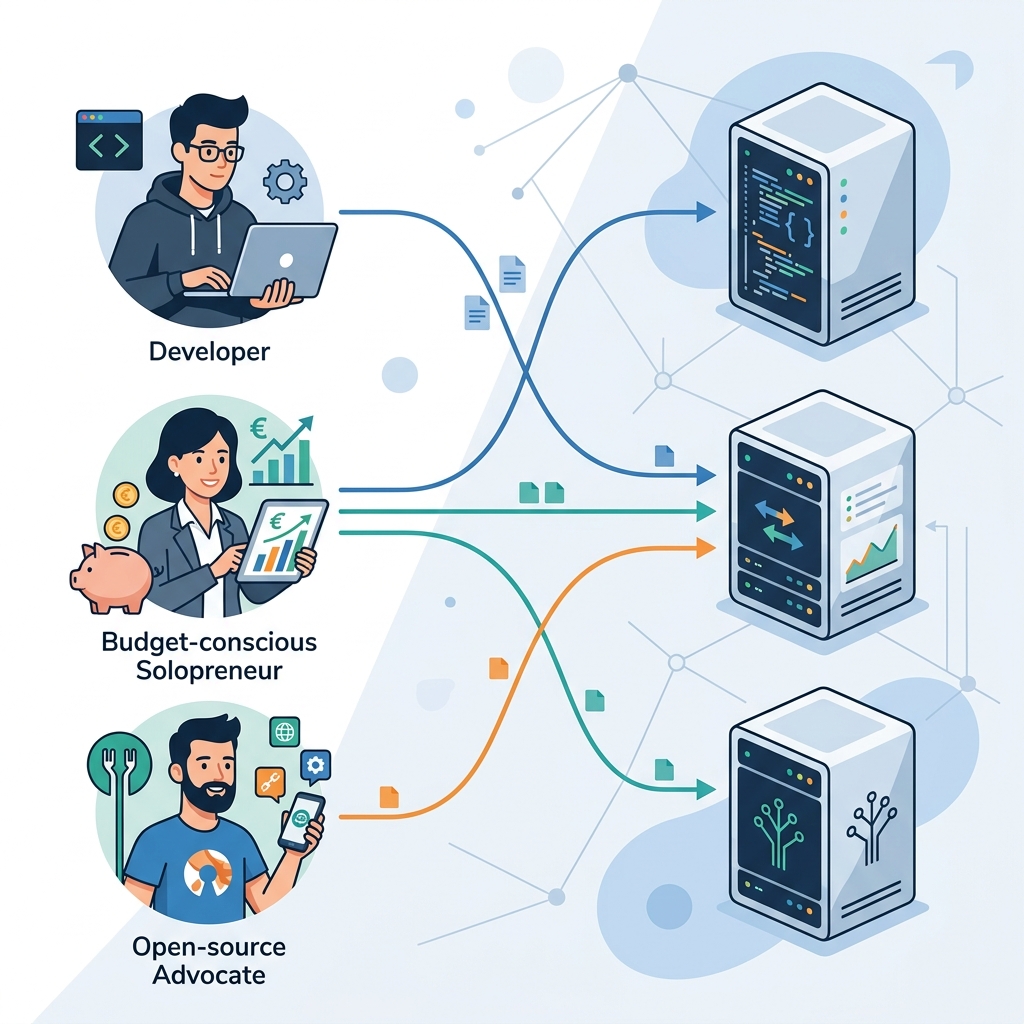
If you are paying Make.com's per-operation fees and your workflows are growing, you are almost certainly overpaying. But the right cheaper alternative to Make.com depends entirely on your technical setup, data residency obligations, and volume profile — not on which tool has the longest integration list.
Core financial reality: Make charges per individual operation (each module execution counts). Most alternatives bill per task or per workflow run. Before switching, map your average operations-per-scenario to calculate your true equivalent cost — the headline price rarely tells the full story.
Quick-match guide
| Platform | Best suited for | Not suited for |
|---|---|---|
| n8n | Technical teams and developers who require absolute data sovereignty — self-hosted on EU infrastructure, zero data leaving your servers | Non-technical solopreneurs or small teams without DevOps capacity; self-hosting n8n demands server maintenance, SSL configuration, and update management |
| Pabbly Connect | High-volume users who need predictable, fixed monthly costs regardless of how many tasks they run | EU businesses with strict data residency requirements; per the vendor's public infrastructure documentation, Pabbly Connect's servers are US-based, which complicates GDPR data transfer compliance without additional safeguards |
| Activepieces | Open-source advocates and teams wanting community-driven development, self-hosting flexibility, and no vendor lock-in | Teams needing a mature, enterprise-grade support contract or a guaranteed SLA out of the box |
The one question to answer before switching
Per-operation pricing (Make's model) and task-based pricing (used by Pabbly Connect and others) are not directly comparable. A single Pabbly "task" may equal five or six Make "operations" depending on your scenario design. As a hypothetical example: a workflow that filters, transforms, and posts data could consume eight Make operations but register as one Pabbly task — making the cost difference far larger than the plan prices suggest.
Audit your current Make scenario logs for average operations per run, then multiply by your monthly execution count. That number is your real migration baseline.
The Core Issue: Per-Operation vs Task-Based Pricing
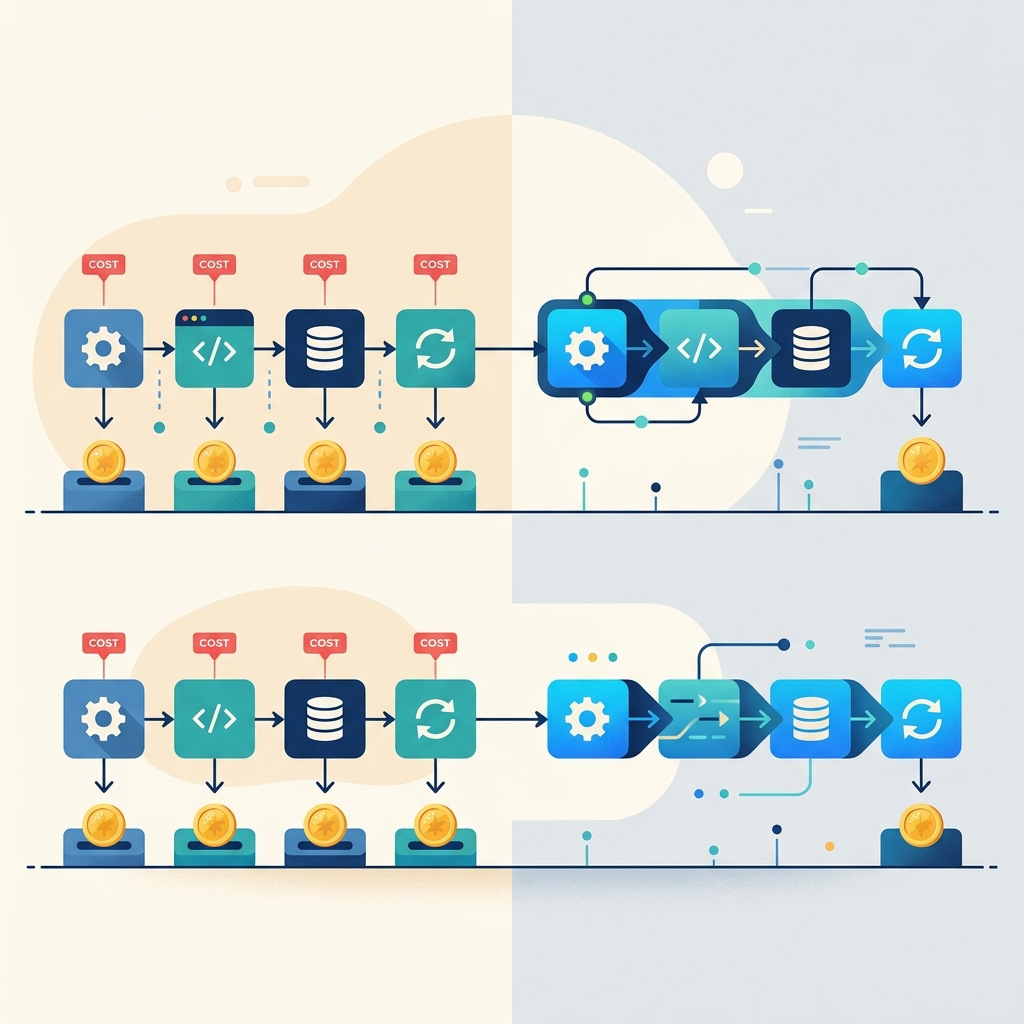
Before you can identify a genuinely cheaper alternative to Make.com, you need to understand exactly what you are paying for — because the unit of billing differs significantly across platforms, and that difference alone can swing your monthly invoice by a factor of three to five.
How Make.com Counts Operations
According to Make.com's official pricing documentation, every discrete action inside a scenario consumes at least one operation credit. That includes not just app actions (create a record, send an email) but also structural elements: each Router branch evaluation, each Filter condition check, and each Iterator cycle all draw from your operation quota. A single scenario run is therefore not one unit — it is the sum of every module that executes during that run.
Make.com's Core plan (the entry paid tier) includes 10,000 operations per month. On the surface that sounds generous. In practice, a moderately complex scenario can exhaust those credits far faster than most EU small-business owners anticipate.
How Task-Based Pricing Works
Competitors such as Zapier, Pabbly Connect, and Albato use a task-based model. On Zapier, each action step that runs successfully counts as one task, while the trigger, filters, paths and built-in utilities such as Formatter are free (per Zapier's help centre). Pabbly Connect and Albato also bill by task, but each vendor defines a task slightly differently, so check their pricing pages.
Because triggers and logic steps are free, a task-based plan tends to favour workflows with many filters and branches; workflows with many actions per run cost more.
A Hypothetical Scenario: 10,000 Orders, 10-Step Workflow
Consider a hypothetical e-commerce SMB based in Germany processing 10,000 orders per month. Their automation workflow looks like this:
| Step | Action | Counts on Make.com? |
|---|---|---|
| 1 | Trigger: New WooCommerce order | 1 operation |
| 2 | Router: EU vs non-EU customer | 1 operation |
| 3 | Filter: Order value > €50 | 1 operation |
| 4 | Action: Create invoice in Lexware | 1 operation |
| 5 | Action: Add row to Google Sheets log | 1 operation |
| 6 | Action: Send confirmation email via Brevo | 1 operation |
| 7 | Filter: Shipping country = Germany | 1 operation |
| 8 | Action: Notify DHL shipping API | 1 operation |
| 9 | Action: Update CRM contact in HubSpot | 1 operation |
| 10 | Action: Post Slack alert to fulfilment team | 1 operation |
On Make.com: 10,000 orders × 10 operations = 100,000 operations per month. This assumes every module counts, including the router and filters; check Make's pricing page for the plan that covers your monthly operations.
On Zapier: the trigger, router and filters are free, but each of the six action steps counts as a task — up to 60,000 tasks per month if every order passes both filters. Pabbly Connect sells flat annual plans; compare each vendor's task definition with your own workflow before deciding.
Which model is cheaper depends on the shape of your workflows: count the actions (task-based) and the module runs (Make) for your real scenarios before migrating.
The pricing model, not the feature list, is often the deciding factor when searching for a cheaper alternative to Make.com. Keep this distinction in mind as we evaluate each contender in the sections ahead.
n8n: The Best Self-Hosted & GDPR-Compliant Alternative

TL;DR: n8n suits EU developers, technical solopreneurs, and IT-literate small businesses that want complete data sovereignty and predictable costs — especially those handling sensitive customer data under strict GDPR obligations. It is not the right fit for non-technical users who need a fully managed, no-maintenance platform.
Founded in Berlin and incorporated under German law, n8n occupies a unique position among Make.com alternatives: it is the only mainstream workflow automation tool that lets you run the entire stack on your own infrastructure, with zero data ever leaving your servers. For EU businesses processing health records, financial data, or any personal data subject to strict data minimisation requirements, that is not a minor feature — it is the architecture.
Pricing: Self-Hosted vs Cloud
n8n's pricing model is fundamentally different from Make's operation-based billing. According to n8n's official pricing page, the options break down as follows:
| Plan | Price | Executions / Workflows | Hosting |
|---|---|---|---|
| Community (Self-Hosted) | Free (source-available) | Unlimited | Your own server |
| Starter (Cloud) | €20/month | 2,500 executions, 5 active workflows | n8n-managed |
| Pro (Cloud) | €50/month | 10,000 executions, 15 active workflows | n8n-managed |
| Enterprise (Self-Hosted or Cloud) | Custom (quote-based) | Unlimited | On-premise or dedicated |
The self-hosted Community edition is the headline differentiator. Per n8n's documentation, it carries no execution caps, no workflow limits, and no per-step charges — the cost ceiling is your server bill, not n8n's pricing tier. A basic €5–€10/month VPS on Hetzner (Germany) or OVHcloud (France) is sufficient for moderate workloads, making the total cost of ownership dramatically lower than Make's equivalent paid tiers for high-volume users.
GDPR & Data Residency: The On-Premise Advantage
Make.com's European hosting on AWS Frankfurt and Ireland is a legitimate compliance option for most businesses. However, cloud-hosted tools — even EU-based ones — still process your workflow payload data on vendor-controlled infrastructure. That means customer tokens, API keys, and personal data fields pass through Make's servers, appear in scenario logs, and fall under Make's DPA rather than solely your own data governance policies.
With n8n self-hosted, no data transits n8n's infrastructure at all. Your workflow execution logs, credentials, and payload contents remain entirely within your chosen environment — whether that is an on-premise server in your office, a dedicated VM in a German data centre, or an air-gapped internal network. Per n8n's published documentation, self-hosted deployments do not require any outbound connection to n8n's servers for core functionality. This makes it the strongest available option for organisations subject to sector-specific regulations beyond baseline GDPR, such as German BDSG requirements or healthcare data rules.
n8n's Enterprise plan also includes a signed DPA, SSO, and audit logging — per the vendor's enterprise documentation — for organisations that need self-hosted deployment with formal contractual compliance coverage.
The Good vs The Bad
- ✅ Unlimited executions on self-hosted Community edition — no per-step billing surprises
- ✅ Berlin-founded, German-law entity — DPA available for cloud and enterprise plans
- ✅ True on-premise deployment — zero data leakage by architecture, not just policy
- ✅ 400+ integrations with a visual, node-based editor comparable to Make's scenario builder
- ✅ Fair-code licence — source is auditable, reducing vendor lock-in risk
- ❌ Self-hosting requires real technical skill — Docker, server maintenance, SSL, and update management are your responsibility
- ❌ No native German, French, Italian or Spanish UI — the interface is English-only per current documentation
- ❌ Cloud Starter plan's 5 active workflow cap is restrictive for growing businesses
- ❌ No phone support on lower tiers — community forum is the primary support channel for free users
Infrastructure Cost Reality Check
Self-hosting is not free in the full accounting sense. A realistic cost model for a small EU business running n8n on a Hetzner CX22 instance (€4.35/month as of current Hetzner public pricing) still requires budgeting engineer time for initial setup, periodic updates, and incident response. If your team has no DevOps capacity, that hidden labour cost can exceed Make's €9–€16/month Core plan quickly. The honest comparison: n8n self-hosted wins on data sovereignty and scales cheaply for high execution volumes; Make wins on zero-maintenance convenience for teams without technical infrastructure.
Pabbly Connect: Fixed-Cost Predictability for High Volumes
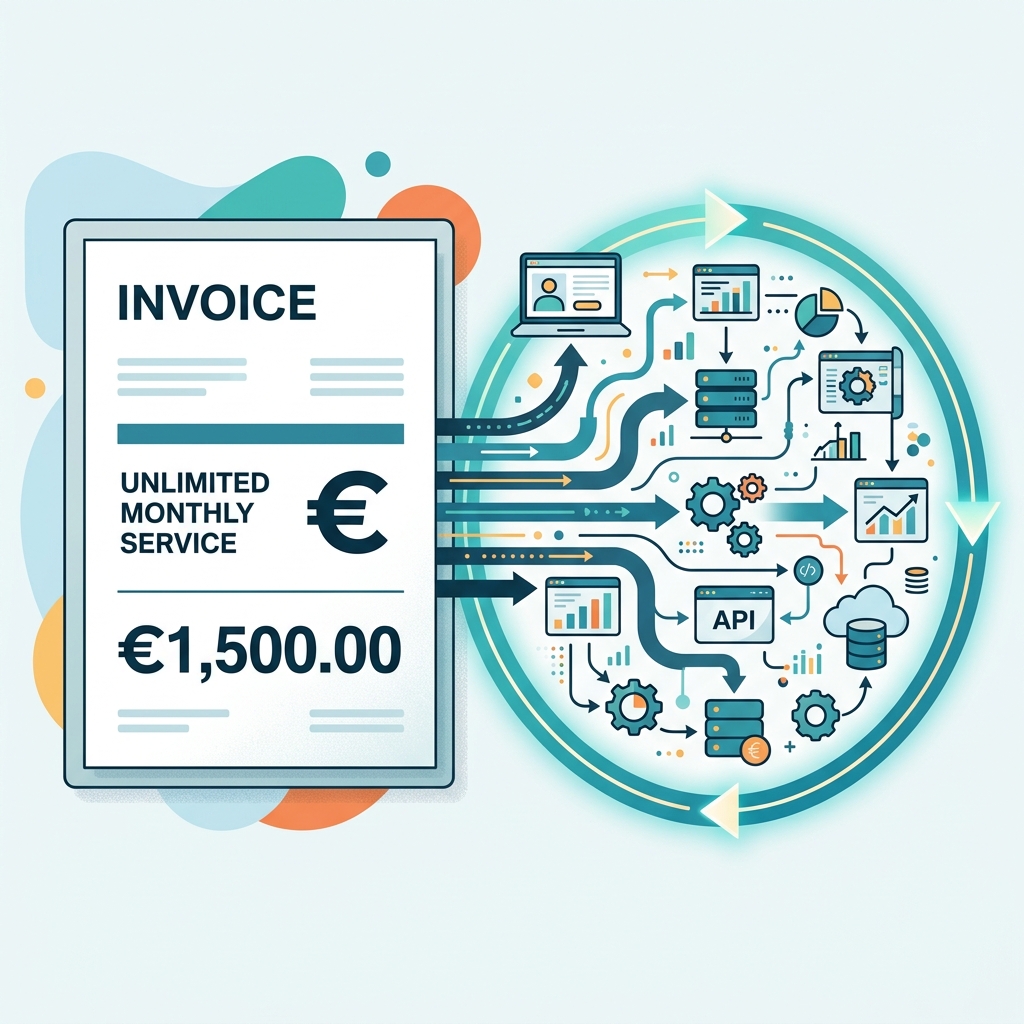
If your automation workloads are growing and Make.com's operation-based billing is becoming unpredictable, Pabbly Connect positions itself as a genuinely cheaper alternative to Make.com — specifically through its flat-rate and lifetime pricing model. The pitch is simple: pay once (or a fixed monthly fee), run workflows with unlimited internal steps. For high-volume EU businesses, that promise deserves careful scrutiny.
The Good vs The Bad
| Factor | The Good | The Bad |
|---|---|---|
| Integrations | 1,000+ supported app connections, per Pabbly Connect's public integrations directory | Fewer native integrations than Make.com's 1,700+; some connectors rely on generic webhooks |
| Task execution | Unlimited internal operations per task — no per-step charges | Workflow complexity limits apply; "unlimited" is subject to fair-use terms per the vendor's ToS |
| Pricing model | Lifetime deal available; predictable flat monthly cost | Lifetime deals carry long-term vendor-risk; no EU data centre option |
| Data residency | DPA available on request for business accounts | Servers are US-based; no AWS Frankfurt or EU-region hosting offered |
| Debugging tools | Visual workflow builder with execution history logs | Scenario debugging is less mature than Make.com's step-by-step inspector |
Breaking Down the Lifetime Deal vs Make's Pro Plan
According to Pabbly Connect's public pricing page, the Standard lifetime deal is available at a one-time payment of $249 (approximately €230–€240 at current exchange rates), covering 3,000 tasks per month (with unlimited internal operations) for a single user. Higher tiers (for more users or connections) are priced at $499 and $999 one-time.
Make.com's Pro plan, per Make's public pricing page, is billed at $16/month (approximately €15/month) for 10,000 operations. At higher operation volumes — say 50,000 operations/month — the cost rises significantly under Make's tiered model.
A straightforward break-even calculation for a solo operator on Make's Core plan at roughly €10–€15/month:
- Pabbly Standard lifetime at ~€230 ÷ €15/month = break-even at approximately 15–16 months
- Beyond month 16, Pabbly becomes pure cost saving — assuming the platform remains operational and supported
- For teams running 50,000+ operations/month on Make Pro (€34+/month), break-even arrives in under 7 months
The maths favour Pabbly for stable, high-volume workflows. The risk is vendor longevity: lifetime deals are only as durable as the company behind them.
GDPR Reality: DPA Without EU Data Centres
This is where EU businesses must apply extra scrutiny. Pabbly Connect's infrastructure is US-based, meaning personal data processed through its workflows is transferred outside the EEA. Per the vendor's published documentation, a Data Processing Agreement (DPA) is available for business customers — a necessary starting point for GDPR Article 28 compliance.
However, a DPA alone does not resolve the data transfer question. Under GDPR Chapter V, transferring personal data to the US requires a valid legal mechanism — typically Standard Contractual Clauses (SCCs). EU businesses should confirm with Pabbly whether SCCs are included in their DPA before routing any customer personal data through the platform.
Practical note: If your workflows handle only non-personal operational data (inventory counts, internal notifications, product feeds), the US-hosting issue is largely moot. If they touch customer names, emails or behavioural data, legal review is essential before deployment.
For businesses where data residency is non-negotiable, Pabbly Connect is not the right fit — regardless of its pricing advantages. In that case, Make.com's AWS Frankfurt hosting or a self-hosted n8n instance (covered elsewhere in this guide) are the appropriate alternatives. But for solopreneurs and small teams running non-sensitive, high-volume automation who want genuine fixed-cost predictability, Pabbly Connect is a credible and considerably cheaper alternative to Make.com.
Activepieces: The Top Open Source Alternative for SMBs
TL;DR: Activepieces suits EU small businesses and solopreneurs who want a visually clean automation builder without Make.com's per-operation pricing pressure — and who may eventually want to self-host for full data control. It is not the right fit for teams needing a mature, 1,000+ integration library out of the box.
What Activepieces Actually Is
Activepieces is an open-source workflow automation platform — MIT-licensed on GitHub — that deliberately occupies the middle ground between Make.com's polished visual canvas and n8n's developer-first self-hosting model. You get a drag-and-drop flow builder that feels immediately familiar to any Make user, while the underlying code is fully auditable and deployable on your own infrastructure. For European SMBs weighing a cheaper alternative to Make.com, that combination is genuinely rare.
The Good vs The Bad
| The Good | The Bad |
|---|---|
| MIT open-source licence — full code transparency, no vendor lock-in | Native integration library sits around 100+ connectors, far below Make.com's 1,500+ |
| Cloud free tier available (1,000 tasks/month per Activepieces' pricing page) | Advanced features (custom roles, SSO) gated behind higher-tier plans |
| Self-hosting option eliminates recurring cloud costs entirely | Community and support ecosystem is still maturing compared to Make or Zapier |
| Visual builder lowers the learning curve versus n8n's node-heavy interface | No native EU-region cloud data centre publicly confirmed for the managed service |
| Flat task-based pricing on paid plans — no per-step multiplication surprises | Enterprise-grade SLA documentation is limited at the time of writing |
Cloud Pricing in Context
According to Activepieces' public pricing page, the platform offers a free tier and paid plans priced in USD — European buyers should confirm EUR invoicing and VAT handling directly with the vendor before committing. The structural advantage over Make.com is the task-counting model: where Make charges per individual operation inside a scenario (a known cost multiplier flagged by EU SMBs as a common pitfall), Activepieces counts whole tasks, making monthly spend more predictable at scale.
GDPR and DPA Status
This is where EU buyers must apply scrutiny. Activepieces publishes a security overview on its website, but as of the latest publicly available documentation, a formal Data Processing Agreement tailored to GDPR Article 28 requirements is not as prominently surfaced as those offered by Make.com or n8n. Businesses handling personal data of EU residents should request a signed DPA before going live on the managed cloud. The self-hosted deployment path sidesteps this concern entirely: your data stays on your own servers, in whatever region you choose, with zero third-party data exposure.
Practical example: A German freelance consultancy processing client contact data could deploy Activepieces on a Hetzner VPS (Helsinki or Falkenstein) and achieve GDPR-compliant automation without paying any monthly SaaS fee — a scenario that is structurally impossible with Make.com's cloud-only model.
The Open-Source Middle Ground
Activepieces earns its position as a cheaper alternative to Make.com precisely because it refuses to force a binary choice. Teams not ready to manage their own server can start on the managed cloud. When compliance requirements tighten — or when the monthly task bill grows — they can migrate to self-hosting without rewriting a single flow. That portability is the platform's strongest argument for cost-conscious European SMBs.
Security Risks: Unencrypted Payloads in Cheaper Tools
Price is a legitimate reason to explore a cheaper alternative to Make.com — but cost savings evaporate fast when a data breach triggers a GDPR enforcement action. Before migrating workflows to a budget or self-hosted platform, EU businesses need to understand exactly where their data sits between trigger and action, and whether it is protected at rest.
What Execution Logs Actually Contain
Every automation platform keeps some form of execution history so users can debug failed runs. The problem is what gets written into those logs. A typical webhook payload arriving at an automation scenario can include:
- Customer names, email addresses, and postal codes (PII under GDPR Article 4)
- OAuth tokens or API keys passed as header values
- Order totals, subscription statuses, or health-adjacent data
- Internal system identifiers that, combined with other fields, become personally identifiable
On less mature platforms — particularly those positioned purely on price — these payloads are written to execution logs in plain text and retained indefinitely unless the user manually configures a deletion schedule. If the log database is compromised, every field in every historical run is exposed without any additional decryption step required by an attacker.
Why Plain-Text Storage Violates GDPR Principles
GDPR Article 5(1)(f) requires that personal data be processed with "appropriate technical and organisational measures" — a standard that courts and data protection authorities have consistently interpreted to include encryption at rest for sensitive records. Storing raw customer tokens or PII in unencrypted scenario logs fails this test on two counts:
- Integrity and confidentiality: Plain-text logs offer no protection against insider access, misconfigured permissions, or infrastructure breaches.
- Data minimisation: Retaining full payloads indefinitely when only a status field was needed for debugging violates Article 5(1)(c).
A breach involving unencrypted execution logs is not a hypothetical edge case. It is a foreseeable risk that supervisory authorities — including Germany's DSK and France's CNIL — would treat as a failure of technical due diligence, not merely bad luck.
Make.com's Documented Practices vs. Budget Alternatives
| Security dimension | Make.com | Typical budget / self-hosted tool |
|---|---|---|
| Execution log encryption | Payload data encrypted at rest (per Make's security documentation) | Often plain-text; depends on host configuration |
| Automatic log deletion | Configurable retention with automatic purge options | Manual deletion required; no default purge on many platforms |
| EU data residency | AWS Frankfurt & Ireland (documented) | Varies; many budget SaaS tools default to US East regions |
| DPA availability | Standard DPA available on request for all paid plans | Absent on several budget tools; present but unreviewed on others |
| Security responsibility | Vendor-managed | Shared or fully user-managed (especially self-hosted n8n) |
Self-Hosted Tools: More Control, More Responsibility
Self-hosted platforms like n8n shift data sovereignty entirely to the operator — which is genuinely powerful for EU businesses that want zero third-party data exposure. However, this also means encryption at rest, log retention policies, access controls, and patching cycles are entirely the operator's responsibility. A self-hosted instance running on an unencrypted volume with default credentials is measurably less secure than a managed cloud platform with documented security controls, regardless of which option costs less per month.
Practical checkpoint: Before signing up for any cheaper alternative to Make.com, ask the vendor directly: Are execution logs encrypted at rest? What is the default retention period? Is a signed DPA available? If any answer is unclear or absent, treat that as a material compliance risk — not a minor footnote.
The Financial Reality: VAT, EUR/GBP Pricing, and Total Cost
Choosing a cheaper alternative to Make.com is not just about the sticker price on a pricing page. For European freelancers and small businesses, the true cost calculation involves currency exposure, VAT compliance, and — if you go self-hosted — infrastructure and maintenance overhead. Here is what the numbers actually look like.
USD-Centric Pricing and Currency Risk
Make.com, Zapier, and most US-headquartered automation vendors publish prices in USD. When you pay in EUR or GBP, your bank or card processor applies a mid-market rate plus a spread — typically 1.5–2.5% on top of the exchange rate at the moment of billing. Over a 12-month subscription, a plan listed at $32/month can cost anywhere from €28 to €34 depending on when EUR/USD sits. That variance is invisible in the vendor's marketing but very visible on your accounting statements.
n8n (headquartered in Berlin) and Activepieces publish EUR-denominated plans for cloud tiers, which removes this exposure entirely. If currency predictability matters for your bookkeeping, that alone is a meaningful differentiator.
Intra-EU VAT and the Reverse Charge Mechanism
When a VAT-registered EU business purchases a digital service from a non-EU vendor (for example, a US-based SaaS company), the reverse charge mechanism applies under EU VAT Directive Article 196. In practice, this means:
- The vendor should not charge VAT on the invoice.
- You self-assess and report the VAT amount in your own VAT return — it is typically neutral (input equals output) for fully taxable businesses.
- The vendor's invoice must display your VAT number and include the note "Reverse charge — VAT to be accounted for by the recipient."
Many US SaaS vendors handle this correctly only if you enter your VAT ID during checkout. If you forget, they may charge local VAT rates that you then have to reclaim. Always verify the invoice before the billing cycle closes. UK businesses post-Brexit follow a similar mechanism under HMRC's reverse charge rules for B2B digital services.
Total Cost of Ownership: Cloud vs Self-Hosted
The table below models a realistic annual TCO comparison for a small business running roughly 5,000 automation executions per month — a volume where Make.com's Core plan (~€10.59/month billed annually, per Make's pricing page) starts to feel limiting.
| Scenario | Annual Licence / Hosting Cost | Estimated Maintenance Hours/Year | Approx. Total Annual Cost |
|---|---|---|---|
| Make.com Pro (cloud, managed) | ~€190 | ~5 hrs (learning curve, scenario fixes) | ~€190 + your time |
| n8n Cloud Starter | ~€240 (EUR-billed) | ~5 hrs | ~€240 + your time |
| n8n self-hosted on Hetzner CX22 VPS | ~€85 (Hetzner list price, Frankfurt DC) | ~20–30 hrs (updates, backups, SSL, monitoring) | €85 + 20–30 hrs of your time |
Example: If you value your own maintenance time at €40/hour, 25 hours of self-hosting administration adds €1,000 to your annual cost — making the "free" self-hosted route more expensive than any managed cloud plan at this usage level. Self-hosting pays off primarily when data sovereignty requirements or very high execution volumes make cloud pricing prohibitive.
Make counts every module run as an operation, while Zapier counts each successful action step as a task, so which one is cheaper at scale depends on how your workflows are built. Factor per-step pricing into your TCO model before committing to any platform, not just the monthly headline figure.
Frequently Asked Questions (FAQ)
Is n8n self-hosted pricing completely free?
Partially. n8n is published under a Sustainable Use License (formerly called Faircode), which permits free self-hosting for internal business workflows. However, per n8n's official licensing terms, you may not use the self-hosted Community Edition to offer n8n as a managed service or embed it in a commercial SaaS product sold to third parties — those use cases require an Enterprise licence. For the vast majority of EU freelancers and small businesses running automations for their own operations, the self-hosted version costs nothing beyond your server bill (a modest VPS starting around €5–€10/month on Hetzner or OVHcloud is sufficient for light workloads). n8n's paid Cloud plans start at €20/month (billed annually) if you prefer a managed option. Bottom line: free for internal use, not free for resale.
Does Pabbly Connect offer EU data centres?
No. According to Pabbly's published infrastructure information, its servers are located in the United States only. This is a meaningful consideration for EU businesses handling personal data, because transferring data outside the EEA requires a valid legal mechanism under GDPR Article 46. Pabbly does provide a Data Processing Agreement (DPA) upon request, which can support Standard Contractual Clauses (SCCs) as the transfer mechanism. If your workflows process EU customer personal data — names, emails, payment details — you should request and sign that DPA before going live, and assess whether US hosting is acceptable for your specific compliance posture. Businesses in regulated sectors (healthcare, finance, legal) should be especially cautious.
How does per-operation vs task-based pricing affect API polling?
This is one of the most overlooked cost traps when searching for a cheaper alternative to Make.com. Make.com charges an operation for every module execution, including scheduled polling checks that return zero results. For example, if you poll a REST API every 15 minutes to check for new orders and nothing arrives for 12 hours, Make has still consumed 48 operations — for doing nothing.
Tools that charge only on successful task execution (a triggered workflow that actually runs to completion) do not count empty polls against your quota. Pabbly Connect, for instance, uses a task-based model where an idle polling cycle does not deplete your allowance. For workflows with unpredictable or low-volume triggers, this distinction can reduce your effective monthly cost significantly. Before choosing any platform, ask specifically: "Does a polling check with no new data consume a credit?" — the answer tells you a great deal about real-world cost.
Can I migrate Make.com blueprints directly to another tool?
Not automatically. Make.com exports scenarios as proprietary JSON blueprints (.json files specific to Make's schema). No other major automation platform — n8n, Zapier, Pabbly Connect, or Activepieces — can import these files natively. There is no universal workflow exchange format in this industry.
In practice, migration means manually rebuilding your scenarios in the new tool, using your Make blueprint as a reference map rather than an importable file. For simple linear workflows (trigger → one or two actions), rebuilding typically takes 15–30 minutes per scenario. Complex multi-branch scenarios with filters, iterators and error handlers require considerably more effort. Factor this rebuild time into your total cost of switching — it is a real, hidden switching cost that vendors rarely highlight.
- Export your Make blueprints before cancelling your subscription — you will need them as documentation.
- Prioritise rebuilding your highest-frequency scenarios first; they deliver the fastest cost savings on a cheaper platform.
- Test each rebuilt workflow in sandbox/staging mode before deactivating the Make version.
Next Steps: Your Automation Migration Checklist
Switching to a cheaper alternative to Make.com only saves money if you migrate deliberately. Rushed migrations often recreate the same cost inefficiencies on a new platform. Work through these three steps before you cancel your Make.com subscription.
Step 1 — Audit Your Make.com Scenarios for Operation Bloat
Export your scenario list and sort by monthly operation consumption. Pay particular attention to:
- Polling triggers set to run every 1–5 minutes — each poll counts as an operation even when no data changes.
- Iterator and aggregator modules inside loops — a single scenario processing 500 records with four modules per record burns 2,000 operations per run.
- Error-handler routes that silently retry and double-count operations on failure.
Identify your top five operation-heavy scenarios. These are the workflows where migrating to a task-based or flat-rate platform (such as n8n Cloud or Activepieces) will produce the largest cost reduction.
Step 2 — Verify GDPR Credentials Before You Sign Up
Before entering a billing relationship, confirm three documents on the vendor's website:
- Data Processing Agreement (DPA) — must be available without a sales call, and should identify the legal basis for processing under GDPR Article 28.
- Data centre regions — confirm EU hosting (ideally Germany, Ireland, or Netherlands). Per public documentation, Make.com runs on AWS Frankfurt and Ireland; verify whether your chosen alternative matches or exceeds this.
- Sub-processor list — check that third-party services used by the platform are also EU-adequate or covered by Standard Contractual Clauses.
Step 3 — Run One Real Workflow in Parallel Before Full Cutover
Rebuild your highest-volume scenario on the new platform and run both versions simultaneously for one billing cycle. Measure:
- Actual task or operation consumption versus your estimate.
- Whether sensitive fields — API keys, customer tokens, personal data — are masked or encrypted in execution logs. Unmasked payloads in cloud logs are a common GDPR pitfall flagged across automation platforms.
- Error handling behaviour when a downstream API returns a 429 or 500 response.
Only after this parallel run confirms both cost savings and compliant log handling should you decommission the Make.com version and redirect live triggers.